


WD RED PRO PRICE INTELLIGENCE
WD Red Pro Prices
Compare current WD Red Pro capacities using live Amazon prices, real price history and capacity economics.
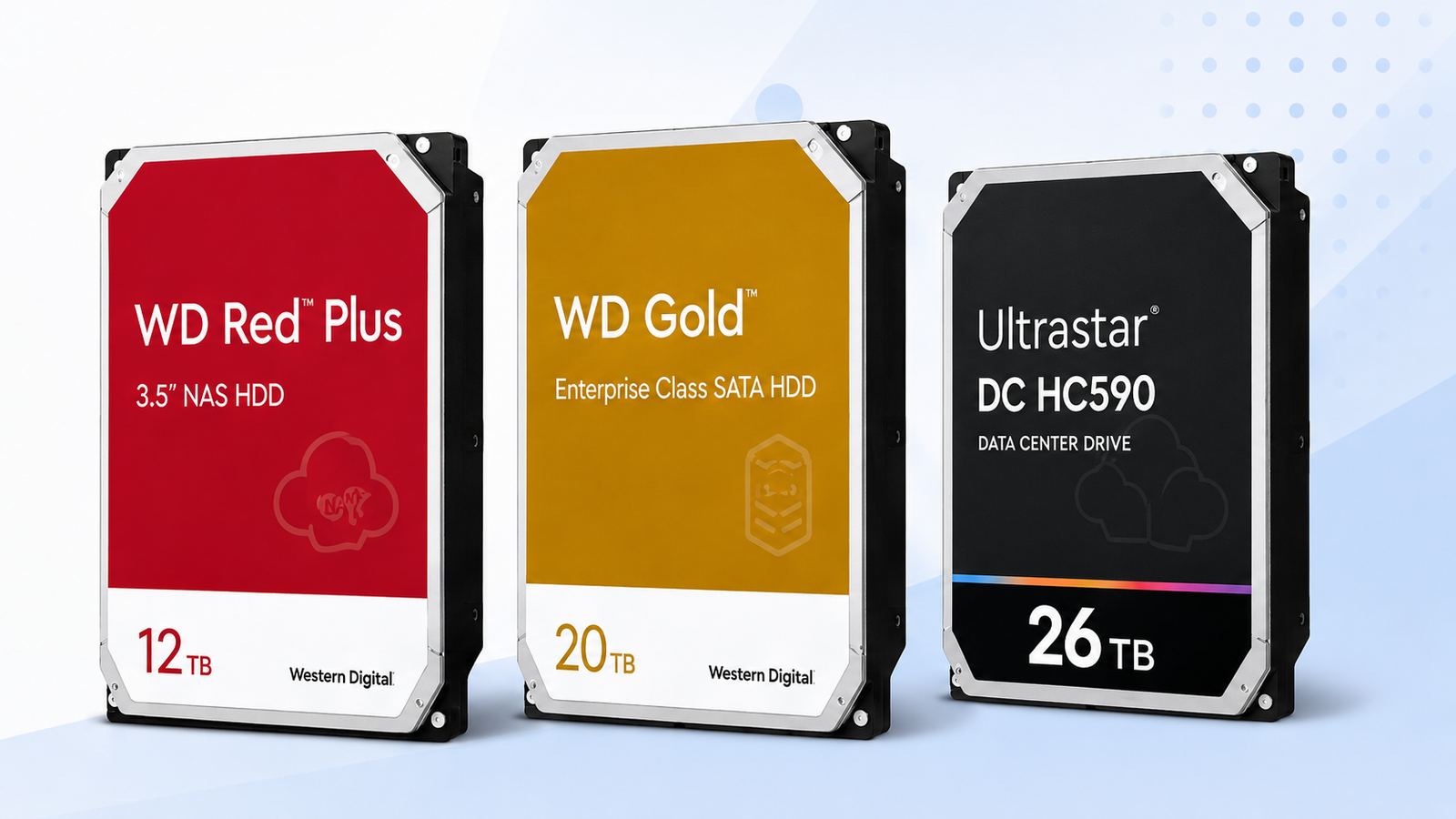
Compare Red Pro 20TB, 24TB and 26TB by current price per TB, recent price position and full-array cost. The best-value capacity can change as prices move.
Price Trend
90-Day Price History
WD Deal Score
Live value by model or family
| Family / model | Capacity | $/TB | 30-Day | Historical position | Deal Score | Signal |
|---|---|---|---|---|---|---|
| WD Red Pro 20TB | — | — | — | History in progress | —Early history | WATCH |
| WD Red Pro 22TB | — | — | — | History in progress | —Early history | WATCH |
| WD Red Pro 24TB | — | — | — | History in progress | —Early history | WATCH |
| WD Red Pro 26TBWD260KFGX | 26TB | $55.00 | 24.9% | 100th percentile | 25Medium history | WAIT |
Historical position compares today’s price per TB with recent tracked prices for new drives. Renewed, recertified, refurbished and used offers are kept separate.
Is this a good price?
WD Price Check Calculator
Amazon Live
Current WD Red Pro Prices offers
| Drive | Model | Capacity | Amazon price | $/TB | Checked | |
|---|---|---|---|---|---|---|
 WD Red ProNew · Adorama WD Red ProNew · Adorama | WD260KFGX | 26TB | $1,429.99 | $55.00 | Last verified 1d ago | Buy on Amazon |
 WD Red ProNew · Dealforless WD Red ProNew · Dealforless | WD4005FFBX | 4TB | $429.99 | $107.50 | Last verified 45d ago | Buy on Amazon |
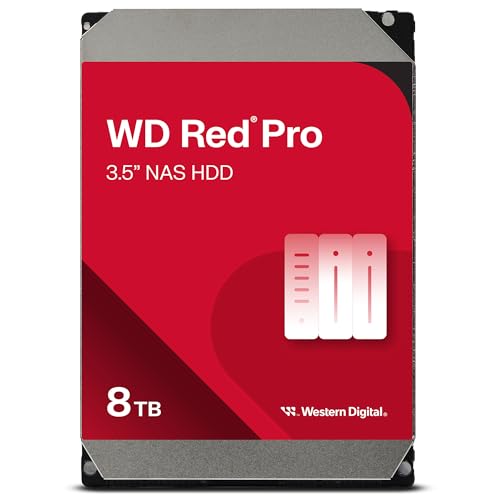 WD Red ProNew · B-JPN (Duty Prepaid U.S.) WD Red ProNew · B-JPN (Duty Prepaid U.S.) | WD8005FFBX | 8TB | $1,077.75 | $134.72 | Last verified 1d ago | Buy on Amazon |
 WD Red ProNew · Amazon buying options WD Red ProNew · Amazon buying options | WD181KFGX | 18TB | $793.99 | $44.11 | Last verified 6d ago | Buy on Amazon |
 WD Red ProNew · Amazon buying options WD Red ProNew · Amazon buying options | WD181KFGX | 18TB | $1,099.99 | $61.11 | Last verified 10d ago | Buy on Amazon |
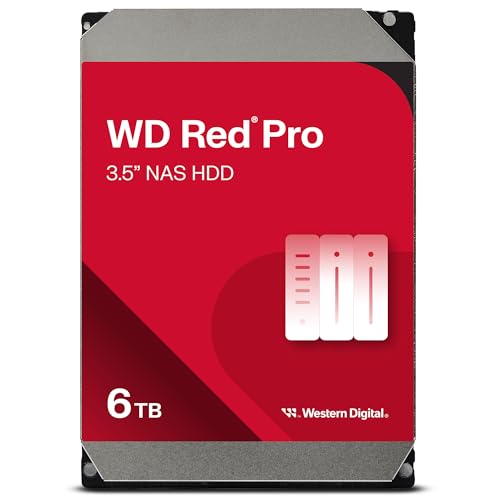 WD Red ProNew · Amazon buying options WD Red ProNew · Amazon buying options | WD6005FFBX | 6TB | $560.00 | $93.33 | Last verified 6d ago | Buy on Amazon |
 WD Red ProNew · Amazon buying options WD Red ProNew · Amazon buying options | WD2002FFSX | 2TB | $307.50 | $153.75 | Last verified 28d ago | Buy on Amazon |
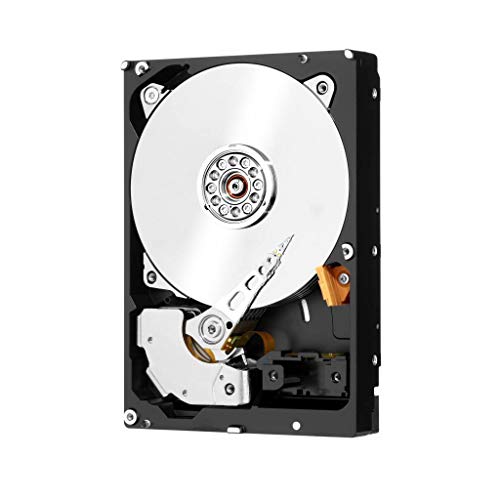 WD Red ProNew · Amazon buying options WD Red ProNew · Amazon buying options | WD2002FFSX | 2TB | $569.57 | $284.79 | Last verified 28d ago | Buy on Amazon |
As an Amazon Associate, Cloudzat may earn from qualifying purchases. Prices, seller, selected variation and availability can change after the last check. Confirm the exact model, capacity and New condition before checkout.
Capacity Economics
20TB vs 24TB vs 26TB acquisition cost
| Capacity | 20TB | 24TB | 26TB |
|---|---|---|---|
| Best current $/TB | — | — | $55.00 |
| 4-drive raw cost | — | — | $5,719.96 |
| 8-drive raw cost | — | — | $11,439.92 |
| Current model | — | — | WD260KFGX |
Raw acquisition cost only. Apply your RAID, RAIDZ, SHR, erasure coding, tax, shipping, spare and chassis costs separately.
Smart Alternatives
Better-value WD options to check


Decision table
What to compare before buying
| Capacity | Current model focus | Why buyers choose it | Price-intelligence question |
|---|---|---|---|
| 20TB | WD202KFGX | High capacity with a mature value position | Is 20TB still the family $/TB sweet spot? |
| 22TB | WD221KFGX | Extra density without jumping to 24TB/26TB | Is the small density gain priced fairly? |
| 24TB | WD241KFGX | Balanced high-density NAS capacity | Does the extra 4TB per drive justify the premium over 20TB? |
| 26TB | WD260KFGX | Maximum current Red Pro density | Is the bay-saving benefit worth the newest-capacity premium? |
WD Red Pro pricing is a NAS-capacity decision, not just a brand comparison
WD Red Pro spans capacities from small legacy-friendly sizes to the 26TB high-density end of the current family. That creates a wide price ladder, and the cheapest drive at checkout is rarely the best value for a modern multi-bay NAS. A useful comparison starts with the price per terabyte for each capacity, then asks how many bays are required to reach the target usable space. The family page is designed to reveal that capacity sweet spot rather than crown one Red Pro model permanently.
The current Red Pro generation also carries different exact model numbers as capacity rises. Cloudzat treats those model identities as first-class data because a marketplace search for “Red Pro 20TB” can return unrelated accessories, older revisions or bundles. Only matching new internal HDD listings with the expected capacity and family can influence the live price table and the history used by the Deal Score.
The 20TB, 24TB and 26TB Red Pro choices solve different problems
Twenty terabytes is often the value baseline for buyers who want high capacity without paying the newest-density premium. Twenty-four terabytes can become the balanced point when the extra capacity meaningfully reduces bay count. Twenty-six terabytes is the density-first choice for systems where each occupied bay has a high opportunity cost. The live Capacity Economics table makes that premium visible using the current matching current prices rather than a static MSRP comparison.
Do not assume the largest capacity must have the worst price per terabyte. Promotions, stock cycles and seller competition can temporarily invert the curve. A 26TB Red Pro can become more attractive than a 24TB unit on $/TB, or a 20TB model can suddenly widen its lead. That is why Cloudzat records each capacity independently and does not interpolate a price for a missing size.
WD202KFGX, WD241KFGX and WD260KFGX are the key high-capacity identities
For the high-capacity Red Pro models compared here, the exact identities matter: WD202KFGX is the 20TB model, WD241KFGX is 24TB, and WD260KFGX is 26TB. Western Digital lists these current models as 7200 RPM CMR SATA drives in the Red Pro family. Matching the part number protects you from a result that merely contains the same capacity or the words “NAS hard drive” without being the product you intended to price.
Model matching is also useful after the purchase. If an Amazon title is shortened or a seller changes the wording, the drive label and order detail still give you a concrete identity to verify. For a multi-drive order, confirm that the received units match the model you evaluated, especially if a mixed revision would complicate spares, performance expectations or future warranty handling.
What the Red Pro 5-year warranty means for a price comparison
Western Digital positions Red Pro with a five-year limited warranty, but a marketplace buyer should still verify the warranty that applies to the actual unit, region and seller channel. A lower-priced listing can be less attractive if it is an OEM or gray-channel product whose warranty path differs from the standard retail expectation. Price intelligence is useful only when the offers being compared are economically comparable.
For that reason, Cloudzat keeps seller and current offer information next to the price. The Deal Score does not award extra points to a suspiciously cheap listing merely because the number is low. You should open the Amazon listing, confirm the selected variation, seller and condition, and then check Western Digital’s warranty information for the received serial number when the purchase is important to a production array.
How Red Pro $/TB changes the cost of a four-drive or eight-drive NAS
Array purchases magnify the difference between capacities. If 24TB costs only a modest amount more than 20TB on a per-drive basis, four or eight drives can add a large block of raw storage for a manageable premium. If 26TB carries a sharp launch or scarcity premium, the same arithmetic may favor 24TB until the density premium compresses. Cloudzat’s capacity table multiplies the current best matching single-drive offer so you can see the scale immediately.
Those totals are not a RAID calculator. RAID5, RAID6, RAIDZ, SHR and mirrored layouts all convert raw capacity into usable capacity differently. The right workflow is to decide the redundancy scheme first, calculate how many drives are required, then bring the live Red Pro prices into the cost model. Price per terabyte is the unit economics; the array total is the budget reality.
When WD Gold can be the smarter Red Pro alternative
A buyer who does not require a NAS-branded family can sometimes find WD Gold at a more attractive price per terabyte. Gold is positioned as enterprise-class SATA storage and can overlap Red Pro capacities at the high end. When the current Gold offer is materially cheaper, the economic case deserves attention, particularly for servers, workstations or storage platforms whose compatibility guidance does not depend on a NAS-specific product family.
The reverse can also happen. Red Pro may be cheaper while matching the buyer’s NAS-oriented support expectations more directly. Smart Alternatives exists to surface the live price difference, not to declare the families interchangeable. Always check the enclosure vendor’s compatibility list, noise and power expectations, firmware behavior and your support requirements before substituting one family for another.
Why an Early Deal Score should make you cautious, not disappointed
An Early Deal Score simply means the price history is still short. Use it as a cautious timing guide rather than a firm buy signal. The live price per terabyte across 20TB, 22TB, 24TB and 26TB Red Pro drives can still show which capacity offers the best value today.
As the price history becomes deeper, the score can distinguish short-lived promotions from a more typical market range. That matters with high-capacity HDDs because one sale can move the checkout price by hundreds of dollars. Until then, compare the current offer with neighboring capacities and your actual bay requirements.
How to buy Red Pro during a volatile high-capacity market
If your NAS expansion is optional, define a target total cost and watch the capacity that gives you the best bay efficiency. A WATCH signal is useful in that situation because it tells you the current offer is not compelling enough to force the purchase. If a BUY signal appears with a mature history and the exact model is suitable, the decision becomes easier. If a failed drive or project deadline makes the purchase urgent, reliability of supply can outweigh waiting for the historical bottom.
Avoid splitting attention across dozens of unrelated listings. Start with the exact current model for the capacity you want, compare the matching new-drive offer with its own history, and then check one or two alternatives. That short decision path is the reason the dedicated 20TB, 24TB and 26TB pages exist alongside this family hub.
Red Pro price intelligence works best when combined with capacity planning
A NAS purchase can last for years, so the cheapest current drive is not automatically the cheapest long-term design. Higher density can postpone a chassis upgrade, reduce the number of drive slots required for a target capacity and simplify future expansion. On the other hand, buying the newest density at a large premium can consume budget that would be better spent on redundancy, backup or a spare drive.
Use the price-intelligence data to quantify the premium instead of debating capacity in the abstract. Compare 20TB, 24TB and 26TB live $/TB, multiply by the number of bays, then decide how much you are willing to pay for each extra terabyte per bay. That turns a broad “which Red Pro should I buy?” question into a measurable storage-design choice.
Why Red Pro capacity premiums should be measured per bay, not only per TB
Red Pro buyers are often constrained by a fixed number of NAS bays. In that situation, the value of moving from 20TB to 24TB or 26TB is not captured by price per terabyte alone. The larger drive adds raw capacity without consuming another slot, which can delay a chassis upgrade or leave a bay available for future expansion. Cloudzat therefore places four-drive and eight-drive acquisition cost next to the live $/TB numbers. You can see both the efficiency of the media and the cash premium required to increase density inside the same enclosure.
The opposite is also true. If your NAS has several empty bays, paying a large new-capacity premium may be unnecessary. A mature 20TB price can deliver more economical storage while keeping enough room for growth. The best Red Pro capacity is therefore a combination of current market price, available bays and the amount of expansion headroom you value. Treat the dashboard as a way to put dollar values on those trade-offs rather than as an instruction to always buy the largest model.
Building a Red Pro buying threshold before a sale appears
A useful way to avoid impulse buying is to set the threshold before a promotion begins. Choose the exact Red Pro capacity that fits your array, calculate the maximum total you are willing to spend, and convert that number into a per-drive target. Once Cloudzat has accumulated enough price history, compare your target with the 90-day median and recorded low. A target close to the bottom of the tracked range is ambitious but grounded. A target far below anything recorded may leave you waiting for a sale that never matches the economics of the current market.
For urgent replacements, use a different threshold. The cost of running a degraded array or postponing a project can be much larger than the expected saving from another week of monitoring. In that case, define the highest acceptable premium over the tracked median and buy when an exact, correctly conditioned model falls inside it. Separating discretionary upgrades from urgent recovery purchases keeps the same price data useful for two very different operational situations.
Questions people ask
WD Red Pro Prices FAQs
What is the largest current WD Red Pro capacity?
Western Digital currently lists Red Pro capacities up to 26TB. The 26TB model covered on this page is WD260KFGX.
Is WD Red Pro CMR?
The current high-capacity Red Pro models covered here are listed by Western Digital as CMR. Verify the exact model on the received drive because model identity is more reliable than a generic marketplace family title.
Is the 26TB Red Pro always the worst value per TB?
No. Current promotions and stock can make the 26TB model surprisingly competitive. The live $/TB calculation is more useful than assuming the newest capacity always carries the highest unit cost.
Why compare WD Gold with Red Pro?
Both families can appear in high-capacity always-on storage decisions. Gold is enterprise-class SATA, while Red Pro is NAS-focused. A live price gap can make one worth investigating as an alternative, subject to compatibility and support requirements.
Why can a newer price page have a shorter history?
A newer price history may not yet cover the full 90-day window. In that case, use the current $/TB and capacity comparison first, then give more weight to the historical trend as it becomes deeper.
Should I buy all NAS drives from the same seller?
For a production array, consistency of condition, warranty channel and return handling can matter. Price is only one part of the decision, so verify seller and exact model on every listing.
Price methodology & sources
How Cloudzat compares WD prices
Cloudzat matches WD offers by family, capacity and model number before including them. Price per TB is the current new-drive price divided by capacity. Price history uses the prices Cloudzat has tracked over time, while renewed, recertified, refurbished and used drives are kept separate from new-drive comparisons.
The Deal Score combines current price per TB with the available price history. When history is limited, the signal stays conservative. The score is a purchase-timing aid, not a reliability rating or compatibility guarantee.
If a newer Amazon check does not return a replacement price, Cloudzat can keep the last successfully verified price visible with its age for reference. Always confirm the live checkout price, selected model, capacity, seller and condition before ordering.