


WESTERN DIGITAL PRICE INTELLIGENCE
WD Hard Drive Prices
Live WD prices, price per TB, price history and buy-now signals for Western Digital hard drives.
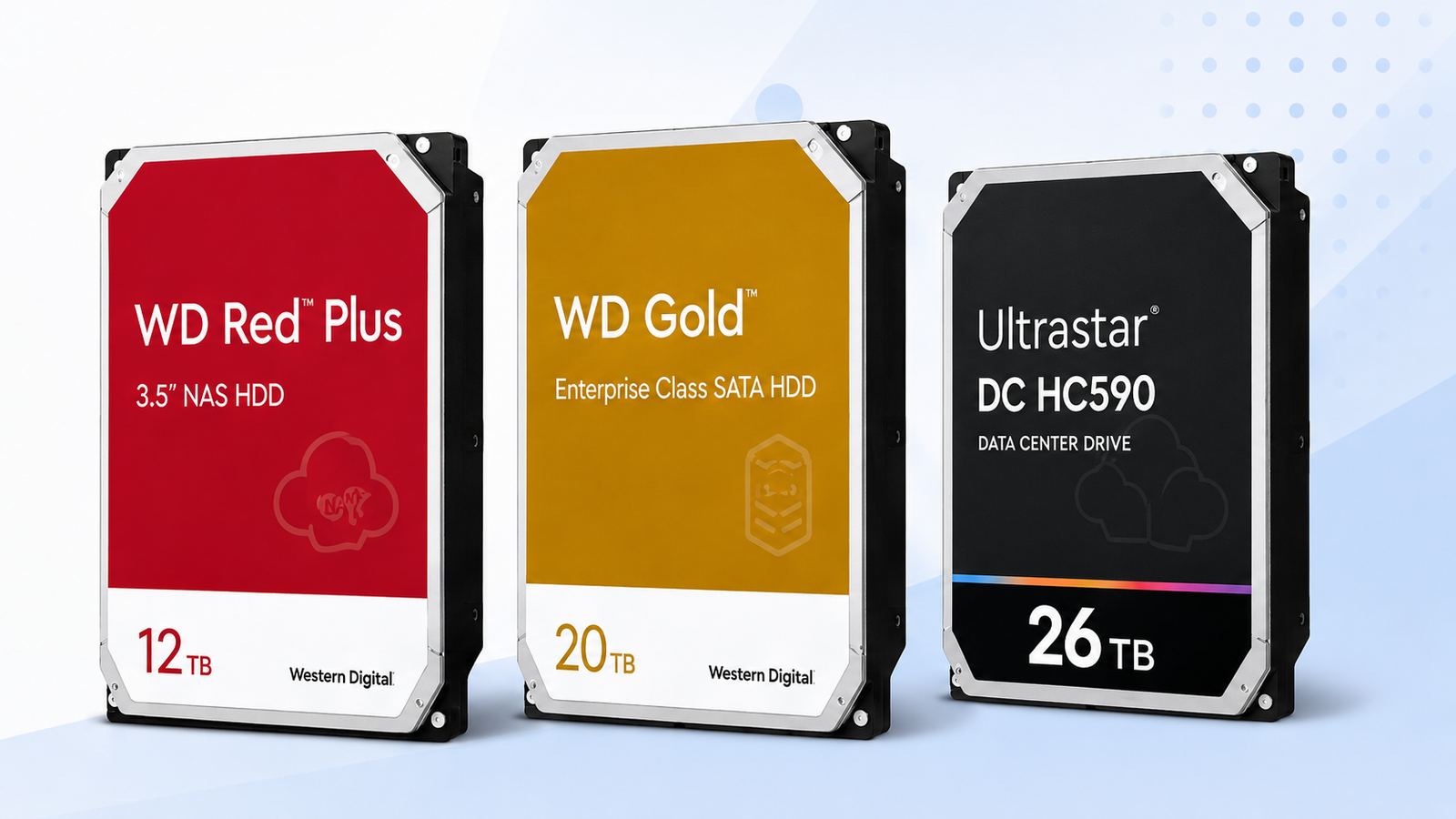
Start with the WD drive that fits your workload, then compare today’s price per TB, recent price position and total multi-drive cost before buying.
Price Trend
90-Day Price History
WD Deal Score
Live value by model or family
| Family / model | Capacity | $/TB | 30-Day | Historical position | Deal Score | Signal |
|---|---|---|---|---|---|---|
| WD Red Plus | — | — | — | History in progress | —Early history | WATCH |
| WD Red Pro | — | — | — | History in progress | —Early history | WATCH |
| WD GoldWD261KRYZ | 26TB | $54.62 | 14.4% | 64th percentile | 36Medium history | WAIT |
| Ultrastar HC590WUH722626ALE6L4 | 26TB | $50.50 | 3.3% | 82th percentile | 25Medium history | WAIT |
| WD Purple ProWD260PURP | 26TB | $51.88 | 18.4% | 100th percentile | 25Medium history | WAIT |
Historical position compares today’s price per TB with recent tracked prices for new drives. Renewed, recertified, refurbished and used offers are kept separate.
Is this a good price?
WD Price Check Calculator
Amazon Live
Current WD Hard Drive Prices offers
| Drive | Model | Capacity | Amazon price | $/TB | Checked | |
|---|---|---|---|---|---|---|
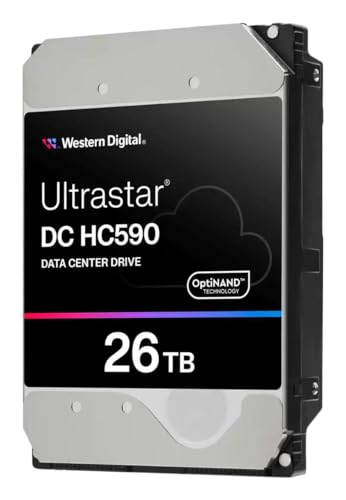 Ultrastar DCNew · PCNation Ultrastar DCNew · PCNation | WUH722626ALE6L4 | 26TB | $1,313.07 | $50.50 | Last verified 1d ago | Buy on Amazon |
 WD Red PlusNew · Amazon Japan WD Red PlusNew · Amazon Japan | WD80EFPX | 8TB | $409.43 | $51.18 | Last verified 1d ago | Buy on Amazon |
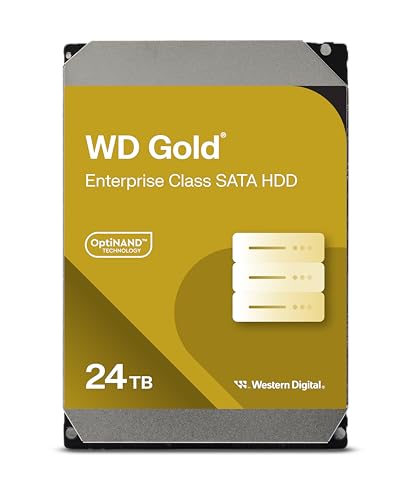 WD GoldNew · Amazon.com WD GoldNew · Amazon.com | WD242KRYZ | 24TB | $1,253.23 | $52.22 | Last verified 3d ago | Buy on Amazon |
 WD GoldNew · ANYHDD WD GoldNew · ANYHDD | WD261KRYZ | 26TB | $1,419.99 | $54.62 | Last verified 1d ago | Buy on Amazon |
 WD Red ProNew · Adorama WD Red ProNew · Adorama | WD260KFGX | 26TB | $1,429.99 | $55.00 | Last verified 1d ago | Buy on Amazon |
 WD Red PlusNew · Amazon Japan WD Red PlusNew · Amazon Japan | WD60EFPX | 6TB | $333.19 | $55.53 | Last verified 3d ago | Buy on Amazon |
 WD Red PlusNew · Best Tech Deal Corp WD Red PlusNew · Best Tech Deal Corp | WD40EFPX | 4TB | $290.00 | $72.50 | Last verified 1d ago | Buy on Amazon |
 WD GoldNew · Amazon Japan WD GoldNew · Amazon Japan | WD142KRYZ | 14TB | $1,028.03 | $73.43 | Last verified 1d ago | Buy on Amazon |
 WD GoldNew · Amazon Japan WD GoldNew · Amazon Japan | WD103KRYZ | 10TB | $740.70 | $74.07 | Last verified 1d ago | Buy on Amazon |
 WD Red ProNew · Dealforless WD Red ProNew · Dealforless | WD4005FFBX | 4TB | $429.99 | $107.50 | Last verified 45d ago | Buy on Amazon |
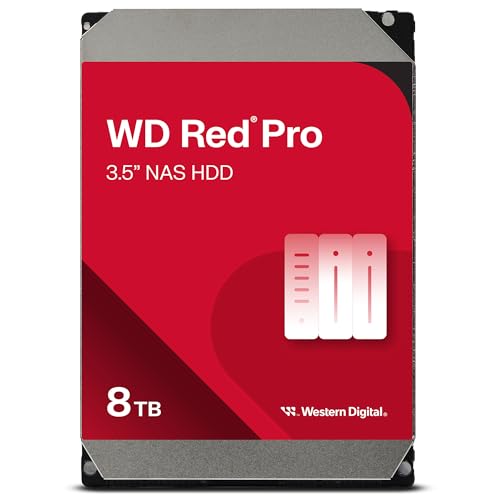 WD Red ProNew · B-JPN (Duty Prepaid U.S.) WD Red ProNew · B-JPN (Duty Prepaid U.S.) | WD8005FFBX | 8TB | $1,077.75 | $134.72 | Last verified 1d ago | Buy on Amazon |
 WD Purple ProNew · Amazon buying options WD Purple ProNew · Amazon buying options | WD221PURP | 22TB | $949.00 | $43.14 | Last verified 36d ago | Buy on Amazon |
 WD Red ProNew · Amazon buying options WD Red ProNew · Amazon buying options | WD181KFGX | 18TB | $793.99 | $44.11 | Last verified 6d ago | Buy on Amazon |
 Ultrastar DCNew · Amazon buying options Ultrastar DCNew · Amazon buying options | WUH722424ALE604 | 24TB | $1,117.84 | $46.58 | Last verified 23d ago | Buy on Amazon |
| WD Purple ProNew · Amazon buying options | WD260PURP | 26TB | $1,349.00 | $51.88 | Last verified 3d ago | Buy on Amazon |
 Ultrastar DCNew · Amazon buying options Ultrastar DCNew · Amazon buying options | WUH722624ALE6L4 | 24TB | $1,317.37 | $54.89 | Last verified 23d ago | Buy on Amazon |
 WD Red ProNew · Amazon buying options WD Red ProNew · Amazon buying options | WD181KFGX | 18TB | $1,099.99 | $61.11 | Last verified 10d ago | Buy on Amazon |
 WD GoldNew · Amazon buying options WD GoldNew · Amazon buying options | WD221KRYZ | 22TB | $1,377.58 | $62.62 | Last verified 23d ago | Buy on Amazon |
 WD GoldNew · Amazon buying options WD GoldNew · Amazon buying options | WD203KRYZ | 20TB | $1,255.48 | $62.77 | Last verified 23d ago | Buy on Amazon |
 WD GoldNew · Amazon buying options WD GoldNew · Amazon buying options | WD181KRYZ | 18TB | $1,133.22 | $62.96 | Last verified 23d ago | Buy on Amazon |
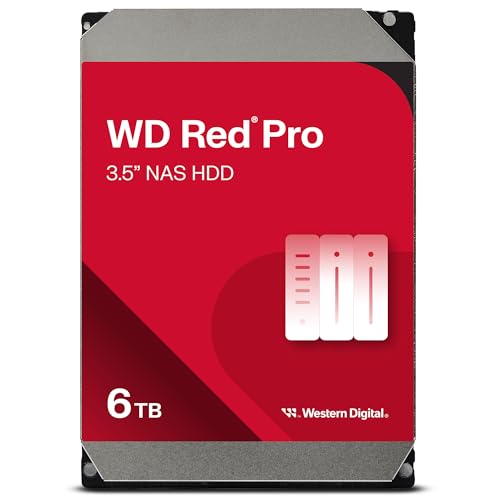 WD Red ProNew · Amazon buying options WD Red ProNew · Amazon buying options | WD6005FFBX | 6TB | $560.00 | $93.33 | Last verified 6d ago | Buy on Amazon |
 WD Red ProNew · Amazon buying options WD Red ProNew · Amazon buying options | WD2002FFSX | 2TB | $307.50 | $153.75 | Last verified 28d ago | Buy on Amazon |
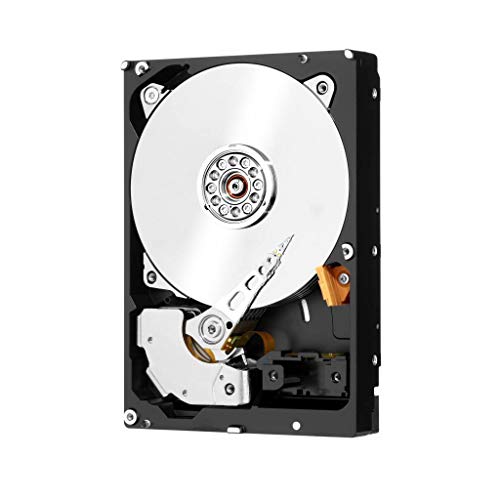 WD Red ProNew · Amazon buying options WD Red ProNew · Amazon buying options | WD2002FFSX | 2TB | $569.57 | $284.79 | Last verified 28d ago | Buy on Amazon |
As an Amazon Associate, Cloudzat may earn from qualifying purchases. Prices, seller, selected variation and availability can change after the last check. Confirm the exact model, capacity and New condition before checkout.
Capacity Economics
20TB vs 24TB vs 26TB acquisition cost
| Capacity | 20TB | 24TB | 26TB |
|---|---|---|---|
| Best current $/TB | $62.77 | $46.58 | $50.50 |
| 4-drive raw cost | $5,021.92 | $4,471.36 | $5,252.28 |
| 8-drive raw cost | $10,043.84 | $8,942.72 | $10,504.56 |
| Current model | WD203KRYZ | WUH722424ALE604 | WUH722626ALE6L4 |
Raw acquisition cost only. Apply your RAID, RAIDZ, SHR, erasure coding, tax, shipping, spare and chassis costs separately.
Smart Alternatives
Better-value WD options to check
Decision table
What to compare before buying
| WD family | Best use | Value question | What to verify |
|---|---|---|---|
| WD Red Plus | Small and medium NAS | Is the NAS premium justified at this capacity? | Exact capacity, CMR model, seller and warranty |
| WD Red Pro | Heavy NAS and multi-user arrays | Is Red Pro cheaper than enterprise alternatives today? | Exact KFGX/KFBX model, NAS compatibility and current price |
| WD Gold | Enterprise SATA and professional storage | Does Gold offer a lower $/TB than Red Pro? | Exact KRYZ model, interface, workload and warranty |
| Ultrastar DC HC590 | High-density data-center and advanced storage | Is 26TB density worth the platform premium? | Exact WUH model, SATA/SAS variant and host compatibility |
| WD Purple Pro | Smart video recording and analytics | Is the surveillance premium justified at 26TB? | Exact PURP model, recorder support, seller and warranty |
How to read WD hard drive prices without being fooled by a low sticker price
A Western Digital drive can look inexpensive until capacity, product family, warranty class and workload design are put beside the price. A $/TB calculation is the fastest first filter because it normalizes a 12TB NAS drive against a 20TB or 26TB enterprise drive. It is not the final answer, though. The lowest cost per terabyte may belong to a drive whose workload profile, vibration tolerance or intended enclosure does not match the system you are building. This page therefore keeps family identity beside every price instead of turning the market into one undifferentiated list.
The second filter is historical position. A current offer can be cheaper than other drives today and still be expensive compared with its own recent history. Cloudzat tracks price changes over time so the Deal Score can compare today’s $/TB with recent levels. If the history is still short, use the current price and nearby WD alternatives as the main guide.
Why WD Red Plus, Red Pro, Gold, Ultrastar and Purple Pro need separate fair-price context
WD Red Plus is designed around small and medium NAS use, while Red Pro is positioned for heavier multi-user NAS workloads and higher-capacity arrays. WD Gold and Ultrastar DC belong to the enterprise side of the market, while WD Purple Pro targets advanced smart-video recording and analytics. Their pricing reflects different endurance targets, firmware behavior, validation, warranty expectations and buyer segments. Comparing a Red Plus 12TB directly with an Ultrastar HC590 26TB on absolute price alone tells you almost nothing about value. Purple Pro is therefore benchmarked as its own surveillance family rather than borrowing a Red Pro, Gold or Ultrastar fair-price range.
Cloudzat therefore calculates value inside useful peer groups first. A Red Pro offer is compared with Red Pro history and relevant same-capacity alternatives. Gold and Ultrastar can then be shown as alternatives when their live price per terabyte makes them economically interesting. This prevents a cheap desktop-style offer from distorting a professional storage decision and makes the BUY, WATCH and WAIT signal more meaningful.
Price per TB is the starting point, not the buying decision
Price per terabyte answers one simple question: how much raw capacity are you buying for each dollar? It is especially helpful when deciding whether to move from 20TB to 24TB or 26TB. A higher-capacity drive may cost more at checkout but reduce the number of bays, power connectors and future replacements needed to reach a target pool size. In a bay-constrained NAS, paying slightly more per terabyte can still be the better system-level decision.
The Capacity Economics panel translates the current single-drive price into four-drive and eight-drive purchase cost. Those totals are raw-drive costs, not RAID-usable capacity estimates, because usable space depends on the RAID or erasure-coding layout you choose. Use the figures to see the purchase premium clearly, then run your preferred redundancy plan before committing to a complete array.
What the Cloudzat WD Deal Score measures
The Deal Score is designed to answer whether a current WD offer looks attractive relative to recent pricing, not whether the drive itself is suitable for every workload. A price near the lower end of its recent range receives a stronger score than a price near the upper end. Use that signal only after confirming the family, capacity and model are right for the job.
When a model has only a short price history, treat the Deal Score as a preliminary timing guide. WATCH is the sensible default until the trend has enough depth to distinguish a normal price from a brief promotion. The current price per terabyte and nearby WD alternatives remain useful while the longer-term picture develops.
How to decide between WD Red Pro and WD Gold when prices overlap
Red Pro and Gold often attract the same advanced buyers because both can appear in high-capacity, always-on systems. The better purchase depends on the system rather than the label. Red Pro is the natural route for users who want a NAS-focused family with NASware and RAID-oriented positioning. Gold is attractive when an enterprise-class SATA drive is acceptable and its live price per terabyte undercuts the equivalent NAS option.
When prices are close, use support expectations, exact model number, warranty channel, acoustics, power profile and compatibility guidance from the enclosure vendor as tie-breakers. When the price gap is large, the Smart Alternatives panel makes the economic trade-off visible. The important point is to compare the exact current models rather than relying on a family reputation that may have been formed around an older capacity generation.
Why exact WD model numbers matter for price intelligence
A family name is not precise enough for a useful price comparison. WD can sell multiple capacities and revisions under one family, and marketplace titles sometimes mix capacity, cache or generation wording. Cloudzat keeps model identities such as WD241KFGX, WD260KFGX, WD261KRYZ and WUH722626ALE6L4 beside the price so buyers can compare like with like instead of treating every result containing “WD Red” or “Ultrastar” as equivalent.
Exact matching also protects price history. If a 24TB product is accidentally normalized as 180TB because a marketplace description mentions a 180TB-per-year workload rating, the resulting $/TB number would be nonsense and could corrupt the deal signal. Cloudzat recognizes only plausible drive-capacity values and requires the requested capacity for exact searches, keeping workload ratings and other large TB figures out of the capacity field.
When a renewed or recertified WD drive looks dramatically cheaper
Condition is one of the easiest ways to create a misleading price comparison. A renewed, recertified or used enterprise drive can sell far below a current new drive, but it should not establish the fair-price comparison for new inventory. The price tracker in this WD price guide uses New offers for its comparison and keeps the calculations clean. A bargain from another condition may still be worth considering, but it belongs in a separate condition-aware comparison.
If you compare non-new inventory manually, verify who performed the recertification, the warranty actually supplied with that listing, return rights, power-on hours when available, and whether the model is an OEM or channel variant. A lower acquisition price can be sensible for a lab or secondary backup target, while a production array may justify paying more for a clearly supported new unit.
How to use the BUY, WATCH and WAIT signal
BUY means the live offer is sitting in a strong tracked value position for the filtered drive and enough history exists to make that comparison useful. WATCH means the price is around a normal range, the historical sample is still developing, or the value advantage is not strong enough to justify urgency. WAIT means the current price is high relative to its tracked history. None of the three labels overrides a genuine capacity deadline or a compatibility requirement.
For a failed array member or a storage expansion that cannot be postponed, availability can matter more than a perfect score. For a discretionary upgrade, the signal is more useful because you can wait for a better point in the range. Treat the score as a disciplined way to compare timing, then verify the exact Amazon variation and seller before checkout because marketplace availability can change after Cloudzat records the price check.
A better way to plan a multi-drive WD purchase
Large HDD purchases amplify small pricing differences. Saving $20 per drive becomes $160 across an eight-drive array, while choosing 26TB instead of 20TB can add a much larger premium but may avoid an expansion chassis later. Start with the usable capacity your workload needs, add the redundancy level, then compare the number of drives required at each capacity. Only after that should you decide whether the lowest current $/TB is truly the lowest system cost.
The strongest buying plan normally has three checkpoints: exact compatibility with the NAS or controller, acceptable value versus the drive’s own recent range, and a sensible total cost for the array size. Cloudzat’s live offers, history, Deal Score and capacity economics are arranged around those checkpoints so the page helps with an actual purchase instead of simply publishing another list of hard drives.
Why WD price intelligence needs a common comparison across families
A buyer comparing Red Plus, Red Pro, Gold and Ultrastar can easily mistake a cheaper sticker price for better value. The families are aimed at different workloads and often cluster around different capacities, so the useful common denominator is the cost of each terabyte at the exact capacity you can actually buy. Cloudzat keeps the family identity visible while normalizing the money side of the decision. That lets you see whether a NAS-focused model is genuinely cheaper than an enterprise model today, rather than relying on a reputation that may have been formed when the price gap looked very different.
The comparison is intentionally narrow. Only matching new internal WD listings with a current price contribute to the live value view. A renewed enterprise drive at a much lower price may be interesting, but it should not make a new Red Pro appear expensive by comparison. The same separation applies to external drives, bundles and accessories. A clean comparison gives the Buy, Watch and Wait labels a consistent economic meaning without pretending that products built for different jobs are technically interchangeable.
How to use this page for a multi-drive purchase
For a single replacement drive, a difference of ten or twenty dollars may not change the decision. For four, six or eight drives, the same unit difference becomes a meaningful part of the array budget. Start with the capacity economics panel, identify the density that fits the chassis, and multiply the live unit price across the number of bays you intend to populate. Then compare the total with the next-lower and next-higher capacities. That makes it obvious when a larger drive is saving bays at a reasonable premium and when you are paying heavily for density you do not yet need.
After the arithmetic, return to exact-model compatibility. Price intelligence should narrow the purchase, not override the storage design. Confirm SATA or SAS requirements, the NAS or server compatibility list, sector-format expectations, warranty channel and the amount of spare capacity you want to preserve. If two choices still fit, the historical position and Deal Score can break the tie. If only one model is operationally appropriate, the price signal is better used to decide whether to buy immediately or monitor for a better offer.
Questions people ask
WD Hard Drive Prices FAQs
What is a good price per TB for a WD hard drive?
There is no single permanent threshold because capacity and market conditions change. Compare the current $/TB with the same family, the same capacity class and the drive’s tracked history. Cloudzat shows those comparisons together rather than using one fixed number.
Why might the 90-day chart show less than 90 days of history?
The chart shows the price history currently available for that model or family. If the history is shorter, use the current $/TB and nearby alternatives as the main comparison until the trend becomes deeper.
Why can the cheapest WD drive have a WATCH signal?
A drive can be the cheapest option in today’s sample while still being expensive compared with its own recent history, or the historical sample may still be too small for a strong BUY signal.
Are renewed drives included in the Deal Score?
No. The main Deal Score compares new-drive prices. Renewed, recertified, refurbished and used offers are kept separate so a lower-condition price does not distort the comparison.
How often can Amazon prices change?
Amazon prices and availability can change at any time. Check the displayed price age and confirm the selected model, capacity, seller and condition on Amazon before checkout.
What should I compare before buying eight WD drives?
Check exact model compatibility, interface, warranty channel, workload needs, total array cost and redundancy. Then use current $/TB and historical position to decide whether the timing is attractive.
Price methodology & sources
How Cloudzat compares WD prices
Cloudzat matches WD offers by family, capacity and model number before including them. Price per TB is the current new-drive price divided by capacity. Price history uses the prices Cloudzat has tracked over time, while renewed, recertified, refurbished and used drives are kept separate from new-drive comparisons.
The Deal Score combines current price per TB with the available price history. When history is limited, the signal stays conservative. The score is a purchase-timing aid, not a reliability rating or compatibility guarantee.
- Western Digital WD Red Pro product specifications
- Western Digital WD Gold product specifications
- Western Digital WD Red Plus product specifications
- Western Digital Ultrastar DC HC590 product specifications
If a newer Amazon check does not return a replacement price, Cloudzat can keep the last successfully verified price visible with its age for reference. Always confirm the live checkout price, selected model, capacity, seller and condition before ordering.