


WD RED PRO 26TB PRICE INTELLIGENCE
WD Red Pro 26TB Price
Live WD260KFGX price intelligence for maximum-density Red Pro NAS builds.
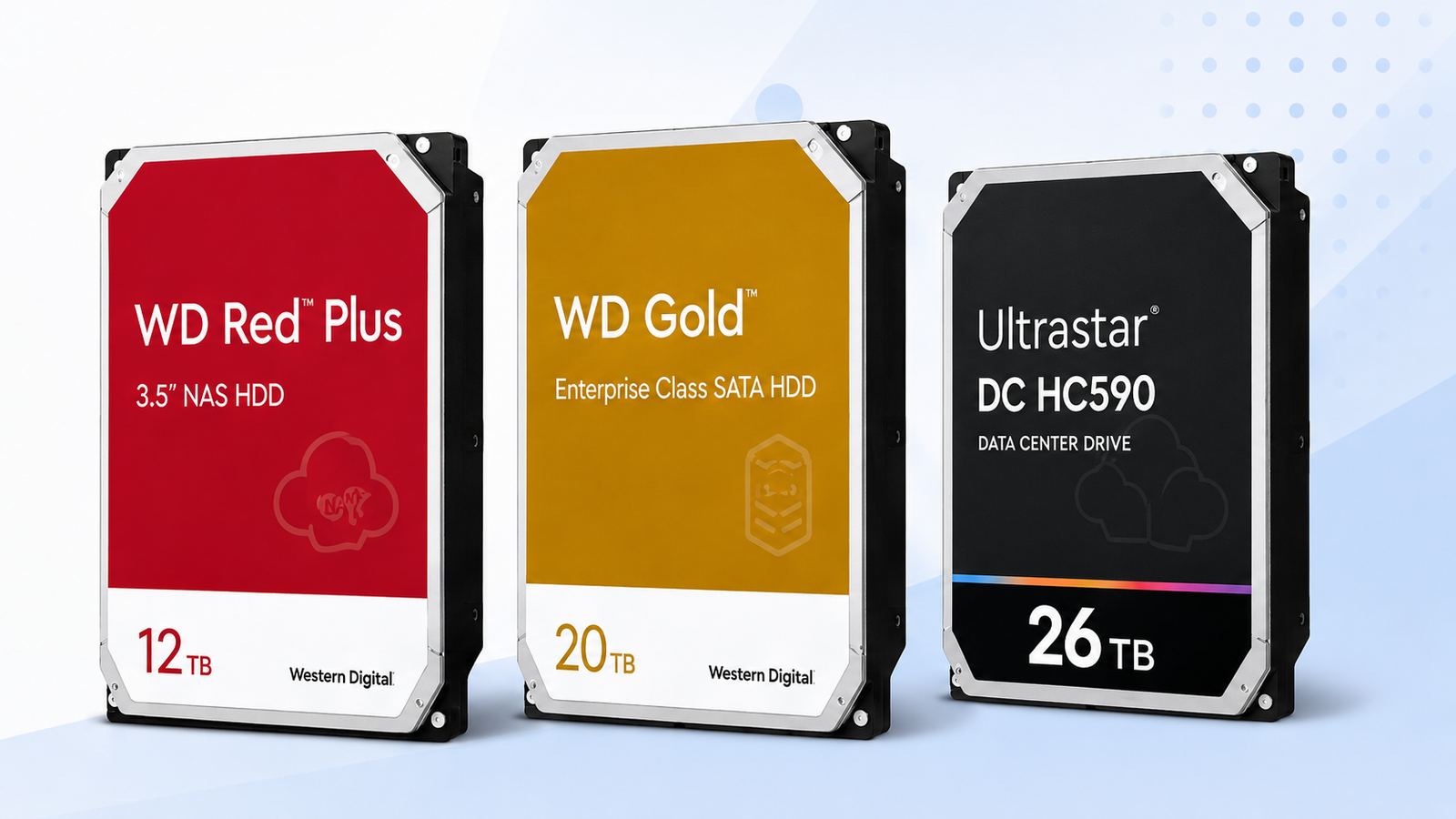
Check WD260KFGX before buying. Compare its current price, price per TB and recent price history with the 24TB Red Pro and other 26TB alternatives.
Price Trend
90-Day Price History
WD Deal Score
Live value by model or family
| Family / model | Capacity | $/TB | 30-Day | Historical position | Deal Score | Signal |
|---|---|---|---|---|---|---|
| WD Red Pro 26TBWD260KFGX | 26TB | $55.00 | 24.9% | 100th percentile | 25Medium history | WAIT |
| Ultrastar DC 26TBWUH722626ALE6L4 | 26TB | $50.50 | 3.3% | 82th percentile | 25Medium history | WAIT |
| WD Purple Pro 26TBWD260PURP | 26TB | $51.88 | 18.4% | 100th percentile | 25Medium history | WAIT |
| Ultrastar DC 24TBWUH722424ALE604 | 24TB | $46.58 | 0.0% | 0th percentile | 98Medium history | BUY |
Historical position compares today’s price per TB with recent tracked prices for new drives. Renewed, recertified, refurbished and used offers are kept separate.
Is this a good price?
WD Price Check Calculator
Amazon Live
Current WD Red Pro 26TB offers
| Drive | Model | Capacity | Amazon price | $/TB | Checked | |
|---|---|---|---|---|---|---|
 WD Red ProNew · Adorama WD Red ProNew · Adorama | WD260KFGX | 26TB | $1,429.99 | $55.00 | Last verified 1d ago | Buy on Amazon |
As an Amazon Associate, Cloudzat may earn from qualifying purchases. Prices, seller, selected variation and availability can change after the last check. Confirm the exact model, capacity and New condition before checkout.
Capacity Economics
20TB vs 24TB vs 26TB acquisition cost
| Capacity | 20TB | 24TB | 26TB |
|---|---|---|---|
| Best current $/TB | — | — | $55.00 |
| 4-drive raw cost | — | — | $5,719.96 |
| 8-drive raw cost | — | — | $11,439.92 |
| Current model | — | — | WD260KFGX |
Raw acquisition cost only. Apply your RAID, RAIDZ, SHR, erasure coding, tax, shipping, spare and chassis costs separately.
Smart Alternatives
Better-value WD options to check
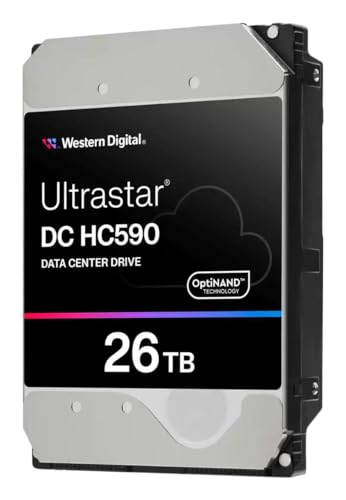


Decision table
What to compare before buying
| Decision factor | WD Red Pro 26TB (WD260KFGX) | WD Gold 26TB | Ultrastar HC590 26TB |
|---|---|---|---|
| Primary reason to buy | 26TB target capacity with exact-model tracking | Compare if current $/TB is lower | Compare when another capacity or class fits better |
| Price check | Current new-drive price and price history | Current price | Current price |
| Best timing input | Deal Score + price history | Relative $/TB and compatibility | Relative $/TB and capacity plan |
| Before checkout | Model, condition, seller, warranty | Exact alternative model and host support | Exact alternative model and total array cost |
WD260KFGX is the exact Red Pro 26TB model to compare
The Red Pro 26TB market is valuable enough that a loose keyword search can be misleading. This page focuses on WD260KFGX and keeps the family, 26TB capacity and new condition together when comparing prices. That helps exclude external drives, smaller variants, bundles and non-new listings that could otherwise create an unrealistic $/TB figure. The exact part number also gives buyers a concrete identity to verify against Western Digital information and NAS compatibility requirements.
Because 26TB sits at the high-density end of the current Red Pro range, capacity mistakes can be expensive. Check that a listing clearly identifies WD260KFGX and 26TB, and do not confuse workload ratings such as terabytes per year with drive capacity. If a marketplace title mentions more than one capacity, verify the selected variation before treating its price as a true 26TB offer.
The 26TB premium is really a price for bay density
A 26TB drive is most compelling when the number of available bays is the hard constraint. Compared with 20TB, WD260KFGX adds six terabytes to every occupied slot. Across four bays that is twenty-four terabytes of extra raw capacity, and across eight bays it is forty-eight. If those additional terabytes postpone an expansion unit, a new chassis or a platform migration, the value of the density can exceed a modest $/TB premium.
If bays are plentiful, the calculation changes. Buying the largest capacity simply because it is the largest can lock more cash into each drive than the workload requires. Use the 20TB, 24TB and 26TB acquisition totals to see what the density is costing today. The goal is to pay for capacity that solves an actual constraint, not for a specification that remains unused.
How to decide whether a 26TB Red Pro launch-era premium is still present
High-capacity models often enter the market with a premium that narrows as supply and competition improve. Instead of assuming WD260KFGX is still priced like a new release, compare its present $/TB with 24TB Red Pro and the 26TB alternatives. If the gap has compressed, maximum density may no longer require a large economic sacrifice. If the gap remains wide, the buyer can quantify exactly how much is being paid for the final two terabytes per bay.
The historical series makes this assessment stronger over time. A current offer that is low relative to WD260KFGX’s own tracked range can be attractive even if it remains more expensive than 24TB. A high historical position means you are paying both the capacity premium and an unfavorable timing premium, which is a stronger reason to wait when the project is flexible.
26TB versus 24TB Red Pro is a narrow-capacity, high-dollar comparison
Only two terabytes separate WD260KFGX from WD241KFGX, but the dollar difference can be meaningful across an array. Four 26TB drives provide eight terabytes more raw capacity than four 24TB drives. Eight provide sixteen more. Calculate the price difference across the same drive count and divide it by that extra capacity. The resulting figure shows the effective cost of upgrading the top of the Red Pro family.
If that incremental cost is close to the overall market $/TB, 26TB can be a sensible density upgrade. If it is dramatically higher, 24TB may be the stronger value unless you are truly bay-constrained. This incremental calculation prevents the large headline capacity from hiding a disproportionate premium.
Compare WD Gold 26TB when Red Pro inventory becomes expensive
WD Gold 26TB targets enterprise SATA use, but it competes for many of the same high-capacity purchasing budgets. When a current Gold offer undercuts Red Pro by a meaningful amount, it deserves investigation. Compare the exact models and then move beyond price: host compatibility, workload expectations, warranty channel and support policy must all fit the deployment. The page never labels a cheaper Gold drive as an automatic replacement.
This cross-family comparison is particularly useful for custom servers, workstations and storage platforms where the buyer controls the hardware validation. In a tightly supported NAS ecosystem, the approved-drive list can make Red Pro worth a premium. Price intelligence reveals the cost of that choice so the buyer can make it consciously.
Ultrastar HC590 26TB can set a useful enterprise reference price
The 26TB Ultrastar DC HC590 provides another reference for what high-density Western Digital storage costs outside the Red Pro family. Its market is data-center oriented, so the comparison should be viewed as an enterprise comparison. When HC590 pricing falls well below Red Pro, it shows that the 26TB capacity itself is not necessarily expensive; the premium may be concentrated in family, channel or inventory.
Buyers who can deploy the exact HC590 model can then evaluate it as a genuine alternative. Buyers who cannot still gain context from the price. Separating “this capacity is expensive” from “this particular product family is expensive today” is one of the most useful roles of a multi-family intelligence page.
Why the first weeks of 26TB history should be treated cautiously
If the WD260KFGX chart has only a short history, treat the historical percentile cautiously. A few recent prices can still show whether today’s offer is competitive against other Red Pro capacities, but they are not enough to define a long-term normal range. For a large purchase, combine the current $/TB with the 24TB alternative and your cost per occupied bay.
A deeper price history makes the Deal Score more useful because temporary seller promotions become easier to separate from normal pricing. As the chart fills out, the 90-day median, recorded low and historical position provide stronger context for deciding whether the density premium is worth paying now.
Urgent high-density expansion can justify buying at WATCH
A WATCH signal does not mean “do not buy.” It means the current price is not a strong historical bargain or the history is not mature enough to call one. If an organization has reached its capacity ceiling, adding 26TB drives may be worth more than the possible savings from waiting. Compare the cost of delay, the probability of needing another chassis and the budget impact of the current premium. Operational value can dominate the timing score.
For a discretionary homelab upgrade, the same WATCH signal can support patience. Set a target price, monitor WD241KFGX and the Gold and HC590 alternatives, and let the market provide a better entry point. One signal can support different actions because urgency belongs to the buyer, not the price chart.
Order verification matters more as the per-drive price rises
Before placing a multi-drive 26TB order, confirm WD260KFGX, 26TB and New condition on the live Amazon page. Review the current seller and warranty wording, and make sure the displayed price applies to the quantity needed. A capacity selector that has moved to another variation can turn a seemingly good deal into the wrong purchase. Cloudzat’s exact price tracker reduces that risk at discovery time, but checkout remains the final source of truth.
Inspect delivered labels before installation and keep serial-number records. If a unit arrives as a different model or condition, resolve it before adding it to the array. High-density storage consolidates more data onto each device, so disciplined procurement and backup planning are as important as shaving a few dollars off the purchase price.
Use the 26TB page as an ongoing procurement comparison
Organizations rarely buy all storage forever in one order. If WD260KFGX becomes a standard drive in your environment, this page can serve as a repeat-purchase comparison. Future buyers can see whether the current offer sits above or below the range tracked during earlier purchases and can compare the same density with Gold and Ultrastar alternatives. That reduces dependence on memory or an old invoice.
The objective is not to time every small move. It is to recognize unusually favorable or unfavorable conditions, keep a consistent model identity, and understand the cost of density before the next expansion. Over months, those habits can matter more than any single flash sale.
Put a dollar value on the bay that WD260KFGX is saving
Maximum-density storage is easiest to justify when the bay itself has a measurable cost. Estimate what happens when the current NAS fills: perhaps you need an expansion shelf, another system, extra network ports, more rack space or an earlier platform migration. Divide that future cost by the number of bays the expansion adds and you have a rough economic value for preserving a slot. It will not be an accounting-perfect number, but it gives the 26TB premium context. A higher price per terabyte can still be rational if the additional six terabytes over a 20TB drive delays an expensive infrastructure step.
The same exercise can reveal when 26TB is unnecessary. If another chassis is already available, rack space is abundant and the workload can expand horizontally, a bay may have little scarcity value. In that environment, buying 20TB or 24TB at a lower $/TB can be the better allocation of capital. WD260KFGX should earn its premium by solving a density constraint. Cloudzat’s capacity economics and historical position help quantify the price side, while this bay-value estimate explains whether the premium creates value in your particular system.
Do not let a single flash sale define the 26TB market
A short promotion can create a dramatic point on a young price chart, especially when only a few sellers have WD260KFGX in stock. Treat that event as one price check rather than a permanent fair price. Watch whether the lower level repeats, whether other 26TB WD families move with it, and whether normal stock remains available after the promotion ends. A recurring lower range is more meaningful than a one-hour anomaly.
This is also why the tracker reports days of price history and history coverage beside the score. A mature series can distinguish a genuine change in the 26TB price structure from a temporary seller event. Until then, use the current offer, nearby capacities and your bay constraint together rather than anchoring the whole purchase plan to one exceptional listing.
Questions people ask
WD Red Pro 26TB FAQs
What model number is the WD Red Pro 26TB (WD260KFGX)?
This page targets WD260KFGX. Verify that exact model on the Amazon variation and the physical label before treating another 26TB listing as equivalent.
How is the WD Red Pro 26TB (WD260KFGX) price per TB calculated?
Cloudzat divides the current new-drive price by 26. The $/TB figure appears only when a current price is available.
What does an Early Deal Score mean?
It means the price history is still short, so the BUY/WATCH/WAIT signal is intentionally cautious. Use today’s $/TB and nearby WD alternatives alongside the score until the trend becomes deeper.
Can a matching drive appear when no current price is available?
Yes. If a positive Amazon price was previously verified, Cloudzat keeps that last verified price visible with its verification age and keeps the Buy on Amazon CTA. A failed or overdue refresh does not erase it.
Does the historical low include renewed or used drives?
No. The main Deal Score compares new-drive prices. Renewed, recertified, refurbished and used offers are kept separate from the new-drive history.
Should I wait for the lowest possible price?
Not necessarily. If the purchase is urgent, exact availability can matter more. If it is discretionary, a mature WATCH or WAIT signal gives you a reason to delay and compare alternatives.
Price methodology & sources
How Cloudzat compares WD prices
Cloudzat matches WD offers by family, capacity and model number before including them. Price per TB is the current new-drive price divided by capacity. Price history uses the prices Cloudzat has tracked over time, while renewed, recertified, refurbished and used drives are kept separate from new-drive comparisons.
The Deal Score combines current price per TB with the available price history. When history is limited, the signal stays conservative. The score is a purchase-timing aid, not a reliability rating or compatibility guarantee.
If a newer Amazon check does not return a replacement price, Cloudzat can keep the last successfully verified price visible with its age for reference. Always confirm the live checkout price, selected model, capacity, seller and condition before ordering.