


WD RED PRO 20TB PRICE INTELLIGENCE
WD Red Pro 20TB Price
Current WD Red Pro 20TB pricing across WD202KFGX and the earlier WD201KFGX, with exact-model price history kept separate.
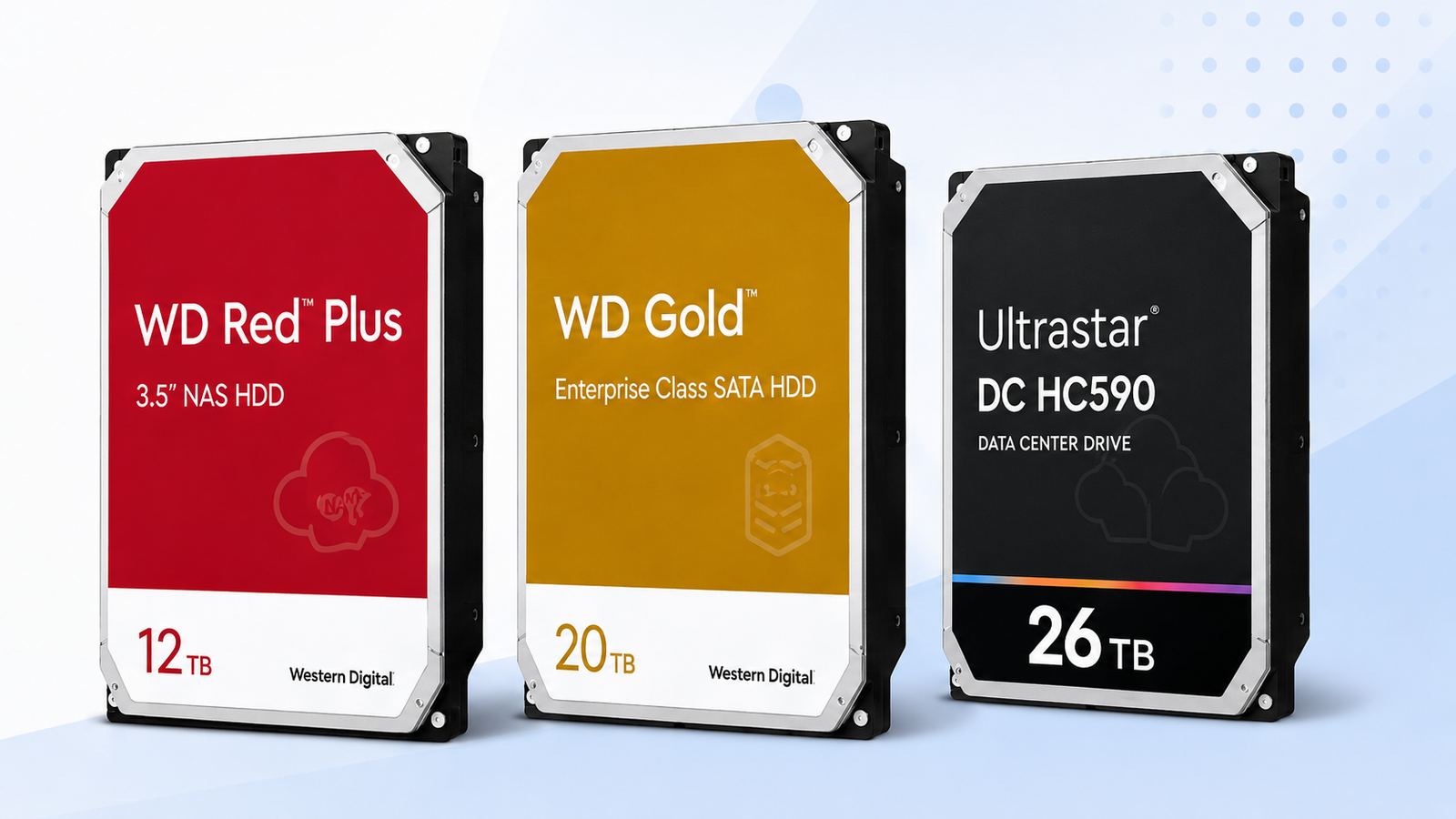
Check the part number before buying. WD202KFGX is the current WD Red Pro 20TB model, while the earlier WD201KFGX is still sold through some channels. Compare the live offer, price per TB and the history for the exact revision you are buying.
Price Trend
90-Day Price History
WD Deal Score
Live value by model or family
| Family / model | Capacity | $/TB | 30-Day | Historical position | Deal Score | Signal |
|---|---|---|---|---|---|---|
| WD Red Pro 20TB | — | — | — | History in progress | —Early history | WATCH |
| WD Purple Pro 22TBWD221PURP | 22TB | $43.14 | — | History in progress | 81Early history | WATCH |
| WD Red Pro 18TBWD181KFGX | 18TB | $44.11 | -11.5% | 38th percentile | 63Medium history | WATCH |
| Ultrastar DC 24TBWUH722424ALE604 | 24TB | $46.58 | 0.0% | 0th percentile | 98Medium history | BUY |
Historical position compares today’s price per TB with recent tracked prices for new drives. Renewed, recertified, refurbished and used offers are kept separate.
Is this a good price?
WD Price Check Calculator
Amazon Live
Current WD Red Pro 20TB offers
See the model on Amazon, or compare the closest WD drives that currently have a price below.
See this model on AmazonOther WD options
Closest alternatives available now


As an Amazon Associate, Cloudzat may earn from qualifying purchases. Prices, seller, selected variation and availability can change after the last check. Confirm the exact model, capacity and New condition before checkout.
Capacity Economics
20TB vs 24TB vs 26TB acquisition cost
| Capacity | 20TB | 24TB | 26TB |
|---|---|---|---|
| Best current $/TB | — | — | $55.00 |
| 4-drive raw cost | — | — | $5,719.96 |
| 8-drive raw cost | — | — | $11,439.92 |
| Current model | — | — | WD260KFGX |
Raw acquisition cost only. Apply your RAID, RAIDZ, SHR, erasure coding, tax, shipping, spare and chassis costs separately.
Smart Alternatives
Better-value WD options to check


Decision table
What to compare before buying
| Decision factor | WD Red Pro 20TB (WD202KFGX) | WD Gold 20TB | WD Red Pro 24TB |
|---|---|---|---|
| Primary reason to buy | 20TB target capacity with exact-model tracking | Compare if current $/TB is lower | Compare when another capacity or class fits better |
| Price check | Current new-drive price and price history | Current price | Current price |
| Best timing input | Deal Score + price history | Relative $/TB and compatibility | Relative $/TB and capacity plan |
| Before checkout | Model, condition, seller, warranty | Exact alternative model and host support | Exact alternative model and total array cost |
WD Red Pro 20TB now appears under two official model numbers
Western Digital currently lists WD202KFGX as the 20TB WD Red Pro SKU, while the earlier WD201KFGX remains an official 20TB Red Pro model and can still appear on Amazon and other retail channels. That is why a shopper can find a legitimate 20TB Red Pro in stock even when a search focused only on WD202KFGX comes up empty. The product name and capacity match, but the part numbers belong to different revisions, so the model shown on the live offer should be checked before purchase.
For price history, the distinction is useful rather than inconvenient. A strong clearance price on WD201KFGX should not become a historical low for WD202KFGX, and a temporary shortage of the current revision should not make the earlier model look artificially cheap. Cloudzat can show current buying options for both official 20TB revisions on this page while comparing each exact model with its own recorded prices. That gives shoppers more useful Amazon availability without turning two different revisions into one blended price trend.
Why 20TB can be a practical Red Pro value anchor
Twenty terabytes sits below the newest Red Pro densities, which can make it a useful value anchor when 24TB and 26TB models carry a noticeable premium. The lower checkout price is only part of the story. A 20TB model can also be attractive when the NAS still has spare bays and the project does not need maximum capacity per slot. In that situation, the buyer can prioritize dollars per terabyte and total array cost rather than paying specifically to preserve bay count.
The page therefore compares the available 20TB Red Pro revision with higher Red Pro capacities and current WD alternatives rather than declaring 20TB the default winner. If 24TB or 26TB falls close enough in $/TB, the extra density may be worth more than the small saving on 20TB. If the larger models remain expensive, 20TB can become the rational point to stop. The decision changes with live prices, which is why a fixed “best capacity” statement ages quickly.
Turning the current 20TB price into four-drive and eight-drive budgets
A 20TB purchase often happens in multiples, so the single-drive number should be translated into the actual rollout cost. Four 20TB Red Pro drives provide 80TB of raw capacity before redundancy. Eight provide 160TB raw. The capacity economics panel multiplies the current matching offer so you can see how a seemingly small price change scales across the project. A fifteen-dollar movement is modest on one unit but becomes sixty dollars across four drives and one hundred twenty dollars across eight.
Keep the raw-capacity budget separate from usable-capacity planning. RAID, RAIDZ, SHR and other protection layouts consume capacity differently, and a spare-drive policy can add another unit to the initial purchase. Use Cloudzat’s acquisition totals as the hardware line item, then apply the exact redundancy plan used by the NAS. That prevents a low $/TB figure from creating an unrealistically low expectation for protected usable storage.
How to judge a good WD Red Pro 20TB price without relying on MSRP
MSRP is a weak buying comparison once a drive has been in the market for a while. Retail stock, seller competition and short promotions can place the real street price far above or below a static list number. Cloudzat instead compares the present exact-model 20TB Red Pro price with price history collected from the same comparison basis. When enough days exist, the historical percentile tells you where today sits inside the range Cloudzat has actually recorded.
A low historical percentile and a strong Deal Score are most useful when the chart has enough depth to show a normal range. If the history is still short, put more weight on today’s $/TB, the 24TB and 26TB alternatives, and the total cost of filling your NAS. The signal becomes more useful as the price trend develops.
20TB versus 24TB Red Pro: price the extra four terabytes explicitly
The move from 20TB to 24TB adds four terabytes per bay, or sixteen terabytes across a four-drive set and thirty-two terabytes across eight drives. The useful comparison is the extra dollars required to obtain that additional density. Subtract the four-drive 20TB cost from the four-drive 24TB cost, then divide by the additional raw capacity. That shows the effective price you are paying for the upgrade rather than comparing two headline prices in isolation.
If the density premium is small, 24TB can be the better long-term buy even when the 20TB Red Pro has a slightly lower $/TB. If the premium is large and your chassis has room, the 20TB model can preserve cash for backup, memory, networking or a cold spare. The correct answer depends on bay scarcity, which is why the page presents both unit economics and array totals.
20TB versus 26TB: do not pay for maximum density unless the bay has value
The 26TB Red Pro is attractive when every slot matters, but the newest high-capacity option does not automatically produce the best economics. Compare the live 20TB and 26TB prices, then ask what six additional terabytes per bay are worth in your enclosure. In a four-bay NAS, the capacity difference is twenty-four terabytes raw. In an eight-bay system it is forty-eight terabytes. That is a meaningful density gain, but it should be priced against the actual cost of another chassis or expansion path.
If you already own a larger enclosure with unused bays, maximum density can be an expensive way to solve a problem you do not have. If you are constrained to four or six bays, the premium may be justified because the alternative is replacing the NAS sooner. Price intelligence is most useful when it converts “26TB is bigger” into “this is what those extra terabytes cost across my array.”
When WD Gold 20TB is the alternative worth checking
WD Gold belongs to a different product family, but a current Gold 20TB offer can be worth investigating when the Red Pro price rises. The economic comparison begins with $/TB and total array cost, then moves to workload and support requirements. A lower Gold price is not permission to ignore the intended environment. Verify that the host, chassis and operational expectations fit the enterprise SATA model you are considering.
For buyers who are not locked into a NAS vendor’s preferred drive list, this cross-family check can reveal market distortions. Sometimes an enterprise model is discounted while NAS-branded stock is tight. At other times Red Pro is the better deal. Cloudzat’s Smart Alternatives section is designed to expose those moments without claiming that the two families are identical products.
Replacement urgency changes what WAIT means for a 20TB Red Pro
A WAIT signal makes sense for a planned capacity expansion that can be postponed. It is much less important when a 20TB Red Pro is replacing a failed disk in a degraded array. In the urgent case, compare the current price with the tracked median, confirm the exact model and acceptable seller, and decide how much premium you are willing to pay to restore redundancy promptly. The operational risk of waiting can exceed the likely saving from a better promotion.
For a non-urgent project, use WAIT exactly as intended: keep the target model on the watch list, compare 24TB and 26TB alternatives, and let more price history build. The signal is not a forecast that the price must fall. It is a statement that the current historical position does not justify rushing a flexible purchase.
Verify the Amazon variation before a multi-drive order
Marketplace product pages can switch selected capacity or seller, so open the listing and confirm the exact 20TB Red Pro model and capacity before adding several units to the cart. Check New condition, current seller, quantity limits and the warranty wording shown for the offer. A bulk order magnifies any listing mistake. The affiliate button gets you to the live offer, but the final verification belongs at checkout because Amazon data can change after Cloudzat’s last update.
When the shipment arrives, compare the physical drive labels with the ordered part number and record serial numbers before installation. For a business or homelab with several identical drives, those records make future warranty, replacement and failure analysis easier. The value of a good purchase is preserved by receiving discipline as much as by finding a low price.
What to monitor after buying the 20TB Red Pro
Price tracking still has value after the first order if the array will be expanded in stages. Keep watching the exact 20TB Red Pro revision you use and the neighboring capacities so the second batch is not purchased blindly at a temporary spike. If the 20TB price rises while 24TB becomes more efficient, the expansion plan can be reconsidered before the next bay is filled. That flexibility is one advantage of treating storage procurement as a recurring price decision rather than a one-time product choice.
For arrays where matching capacity is required, the historical series can instead help set a reorder threshold. The objective is not to chase every small daily movement. It is to recognize when the same exact model returns to a favorable part of its tracked range and buy the next planned batch when operations and budget align.
Set a 20TB Red Pro reorder rule that your future self can use
If the 20TB Red Pro becomes a standard capacity in your NAS fleet, turn the price history into a simple reorder rule. Define a routine-buy zone, an urgent-replacement ceiling and a discretionary-wait zone. The routine zone can sit around or below the mature median once enough price history is available. The urgent ceiling should be higher because restoring redundancy has operational value. The discretionary zone can be stricter because a capacity upgrade that is not yet needed can wait for a stronger offer. Writing those thresholds down removes emotion from the next purchase and gives anyone on the team a consistent way to interpret the same dashboard.
Revisit the thresholds when the storage architecture changes. A new chassis with more empty bays can make 20TB more attractive, while a bay-constrained system can shift the preference toward 24TB or 26TB even if the 20TB Red Pro remains cheaper per terabyte. The point of the rule is not to lock the organization into one model forever. It is to create a repeatable decision process that combines exact-model pricing, urgency and bay economics. When those inputs change, the rule should change with them.
Questions people ask
WD Red Pro 20TB FAQs
Which WD Red Pro 20TB model number should I buy?
WD202KFGX is Western Digital’s current 20TB Red Pro SKU. WD201KFGX is an earlier official 20TB Red Pro revision that is still sold through some channels. Confirm which exact model your NAS and purchasing requirements support before checkout.
Does WD201KFGX share the same price history as WD202KFGX?
No. Both are official 20TB Red Pro drives, but their price histories are kept separate by exact model. The Amazon Live section can show either revision when a matching New offer is available.
What does an Early Deal Score mean?
It means the price history is still short, so the BUY/WATCH/WAIT signal is intentionally cautious. Use today’s $/TB and nearby WD alternatives alongside the score until the trend becomes deeper.
Can a matching drive appear when no current price is available?
Yes. If a positive Amazon price was previously verified, Cloudzat keeps that last verified price visible with its verification age and keeps the Buy on Amazon CTA. A failed or overdue refresh does not erase it.
Does the historical low include renewed or used drives?
No. The main Deal Score compares new-drive prices. Renewed, recertified, refurbished and used offers are kept separate from the new-drive history.
Should I wait for the lowest possible price?
Not necessarily. If the purchase is urgent, exact availability can matter more. If it is discretionary, a mature WATCH or WAIT signal gives you a reason to delay and compare alternatives.
Price methodology & sources
How Cloudzat compares WD prices
Cloudzat matches WD offers by family, capacity and model number before including them. Price per TB is the current new-drive price divided by capacity. Price history uses the prices Cloudzat has tracked over time, while renewed, recertified, refurbished and used drives are kept separate from new-drive comparisons.
The Deal Score combines current price per TB with the available price history. When history is limited, the signal stays conservative. The score is a purchase-timing aid, not a reliability rating or compatibility guarantee.
- Western Digital WD Red Pro product specifications
- Western Digital WD Red Pro 20TB WD201KFGX outlet product page
If a newer Amazon check does not return a replacement price, Cloudzat can keep the last successfully verified price visible with its age for reference. Always confirm the live checkout price, selected model, capacity, seller and condition before ordering.