


BARRACUDA PRICE INTELLIGENCE
Seagate BarraCuda Prices
Live BarraCuda prices, exact-model history and capacity economics from everyday desktop drives through the new high-capacity range.
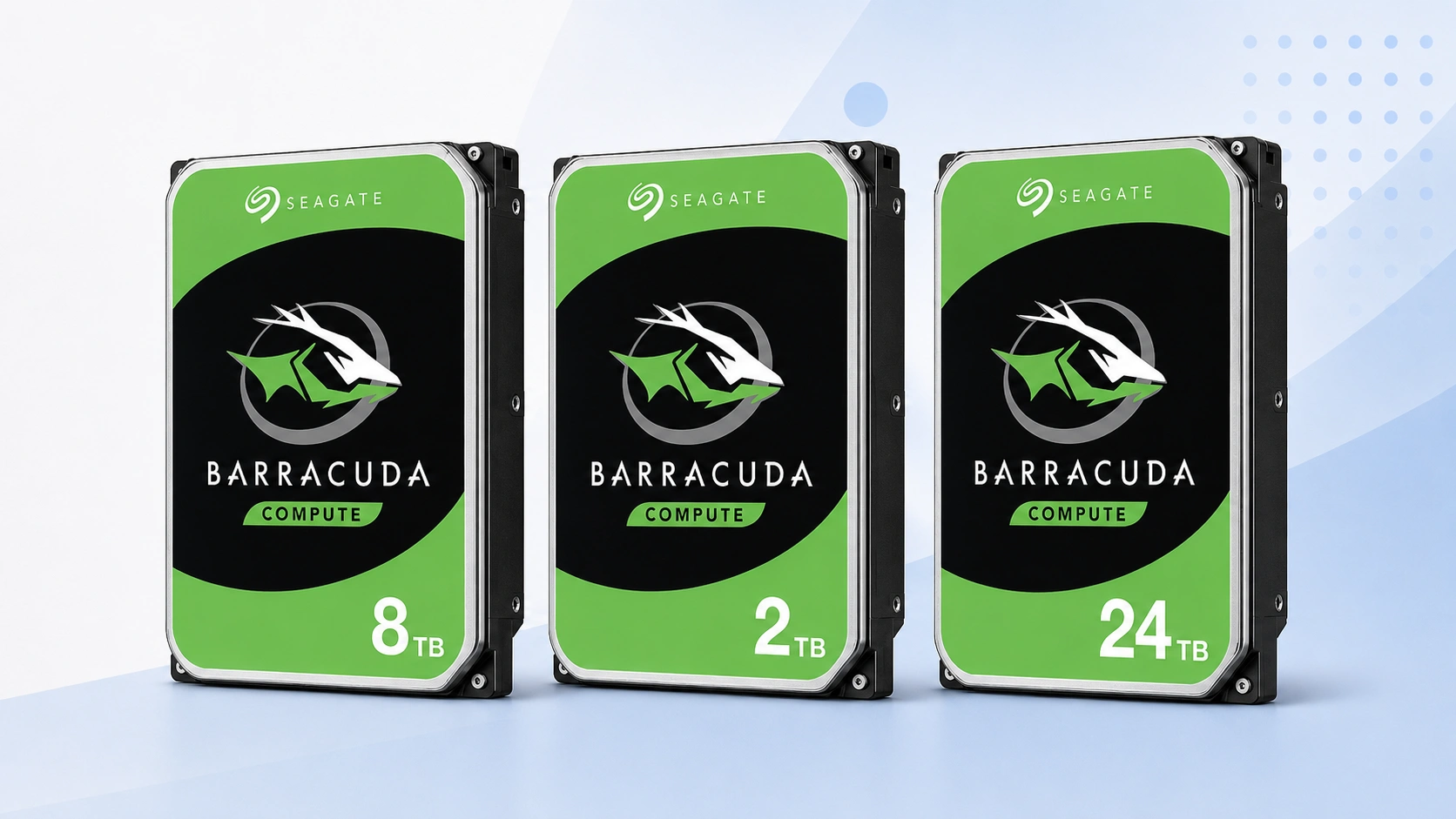
Start with the current value leader, then compare the capacity step that fits your storage plan. This dashboard is built to answer both what BarraCuda costs today and whether moving to a larger drive is actually worth the premium.
Price Trend
90-Day Price History
BarraCuda Deal Score
Live value by capacity and model
| Capacity / model | Capacity | $/TB | 30-Day | Historical position | Deal Score | Signal |
|---|---|---|---|---|---|---|
| BarraCuda 2TBST2000DM008 | 2TB | $73.42 | 54.3% | 0th percentile | 98Medium history | BUY |
| BarraCuda 4TBST4000DM004 | 4TB | $40.00 | 0.0% | History in progress | 85Early history | WATCH |
| BarraCuda 6TBST6000DM003 | 6TB | $41.50 | 170.5% | 82th percentile | 25High history | WAIT |
| BarraCuda 8TBST8000DM004 | 8TB | $31.25 | -9.3% | 0th percentile | 98Medium history | BUY |
| BarraCuda 16TB | — | — | — | History in progress | —Medium history | WATCH |
| BarraCuda 20TBST20000DM001 | 20TB | $47.02 | 34.6% | 5th percentile | 95Medium history | BUY |
| BarraCuda 24TBST24000DM001 | 24TB | $41.66 | 13.6% | 10th percentile | 90Medium history | BUY |
Historical position compares today’s price per TB with recent tracked prices for the same BarraCuda target. Renewed, recertified, refurbished and used offers are kept separate.
Is this a good price?
BarraCuda Price Check Calculator
Amazon Live
Current BarraCuda Prices offers
| Drive | Model | Capacity | Amazon price | $/TB | Checked | |
|---|---|---|---|---|---|---|
 Seagate BarraCudaNew · QuickDealStore Seagate BarraCudaNew · QuickDealStore | ST8000DMZ04 | 8TB | $249.99 | $31.25 | Last verified 2d ago | Buy on Amazon |
 Seagate BarraCudaNew · ALL4COMPUTERS-TX ----- SIGNATURE REQUIRED ---- Seagate BarraCudaNew · ALL4COMPUTERS-TX ----- SIGNATURE REQUIRED ---- | ST8000DM004 | 8TB | $249.99 | $31.25 | Last verified 17d ago | Buy on Amazon |
 Seagate BarraCudaNew · CorteseInc Seagate BarraCudaNew · CorteseInc | ST6000DM001 | 6TB | $244.00 | $40.67 | Last verified 2d ago | Buy on Amazon |
 Seagate BarraCudaNew · CorteseInc Seagate BarraCudaNew · CorteseInc | ST6000DM003 | 6TB | $249.00 | $41.50 | Last verified 2d ago | Buy on Amazon |
 Seagate BarraCudaNew · Giz-Promo Seagate BarraCudaNew · Giz-Promo | ST4000DMZ04 | 4TB | $195.95 | $48.99 | Last verified 2d ago | Buy on Amazon |
 Seagate BarraCudaNew · CorteseInc Seagate BarraCudaNew · CorteseInc | ST6000DMZ03 | 6TB | $308.00 | $51.33 | Last verified 2d ago | Buy on Amazon |
 Seagate BarraCudaNew · B-JPN (Duty Prepaid U.S.) Seagate BarraCudaNew · B-JPN (Duty Prepaid U.S.) | ST24000DM001 | 24TB | $1,272.87 | $53.04 | Last verified 2d ago | Buy on Amazon |
 Seagate BarraCudaNew · CorteseInc Seagate BarraCudaNew · CorteseInc | ST2000DM001 | 2TB | $119.00 | $59.50 | Last verified 2d ago | Buy on Amazon |
 Seagate BarraCudaNew · ONLINE USA OUTLET Seagate BarraCudaNew · ONLINE USA OUTLET | ST2000DM001 | 2TB | $120.00 | $60.00 | Checked 4h ago | Buy on Amazon |
 Seagate BarraCudaNew · GrendDIY Seagate BarraCudaNew · GrendDIY | ST3000DM007 | 3TB | $193.52 | $64.51 | Checked 4h ago | Buy on Amazon |
 Seagate BarraCudaNew · GrendDIY Seagate BarraCudaNew · GrendDIY | ST2000DM006 | 2TB | $129.97 | $64.99 | Checked 4h ago | Buy on Amazon |
 Seagate BarraCudaNew · GrendDIY Seagate BarraCudaNew · GrendDIY | ST4000DM004 | 4TB | $262.26 | $65.57 | Checked 4h ago | Buy on Amazon |
 Seagate BarraCudaNew · ITCP Technologies Seagate BarraCudaNew · ITCP Technologies | ST3000DM008 | 3TB | $200.22 | $66.74 | Checked 4h ago | Buy on Amazon |
 Seagate BarraCudaNew · ValueVortexUS Seagate BarraCudaNew · ValueVortexUS | ST4000DM005 | 4TB | $286.00 | $71.50 | Last verified 6d ago | Buy on Amazon |
 Seagate BarraCudaNew · B-JPN (Duty Prepaid U.S.) Seagate BarraCudaNew · B-JPN (Duty Prepaid U.S.) | ST20000DM001 | 20TB | $1,442.75 | $72.14 | Last verified 2d ago | Buy on Amazon |
 Seagate BarraCudaNew · ITCP Technologies Seagate BarraCudaNew · ITCP Technologies | ST1000DM003 | 1TB | $72.93 | $72.93 | Checked 4h ago | Buy on Amazon |
 Seagate BarraCudaNew · GrendDIY Seagate BarraCudaNew · GrendDIY | ST2000DM008 | 2TB | $146.83 | $73.42 | Checked 4h ago | Buy on Amazon |
 Seagate BarraCudaNew · TechnoDealsUSA Seagate BarraCudaNew · TechnoDealsUSA | ST1000DM003 | 1TB | $74.55 | $74.55 | Checked 4h ago | Buy on Amazon |
 Seagate BarraCudaNew · AMAZING WAREHOUSE DEAL(Record SN) Seagate BarraCudaNew · AMAZING WAREHOUSE DEAL(Record SN) | ST1000DM003 | 1TB | $74.99 | $74.99 | Checked 4h ago | Buy on Amazon |
 Seagate BarraCudaNew · GizRenew Seagate BarraCudaNew · GizRenew | ST2000DMZ08 | 2TB | $156.99 | $78.50 | Last verified 2d ago | Buy on Amazon |
 Seagate BarraCudaNew · zhangzhoulonghaikedoulaidianzishangwuyouxiangongsi Seagate BarraCudaNew · zhangzhoulonghaikedoulaidianzishangwuyouxiangongsi | ST6000DM003 | 6TB | $538.51 | $89.75 | Checked 4h ago | Buy on Amazon |
| Seagate BarraCudaNew · zhangzhoushiweichimingmaoyiyouxiangongsi | ST6000DM003 | 6TB | $550.47 | $91.75 | Checked 4h ago | Buy on Amazon |
| Seagate BarraCudaNew · Jingjing Liangpin Department Store Trading Firm in Huazhou City | ST6000DM003 | 6TB | $592.36 | $98.73 | Checked 4h ago | Buy on Amazon |
 Seagate BarraCudaNew · Amazon Japan Seagate BarraCudaNew · Amazon Japan | ST2000DM005 | 2TB | $198.10 | $99.05 | Last verified 3d ago | Buy on Amazon |
| Seagate BarraCudaNew · Wuci Zengli Trading Store in Qinhan New City | ST6000DM003 | 6TB | $595.35 | $99.23 | Checked 4h ago | Buy on Amazon |
 Seagate BarraCudaNew · B-JPN (Duty Prepaid U.S.) Seagate BarraCudaNew · B-JPN (Duty Prepaid U.S.) | ST4000DM005 | 4TB | $397.74 | $99.44 | Checked 4h ago | Buy on Amazon |
| Seagate BarraCudaNew · 永州市冷水滩区肤臣弯商贸有限公司 | ST6000DM003 | 6TB | $598.34 | $99.72 | Checked 4h ago | Buy on Amazon |
 Seagate BarraCudaNew · Argus Dataworks TX Seagate BarraCudaNew · Argus Dataworks TX | ST1000DM010 | 1TB | $103.97 | $103.97 | Checked 4h ago | Buy on Amazon |
 Seagate BarraCudaNew · zhangzhoulonghaikedoulaidianzishangwuyouxiangongsi Seagate BarraCudaNew · zhangzhoulonghaikedoulaidianzishangwuyouxiangongsi | ST8000DM004 | 8TB | $843.26 | $105.41 | Checked 4h ago | Buy on Amazon |
| Seagate BarraCudaNew · zhangzhoushiweichimingmaoyiyouxiangongsi | ST8000DM004 | 8TB | $862.00 | $107.75 | Checked 4h ago | Buy on Amazon |
| Seagate BarraCudaNew · Jingjing Liangpin Department Store Trading Firm in Huazhou City | ST8000DM004 | 8TB | $927.59 | $115.95 | Checked 4h ago | Buy on Amazon |
| Seagate BarraCudaNew · zhaoqingyuanchufuzhuangyouxiangongsi | ST8000DM004 | 8TB | $936.96 | $117.12 | Checked 4h ago | Buy on Amazon |
As an Amazon Associate, Cloudzat may earn from qualifying purchases. Prices, seller, selected variation and availability can change after the last check. Confirm the exact BarraCuda model, capacity and New condition before checkout.
Capacity Upgrade Value
What each step up in BarraCuda capacity costs
| Capacity | 8TB | 16TB | 20TB | 24TB |
|---|---|---|---|---|
| Best current price | $249.99 | — | $940.37 | $999.95 |
| Best current $/TB | $31.25 | — | $47.02 | $41.66 |
| Step-up premium | Baseline | — | +$690.38 | +$59.58 |
| Marginal $ / added TB | — | — | $57.53 | $14.90 |
| 4-drive raw cost | $999.96 | — | $3,761.48 | $3,999.80 |
| Current model | ST8000DMZ04 | — | ST20000DM001 | ST24000DM001 |
Step-up premium shows the extra purchase price versus the previous available capacity in this table. Marginal $/added TB shows what those extra terabytes cost. Apply tax, shipping, spares and your storage layout separately.
Smart Alternatives
Other BarraCuda capacities worth checking
Decision table
What to compare before buying
| Capacity | Primary model | Main price question | Best use of the page |
|---|---|---|---|
| 1TB | ST1000DM014 | Is the small-drive premium too high? | Exact-model timing |
| 2TB | ST2000DM008 | Is the popular capacity above its normal range? | Current value |
| 4TB | ST4000DM004 | Does 4TB still beat stepping to 8TB? | Upgrade economics |
| 8TB | ST8000DM004 | Is the large desktop tier on sale? | Price history |
| 16–24TB | DM high-capacity models | Is density worth the premium? | Capacity Upgrade Value |
Where the best BarraCuda value is today
BarraCuda pricing is no longer a simple ladder where every larger drive automatically costs more per terabyte. The 1TB, 2TB, 4TB, 8TB and newer high-capacity models can move independently because each exact part number has its own inventory and promotion cycle. This hub looks across the current new-condition BarraCuda listings and identifies the lowest live $/TB, the strongest Deal Score and the capacities showing meaningful recent movement. The result is a current market view rather than a static recommendation that assumes one capacity is always best.
Use the dashboard to narrow the decision, then open the exact capacity page before buying. A 2TB buyer and a 24TB buyer have different cash commitments, alternatives and reasons for choosing the family. The hub keeps those choices comparable without pretending they are identical products. It is especially useful when a high-capacity model is on sale or a normally popular small capacity has become unusually expensive. The best value today can change, so the page is designed to make that change visible rather than hide it behind a generic best-drive list.
Why BarraCuda model numbers matter more than the family badge
The BarraCuda name spans many years of desktop hard drives. Two products with the same capacity can have different model numbers, generations and technical characteristics, which means a family-only price chart can compare unlike products. Cloudzat uses DM-series identities as the primary key for the model-specific pages and keeps older revisions visible as separate alternatives where they still appear for sale. That model awareness is especially important at 1TB and 2TB, where long-lived older stock can sit beside newer models.
For high-capacity BarraCuda, the model number also prevents confusion with Exos, IronWolf Pro, external Seagate products and other 16TB to 24TB listings that can appear beside the same capacity keyword. Cloudzat compares a price only when the family, model, capacity, condition and SATA identity line up. This makes the $/TB leaderboard more useful because it stays focused on actual BarraCuda targets rather than unrelated Seagate listings that happen to share a broad capacity search.
How to compare 1TB through 24TB without overbuying
A lower price per terabyte does not automatically mean the larger drive is the better purchase. The right capacity depends on the amount of data you have, expected growth, backup copies, free SATA ports and how long you want to avoid the next upgrade. The dashboard therefore shows total price next to $/TB and adds Capacity Upgrade Value to calculate what each step up actually costs. This is more useful than simply sorting a list from the lowest unit price to the highest.
For a desktop that only needs a few terabytes of local archive space, a high-capacity bargain can still tie up unnecessary cash. For a media library or backup repository, paying more for density can reduce the number of drives and future migrations. Use the capacity table to identify the economic sweet spot, then apply the storage plan. The cheapest terabyte and the cheapest adequate solution are not always the same thing.
What price history adds to a current Amazon offer
A current price answers what the drive costs now. Price history answers whether that amount is normal for the exact product being tracked. The 30-day view is sensitive to recent promotions and supply changes, while the 90-day median gives a broader reference. When enough observations exist, the Deal Score uses the historical percentile to translate that position into a simple BUY, WATCH or WAIT signal. Early histories are treated conservatively so a single observation cannot masquerade as a long-term benchmark.
The history is not a forecast. It cannot promise that a prior low will return or that a rising price will continue higher. Its value is discipline: a buyer can see when a checkout amount is far above the recent norm, recognize when a sale is genuinely unusual, and set a target for an optional purchase. Urgent replacements can still be bought at fair prices without pretending the market signal is more important than the cost of downtime.
Capacity Upgrade Value: the missing number in most price tables
Most drive pages show price and $/TB but do not calculate the economics of moving from one capacity to the next. Capacity Upgrade Value fills that gap by measuring the price premium for the added terabytes. If a 20TB drive is only modestly more expensive than a 16TB model, the marginal cost of those four extra terabytes can be excellent even when the headline $/TB values look similar. The reverse can happen when a newly released or constrained capacity carries a large premium.
The same logic becomes more important when several drives are being purchased. A $40 step-up on one unit becomes $160 across four drives and $320 across eight. On the other hand, larger drives can preserve bays and delay the need for another enclosure or migration. The table is therefore a procurement tool: it shows the cost of density so you can decide whether the premium is justified by the system you are building.
Keep new-drive pricing separate from used and renewed stock
BarraCuda is widely sold through marketplace channels, so search results can mix new, renewed, refurbished, recertified and used units. Those conditions should not define the same fair-price benchmark. A used drive may be attractive for a secondary role, but its service history, warranty path and return risk are different from a new unit. Cloudzat therefore uses New-condition offers for the main Deal Score and current-value comparisons.
Condition separation also prevents a false WAIT signal. If a very cheap renewed listing were blended into the benchmark, ordinary new stock would look overpriced by comparison. Evaluate non-new drives on their own merits and risk tolerance. When two listings are far apart in price, check condition, seller, exact model and quantity before assuming the cheaper offer represents the same product.
BarraCuda for desktop storage, backup and media libraries
The value of a BarraCuda drive depends on the role it will play. Desktop archives, local backup targets and large media libraries can benefit from inexpensive capacity, while active application storage or latency-sensitive workloads may be better served by SSDs. Price intelligence should answer the cost question without turning every cheap hard drive into a universal recommendation. Start with the workload, then choose the capacity and exact model that fit it.
For backup, remember that capacity is only one part of the plan. One large BarraCuda holding every copy of important data is still a single failure domain. Use the purchase economics to budget for independent copies when the data matters. A slightly higher drive cost can be insignificant compared with the value of a second backup location or a tested recovery process.
How Smart Alternatives handles a temporarily expensive capacity
Individual BarraCuda capacities can become expensive even when the rest of the family remains reasonably priced. Smart Alternatives looks for nearby current capacities and exact models rather than sending the buyer immediately to a different brand or drive class. That makes it easier to answer whether waiting is necessary. If the 8TB model is expensive but 12TB has a much better marginal price, the larger tier may solve the problem immediately.
The alternative list is a price comparison, not a compatibility guarantee. A different capacity can change power, mounting, backup and migration requirements, and an older revision at the same capacity may have different technical characteristics. Use the alternative as a prompt to compare, then verify the exact model before buying. The purpose is to widen the economic choice without blurring product identity.
Seller and warranty checks still matter after a strong Deal Score
A Deal Score can show that a BarraCuda offer is historically attractive, but it cannot make two seller routes equivalent. Check who is selling the drive, the return policy, warranty wording and whether the listing is a single new internal HDD. Marketplace titles can be reused across variants, and product pages can change selected capacity after a refresh. Confirm the model number and capacity immediately before checkout rather than relying only on the price that brought you to the listing.
When the drive arrives, compare the physical label with the order. This is especially important when the search market contains older DM-series revisions or sellers using generic family titles. A few minutes spent verifying identity preserves the value of the entire price-history comparison and reduces the chance of building a storage plan around a product different from the one delivered.
How to use BUY, WATCH and WAIT across the BarraCuda family
BUY indicates a current price that is attractive relative to the history available for the model or capacity. WATCH means the offer is near normal levels, the history is still young, or the advantage is modest. WAIT indicates a price that is high relative to the tracked range. These labels are deliberately about timing, not drive quality. A WAIT-priced drive can still be perfectly suitable, and a BUY-priced drive can still be wrong for the workload.
Use different thresholds for different situations. Optional expansion can wait for a stronger signal, while a failed drive or backup gap can justify an average price. This approach prevents the dashboard from encouraging endless deal hunting. The aim is to know the market position, set a reasonable threshold, and act when the value and storage need line up.
A repeatable BarraCuda buying workflow
Begin at this hub to identify the current value leaders and the capacities with the strongest price movement. Open the exact capacity page, confirm the model being tracked, and compare its current $/TB with the 90-day range. Then use Capacity Upgrade Value to see whether a neighboring tier gives more useful headroom for a reasonable premium. If the purchase is optional, set a target; if it is urgent, choose the best current qualified offer.
Before checkout, verify Seagate BarraCuda family, DM-series model, capacity, SATA interface, New condition, seller and quantity. After delivery, verify the label and test the drive before trusting important data to it. That workflow turns price intelligence into a practical procurement habit. It keeps the financial decision grounded in current market evidence while preserving the technical checks that a price chart cannot perform for you.
One final check is to separate urgency from value. If an existing drive is failing, a backup target is full, or a project has a fixed deadline, paying a little above the recent median can still be rational because the cost of waiting may be larger than the price difference. If the purchase is discretionary, the same market position can justify waiting for a better deal or moving to a nearby capacity. Cloudzat therefore presents price history, current cost per terabyte and capacity-step economics together rather than pretending one score can make the decision for every buyer. Use the exact model page to verify the drive you intend to order, use Capacity Upgrade Value to test the nearest size alternatives, then use the live Amazon section to confirm the seller, condition and selected variation at checkout. That sequence keeps the decision practical even when BarraCuda availability changes quickly.
Questions people ask
BarraCuda Prices FAQs
Which BarraCuda capacity is the best value today?
It changes with live pricing. Use the lowest $/TB and Capacity Upgrade Value together, then choose the capacity that fits your actual storage requirement.
Does Cloudzat mix used drives into the BarraCuda Deal Score?
No. The main price benchmark uses New-condition offers so used, renewed, refurbished and recertified stock do not distort new-drive value.
Why does the exact BarraCuda model number matter?
The family spans multiple generations and revisions. Exact model tracking keeps price history and product specifications from being blended across different drives.
Is the lowest $/TB automatically the best drive to buy?
No. It is a cost signal. Total purchase price, required capacity, workload, available bays and urgency still matter.
What does WAIT mean?
WAIT means the current price is high relative to the tracked range when enough history exists. It is not a statement about drive quality.
Can the price history predict the next sale?
No. It shows where the current price sits relative to recorded prices. It cannot guarantee future discounts.
Price methodology & sources
How Cloudzat compares BarraCuda prices
Cloudzat matches BarraCuda offers by exact model, capacity, desktop form factor and condition before including them in the model-specific benchmark. Price per TB is the current new-drive price divided by capacity. When a page is tied to a model such as ST2000DM008 or ST24000DM001, a different model does not silently inherit that model’s price history.
The Deal Score combines current price per TB with the price record available for the same BarraCuda target. Newer histories are treated conservatively. Renewed, recertified, refurbished and used drives do not define the New-condition benchmark, and the score is a purchase-timing aid rather than a reliability or compatibility rating.
If a current Amazon price is no longer available, Cloudzat stops showing that numeric price until a new current offer appears. Always confirm the selected model, capacity, seller, quantity and condition before checkout.