


BARRACUDA PRICE INTELLIGENCE
Seagate BarraCuda 24TB Price
Live ST24000DM001 pricing, 90-day history and capacity-step economics for the 24TB BarraCuda desktop hard drive.
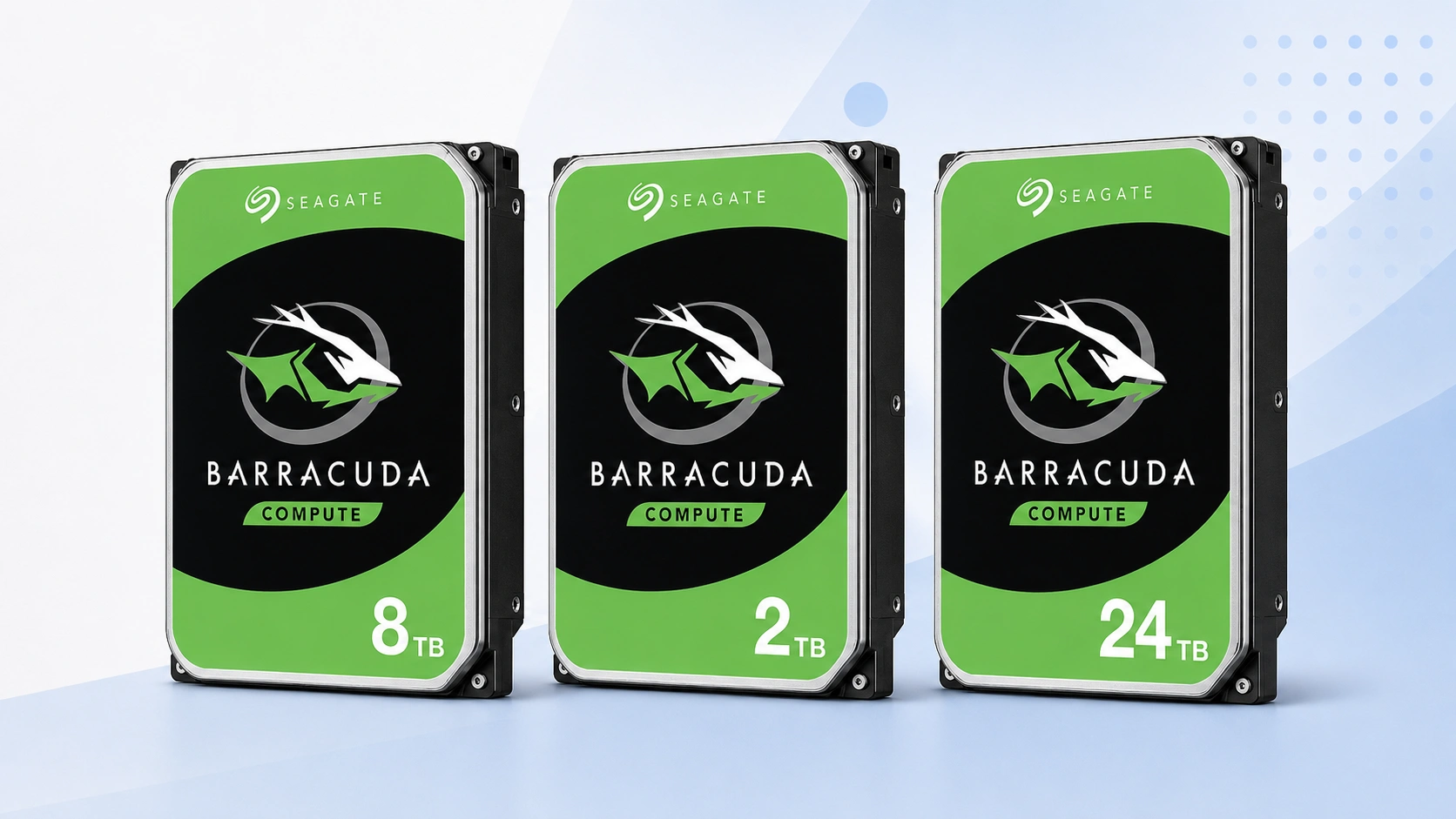
Use ST24000DM001 as the primary 24TB price reference. Compare today’s checkout price with its tracked range, then check the neighboring capacities before deciding whether to buy now or change tiers.
Price Trend
90-Day Price History
BarraCuda Deal Score
Live value by capacity and model
| Capacity / model | Capacity | $/TB | 30-Day | Historical position | Deal Score | Signal |
|---|---|---|---|---|---|---|
| ST24000DM001 24TBST24000DM001 | 24TB | $41.66 | 13.6% | 10th percentile | 90Medium history | BUY |
| BarraCuda 16TB | — | — | — | History in progress | —Medium history | WATCH |
| BarraCuda 20TBST20000DM001 | 20TB | $47.02 | 34.6% | 5th percentile | 95Medium history | BUY |
Historical position compares today’s price per TB with recent tracked prices for the same BarraCuda target. Renewed, recertified, refurbished and used offers are kept separate.
Is this a good price?
BarraCuda Price Check Calculator
Amazon Live
Current BarraCuda 24TB offers
| Drive | Model | Capacity | Amazon price | $/TB | Checked | |
|---|---|---|---|---|---|---|
 Seagate BarraCudaNew · B-JPN (Duty Prepaid U.S.) Seagate BarraCudaNew · B-JPN (Duty Prepaid U.S.) | ST24000DM001 | 24TB | $1,272.87 | $53.04 | Last verified 2d ago | Buy on Amazon |
 Seagate BarraCudaNew · Amazon buying options Seagate BarraCudaNew · Amazon buying options | ST24000DM001 | 24TB | $999.95 | $41.66 | Last verified 7d ago | Buy on Amazon |
As an Amazon Associate, Cloudzat may earn from qualifying purchases. Prices, seller, selected variation and availability can change after the last check. Confirm the exact BarraCuda model, capacity and New condition before checkout.
Capacity Upgrade Value
What each step up in BarraCuda capacity costs
| Capacity | 16TB | 20TB | 24TB |
|---|---|---|---|
| Best current price | — | $940.37 | $999.95 |
| Best current $/TB | — | $47.02 | $41.66 |
| Step-up premium | — | Baseline | +$59.58 |
| Marginal $ / added TB | — | — | $14.90 |
| 4-drive raw cost | — | $3,761.48 | $3,999.80 |
| Current model | — | ST20000DM001 | ST24000DM001 |
Step-up premium shows the extra purchase price versus the previous available capacity in this table. Marginal $/added TB shows what those extra terabytes cost. Apply tax, shipping, spares and your storage layout separately.
Smart Alternatives
Other BarraCuda capacities worth checking


Decision table
What to compare before buying
| Check | Why it matters | What to verify | Decision impact |
|---|---|---|---|
| Exact model | Keeps ST24000DM001 history clean | ST24000DM001 | High |
| Capacity | Confirms the 24TB variant | 24TB | High |
| Condition | Separates new from non-new stock | New | High |
| $/TB | Compares capacity economics | Current price ÷ capacity | Medium |
| Seller | Changes return and warranty route | Live seller details | Medium |
24TB makes density itself part of the BarraCuda value proposition
Twenty-four terabytes is the highest capacity covered by this BarraCuda price-intelligence sprint, so the buying decision is different from choosing a mainstream 2TB or 4TB drive. ST24000DM001 is primarily interesting to buyers who value a large amount of storage behind one SATA connection. That density can simplify a desktop archive or reduce the number of devices needed for a very large local data set. It also creates a large single-item purchase where poor timing is expensive. The page therefore treats the density premium as a measurable cost rather than assuming the biggest drive is automatically the best one.
A buyer should begin by proving that 24TB is useful. Estimate current data, growth, independent copies and how much free headroom should remain. If 16TB or 20TB comfortably covers the plan, the maximum tier may not earn its premium. If bays are scarce or migration frequency matters, the extra capacity can be valuable even at a slightly higher $/TB. Deal Score shows whether ST24000DM001 is well timed within its own record, while Capacity Upgrade Value shows how much is being paid to reach the top tier.
ST24000DM001 is the exact identity behind the 24TB chart
The phrase “Seagate 24TB hard drive” can describe several very different products. Enterprise drives, NAS drives, external products and BarraCuda can all appear around the same search. This page uses ST24000DM001 as the model anchor so the chart is not diluted by those adjacent markets. Exact identity becomes more important as capacity rises because the dollar difference between families can be large and sellers may emphasize capacity more prominently than the model number in their titles.
Open the live listing and locate the part number before treating its price as comparable. Confirm 24TB, internal SATA and New condition, then check the seller and quantity. If a different model appears after changing a variation, the main ST24000DM001 history no longer describes that selection. The model check should be repeated on delivery. At this price level, verifying the label before deployment is a small effort compared with the cost of discovering later that the order contained a different product than the storage plan expected.
16TB, 20TB and 24TB show the true price of maximum density
The important question is not whether 24TB has a good-looking cost per terabyte by itself. It is how much more the final four terabytes cost beyond 20TB, and how that compares with the previous step from 16TB to 20TB. Capacity Upgrade Value calculates both marginal steps. If the 20-to-24TB premium is unusually low, the top tier can be an efficient way to preserve a bay. If that premium is steep, 20TB may deliver nearly the same practical result for much less money.
Comparing against 16TB adds another perspective. Some buyers can meet the entire storage requirement at 16TB and use the savings for a second copy. Others need the density of 24TB because the system has limited drive positions. The table does not assume one strategy is superior. It shows the cash price of each capacity choice so redundancy and bay value can be applied afterward. This is more informative than ranking capacities solely by $/TB because the marginal cost of the final step can be hidden inside a respectable average.
Large historical swings make a target price more useful at 24TB
When a drive costs several hundred dollars, a temporary promotion can change the economics of the entire storage project. ST24000DM001 has enough purchase value that tracking the recent median, low and percentile can save more money in one transaction than many smaller-drive discounts combined. A buyer planning several units has even more exposure. The 90-day chart therefore matters not as decoration but as a record of what the model has actually cost during the period Cloudzat can observe.
The lowest recorded value should be treated as evidence, not a guaranteed future sale. If supply tightens, waiting for an old low can become unrealistic. The median is usually the better neutral reference, while the lower quartile can inform a target for a non-urgent purchase once enough observations exist. A WAIT signal identifies an unfavorable position; it does not predict exactly when the price will improve. The decision remains a balance between the size of the premium and the cost of delaying the storage project.
The four-drive cost of 24TB turns a consumer purchase into procurement
Four 24TB drives represent 96TB of raw capacity and a substantial media budget. Even a $75 movement per drive changes the order total by $300. This is why multi-drive acquisition cost belongs near the individual Deal Score. Someone buying one drive may accept a fair price to finish a project. Someone buying four or eight units has a stronger reason to set a target, stage the purchase or compare the 20TB tier before committing. The same market signal can rationally produce different actions at different quantities.
Large orders also magnify the value of consistent model identity. Mixing revisions unintentionally can complicate inventory and make future replacement planning less predictable. Verify the exact model on each delivered unit and keep the seller documentation. The price intelligence can help choose when to place the order, but procurement discipline protects the order after it is placed. Add tax, shipping, spares and backup requirements to the raw media cost before treating the table as the final system budget.
Maximum BarraCuda capacity is not a substitute for workload-fit checks
A 24TB BarraCuda Deal Score can be excellent while another drive family remains the more appropriate choice for a particular NAS, enterprise server or surveillance workload. The score measures purchase timing for ST24000DM001; it does not convert a desktop drive into a universal storage device. Buyers should compare workload requirements, warranty terms and system compatibility separately. If the requirement is specifically large desktop or local archive storage, the BarraCuda benchmark is relevant. If the role calls for another family, use that family’s pricing and technical guidance instead.
This separation is especially important at 24TB because the temptation to buy whichever drive has the lowest $/TB is strong. A cheap high-capacity device can still be the wrong tool for the workload. Start with technical fit, then use price intelligence inside the set of products that meet that fit. For a BarraCuda purchase, confirm ST24000DM001, 24TB, SATA, New condition, seller and quantity before checkout, and keep important data protected by independent backup copies regardless of the price paid.
Seller, warranty and listing checks before checkout
Price intelligence can identify an attractive ST24000DM001 offer, but the checkout decision still depends on who is selling it and what product will actually arrive. Read the seller name, condition, return policy and warranty wording before treating the displayed price as equivalent to another retailer’s offer. Marketplace titles can be shortened or copied across variants, so the exact model number deserves more weight than promotional wording. If the seller does not clearly identify the part, consider the price provisional until the model can be confirmed.
Also check whether the listing is a single bare internal drive rather than a bundle, external enclosure, multipack or system containing a drive. Those products can create misleadingly low or high prices if they enter a comparison by mistake. Cloudzat filters the obvious mismatches, but the final product page can change after a price check. Before paying, confirm ST24000DM001, 24TB, SATA interface and New condition on the live listing. That verification takes less time than recovering from a wrong shipment.
Where a BarraCuda 24TB fits in a desktop storage plan
BarraCuda is a broad desktop storage family, so the right capacity depends on what the drive will store and how often that data changes. maximum-density BarraCuda desktop storage and large backup sets often value economical bulk capacity, while active project files or latency-sensitive applications may be better placed on SSD storage with the hard drive used for colder data. The price page should therefore help decide the cost of capacity without pretending that every workload is interchangeable. A cheap hard drive is still the wrong purchase if the application needs a different performance or duty profile.
Plan the role before the capacity. Estimate the amount of data already stored, expected annual growth, backup copies and how much free space you want to preserve. Then compare 24TB with the neighboring tiers using both total cost and price per TB. If the drive is part of a backup strategy, remember that one large disk is not a substitute for multiple independent copies. Price intelligence is most powerful when it sits inside a storage plan rather than becoming the plan itself.
Comparing ST24000DM001 with nearby BarraCuda capacities
The closest alternative to ST24000DM001 is not always another seller of the same model. Sometimes the better decision is a different BarraCuda capacity that costs only modestly more, or a smaller tier that satisfies the requirement at much lower total cost. Smart Alternatives on this page prioritizes current BarraCuda options near the target capacity and shows their $/TB so the tradeoff is visible. This is especially useful when one capacity experiences a temporary supply squeeze.
Do not assume the larger tier always has the lower unit cost. Capacity pricing can be lumpy because individual models move through promotions and inventory cycles independently. When 24TB looks expensive, compare the next smaller and larger models before deciding to wait. If a neighboring tier offers much better marginal value, changing the capacity can be more effective than waiting for the exact drive to fall. If the chosen tier fits a strict compatibility or budget requirement, keep the model target and use the history instead.
How to use BUY, WATCH and WAIT in a real purchase
BUY means the current ST24000DM001 price is attractive relative to the history available and the system has enough evidence to make that timing signal useful. WATCH means the price is ordinary, the history is still developing, or the advantage is not large enough to justify urgency. WAIT means the current offer is expensive relative to the tracked range. None of the three labels overrides the practical cost of delay. A failed drive, backup gap or hard deadline can make an average price acceptable.
The most disciplined approach is to set two thresholds. Use a stricter target for an optional capacity upgrade and a more flexible ceiling for an urgent replacement. Revisit the page as the market changes and check whether the exact model remains the same. This turns the price history into a repeatable buying process instead of a one-time guess based on a crossed-out list price. The signal should help you act consistently, not encourage endless waiting for a theoretical perfect deal.
A practical checklist for buying BarraCuda 24TB
Start by confirming that ST24000DM001 is the model you actually want. Check the live offer, current price, price per TB and historical position. Compare the neighboring capacities in Capacity Upgrade Value, then decide whether your storage plan benefits more from lower upfront cost or extra headroom. If the purchase is optional, set a target price based on the recorded range and return when the market moves closer to it. If the purchase is urgent, choose the best current qualified seller rather than waiting solely for a score to improve.
Finally, verify the seller, condition, SATA interface, capacity and model again immediately before checkout. When the drive arrives, compare the label with the listing before putting important data on it. Keep backups independent of the new disk and test the drive according to your normal deployment process before relying on it. The value of this page is that price, history and capacity economics are considered together, while the final buying decision still respects the real storage job.
Questions people ask
BarraCuda 24TB FAQs
What is a good price for Seagate BarraCuda 24TB?
A good price is one that sits favorably in the tracked range for ST24000DM001 and compares well with neighboring BarraCuda capacities. The page updates the Deal Score as current prices and history change.
Is ST24000DM001 the only BarraCuda 24TB model?
Not necessarily across every generation or market. This page uses the named model as its primary exact-price reference and keeps other revisions separate when they appear.
Does the Deal Score include used or renewed drives?
No. The main benchmark uses New-condition offers so non-new stock does not distort the fair-price reference for a new drive.
Should I buy 24TB or move to another capacity?
Check Capacity Upgrade Value. It compares the premium for neighboring tiers so you can see whether 24TB is currently the economic sweet spot for your storage plan.
Can the 90-day chart predict the next sale?
No. It shows where today’s price sits relative to recorded prices. It is context for timing, not a forecast guarantee.
What should I confirm before ordering?
Confirm Seagate BarraCuda family, ST24000DM001, 24TB capacity, SATA interface, New condition, seller and quantity on the live listing before checkout.
Price methodology & sources
How Cloudzat compares BarraCuda prices
Cloudzat matches BarraCuda offers by exact model, capacity, desktop form factor and condition before including them in the model-specific benchmark. Price per TB is the current new-drive price divided by capacity. When a page is tied to a model such as ST2000DM008 or ST24000DM001, a different model does not silently inherit that model’s price history.
The Deal Score combines current price per TB with the price record available for the same BarraCuda target. Newer histories are treated conservatively. Renewed, recertified, refurbished and used drives do not define the New-condition benchmark, and the score is a purchase-timing aid rather than a reliability or compatibility rating.
If a current Amazon price is no longer available, Cloudzat stops showing that numeric price until a new current offer appears. Always confirm the selected model, capacity, seller, quantity and condition before checkout.