


Live price-history analysis
A useful BarraCuda 1TB price history must separate exact model and condition. A used ST1000DM010, new ST1000DM014 and renewed ST1000LM048 are different markets and should never be blended into one average.
Quick answer
Use the exact-model and condition history as a guide, then compare the current price with a new 1TB SSD and 2TB HDD. Buy when the offer is verified, the current price is near its own recent low and the drive remains suitable for the workload. A low historical price does not make an unsuitable model a good purchase.
Before you buy
Four checks that prevent the most common buying mistakes
Live Amazon listings
Current BarraCuda 1TB offers by model and condition
Use the live Amazon listings as the market check after confirming the exact model, capacity and workload fit. Compare the model, condition, seller, warranty route and total price before choosing.
Prices shown here are the latest values available to Cloudzat. Compare the exact model, condition, seller and warranty on Amazon before checkout.

ST1000DM003
(Old Model) Seagate 1TB Desktop HDD Sata 6Gb/s 64MB Cache 3.5-Inch Internal Bare Drive (ST1000DM003)
1 TB · 3.5-inch · New
$70.69Price checked 2026-09-28 17:09:58 UTCBuy on Amazon ↗
ST1000DM014
Seagate ST1000DM014 1TB SATA3/64/7200 Hard Drive
1 TB · 3.5-inch · New
$99.99Price checked 2026-09-14 08:11:24 UTCBuy on Amazon ↗
ST1000DM010
Seagate 1TB SATA 3.5 BarraCuda SingPk (ST1000DM010)
1 TB · 3.5-inch · New
$99.99Price checked 2026-10-09 05:31:12 UTCBuy on Amazon ↗
ST1000LM048
Generic HDD for Barracuda 1TB 2.5"" SATA 128MB 5400RPM for Internal Hard Disk for Notebook HDD for ST1000LM048
1 TB · 2.5-inch · New
$117.00Price checked 2026-09-19 22:52:04 UTCBuy on Amazon ↗
ST2000DM008
Generic HDD for Barracuda 2TB 3.5"" SATA 6 Gb/s 256MB 7200RPM for Internal Hard Disk for Desktop HDD for ST2000DM008
2 TB · 3.5-inch · New
$146.83Price checked 2026-09-19 22:52:04 UTCBuy on Amazon ↗
CT1000BX500SSD1
Crucial BX500 1TB 3D NAND SATA 2.5-Inch Internal SSD, up to 540MB/s - CT1000BX500SSD1, Solid State Drive
1 TB · 2.5-inch · New
$179.95Price checked 2026-10-09 05:31:45 UTCBuy on Amazon ↗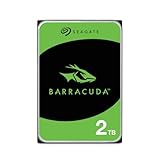
ST2000DM005
Seagate ST2000DM005/EC 3.5 Inch Internal Hard Drive, 2 TB
2 TB · 3.5-inch · New
$197.98Price checked 2026-10-09 05:32:24 UTCBuy on Amazon ↗
MZ-77E1T0B
Samsung SSD 870 EVO SATA III 2.5” 1TB, Read Speeds Up to 560MB/s
1 TB · 2.5-inch · New
$314.99Price checked 2026-09-28 17:10:31 UTCBuy on Amazon ↗Recorded price history
BarraCuda 1TB price observations by model and condition
Exact-model reference
BarraCuda 1TB exact-model buying reference
| Model | Type | Status | Form factor | Recording | RPM | Cache | Best fit |
|---|---|---|---|---|---|---|---|
ST1000DM014 | Desktop HDD | Current | 3.5-inch, 20.2mm | SMR | 7,200 | 256MB | Low-cost secondary desktop storage and mostly-read libraries |
ST1000DM010 | Desktop HDD | Older/legacy | 3.5-inch, 20.2mm | CMR | 7,200 | 64MB | Condition-verified repeated-write desktop storage |
ST1000LM048 | Laptop HDD | Older mobile line | 2.5-inch, 7mm | SMR | 5,400 | 128MB | Legacy laptop replacement or external enclosure |
ST1000DM003 | Desktop HDD | Legacy | 3.5-inch, 26.1mm | CMR | 7,200 | 64MB | Existing-system identification, not default new purchase |
ST1000DM004 | Desktop HDD / SED | Legacy security variant | 3.5-inch, 26.1mm | CMR | 7,200 | 64MB | Exact replacement where security compatibility matters |
Exact model, product type, condition and warranty source must agree before a price comparison is meaningful.
Interactive buying tool
Judge the current BarraCuda 1TB price
Select the model and condition, enter the current price and urgency, and compare it with recorded price history when available.
Buying guide
How to make the right decision for this page
A single BarraCuda 1TB average is misleading
The family includes desktop, laptop, current, legacy, CMR and SMR products. Price history should be keyed to exact model and condition.
Current and legacy model prices can move in opposite directions. Scarcity may make an older drive more expensive even when a newer or faster alternative offers better practical value.
How the shared price history works
The price-history view records dated observations only when an Amazon listing has a positive numeric price. Buying-options-only products can remain visible, but they do not create artificial price points.
Each point represents the observed price of a qualifying offer at that time. It does not represent every Amazon seller and does not guarantee the same offer is still available.
Why new and used prices stay separate
Used and renewed offers have different warranty, age and seller risk. Combining them would make the new-product average appear artificially low.
Condition separation prevents low used prices from pulling down the apparent new-product range. The seller and warranty still need manual verification for each current offer.
Current price versus historical low
A recent low can identify a good entry point, but a one-day marketplace anomaly may not be repeatable. Review sample count and seller quality.
A historical low should be checked against the listing’s exact model, seller and availability. An unusually low point may have been a short promotion or a data-quality anomaly later removed.
Current price versus average
A price below the model-and-condition average can be attractive when the listing is verified. A price above average may still be reasonable during shortage or urgent replacement.
Average price becomes more useful as the number of snapshots grows. A three-day average should be treated as early evidence rather than a stable long-term benchmark.
Compare with a 1TB SSD
The SSD comparison is essential for boot, laptop and active gaming roles. A slightly higher SSD price may deliver much more value.
The SSD alternative can be more valuable even when it sits above the HDD’s historical range. The comparison should account for workload, noise, power and user experience.
Compare with a 2TB HDD
A 2TB drive can provide a lower cost per terabyte and delay another upgrade. Check the exact 2TB model before deciding.
The 2TB alternative tests whether the market is charging too much for a low-capacity HDD. A modest premium can double advertised capacity and improve bay efficiency.
Condition can be more important than a record low
The lowest used price should not override pending sectors, unclear warranty or missing return protection.
Condition cannot be corrected by a cheap price. A used drive with weak evidence is not a bargain merely because it sits below the historical new-product low.
Buying-options listings
Amazon prices and buying options can change during the day. If a listing does not show a numeric price here, open Amazon to check the current offer before deciding.
The price-history chart uses only observed numeric prices. A listing with no visible price is not treated as zero, so the historical range is not distorted by missing price data.
Price history cannot verify the delivered label
Always compare the received model, capacity and condition with the listing before the return window closes.
Inspect the delivered label during the return window. A correct Amazon listing can still expose a variation selector or seller fulfillment problem that sends another model.
When waiting makes sense
Wait when the purchase is optional, the price is above its model-specific range and alternatives are also expensive. Do not delay an urgent replacement for a failing only-copy drive; protect the data first.
Waiting is appropriate only when the current drive and data are safe. A failing drive changes the priority from market timing to backup and replacement availability.
Final buying rule
Use history to judge timing, then use workload, condition and alternative pricing to judge whether the product itself deserves to be purchased.
Price history supports timing, while the other pages determine suitability. Use both layers before purchasing.
How Cloudzat avoids false price comparisons
The exact model and offer condition control the comparison. A used or renewed price is never presented as equivalent to a manufacturer-new offer. Confirm the delivered model and condition during the return window.
Frequently asked questions
BarraCuda 1TB price-history questions
Why do I need the exact model number?
Because ST1000DM014, ST1000DM010 and ST1000LM048 have different form factors, recording methods, lifecycle status and replacement paths.
Where is the model number printed?
It is printed on the physical drive label and may also appear in BIOS, Device Manager, SeaTools or the marketplace listing. Verify the delivered label.
Is every BarraCuda 1TB drive SMR?
No. The current ST1000DM014 desktop model and ST1000LM048 laptop model are SMR, while older ST1000DM010 is CMR.
Does a larger cache make one drive automatically better?
No. Cache is only one specification. Recording method, latency, workload, condition, price and warranty also matter.
Can I use a BarraCuda 1TB in a NAS?
A SATA desktop drive may be electrically recognized, but important always-on NAS or RAID use is better matched to a supported NAS or enterprise drive.
Should I trust the marketplace title?
Treat the title as a claim to verify. Confirm model, form factor, capacity, condition and delivered label.
Does a warranty recover my files?
No. Hardware replacement and data recovery are separate unless specific recovery coverage applies.
What if Amazon shows no current listed price?
The exact product may still have buying options. Review them manually and confirm model, seller, condition and warranty.
Should important data live on only one drive?
No. Any HDD or SSD can fail. Maintain another independent copy.
Are prices on the page permanent?
No. Prices and availability change. The price-history view uses dated positive Amazon price observations when a numeric price is available.
Sources and buying notes
- Seagate BarraCuda 3.5-inch product documentation
- Seagate BarraCuda 2.5-inch product documentation
- Seagate warranty and replacement support
- Seagate BarraCuda buying guide
Cloudzat may earn a commission from qualifying purchases. Prices and availability can change. Confirm the exact model, condition, seller, warranty route and final price on Amazon before purchasing.