


BARRACUDA PRICE INTELLIGENCE
Seagate BarraCuda 20TB Price
Live ST20000DM001 pricing, 90-day history and capacity-step economics for the 20TB BarraCuda desktop hard drive.
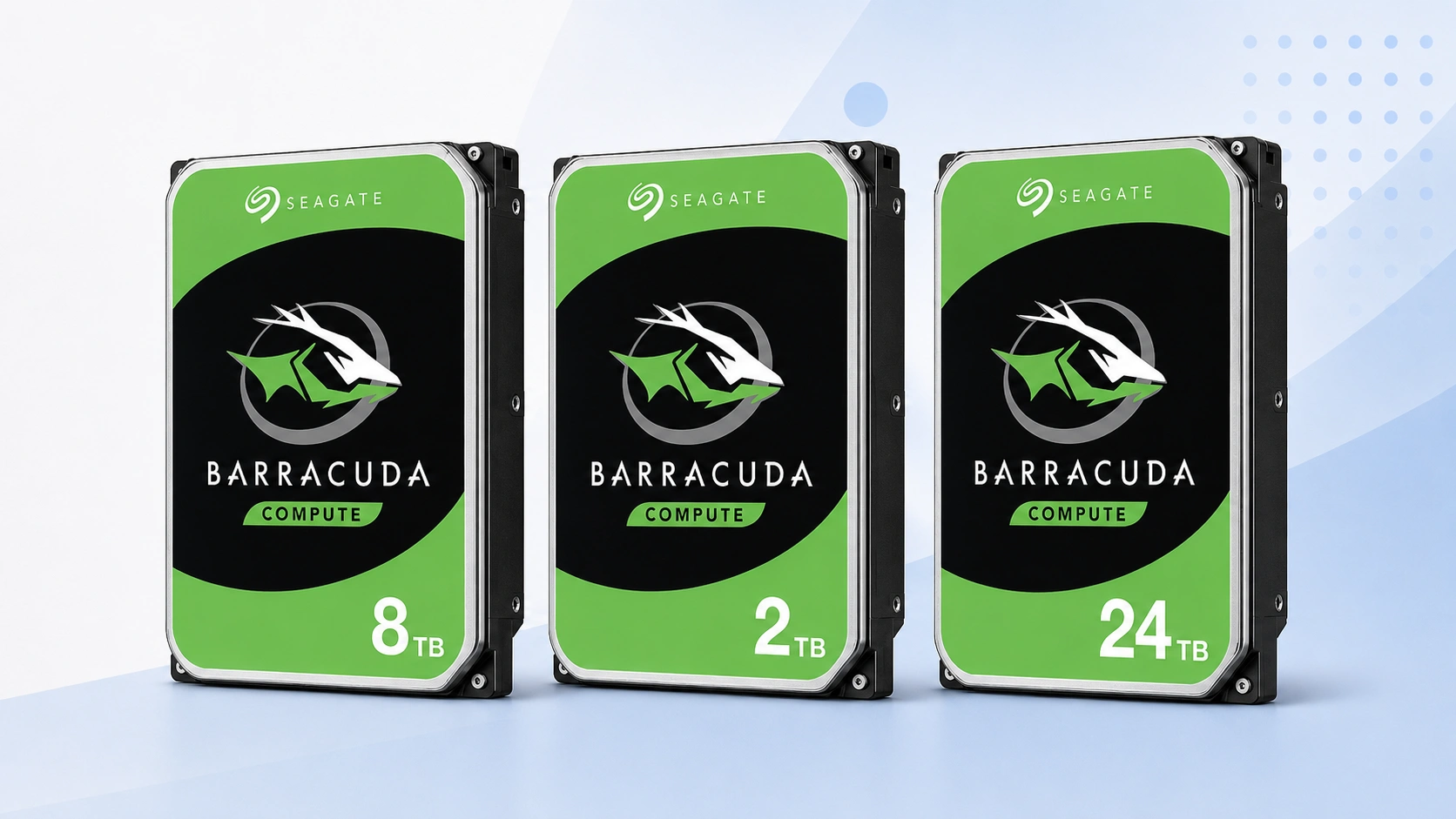
Use ST20000DM001 as the primary 20TB price reference. Compare today’s checkout price with its tracked range, then check the neighboring capacities before deciding whether to buy now or change tiers.
Price Trend
90-Day Price History
BarraCuda Deal Score
Live value by capacity and model
| Capacity / model | Capacity | $/TB | 30-Day | Historical position | Deal Score | Signal |
|---|---|---|---|---|---|---|
| ST20000DM001 20TBST20000DM001 | 20TB | $47.02 | 34.6% | 5th percentile | 95Medium history | BUY |
| BarraCuda 16TB | — | — | — | History in progress | —Medium history | WATCH |
| BarraCuda 24TBST24000DM001 | 24TB | $41.66 | 13.6% | 10th percentile | 90Medium history | BUY |
Historical position compares today’s price per TB with recent tracked prices for the same BarraCuda target. Renewed, recertified, refurbished and used offers are kept separate.
Is this a good price?
BarraCuda Price Check Calculator
Amazon Live
Current BarraCuda 20TB offers
| Drive | Model | Capacity | Amazon price | $/TB | Checked | |
|---|---|---|---|---|---|---|
 Seagate BarraCudaNew · B-JPN (Duty Prepaid U.S.) Seagate BarraCudaNew · B-JPN (Duty Prepaid U.S.) | ST20000DM001 | 20TB | $1,442.75 | $72.14 | Last verified 2d ago | Buy on Amazon |
 Seagate BarraCudaNew · Amazon buying options Seagate BarraCudaNew · Amazon buying options | ST20000DM001 | 20TB | $940.37 | $47.02 | Last verified 47d ago | Buy on Amazon |
As an Amazon Associate, Cloudzat may earn from qualifying purchases. Prices, seller, selected variation and availability can change after the last check. Confirm the exact BarraCuda model, capacity and New condition before checkout.
Capacity Upgrade Value
What each step up in BarraCuda capacity costs
| Capacity | 16TB | 20TB | 24TB |
|---|---|---|---|
| Best current price | — | $940.37 | $999.95 |
| Best current $/TB | — | $47.02 | $41.66 |
| Step-up premium | — | Baseline | +$59.58 |
| Marginal $ / added TB | — | — | $14.90 |
| 4-drive raw cost | — | $3,761.48 | $3,999.80 |
| Current model | — | ST20000DM001 | ST24000DM001 |
Step-up premium shows the extra purchase price versus the previous available capacity in this table. Marginal $/added TB shows what those extra terabytes cost. Apply tax, shipping, spares and your storage layout separately.
Smart Alternatives
Other BarraCuda capacities worth checking


Decision table
What to compare before buying
| Check | Why it matters | What to verify | Decision impact |
|---|---|---|---|
| Exact model | Keeps ST20000DM001 history clean | ST20000DM001 | High |
| Capacity | Confirms the 20TB variant | 20TB | High |
| Condition | Separates new from non-new stock | New | High |
| $/TB | Compares capacity economics | Current price ÷ capacity | Medium |
| Seller | Changes return and warranty route | Live seller details | Medium |
20TB is the middle of the modern high-capacity BarraCuda decision
Twenty terabytes is large enough to reduce drive count materially, yet it sits below the 24TB ceiling of the current BarraCuda range. That makes ST20000DM001 a particularly interesting value point. Buyers are not simply choosing whether 20TB is affordable; they are asking whether the additional four terabytes beyond 16TB are cheap enough and whether moving another four terabytes to 24TB offers even better density. The page is therefore built around a three-tier comparison. Deal Score handles timing for ST20000DM001, while Capacity Upgrade Value tests whether the middle tier is currently the capacity sweet spot.
This matters for large local archives, workstation storage, media repositories and backup targets where one drive can hold years of data. A mistake in capacity planning can be expensive because migrating a nearly full 20TB device later is not trivial. Estimate growth and independent backup needs before choosing the tier. Once 20TB is justified, the historical record helps determine whether the current checkout amount is ordinary, attractive or stretched. Price and architecture remain separate decisions, but both are visible on the same page.
ST20000DM001 prevents 20TB BarraCuda from being confused with Exos or IronWolf Pro
The 20TB capacity is widely used across Seagate’s portfolio, so family-only matching is especially risky. Search engines and marketplaces can surface Exos, IronWolf Pro, external desktop drives and other products alongside BarraCuda because “20TB Seagate” is a broad commercial phrase. ST20000DM001 is the part number that anchors the primary comparison here. A different model can be an excellent product at a lower price, but it should not be allowed to rewrite the new BarraCuda history simply because the capacity is the same.
Before trusting a Deal Score, confirm that the live offer shows the expected model, 20TB capacity and new internal SATA configuration. If a parent listing changes the selected variation, recheck the price rather than assuming the number that appeared in search results is still attached to the same drive. High-capacity listings can differ by seller and condition as well as model. The price intelligence remains useful only when those identity checks are kept intact from the dashboard through delivery.
16TB versus 20TB versus 24TB can reveal a temporary high-capacity sweet spot
Retail pricing rarely climbs in a perfectly straight line from 16TB to 20TB to 24TB. One capacity can be overstocked, another can be scarce, and a third can receive a promotion. The result is a moving sweet spot. Capacity Upgrade Value calculates the premium from 16TB to 20TB and from 20TB to 24TB, then divides each premium by the added capacity. If the first step is inexpensive and the second is costly, 20TB has a strong economic case. If 24TB costs only slightly more, the middle tier can lose its advantage quickly.
The calculation should be read with the workload. An archive expected to stay below 14TB for years may not benefit from either step-up, even when the marginal cost looks good. A bay-constrained system may value every extra terabyte. A backup strategy may prioritize purchasing a second copy before maximizing one drive. The table cannot choose among those goals, but it shows the current price of each choice. That prevents density decisions from being based on capacity labels without seeing the actual premium behind them.
20TB price history is especially useful when the sticker price is large
A percentage change that feels minor on a 2TB drive can represent a meaningful amount of money at 20TB. A 12 percent move on a high-capacity listing can change the purchase budget by tens or hundreds of dollars, depending on the starting price and number of units. That is why the 90-day median and recorded low deserve attention here. They show whether the present ST20000DM001 offer is close to the model’s recent center or far above a range buyers have already seen.
History is not a promise of a future discount. High-capacity supply can tighten, and a prior low may never repeat. Its value is in setting expectations. A discretionary buyer can decide that a current 90th-percentile price is not worth accepting, while an urgent project can quantify the premium it is paying to proceed today. The larger the transaction, the more useful that context becomes. A model-level record replaces vague impressions such as “20TB seems expensive” with a price position that can be acted on.
Multi-unit 20TB purchases magnify small differences between capacities
Four 20TB drives provide 80TB of raw capacity before redundancy or backup overhead. Moving those four units to 24TB adds 16TB raw, but it also multiplies the per-drive premium by four. The Capacity Upgrade Value table exposes both figures so the density decision can be made at the scale of the actual purchase. A $50 premium becomes $200; a $120 premium becomes $480. Those differences can fund a spare drive, a second backup target or other parts of the system.
The reverse is also true when moving down to 16TB. Saving money on each drive may require more units later, and those units consume bays, power and management attention. This plugin deliberately stops at media acquisition economics because the best topology depends on the system. Use the multi-drive totals as a starting budget, then add redundancy, spares and backup copies. The purpose is to make the price consequences of 20TB visible before a large order is placed.
Compare other drive families only after the BarraCuda price question is answered cleanly
A buyer considering 20TB may also look at Exos or IronWolf Pro because those families occupy the same capacity range. That is sensible when the workload, warranty or system design points toward an enterprise or NAS product. It is not a reason to blend their prices into the BarraCuda benchmark. ST20000DM001 should first be judged against its own New-condition history and nearby BarraCuda capacities. Only then should a cross-family decision be made based on the technical requirements of the workload.
This sequence prevents a cheap recertified enterprise drive from distorting the fair-price signal for a new desktop HDD. It also prevents a BarraCuda promotion from being treated as proof that it is technically interchangeable with a drive built for another role. Price intelligence and product suitability are related but distinct. Confirm the exact model, seller, condition and quantity, then use the appropriate Cloudzat comparison pages if the storage job may justify moving to another family.
Seller, warranty and listing checks before checkout
Price intelligence can identify an attractive ST20000DM001 offer, but the checkout decision still depends on who is selling it and what product will actually arrive. Read the seller name, condition, return policy and warranty wording before treating the displayed price as equivalent to another retailer’s offer. Marketplace titles can be shortened or copied across variants, so the exact model number deserves more weight than promotional wording. If the seller does not clearly identify the part, consider the price provisional until the model can be confirmed.
Also check whether the listing is a single bare internal drive rather than a bundle, external enclosure, multipack or system containing a drive. Those products can create misleadingly low or high prices if they enter a comparison by mistake. Cloudzat filters the obvious mismatches, but the final product page can change after a price check. Before paying, confirm ST20000DM001, 20TB, SATA interface and New condition on the live listing. That verification takes less time than recovering from a wrong shipment.
Where a BarraCuda 20TB fits in a desktop storage plan
BarraCuda is a broad desktop storage family, so the right capacity depends on what the drive will store and how often that data changes. dense desktop storage and large local archives often value economical bulk capacity, while active project files or latency-sensitive applications may be better placed on SSD storage with the hard drive used for colder data. The price page should therefore help decide the cost of capacity without pretending that every workload is interchangeable. A cheap hard drive is still the wrong purchase if the application needs a different performance or duty profile.
Plan the role before the capacity. Estimate the amount of data already stored, expected annual growth, backup copies and how much free space you want to preserve. Then compare 20TB with the neighboring tiers using both total cost and price per TB. If the drive is part of a backup strategy, remember that one large disk is not a substitute for multiple independent copies. Price intelligence is most powerful when it sits inside a storage plan rather than becoming the plan itself.
Comparing ST20000DM001 with nearby BarraCuda capacities
The closest alternative to ST20000DM001 is not always another seller of the same model. Sometimes the better decision is a different BarraCuda capacity that costs only modestly more, or a smaller tier that satisfies the requirement at much lower total cost. Smart Alternatives on this page prioritizes current BarraCuda options near the target capacity and shows their $/TB so the tradeoff is visible. This is especially useful when one capacity experiences a temporary supply squeeze.
Do not assume the larger tier always has the lower unit cost. Capacity pricing can be lumpy because individual models move through promotions and inventory cycles independently. When 20TB looks expensive, compare the next smaller and larger models before deciding to wait. If a neighboring tier offers much better marginal value, changing the capacity can be more effective than waiting for the exact drive to fall. If the chosen tier fits a strict compatibility or budget requirement, keep the model target and use the history instead.
How to use BUY, WATCH and WAIT in a real purchase
BUY means the current ST20000DM001 price is attractive relative to the history available and the system has enough evidence to make that timing signal useful. WATCH means the price is ordinary, the history is still developing, or the advantage is not large enough to justify urgency. WAIT means the current offer is expensive relative to the tracked range. None of the three labels overrides the practical cost of delay. A failed drive, backup gap or hard deadline can make an average price acceptable.
The most disciplined approach is to set two thresholds. Use a stricter target for an optional capacity upgrade and a more flexible ceiling for an urgent replacement. Revisit the page as the market changes and check whether the exact model remains the same. This turns the price history into a repeatable buying process instead of a one-time guess based on a crossed-out list price. The signal should help you act consistently, not encourage endless waiting for a theoretical perfect deal.
A practical checklist for buying BarraCuda 20TB
Start by confirming that ST20000DM001 is the model you actually want. Check the live offer, current price, price per TB and historical position. Compare the neighboring capacities in Capacity Upgrade Value, then decide whether your storage plan benefits more from lower upfront cost or extra headroom. If the purchase is optional, set a target price based on the recorded range and return when the market moves closer to it. If the purchase is urgent, choose the best current qualified seller rather than waiting solely for a score to improve.
Finally, verify the seller, condition, SATA interface, capacity and model again immediately before checkout. When the drive arrives, compare the label with the listing before putting important data on it. Keep backups independent of the new disk and test the drive according to your normal deployment process before relying on it. The value of this page is that price, history and capacity economics are considered together, while the final buying decision still respects the real storage job.
Questions people ask
BarraCuda 20TB FAQs
What is a good price for Seagate BarraCuda 20TB?
A good price is one that sits favorably in the tracked range for ST20000DM001 and compares well with neighboring BarraCuda capacities. The page updates the Deal Score as current prices and history change.
Is ST20000DM001 the only BarraCuda 20TB model?
Not necessarily across every generation or market. This page uses the named model as its primary exact-price reference and keeps other revisions separate when they appear.
Does the Deal Score include used or renewed drives?
No. The main benchmark uses New-condition offers so non-new stock does not distort the fair-price reference for a new drive.
Should I buy 20TB or move to another capacity?
Check Capacity Upgrade Value. It compares the premium for neighboring tiers so you can see whether 20TB is currently the economic sweet spot for your storage plan.
Can the 90-day chart predict the next sale?
No. It shows where today’s price sits relative to recorded prices. It is context for timing, not a forecast guarantee.
What should I confirm before ordering?
Confirm Seagate BarraCuda family, ST20000DM001, 20TB capacity, SATA interface, New condition, seller and quantity on the live listing before checkout.
Price methodology & sources
How Cloudzat compares BarraCuda prices
Cloudzat matches BarraCuda offers by exact model, capacity, desktop form factor and condition before including them in the model-specific benchmark. Price per TB is the current new-drive price divided by capacity. When a page is tied to a model such as ST2000DM008 or ST24000DM001, a different model does not silently inherit that model’s price history.
The Deal Score combines current price per TB with the price record available for the same BarraCuda target. Newer histories are treated conservatively. Renewed, recertified, refurbished and used drives do not define the New-condition benchmark, and the score is a purchase-timing aid rather than a reliability or compatibility rating.
If a current Amazon price is no longer available, Cloudzat stops showing that numeric price until a new current offer appears. Always confirm the selected model, capacity, seller, quantity and condition before checkout.