


System compatibility
Confirm whether your motherboard supports the Samsung 990 PRO by checking M.2 protocol, 2280 length, PCIe generation, lane width, cooling clearance and lane sharing—not just the shape of the socket.
The correct target is M.2 2280, M-key, PCIe NVMe with four lanes
A 990 PRO can run on a compatible Gen3 link, but a SATA-only socket, unsupported module length or blocked heatsink prevents a correct installation.
Check the motherboard manual before touching storage mode
Lane-sharing and controller settings can disable other devices or make Windows unbootable when changed without preparation.
990 PRO motherboard compatibility checker
Enter the slot and platform details to separate physical fit, electrical compatibility and expected speed.
Motherboard compatibility matrix
| Check | Compatible target | Limited but usable | Not compatible |
|---|---|---|---|
| Protocol | PCIe NVMe M-key | PCIe NVMe with fewer lanes | SATA-only M.2 |
| Length | 2280 mounting point | Adapter or alternate slot required | Shorter modules only |
| Link | PCIe 4.0 x4 | PCIe 3.0 x4 or PCIe x2 | No PCIe NVMe support |
| Cooling | Correct shield or compatible heatsink | Needs added airflow or low-profile cooler | No physical clearance |
Current compatible SSD and accessory offers

WAVLINK NVMe Heatsink with M.2 Thermal Pads, 2280 SSD Heatsink Cooler for PC/Laptop/PS3/PS4/PS5/XBOX, M.2 Heatsink Includes 4x1mm and 2x0.5mm NVMe Thermal Pads (6PCS Pack)
New · Passive thermal accessory · Heatsink accessory · WAVLINK Direct

GLOTRENDS M.2 SSD Heatsink for 2280 NVMe/SATA SSD, Low-Profile
New · Passive thermal accessory · Heatsink accessory · GLOTRENDS US Official Store

SGTKJSJS m.2 Thermal pad, 70x20x1.5mm for Pcie M.2 2280 SSD NVMe Heatsinks (2PCS Pack)…
New · Passive thermal accessory · Heatsink accessory · SGTKJSJS

MAIWO NVMe PCIe 4.0 Adapter NVMe M.2 SSD to PCIe X4/X8/X16 Card M.2 to PCI-Express SSD Expansion Card Support 2230 2242 2260 2280 Max 4TB for Windows/Linux/Mac os
New · PCIe adapter card · Bare or not stated · MAIWOASIA

M.2 Heatsink Cooler 2280 SSD Double-Sided Heat Sink with Thermal Silicone pad for PS5/PC PCIE NVME M2 SSD(Black))
New · Passive thermal accessory · Heatsink accessory · SGTKJSJS

Atdcoek 5 Pack SSD Heat Sink Cooler for 2280 SSD, nvme Heatsink with Thermal Silicone Pad for for Desktop PC/Workstation (5 Pack Black)
New · Passive thermal accessory · Heatsink accessory · Atdcoek

SGTKJSJS M.2 Thermal Pad, 70x20x1mm for M.2 2280 SSD NVMe Heatsinks (4PCS Pack)
New · Passive thermal accessory · Heatsink accessory · SGTKJSJS
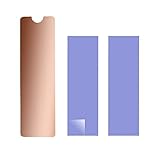
M.2 Heatsink Copper, m2 pcie NVMe Laptop PS5 Heatsink Copper,with Silicone Thermal Pad, for M.2 2280 SSD Laptop
New · Passive thermal accessory · Heatsink accessory · SGTKJSJS

Valuegist PCIe Adapter for M.2 NVMe Mkey, PCI-e 4.0 X4 Card Supports NGFF M2 M-Key SSD of Length 2280,2260,2242,2230, PCIe NVMe Adapter
New · PCIe adapter card · Bare or not stated · Valuegist

ARCTIC M2 Pro - Heatsink Cooler for M.2 2280 SSD, Compatible with PC & PS5
New · Passive thermal accessory · Heatsink accessory · ARCTIC Inc

Easycargo Laptop M.2 Heatsink Kit, Copper m.2 Heat Sink + Thermal pad 1mm 0.5mm for Cooling Laptop M.2 2280 SSD (1-Pack)
New · Passive thermal accessory · Heatsink accessory · Easycargo

ELUTENG M.2 SSD Heatsink 4PCS 2280 SSD Heat Sink with NVMe SSD Thermal Pad NVMe Heat Sink with 8 Black Rubber Straps for PC/PS5 M.2 PCIE NVMe SSD or M.2 SATA SSD
New · Passive thermal accessory · Heatsink accessory · ELUTENG Direct
Start with the M.2 slot protocol, not the connector shape
The 990 PRO is an M.2 2280 NVMe SSD that uses an M-key PCIe interface. A motherboard can have an M.2-shaped socket that supports SATA only, PCIe with two lanes, or PCIe with four lanes. The physical connector alone is therefore not enough to confirm compatibility.
Read the motherboard manual for the exact socket number. Look for NVMe or PCIe support, accepted module lengths, available lane width and any note about shared SATA ports or expansion slots. Samsung states that its NVMe drives use M-key and are designed to use four PCIe lanes.
- Confirm M-key NVMe support
- Do not assume every M.2 socket supports the same protocol
Confirm M.2 2280 physical support
The bare 990 PRO uses the standard 22 mm by 80 mm M.2 2280 format. The board needs a mounting point or latch at the 80 mm position. Some compact systems accept only 2230, 2242 or 2260 modules, while a few workstation adapters support several lengths.
The factory-heatsink version is thicker than the bare module and can conflict with motherboard covers, graphics cards or low-profile chassis parts. Do not stack Samsung’s integrated heatsink under a motherboard M.2 shield. Choose one cooling solution that fits the available space.
- Verify an 80 mm mounting position
- Check vertical clearance before choosing the heatsink model
Check PCIe generation and lane width
A PCIe 4.0 x4 slot is needed to approach the 990 PRO’s rated sequential performance. The drive is backward compatible with a PCIe 3.0 NVMe slot, but the host link becomes the performance ceiling. A two-lane connection can reduce throughput further even when the slot is technically functional.
Use BIOS information, Samsung Magician or a trusted hardware-information utility to confirm the negotiated generation and lane width after installation. A drive can be healthy while performing below the headline number because the motherboard exposes only Gen3 or x2 connectivity.
- Gen4 x4 is the full-performance target
- Compatibility and maximum speed are separate questions
Identify CPU-connected and chipset-connected sockets
Many motherboards connect one M.2 socket directly to the CPU and additional sockets through the chipset. Both can work, but the chipset route may share bandwidth with USB, networking, SATA or other PCIe devices. The manual often marks the preferred boot or high-performance socket.
For a primary 990 PRO, use the manufacturer-recommended CPU-connected socket when available. For secondary storage, a chipset socket may be entirely adequate. The right choice depends on lane topology, workload and the devices already installed.
- Map the exact socket before opening the case
- Prefer the recommended CPU-connected slot for the boot drive
Read every lane-sharing note
Installing an NVMe SSD can disable specific SATA ports, reduce an expansion slot from x16 to x8, or make another M.2 socket unavailable. These behaviors are design choices, not evidence that the SSD is defective. They vary by motherboard, processor and BIOS configuration.
Create a simple map of occupied SATA ports, PCIe cards and M.2 sockets before installation. Move affected SATA devices deliberately rather than discovering a missing drive after the upgrade. Recheck the manual after a CPU change because available lanes can differ by processor model.
- Record shared ports and slots
- Expect topology rules to vary by CPU and board revision
Choose bare or factory-heatsink correctly
The bare 990 PRO is normally the better fit when the motherboard includes a properly sized M.2 thermal shield. The integrated-heatsink model suits systems without suitable cooling, but it may not fit beneath an existing cover. Cooling performance also depends on thermal-pad contact and case airflow.
Remove protective films from thermal pads before installation and tighten the shield evenly. Do not force a cover down onto a heatsink assembly. A small gap or badly positioned pad can leave the controller hot even when the enclosure looks correct.
- Use one heatsink system, not two stacked systems
- Confirm thermal-pad contact across controller and NAND areas
BIOS and boot support still matter
Modern UEFI motherboards generally support NVMe booting, but older boards may detect the SSD only as storage or may need a BIOS update. Add-in adapter cards do not automatically provide boot support if the firmware cannot enumerate NVMe devices during startup.
Update the motherboard BIOS using the board maker’s procedure before migrating a boot drive when the current firmware is old. Save existing settings first, especially storage mode, Secure Boot and boot order. Never change RAID or VMD settings casually on an existing Windows installation.
- Confirm NVMe boot support before cloning
- Preserve storage-controller settings during the upgrade
Use a PCIe adapter only with the right expectations
A passive M.2-to-PCIe adapter can place the 990 PRO in a full-size PCIe slot because both use PCIe signaling. It cannot create PCIe 4.0 capability, four free lanes, bifurcation support or NVMe boot support where the motherboard lacks them.
Single-drive adapters usually need one x4 electrical connection. Multi-drive cards may require lane bifurcation or an onboard PCIe switch. Check the slot’s electrical width and the motherboard’s lane allocation before buying an adapter.
- An adapter changes form factor, not protocol
- Check electrical lane width, not only physical slot length
Account for graphics-card clearance and airflow
Large graphics cards can cover M.2 sockets or expose them to GPU exhaust. A socket directly beneath the GPU may still work, but installation access and sustained temperature can be worse. The factory-heatsink model can also interfere with backplates or vertical-mount hardware.
Plan the installation order so the SSD and thermal hardware are secured before reinstalling the graphics card. After assembly, log controller temperature during a sustained transfer rather than judging cooling from idle temperature alone.
- Measure clearance with the GPU installed
- Validate cooling under sustained load
Verify the result after installation
A successful installation should show the correct 2TB Samsung model in BIOS or Windows, expose roughly 1.82 TiB before formatting overhead, negotiate the expected PCIe link and remain stable under normal load. Samsung Magician can help confirm drive identity, interface details, firmware and health.
Do not benchmark immediately after a large clone while Windows indexing, updates and background optimization are active. Confirm detection and data integrity first, then test performance with enough free space and suitable cooling.
- Confirm model, capacity, link and firmware
- Separate installation validation from maximum benchmark testing
Common compatibility mistakes
The most frequent errors are buying the heatsink version for a tight laptop or covered motherboard slot, using a SATA-only M.2 socket, installing in a two-lane slot, overlooking disabled SATA ports, and expecting a Gen3 system to deliver Gen4 numbers.
Another common mistake is moving a Windows boot drive while simultaneously changing VMD, RAID or CSM settings. Change one variable at a time and keep a bootable recovery path so the cause of a failed startup remains clear.
- Do not combine multiple platform changes in one step
- Use the exact motherboard manual, not a generic M.2 guide
When the 990 PRO is not the best fit
The 990 PRO can be electrically compatible while offering poor value for a low-bandwidth system. A PCIe 3.0 laptop, a USB enclosure or an ordinary office workload may not benefit from its full performance. A lower-cost compatible SSD can produce nearly the same user experience in those hosts.
Choose the 990 PRO when its sustained behavior, DRAM, warranty, Samsung software support or current price fits the workload. Compatibility should lead to a value decision, not automatically to the most expensive drive.
- Match the SSD tier to the host ceiling
- Use current prices before deciding
Official references and methodology
Cloudzat separates confirmed manufacturer facts from compatibility guidance and system-specific inference. Prices appear only when this plugin’s dedicated catalogue accepts an eligible 990 PRO 2TB, M.2 heatsink or NVMe enclosure offer. The motherboard, laptop and enclosure manufacturer documentation remains the final authority for physical fit, lane allocation, boot support and thermal clearance.
Frequently asked questions
Will the 990 PRO work in a PCIe 3.0 motherboard?
Can I install the 990 PRO in any M.2 slot?
Does the 990 PRO disable SATA ports?
Should I buy the model with heatsink for a motherboard?
Can I use an M.2-to-PCIe adapter?
Will using a second M.2 slot slow my GPU?
Why does the drive negotiate only two lanes?
Does the motherboard need a Samsung NVMe driver?
Can the 990 PRO be a boot drive on an older board?
How do I confirm full compatibility after installation?
Affiliate disclosure: Cloudzat may earn a commission from qualifying Amazon purchases. The price, condition, seller and availability shown at checkout control the transaction.