


External NVMe
Choose a USB4, Thunderbolt or USB NVMe enclosure for the Samsung 990 PRO, understand bridge speed limits, cooling needs and Magician restrictions.
Use a bare M.2 2280 990 PRO in an NVMe enclosure with effective cooling
The enclosure must support M-key NVMe. USB4 and Thunderbolt can be fast, but no external bridge provides the drive’s full direct Gen4 x4 performance.
Do not use an external USB path for Samsung firmware updates
External bridge controllers can limit Magician functions. Plan a supported direct internal NVMe connection for firmware work.
990 PRO external-enclosure compatibility checker
Check protocol, host link, cooling, cable and management limitations before buying an enclosure.
Enclosure selection table
| Connection | Best use | Likely ceiling class | Critical check |
|---|---|---|---|
| USB4 40Gbps | High-performance portable work | Bridge-limited below internal Gen4 | Host USB4 support and cooling |
| Thunderbolt | Cross-platform high-speed storage | Bridge-limited below internal Gen4 | Certified controller and cable |
| USB 20Gbps | Fast portable use where supported | Lower than 40Gbps class | Host 20Gbps support |
| USB 10Gbps | Cloning and ordinary storage | About 1GB/s class before overhead | Stable cable and power |
Current compatible SSD and accessory offers

Plugable M.2 NVMe SSD Enclosure; Tool-Free & Driverless
New · Thunderbolt host link · Heatsink · Plugable Technologies
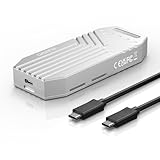
MAIWO 40Gbps M.2 NVMe SSD Enclosure Built-in Fan Tool Free All-Aluminium
New · USB4 40Gbps host link · Bare or not stated · MAIWO STORE

40Gbps M.2 NVMe SSD Enclosure, ICY BOX M.2 Enclosure Support SSD M/B+M Key Size 2280/2260/2242/2230 Compatible with Thunderbolt 4/3/USB4/3.2/3.1, Tool-Free Aluminum Thunderbolt 4 Enclosure
New · Thunderbolt host link · Heatsink · ICY BOX US
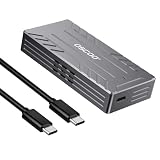
40Gbps USB4 NVMe M.2 Enclosure with Active Cooling & Silent Fan, Aluminum Heat Dissipation, Compatible with Thunderbolt 5/4/3, USB4, USB 3.2, M1/M2 Pro/Max – External SSD Enclosure - SSD Not Included
New · USB4 40Gbps host link · Bare or not stated · OSCOO STORE

ORICO 40Gbps M.2 NVMe SSD Enclosure with Built-in Cooling Fan, Tool-Free, Support 2230 2242 2260 2280(M Key), Compatible with Thunderbolt 4/3 USB4/3.2-TCM2U4-BLACK
New · USB4 40Gbps host link · Bare or not stated · ORICO Direct US Store

Yottamaster M.2 NVMe SSD Enclosure 40Gbps, for Thunderbolt 4/USB4 Interface
New · Thunderbolt host link · Bare or not stated · Yottamaster Mingdao Direct

UGREEN 40Gbps M.2 NVMe Enclosure (SSD Not Included)
New · Thunderbolt host link · Bare or not stated · UGREEN GROUP LIMITED

ACASIS 40Gbps M.2 NVMe SSD Enclosure, TBU 405 for M1 M2 Pro/Max, Compatible with 、USB4/USB3.2/3.1/3.0/2.0, M.2 Enclosure Support 2280/2260/2242/2230 (TBU405)
New · USB4 40Gbps host link · Bare or not stated · ACASIS Direct US

UGREEN 40Gbps M.2 NVMe Enclosure with Cooling Fan, Aluminum
New · Thunderbolt host link · Heatsink · UGREEN GROUP LIMITED

ACASIS 40Gbps M.2 NVMe SSD Enclosure with Cooling Fan
New · Thunderbolt host link · Bare or not stated · ACASIS Direct US

OWC Express 1M2 40Gb/s Portable NVMe SSD
New · Thunderbolt host link · Bare or not stated · OWC (Other World Computing)

Zike USB4 40Gbps M.2 NVMe SSD Enclosure,3811 MB/s,M-Key 2280,Thunderbolt 5
New · USB4 40Gbps host link · Bare or not stated · ZIKE DE Official Store
The 990 PRO can work externally, but not at internal Gen4 speed
An NVMe enclosure bridges the M.2 PCIe drive to USB4, Thunderbolt or an older USB interface. The bridge and host connection become the ceiling, so the external result cannot match a direct PCIe 4.0 x4 motherboard slot.
External use can still be very fast and useful for cloning, portable projects and scratch storage. Choose the enclosure for the required workload rather than expecting the 990 PRO’s internal headline number.
- External performance is bridge-limited
- Judge the complete enclosure-host-cable chain
Require M-key NVMe and 2280 support
The enclosure must accept M.2 2280 PCIe NVMe drives. Some products accept M.2 SATA only, while others support both protocols through different bridge designs. A SATA-only enclosure cannot communicate with the 990 PRO.
Check the supported module lengths, key type, maximum capacity and whether the controller handles PCIe 4.0 drives. Physical fit does not prove protocol compatibility.
- Require M-key NVMe support
- Verify 2280 length and drive-height clearance
Understand USB4 and Thunderbolt ceilings
A 40Gbps USB4 or Thunderbolt connection has far less usable bandwidth than PCIe 4.0 x4 after encoding, bridge and protocol overhead. Real performance also depends on the host controller and whether the port provides the full advertised mode.
A USB-C connector can carry USB 2.0, 5Gbps, 10Gbps, 20Gbps, USB4 or Thunderbolt. Read the device manual and port markings rather than assuming every USB-C port is fast.
- Connector shape does not identify speed
- Check both host port and enclosure controller
10Gbps and 20Gbps enclosures have different value
A 10Gbps enclosure is sufficient for migration and ordinary portable use but leaves most 990 PRO performance unused. A 20Gbps USB connection can be faster, yet host support is inconsistent, especially on some Macs.
Choose 40Gbps USB4 or Thunderbolt when sustained external performance matters and both systems support it. For one-time cloning, a reliable 10Gbps enclosure can be the better-value tool.
- Match enclosure cost to the workload
- Confirm 20Gbps support on the actual host
Cooling is essential in a compact enclosure
The 990 PRO controller can generate significant heat during sustained transfers. A metal enclosure needs a correctly sized thermal pad and good contact between the SSD and housing. Decorative fins do not help if the pad misses the controller or protective film remains attached.
Monitor temperature and sustained speed during a long transfer. An enclosure can feel warm because it is conducting heat correctly, but repeated disconnects or severe throttling require action.
- Install the thermal pad exactly
- Validate sustained speed and temperature together
Use the bare model in most enclosures
The integrated-heatsink 990 PRO is usually too thick for standard M.2 enclosures and can prevent the cover from closing. The bare drive is the normal choice, paired with the enclosure’s own thermal pad and metal shell.
Do not remove Samsung’s heatsink to make a drive fit. Choose a compatible bare model or a purpose-built oversized enclosure instead.
- Use the bare 990 PRO with enclosure cooling
- Never force the factory-heatsink model into a standard case
Cable quality and length matter
A poor or charge-only USB-C cable can reduce speed, cause disconnects or prevent the enclosure from appearing. Use the certified cable supplied with the enclosure or another cable rated for the required data mode and power.
Shorter high-quality cables are generally more reliable at 40Gbps. Avoid unpowered hubs during cloning or firmware-sensitive work.
- Use a cable rated for the full link
- Connect directly for troubleshooting
Power delivery can affect stability
High-speed enclosures draw power from the host port. Some phones, tablets and older computers cannot provide enough power for sustained NVMe operation. Hubs and front-panel ports can also have weaker power paths.
If the enclosure disconnects under load, test a direct rear motherboard or native laptop port with the original cable. A powered dock can help only when it supports the required data mode correctly.
- Test a native high-power port
- Do not assume every hub preserves 40Gbps data
Magician and firmware features may be limited externally
Samsung states that firmware updates cannot be performed through an external USB connection, and management functions can be limited behind bridge controllers. Use a supported direct internal NVMe connection for firmware work and complete authentication when possible.
Do not change storage mode or dismantle a stable system solely to chase a feature unless the firmware update or diagnosis is necessary. Plan the direct connection safely.
- External detection is not full management support
- Use a direct internal path for firmware updates
External boot and cloning are different use cases
An enclosure is excellent for connecting the destination during cloning. Booting Windows externally has additional firmware, driver and licensing considerations and is not equivalent to installing the 990 PRO internally after migration.
Complete the clone, shut down and install the SSD internally for the intended boot test. Keep the source drive unchanged until the new installation is verified.
- Use the enclosure as a migration path
- Test the final boot in the final internal slot
File-system choice affects portability
NTFS suits Windows, while exFAT offers broader cross-platform read/write support but lacks some NTFS features. APFS is appropriate for Mac-only use. Choose based on the systems and applications that will access the drive.
Formatting erases the selected volume. A former boot drive may contain valuable partitions even when another operating system cannot mount them.
- Choose the file system for the real platforms
- Back up before reformatting
When a cheaper SSD is the better enclosure drive
A 10Gbps or 20Gbps enclosure cannot use the 990 PRO’s full internal capability. A lower-cost NVMe SSD may deliver nearly identical external speed for ordinary portable storage.
Use the 990 PRO externally when you already own it, need its endurance characteristics, plan to move it internally later, or the price difference is small. Otherwise compare total enclosure-plus-SSD cost.
- Match SSD tier to bridge ceiling
- Include enclosure price in the buying decision
Official references and methodology
Cloudzat separates confirmed manufacturer facts from compatibility guidance and system-specific inference. Prices appear only when this plugin’s dedicated catalogue accepts an eligible 990 PRO 2TB, M.2 heatsink or NVMe enclosure offer. The motherboard, laptop and enclosure manufacturer documentation remains the final authority for physical fit, lane allocation, boot support and thermal clearance.
Frequently asked questions
Can I put a Samsung 990 PRO in an external enclosure?
Will it run at 7,450MB/s over USB4?
Can I use the 990 PRO with Samsung heatsink in an enclosure?
Will a 10Gbps enclosure work?
Why does the enclosure disconnect during large copies?
Can Samsung Magician update firmware through the enclosure?
Can I clone my laptop drive with an enclosure?
Which file system should I use?
Does every USB-C port support USB4?
Is the 990 PRO overkill for an enclosure?
Affiliate disclosure: Cloudzat may earn a commission from qualifying Amazon purchases. The price, condition, seller and availability shown at checkout control the transaction.