


10TB Immich build planning
A 10TB Immich library is large enough that storage architecture matters more than a single drive recommendation. The server needs room for future originals, generated media and free-space reserve, while primary redundancy and independent backups multiply the raw capacity that must be purchased. At this scale, bay count and expansion strategy can change the long-term cost as much as the price of the first disks.
Live Amazon prices
Current storage options for a 10TB Immich library
Compare the exact model, capacity, condition and seller before ordering. Choose for workload fit first, then price.
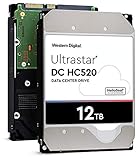
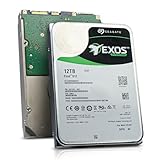
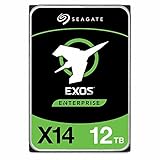
NAS and enterprise hard drives
9 options




NAS enclosures
9 options
TERRAMASTER F2-212 2-bay diskless

TERRAMASTER F2-425 2-bay diskless

TERRAMASTER F4-212 (2GB) 4-bay diskless

TERRAMASTER F4-425 4-bay diskless

UGREEN DXP2800GT, 2-Bay(Diskless) 2-bay diskless

Asustor AS3304T 4-bay diskless

UGREEN DXP4800 GT 4-bay diskless

Synology DS218j 2-bay diskless

UGREEN DXP480T Plus, 4-Bay 4-bay diskless
Internal SSDs
9 options


TEAMGROUP T253X7002T0C101 2TB


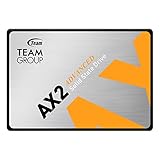
TEAMGROUP T253A3002T0C101 2TB

Choose the right setup
Plan the next 5TB to 10TB of growth before choosing drives
Design the 10TB system around the next 5TB to 10TB of growth, not around fitting today’s library as tightly as possible. The planner below shows how quickly reserve, redundancy and backup copies increase the real purchasing requirement.
Before you buy
Separate the jobs
Keep database/application storage, original-media storage and backups as separate decisions.
Leave room to grow
Plan for library growth, generated media and free-space reserve instead of sizing only for today.
Match the hardware
Confirm interface, form factor, bays and network speed before choosing a listing.
Protect the library
Redundancy can improve availability, but keep an independent backup copy.
Plan storage for a 10TB Immich library
Enter your library size and growth plans to estimate the storage capacity that gives you useful headroom.
Buying guide
How to build storage for a 10TB Immich library
Ten terabytes changes the storage conversation
At 10TB, an all-SSD media library is possible but often expensive compared with a tiered design. The application and database can remain on fast local flash while original photos and videos occupy a protected hard-drive pool. This lets money follow workload: SSD where latency matters, large HDD capacity where cost per terabyte matters. The architecture also creates a clearer upgrade path because application storage and media storage can grow independently.
Measure whether 10TB means originals only
Before buying hardware, confirm what the 10TB figure represents. A copied backup folder, snapshot repository or exported library may include duplicates and generated files that should not be counted as original user media. Use the source library as the baseline, then add generated-data allowance and reserve separately. Clean inputs matter because a small percentage error on a 10TB library can equal hundreds of gigabytes of unnecessary or missing capacity.
Growth rate determines the real project size
A library growing 500GB per year reaches a very different five-year target from one adding 2TB of family video annually. Use recent archive history when possible and account for changes in phone cameras or household participation. The planner makes growth explicit so a 10TB server is not automatically designed as a 10TB usable pool. The goal is to avoid another chassis migration just after the initial purchase is complete.
Four bays are a useful decision point
A two-bay mirror can protect a 10TB library with sufficiently large drives, but it offers limited flexibility once both bays are occupied. Four bays can support several equal-drive layouts and give the buyer more options for capacity, parity and future expansion. That does not make four bays mandatory; it makes bay count worth modeling. Compare the total enclosure-plus-drive cost at the planning horizon rather than the cheapest box today.
High-capacity drives preserve empty bays
Using larger drives can leave bays free for growth, reduce drive count and simplify the first build. The trade-off is a higher price per device and potentially more data tied to each replacement event. Compare 12TB, 16TB, 18TB, 20TB and larger SATA options by the usable array they can create, not by individual sticker price. Empty bays have strategic value when the library is expected to keep growing.
Primary redundancy is not the second copy
A mirror or parity layout protects availability through certain disk failures, but the entire server remains one system. An independent backup should live on a separate failure domain. At 10TB, that backup is itself a substantial storage purchase, so include it from the beginning rather than promising to add it later. The calculator deliberately reports backup capacity separately from raw primary capacity to make this cost visible.
Application SSD sizing stays modest
The media library may be 10TB, but the database and application layer do not need a 10TB SSD just to match it. A reliable 500GB to 1TB internal SSD can be a sensible starting class depending on what else shares the device. If thumbnails, transcodes or other containers remain on the same SSD, size those roles explicitly. Avoid wasting flash capacity on originals that are well served by the protected HDD pool.
Backups need bandwidth as well as disks
Moving 10TB to a new backup destination is not instant. Initial seeding time depends on network speed, source/destination performance and whether the process competes with active Immich workloads. A 2.5GbE local network can make large transfers more comfortable than gigabit when both endpoints support it, while offsite backups may be limited by upload bandwidth. Capacity and transfer time should be planned together.
Rebuild time should influence chassis cooling
Large disks can spend a long period under sustained activity during rebuild or scrub operations. A NAS that is quiet and cool during browsing may behave differently when multiple drives are active continuously. Choose a chassis with unobstructed airflow, monitor temperatures and avoid placing the array in a sealed cabinet. Storage reliability is a system property involving disks, power, cooling and controller behavior, not a model number alone.
Snapshots can consume growth reserve
If the NAS or filesystem keeps snapshots, version history may occupy space beyond the live 10TB dataset. How much depends on change rate and retention. Rather than pretending this is fixed, increase free-space reserve or model snapshots separately once the platform is chosen. A photo archive can appear mostly static, but deletes, edits, imports and reorganizations still influence snapshot consumption.
Budget the next replacement cycle
A 10TB server will eventually face drive replacement from failure, warranty expiry or capacity growth. Standardizing on a common drive size can simplify spares, while leaving bays empty can reduce the need to replace healthy disks just to expand. Decide whether you prefer adding drives, replacing pairs, or migrating to a larger chassis. That choice should influence the first purchase before the data is committed to a layout.
A balanced 10TB architecture
A practical design separates the local SSD application tier, a multi-bay SATA HDD media tier and an independent backup tier. The exact drive count depends on growth and protection goals, but each layer has a clear function. Use live listings to price several scenarios, not to force one universal build. A good 10TB plan is one that can explain where the database lives, where originals live, where the backup lives and how each layer expands.
Questions people ask
Immich Server for 10TB Photos questions
How much storage do I need for a 10TB Immich library?
More than 10TB once growth, generated media, free-space reserve, primary redundancy and independent backups are included. Use the planner with your own growth rate and protection choices.
Is a 2-bay NAS enough for 10TB Immich?
It can be with large enough drives, especially for a mirror. Four or more bays can provide a more flexible expansion path when the library is growing.
What drive size is best for 10TB of photos?
There is no single best size. Compare the usable capacity of the intended array using 12TB, 16TB, 18TB, 20TB or larger drives and consider how many bays remain for growth.
Do I need 10TB of SSD space?
No. A tiered build can keep application/database data on a much smaller SSD while originals use protected hard-drive capacity.
Should I use RAID5, RAID6 or mirrors?
The best layout depends on bay count, platform, downtime tolerance and backup strategy. Use this page for planning, then confirm exact usable capacity and risk with the storage platform.
How large should the backup be?
At minimum, large enough for the data you intend to recover. If you want a full protected copy of the projected library, budget backup capacity from the future usable target rather than today’s 10TB.
Is 2.5GbE worth it for a 10TB library?
It can reduce time for large local imports and backups when the NAS, server, switch and client all support it. It is not required for normal photo browsing.
Can I start with fewer drives and add later?
Some storage platforms support incremental expansion, but the rules vary. Confirm the exact NAS or filesystem behavior before relying on a future add-one-drive plan.
How much free space should a 10TB server keep?
Use a deliberate reserve appropriate to the filesystem, snapshots and growth. The planner lets you adjust this rather than assuming the pool can be filled completely.
What is the simplest 10TB Immich design?
A local SSD for application/database data, a protected multi-bay HDD/NAS pool for originals, and an independent backup destination is a clear starting architecture.