


Immich NAS capacity guide
A NAS for Immich is a capacity system, not just a box with an Ethernet port. Bay count determines the drive combinations available today and the expansion choices available later. The correct sizing process starts with projected usable capacity, then tests that target against two-, four-, six- or eight-bay layouts using equal-size drives and the redundancy method the NAS actually supports.
Live Amazon prices
Current NAS, hard-drive and SSD options
Compare the exact model, capacity, condition and seller before ordering. Choose for workload fit first, then price.
NAS enclosures
9 options
TERRAMASTER F2-212 2-bay diskless

TERRAMASTER F2-425 2-bay diskless

TERRAMASTER F4-212 (2GB) 4-bay diskless

TERRAMASTER F4-425 4-bay diskless

UGREEN DXP2800GT, 2-Bay(Diskless) 2-bay diskless

Asustor AS3304T 4-bay diskless

UGREEN DXP4800 GT 4-bay diskless

Synology DS218j 2-bay diskless

UGREEN DXP480T Plus, 4-Bay 4-bay diskless
NAS and enterprise hard drives
9 options

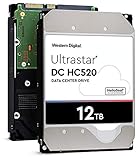


Western Digital WD200EDGZ 20TB



Internal SSDs
9 options


TEAMGROUP T253X7002T0C101 2TB


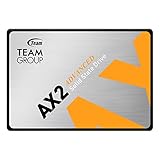
TEAMGROUP T253A3002T0C101 2TB

Choose the right setup
Size the NAS enclosure and hard drives together
Size the NAS and the drives together. A cheap enclosure can become expensive if its bay count forces oversized disks, while a larger chassis can be wasteful if the library will never use the expansion path.
Before you buy
Separate the jobs
Keep database/application storage, original-media storage and backups as separate decisions.
Leave room to grow
Plan for library growth, generated media and free-space reserve instead of sizing only for today.
Match the hardware
Confirm interface, form factor, bays and network speed before choosing a listing.
Protect the library
Redundancy can improve availability, but keep an independent backup copy.
Choose NAS bays and drive capacity
Enter your library size and growth plans to estimate the storage capacity that gives you useful headroom.
Buying guide
How to choose a NAS layout for Immich
Start from usable capacity, not bay count
Choosing a four-bay NAS because four sounds expandable is backwards. First calculate how much usable capacity the library needs after growth and reserve. Then select a protection layout and see how many equal-size drives are required to meet that target. Bay count becomes a consequence of the storage plan. This approach prevents both underbuying and paying for an eight-bay appliance when a smaller chassis comfortably covers the expected horizon.
Two bays are simple but constrain growth
A two-bay NAS is easy to understand and can work well for smaller libraries, especially when mirrored protection is the priority. Its limitation is expansion. Once both bays are occupied, increasing protected capacity usually means replacing drives with larger ones or migrating to another system. If the library is growing rapidly, calculate the cost of that future replacement before deciding that a two-bay enclosure is the cheapest path.
Four bays open more layout choices
Four bays can support mirror pairs, RAID10-style layouts or parity options depending on the platform. That flexibility often makes it a useful family-server class because the same chassis can start with fewer or smaller disks and grow. The exact expansion behavior is vendor-specific, so do not assume every NAS lets you add a disk or mix capacities in the same way. Model the intended platform rather than generic RAID names alone.
Six and eight bays are about expansion economics
Larger chassis make sense when the projected library is already large, drive capacities are expensive, or future growth would otherwise require replacing healthy disks. More bays can reduce the capacity required per drive and create room for additional parity. They also increase chassis cost, power, noise and the number of potential devices to manage. The value comes from a planned expansion path, not from filling every bay immediately.
Diskless listings keep the drive decision visible
Populated NAS bundles can be convenient, but they make it harder to compare the enclosure and disks independently. Buying the NAS diskless lets you compare the enclosure and hard drives separately. That matters for Immich because capacity, recording technology, warranty and price per TB may determine the best disk choice even when the NAS brand remains the same.
Network speed should match the workflow
Immich itself does not require every home to have 10GbE, but large imports, backups and workstation transfers can make faster networking worthwhile. A 2.5GbE connection is increasingly useful when the disk array can exceed gigabit speeds and the rest of the network supports it. Ten-gigabit networking should be justified by the actual transfer workflow, switches and clients rather than treated as a mandatory badge on a photo NAS.
Keep application storage strategy separate
A NAS can hold originals while the Immich database runs on a local SSD in a mini PC or server. Alternatively, the NAS may host the application if its compute platform and deployment model are suitable. Those are different architectures. For storage sizing, treat the SSD as the application tier while NAS and HDD capacity covers protected bulk storage. Do not mix the roles accidentally.
Equal-size drive math is the safest first model
The interactive tool assumes equal-size drives because that makes usable-capacity estimates understandable and conservative. Some platforms support mixed capacities or proprietary expansion schemes, but those rules vary. Begin with equal-size math to compare chassis sizes, then use the manufacturer’s calculator for the exact NAS before ordering drives. A general website should not promise usable capacity from a vendor-specific layout it has not modeled.
Drive compatibility lists still matter
A SATA connector and matching drive size do not automatically mean the NAS vendor supports every model equally. Before buying several high-capacity disks, check the current compatibility guidance for the exact enclosure, firmware and drive model. Compatibility lists can influence support expectations, health reporting and maximum tested capacity. A product being the right type does not guarantee that every NAS vendor supports that exact model, firmware combination or capacity.
Power and cooling scale with drive count
Each additional spinning disk adds startup current, heat and vibration. A six-bay chassis with six high-capacity drives has different thermal and UPS requirements from a two-bay unit. Use the NAS as designed, keep intake paths clear and avoid placing it in an unventilated cabinet. If the server will run continuously, power cost and acoustics belong in the buying decision alongside the one-time price of drives.
Backups need another destination
A NAS can provide primary redundancy but should not become the only location for valuable family photos. Plan a second destination with enough capacity for the data you intend to protect. That may be another local device, rotated external media or an offsite system. Whatever the method, calculate it separately from the NAS array so the same drives are not described as both primary storage and backup.
Choose a chassis by the next two upgrades
The best NAS is the one whose next expansion steps are predictable. Write down the starting drive count, the first capacity upgrade and what happens when the array reaches the planning horizon. If every path requires replacing several healthy disks, a larger chassis may be cheaper over time. If the library is stable, extra empty bays may never return their cost. Size from evidence rather than fear of future growth.
Questions people ask
Immich NAS Storage Sizing questions
How many NAS bays do I need for Immich?
It depends on projected usable capacity, protection layout and growth. Two bays can suit smaller mirrored libraries; four or more bays provide more flexibility for larger or faster-growing collections.
Is a 2-bay NAS enough for Immich?
It can be. The main limitation is the upgrade path once both bays are occupied. Model future capacity and drive replacement cost before deciding.
Why buy a diskless NAS?
Diskless systems let you choose exact drive models, capacities, warranties and sellers separately instead of accepting whatever disks are bundled with the enclosure.
Do I need 10GbE for Immich?
Not automatically. Faster networking is most valuable for large imports, backups and workstation transfers when the rest of the network can use it. 2.5GbE can be a practical middle tier.
Can Immich run on the NAS itself?
Sometimes, depending on the NAS platform and supported deployment path. Storage sizing and compute suitability are separate questions; verify the exact system before purchase.
Can I mix drive sizes in an Immich NAS?
Some platforms allow it with specific rules, but usable capacity varies. This tool uses equal-size drives for clear planning; confirm mixed-drive behavior with the NAS vendor.
Should the Immich database live on the NAS?
Current Immich guidance favors local database storage. A common architecture keeps the database on the application server SSD and media on the NAS.
How much empty space should a NAS keep?
Keep a deliberate reserve appropriate to the filesystem and workload. The tool includes an adjustable reserve rather than assuming the pool can be filled completely.
Is NAS RAID enough to protect Immich photos?
No. Redundancy improves primary-storage resilience but does not replace an independent backup. Plan another copy on a separate destination.
What should I check before buying a NAS?
Check bay count, supported drive capacities/models, network interfaces, expansion rules, filesystem/RAID options, application deployment needs, warranty, seller and the total cost of the disks required.