


Immich bulk storage guide
Hard drives become compelling when an Immich library grows beyond the comfortable cost of all-flash storage. The buying problem is not simply choosing the largest disk. You need enough usable capacity for originals and generated data, room for growth, a protection layout the server actually supports, and independent backup capacity that is not confused with RAID.
Live Amazon prices
Best current hard drives for Immich storage
Compare the exact model, capacity, condition and seller before ordering. Choose for workload fit first, then price.
NAS and enterprise hard drives
9 options
Western Digital DC HC550 18TB


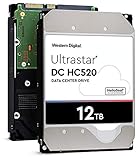


Western Digital WD200EDGZ 20TB


Western Digital 0F38453 18TB

Choose the right setup
Size the media pool before choosing drive capacity
Buy drives as part of a storage plan. Decide how much usable capacity you need, how many bays are available, what redundancy model you will use and where the independent backup will live before comparing price per TB.
Before you buy
Separate the jobs
Keep database/application storage, original-media storage and backups as separate decisions.
Leave room to grow
Plan for library growth, generated media and free-space reserve instead of sizing only for today.
Match the hardware
Confirm interface, form factor, bays and network speed before choosing a listing.
Protect the library
Redundancy can improve availability, but keep an independent backup copy.
Plan hard-drive capacity for your library
Enter your library size and growth plans to estimate the storage capacity that gives you useful headroom.
Buying guide
How to choose hard drives for an Immich library
Project the library before choosing a drive size
A hard-drive purchase should solve the library you will have, not only the library you have today. Start with current originals, add realistic annual growth and choose a planning horizon. Then include generated media and free-space reserve before calculating the primary pool. This prevents a common mistake: filling a new array to a high percentage immediately and discovering that the next expansion requires replacing several drives at once.
Usable capacity is the number that matters
A 20TB label is raw manufacturer capacity, not a promise that every storage layout exposes 20TB of usable space to Immich. Redundancy, filesystem metadata, snapshots and reserve space all reduce what you can safely plan to fill. Compare drives by raw capacity and price per TB, but make the actual purchase decision from a usable-capacity target generated by the intended NAS, RAID or ZFS design.
NAS drives versus enterprise drives
Both NAS-oriented and enterprise SATA drives can be candidates for a home photo server, but the surrounding trade-offs differ. NAS lines often emphasize multi-bay operation and home/server warranties, while enterprise products may prioritize datacenter workloads and acoustics less. The correct choice depends on exact model, chassis cooling, warranty, noise tolerance and price. Do not buy by brand family alone when marketplace listings mix revisions and conditions.
CMR and SMR need exact-model verification
Recording technology can matter for rebuild behavior and sustained write workloads, especially in arrays. Marketplace titles sometimes advertise CMR, sometimes omit the detail, and occasionally use inaccurate keywords. Treat CMR or SMR as an exact-model specification. For an array purchase, verify the manufacturer data for the exact model number rather than assuming every capacity in a family uses the same recording method.
SATA versus SAS is a compatibility boundary
Many enterprise hard drives appear in both SATA and SAS variants that look nearly identical in product photos. A typical consumer NAS or motherboard SATA port does not become SAS-compatible simply because the connector looks related. For a typical consumer NAS or motherboard, choose the SATA version and verify the exact interface before ordering multiple disks; SAS requires a compatible controller and backplane.
Drive count changes the economics
Four smaller disks and two larger disks can provide similar raw capacity while behaving very differently for bays, parity, power, noise and future expansion. When bay count is scarce, higher-capacity drives can preserve an upgrade path. When budget matters more and bays are plentiful, a different mix may win. Model the entire pool cost, not just the cheapest individual disk.
Plan rebuild space and cooling
Large-capacity disks hold more data per device, so rebuilds and resilver operations can run for a meaningful period depending on array design and workload. A chassis that barely cools idle drives may behave differently while every disk is active. Keep airflow paths clear, monitor temperatures under sustained work and avoid packing an enclosure beyond the cooling design merely because the bays physically accept the drives.
Warranty and seller condition are part of value
A low price can reflect renewed stock, OEM packaging, recertified units or a seller warranty that differs from the manufacturer channel. The product card surfaces condition and warranty wording when available, but it cannot turn ambiguous marketplace text into guaranteed coverage. For valuable family archives, compare the savings against the replacement and support risk before treating the lowest price as the best deal.
Noise and power matter in a home server
An Immich server may sit in an office, closet or living area rather than a datacenter. High-capacity hard drives can differ in idle noise, seek behavior and power draw. Multiple drives multiply these effects. If the server is always on, consider acoustic location, vibration isolation, PSU headroom and airflow alongside capacity. A technically compatible disk can still be a poor home deployment if the chassis and room were not chosen for it.
RAID is not the backup copy
Redundancy helps a storage pool stay available through certain disk failures, but it does not create an independent copy of deleted, corrupted or stolen data. Keep backup capacity in the budget as a separate number. Keep independent backup capacity separate from primary raw storage so the same disks are not counted twice in the protection plan.
Use price per TB after compatibility filters
Hard drives are one of the places where price per TB is genuinely useful because media storage scales with capacity. Still, filter out the wrong interface, condition, form factor and ambiguous listing before sorting by value. A drive that cannot work in the target NAS has no useful price per TB. Only compare price per TB after confirming that the drive fits the target NAS, interface and workload.
Build an expansion path before filling the array
The cheapest first purchase can become the most expensive long-term plan if every bay is occupied with small drives. Decide what happens when the projected library doubles. You may want empty bays, a larger initial drive size, external backup rotation or a second NAS. Immich storage works best when growth is an expected event with a documented path rather than an emergency migration.
Questions people ask
Best Hard Drive for Immich questions
What type of hard drive is best for Immich?
Internal SATA NAS or enterprise drives are common candidates for large libraries. The best choice depends on exact capacity, interface, recording method, warranty, condition, noise, cooling and the array design.
Do I need NAS hard drives for Immich?
Not strictly, but NAS-oriented drives can be convenient for multi-bay home servers. Enterprise SATA drives can also fit when their acoustics, warranty, interface and chassis requirements are acceptable.
Is CMR better than SMR for an Immich NAS?
CMR is often preferred for array and sustained-write workloads, but verify the exact model. If the listing does not state recording technology, verify the exact model with the manufacturer.
Can I use SAS hard drives in my Immich NAS?
Only if the storage controller and backplane support SAS. For a typical SATA NAS or motherboard, choose SATA drives; SAS requires a compatible controller and backplane.
How much free space should I leave?
Use a deliberate reserve rather than planning to fill the pool completely. The calculator lets you choose a reserve percentage so growth and maintenance space are included before buying drives.
Is RAID a backup for Immich photos?
No. RAID or similar redundancy can improve availability, but an independent backup protects against a different set of failures and mistakes. Budget backup capacity separately.
Should I buy one huge drive or several smaller drives?
That depends on bay count, redundancy, growth, power and upgrade strategy. Compare the usable capacity and future replacement path of the whole pool, not just a single drive price.
Can Immich originals stay on HDD while the database is on SSD?
Yes, that is a common tiered design approach: fast local SSD for application/database work and economical protected HDD capacity for originals.
Why does a drive show less usable space than its label?
Raw decimal capacity, filesystem formatting, RAID or parity, metadata and reserve space all affect what the operating system can safely use. Plan from usable capacity, not label capacity.
What should I check on an Amazon HDD listing?
Check exact model, capacity, SATA versus SAS, condition, seller, warranty source, recording technology when relevant, form factor and whether the listing is a single bare drive rather than an enclosure or multipack.