


Immich storage sizing tool
A useful Immich storage estimate must account for more than the current photo folder. The primary pool needs room for future originals, generated media and free-space reserve. Redundancy then changes raw disk requirements, while independent backups add a separate copy budget. This calculator keeps those layers visible so a mirror or parity array is not accidentally counted as the backup.
Live Amazon prices
Current SSD, hard-drive and NAS options
Compare the exact model, capacity, condition and seller before ordering. Choose for workload fit first, then price.
Internal SSDs
9 options


TEAMGROUP T253X7002T0C101 2TB



TEAMGROUP T253A3002T0C101 2TB

NAS and enterprise hard drives
9 options

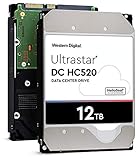


Western Digital WD200EDGZ 20TB



NAS enclosures
9 options
TERRAMASTER F2-212 2-bay diskless

TERRAMASTER F2-425 2-bay diskless

TERRAMASTER F4-212 (2GB) 4-bay diskless

TERRAMASTER F4-425 4-bay diskless

UGREEN DXP2800GT, 2-Bay(Diskless) 2-bay diskless

Asustor AS3304T 4-bay diskless

UGREEN DXP4800 GT 4-bay diskless

Synology DS218j 2-bay diskless

UGREEN DXP480T Plus, 4-Bay 4-bay diskless
Choose the right setup
Turn library growth into a complete storage target
Use the calculator before shopping. Once the usable target and protection model are clear, drive size, bay count and price per TB become meaningful instead of arbitrary specifications.
Before you buy
Separate the jobs
Keep database/application storage, original-media storage and backups as separate decisions.
Leave room to grow
Plan for library growth, generated media and free-space reserve instead of sizing only for today.
Match the hardware
Confirm interface, form factor, bays and network speed before choosing a listing.
Protect the library
Redundancy can improve availability, but keep an independent backup copy.
Calculate your complete Immich storage target
Enter your library size and growth plans to estimate the storage capacity that gives you useful headroom.
Buying guide
How to turn the result into a storage purchase
Start with originals, because they drive the scale
The current library is the anchor for every other number. Measure the actual source photos and videos rather than the size of a backup archive that may include snapshots or duplicates. Then add expected annual growth for the number of years you want the new storage purchase to last. This produces the projected original-media footprint, which is the first capacity layer and the one that cannot be recreated from thumbnails or database metadata.
Annual growth changes the correct drive class
A 4TB household adding 200GB per year and a 4TB household adding 2TB per year should not buy the same pool simply because their current libraries match. Growth rate determines when bays fill, when parity overhead becomes painful and when a second chassis might be needed. Use a conservative but believable number from recent photo and video behavior, then rerun the model if phone cameras or family usage changes.
Generated media belongs in the calculation
Thumbnails and transcoded derivatives consume capacity beyond originals. Rather than imposing one universal ratio, the calculator exposes a generated-media percentage that you can tune. Start with a planning allowance, monitor real usage after Immich processes the collection, and replace the assumption with measured data. This keeps the calculator useful for both photo-heavy and video-heavy libraries without pretending their working-data footprint is identical.
Free-space reserve prevents a paper-perfect design
A pool that reaches its target only when almost full is not comfortably sized. Free space supports imports, maintenance, filesystem behavior and unexpected growth. The calculator increases the usable target based on an adjustable reserve so the storage plan has breathing room. This is different from redundancy: reserve protects operating headroom, while redundancy changes how raw drives are arranged to tolerate certain failures.
Redundancy consumes raw capacity
Mirror, single-parity and dual-parity approaches all turn raw disk capacity into a smaller usable pool. The calculator uses planning multipliers because the exact result depends on bay count, filesystem and platform. Treat the raw target as a shopping estimate, then use the NAS sizing page or your storage platform’s own calculator for the final layout. Never order drives from a generic multiplier without checking the actual array rules.
Backups are counted separately on purpose
An independent backup is not another label for the redundancy inside the primary pool. It should survive failures or mistakes that can affect the live array. That is why the calculator adds backup capacity after the primary raw estimate rather than folding it into RAID math. If you plan one local backup and one offsite copy, enter two independent copies and budget the storage destinations separately from the server’s data disks.
SSD capacity and HDD capacity solve different jobs
The total result does not mean every terabyte should be purchased in the same medium. Application/database storage can remain on a smaller local SSD while original media and backup copies live on economical hard drives or NAS systems. Use SSDs for the application tier and HDD or NAS storage for bulk originals and backups so the result becomes a practical tiered build instead of an unnecessarily expensive all-flash archive.
Bay count is part of capacity planning
Raw terabytes alone do not reveal whether the server can reach the target efficiently. A two-bay NAS may require very large drives to deliver the same protected usable capacity that a four- or six-bay system reaches with smaller disks. More bays also create different upgrade paths and power costs. Use the storage result to decide the capacity class, then model bay count before choosing the enclosure.
Snapshots consume their own reserve
If the storage platform keeps snapshots, versioned backups or other historical copies, those can use space beyond the live Immich dataset. This calculator’s reserve is intentionally broad rather than pretending to predict every snapshot policy. If your NAS retains substantial history, increase the reserve or budget snapshots explicitly with the platform’s monitoring data. A storage estimate should reflect the policy you actually intend to keep.
Decimal drive capacity and displayed capacity differ
Drive manufacturers sell decimal terabytes, while operating systems and storage tools may display capacity using different units or subtract filesystem and array overhead. Do not treat a slightly smaller displayed number as evidence that capacity is missing. The calculator works as a planning model in TB, and the final usable number should always be confirmed in the target NAS or filesystem before the pool is populated with important data.
Price the next expansion, not only day one
A good design has an affordable next step. If the initial array uses every bay, future growth may require replacing existing drives or adding another enclosure. If it leaves bays empty, the initial chassis may cost more but simplify expansion. Run the calculator with both the current horizon and a longer scenario. The difference reveals whether a smaller system is genuinely economical or merely defers a predictable upgrade.
Recalculate after the real server is running
Planning becomes more accurate after Immich has processed a representative library. Record original size, generated-data size, annual growth and actual free-space behavior. Update the calculator with those numbers and compare them to the assumptions used during purchase. Planning becomes more accurate when you measure the deployed system over time instead of treating the first estimate as permanent. Recalculate whenever the library or protection policy changes.
Questions people ask
Immich Storage Calculator questions
How do I calculate storage for Immich?
Add current originals and projected growth, include generated-media allowance and free-space reserve, then account for primary redundancy and independent backup copies separately.
Does the calculator include thumbnails?
Yes. Generated media is an adjustable percentage so you can model thumbnails and transcodes, then replace the estimate with measured usage from your own server.
Does RAID reduce the storage I need for backups?
No. RAID or similar redundancy protects the primary pool in a different way. Independent backups should still be budgeted separately.
How much free space should an Immich server keep?
There is no universal percentage for every filesystem and workload. Use a deliberate reserve and adjust it to the behavior and recommendations of your storage platform.
Why is raw capacity higher than usable capacity?
Redundancy, filesystem overhead, metadata and reserve space all reduce what can be used safely. The calculator separates raw planning capacity from usable target capacity.
Should I use SSD or HDD for the calculated total?
Usually a mix is more economical: local SSD for database/application work and HDD/NAS capacity for originals and backups. The right split depends on your architecture.
Can I use this calculator for a 50TB library?
Yes as a planning model, but large systems deserve exact platform-specific RAID/ZFS calculations, chassis power planning and a documented backup architecture before purchase.
How should I estimate annual growth?
Use recent real growth from your photo/video archive where possible. If family video usage is increasing, choose a conservative figure rather than assuming the past year will stay flat.
Does the result include offsite storage?
Only if you enter an independent backup copy for it. The calculator reports backup capacity separately; it does not decide whether the destination is local, remote or cloud-based.
When should I run the calculator again?
Rerun it after major imports, storage-policy changes, a new phone/video workflow, or whenever observed annual growth differs materially from the original assumption.