


Canada · CAD · Deal Watch
Proxmox Mini PC Black Friday Deals Canada 2026: What to Buy
Bring your compact Proxmox plans closer this Black Friday by watching complete mini PCs with useful memory, storage and network ports.
Check installed memory, drive connections and virtualisation requirements together. Include the full system and backup cost rather than treating small size as the only goal. Look for a Black Friday checkout total below this exact configuration’s recent normal price. Compare equivalent complete systems from reputable sellers before deciding that the offer is worth buying.
Choose MINISFORUM AI X1 Pro with 64GB for a home lab needing replaceable memory. Choose MS-01 when its network-focused design better fits the installation. A low-memory barebone price should not be compared with a complete 64GB host without adding the missing parts.
Which Proxmox Mini PC option should you choose?
Start here
MINISFORUM AI X1 Pro
Choose it for a 64GB host with replaceable memory.
Find this configurationChoose this alternative
MINISFORUM MS-01
Choose it for a compact network-focused virtualisation host.
Find this configurationCurrent Proxmox Mini PC Listings on Amazon
Black Friday sale dates and offer timing
Dates for 2026: Black Friday — November 27; Amazon.ca — November 19–30. Individual offer periods and eligibility vary.

MINISFORUM AI X1 Pro-470 Mini PC, AMD Ryzen AI 9 HX470 (12C/24T, up to 5.2 GHz), Radeon 890M, 32 GB DDR5 RAM, 1 TB PCIe 4.0 SSD, 4K Quad-Display, Dual 2,5G LAN, Wi-Fi 7, Bluetooth 5.4, OCuLink
32GB RAM
Last verified 2026-11-13 09:57:36 UTC
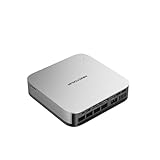
MINISFORUM X1 Pro Mini PC, AMD Ryzen AI 9 HX 370 Processor with 12 Core up to 5.1 GHz, AMD Radeon 890M, 32GB DDR5/1TB SSD, HDMI/DP/USB4 x 2, USB 3.2 x 4, 2.5G RJ45 x 2, WiFi 7, BT5.4
32GB RAM · 1TB SSD
Last verified 2026-11-13 07:00:26 UTC

MINISFORUM X1 Pro 370 Mini PC with AMD Ryzen AI 9 HX370, Radeon 890M Graphics, 32GB RAM 1TB SSD, 2x5G RJ45 Port|WiFi7|BT5.4, HDMI/DP/2xUSB4 Video Output, Copilot Support AI Mini Computer
32GB RAM · 1TB SSD
Last verified 2026-11-13 03:23:25 UTC

MINISFORUM NAB9S Mini PC, Intel Core i9-13900HK (14C/20T, Up to 5.4GHz), 32GB DDR4, 1TB PCIe 4.0 SSD, Quad 4K Display, Dual 2.5GbE LAN, Wi-Fi 6, BT 5.2
32GB RAM
Last verified 2026-11-13 09:57:36 UTC
MINISFORUM NAB9S Mini PC, Intel Core i9-13900HK (14C/20T, Up to 5.4GHz), 16GB DDR4, 500GB PCIe 4.0 SSD, Quad 4K Display, Dual 2.5GbE LAN, Wi-Fi 6, BT 5.2
16GB RAM
Last verified 2026-11-13 09:57:36 UTC

Beelink SER8 Mini PC AMD Ryzen 7 8845HS(Max 5.1GHz), 32GB DDR5 1TB PCIE4.0 SSD Mini Computer, AMD Radeon 780M Graphics 12 core 2700MHz Gaming PC,Triple Display USB4/DP/HDMI, 2.5G LAN Micro PC
32GB RAM
Last verified 2026-11-13 09:57:36 UTC

MSECORE Mini PC i9, 64GB RAM 1T SSD Desktop Computer with i9-9880H (up to 4.8 GHz), 2*HD, 1*DP, Triple Display, Dual 2.5G LAN, Optical, Wi-Fi 6e, 4K@60Hz, Windows 11 Pro
64GB RAM
Last verified 2026-11-13 09:57:36 UTC

MINISFORUM Mini PC Venus UM790 Pro AMD Ryzen 9 7940HS up to 5.2 GHz 32 GB DDR5 1TB SSD with AMD Radeon 780M, 4X USB3.2, 2X USB4, 2xHDMI 2.1, 2X PCIe4.0, Wi-Fi 6E/BT5.3, RJ45 2.5 G
32GB RAM · 1TB SSD
Last verified 2026-11-13 09:57:36 UTC
As an Amazon Associate, Cloudzat earns from qualifying purchases. Prices and availability can change; Amazon shows the final price for your chosen item.
Proxmox Mini PC buying guide
| Choice | Best for |
|---|---|
| MINISFORUM AI X1 Pro | a 64GB host with replaceable memory |
| MINISFORUM MS-01 | a compact network-focused virtualisation host |
Which Proxmox Mini PC option should you choose?
For a 64GB host with replaceable memory, choose MINISFORUM AI X1 Pro.
For a compact network-focused virtualisation host, choose MINISFORUM MS-01.
Start with installed memory, not maximum memory
A mini PC product page often advertises both the installed configuration and the platform maximum in the same listing. For Proxmox those numbers are not interchangeable. A system that supports 96GB but ships with 16GB is a different purchase from a 96GB-ready configuration because the upgrade kit, compatibility check and installation work still belong in the real setup.
For a serious mixed host, 64GB is a useful baseline because it creates room for several VMs, containers and infrastructure services without immediately resorting to aggressive memory overcommitment. Dense labs, larger databases and cluster failover targets can make 96GB or 128GB more attractive if the platform genuinely supports those capacities.
Use CPU tier to protect consolidation headroom
Intel N-series nodes are efficient and inexpensive, but they are best treated as workload-specific tools. DNS, Home Assistant, monitoring, lightweight Linux services and modest development guests can fit well. A machine running many general-purpose VMs, build jobs, databases or compute-heavy services benefits from the extra cores and sustained performance of a Ryzen 7/9 or Core Ultra class system.
A cheaper mini PC is poor value if it cannot run your planned virtual machines. If a CA$220 low-power box will be replaced in twelve months because the guest set grows, a CA$500 machine with a higher memory ceiling and better expansion may have lower lifetime cost. Black Friday is most valuable when it moves a buyer up to the right capacity tier rather than merely lowering the price of the smallest SKU.
Prefer multiple real storage options
Two internal NVMe slots can be more valuable for Proxmox than a slightly faster single drive. Separate devices create options for boot plus VM storage, mirrors, local backup staging or later capacity growth. Some compact systems expose OCuLink or other expansion interfaces, but those features should be treated as platform capabilities only after the exact model and lane sharing are confirmed.
A 2TB primary drive is a practical starting point for mixed virtual machines; 4TB becomes attractive when snapshots, media, lab images or local backup copies remain on the node.
Network ports determine how far the box can grow
Dual 2.5GbE is enough for many compact Proxmox deployments and can separate management or storage traffic without an add-in card. Premium mini PCs with 10GbE, PCIe expansion or OCuLink can be more compelling cluster nodes because the network can scale without relying on USB adapters.
Check whether a 10GbE interface is native, an internal PCIe card, or dependent on an external expansion path. The physical port alone does not tell you whether storage and networking share bandwidth inside the compact platform. For migration-heavy clusters, topology is part of the buying decision.
Thermal design matters during sustained virtualization
A compact chassis can benchmark well for a short desktop workload yet behave differently under continuous multi-VM CPU use, storage writes and 10GbE traffic. That does not make mini PCs unsuitable; it means sustained thermals and fan behavior belong in the evaluation. A premium sale model with a better cooling system can be a higher-value Proxmox node than a thinner system with the same processor name.
Place always-on nodes where airflow is not blocked, keep firmware current and observe temperatures after the real guest set is deployed. Black Friday pricing cannot substitute for platform validation. Cloudzat does not infer sustained performance from processor specifications alone.
Cluster buyers should standardize the node
The commercial appeal of mini PCs becomes strongest when a three-node cluster uses the same model. A CA$100 saving on one machine becomes CA$300 across three nodes, while consistent memory, NIC and storage layouts simplify maintenance. For three nodes, choose the same complete model and memory arrangement where practical. That makes spare parts, upgrades and recovery easier to manage.
Even identical model names can have different RAM, SSD or network options on marketplace variation pages. Verify the selected variation three times before ordering quantity. A cluster of mismatched configurations can still work, but it defeats much of the operational simplicity that makes a standardized mini-PC cluster attractive.
High-memory mini PCs are a different category of value
Once a compact system supports 96GB or 128GB of memory, it begins to compete with older tower servers for many home-lab workloads while using less space and often less idle power. That can justify a higher Black Friday purchase price, especially when the workload is memory-bound rather than PCIe-bound. The tradeoff is usually fewer expansion slots and less storage flexibility.
Cloudzat intentionally searches premium MS-01/MS-A2, Ryzen 9, Core Ultra and similar high-memory configurations alongside efficient N-series nodes. The purpose is not to declare one family universally best; it is to give the buyer a choice between density, expansion and operating efficiency with price history attached.
Skip barebones unless you intentionally want a build
Barebones mini PCs can look unusually cheap in search results because memory and storage are absent. That makes them dangerous on a Black Friday comparison page: the apparent discount is not comparable with a complete 64GB/2TB system.
The correct comparison is then total system cost. The public live grid is kept focused on deployable high-value configurations so shoppers are less likely to compare unlike setups.
Match the compact node to passthrough plans
GPU, NIC, storage-controller and USB passthrough can change which mini PC makes sense. A buyer who needs a discrete accelerator may require a platform with a suitable PCIe or OCuLink path, while a simple infrastructure node may never need more than integrated graphics and dual Ethernet. IOMMU behavior and device grouping must be checked on the exact hardware and firmware; a product title cannot guarantee clean passthrough.
This is another reason to buy the architecture before the discount. A system with a flashy processor but no usable expansion path can be less valuable than a slightly slower model that exposes the device topology your workloads require.
Compare event price with the same configuration
Price history is only meaningful when the configuration is stable. A 32GB/1TB variation should not be used as the baseline for a 64GB/2TB Black Friday SKU simply because both share a model family.
Amazon can still change variations, sellers and titles. Before checkout, confirm the selected RAM, SSD and network configuration on the destination page.
Plan the guests and the recovery procedure together
Add the memory required by the host and the guests that will run at the same time. Leave room for filesystem cache, updates and a useful operating margin. More cores do not remove a memory limit, and optimistic overcommitment can leave an otherwise capable lab difficult to use. Choose a configuration that fits the current guest set and a realistic amount of growth.
Keep backups on storage that remains available when the host fails. A snapshot on the same drive is useful for some changes, but it does not recover the host after losing that drive. Test the restoration of at least one important guest before relying on the setup. A simple recovery path can matter more than a small saving on a less suitable host.
Match memory and storage to the actual host
DDR4, DDR5, SO-DIMM, UDIMM and RDIMM are different purchasing requirements. ECC support also depends on the complete platform rather than the module label alone. Use the host documentation and a suitable compatibility list before buying a discounted memory kit. A module that physically resembles another module is not necessarily electrically or operationally interchangeable.
For NVMe storage, consider write activity, endurance, cooling and the consequences of an unexpected power loss. A consumer drive can be suitable for a modest lab; a workload with stricter durability and availability requirements may justify enterprise storage with documented power-loss protection. Keep a usable backup regardless of the drive tier.
Buying Proxmox Mini PC in Canada
For Proxmox Mini PC in Canada, begin with MINISFORUM AI X1 Pro for a 64GB host with replaceable memory. Compare MINISFORUM MS-01 when a compact network-focused virtualisation host is the more useful choice. The Amazon links and prices on this page use Amazon Canada and Canadian dollars. Add delivery and any required components to the amount you are comfortable paying. For a model family with several configurations, use the model name and the installed components together when comparing these two choices. Keep the seller’s order details so you can check that the hardware you receive is the version you chose.
Electricity cost calculator
Replace the example values with your own measurements, capacity or prices.
Questions buyers ask
Which Proxmox Mini PC option should I choose?
Choose MINISFORUM AI X1 Pro for a 64GB host with replaceable memory. Choose MINISFORUM MS-01 for a compact network-focused virtualisation host.
Is an N100 mini PC enough for Proxmox?
It can be for light services and a modest number of VMs, but memory ceiling and storage/network expansion matter. N305/N350/N355 or Ryzen/Core Ultra systems offer more headroom for larger labs.
How much RAM should a Proxmox mini PC have?
32GB is workable for a light node, while 64GB is a stronger general-purpose target. Dense consolidation can justify 96GB or 128GB-capable systems.
Should I buy a barebones mini PC on Black Friday?
Only if you intentionally want to select RAM and storage separately and have priced the completed build. Automatic Cloudzat discovery favors complete configurations.
Do I need two NVMe slots?
Not always, but a second slot adds useful options for mirrors, separate VM storage, backup staging or future capacity expansion.
Related buying guides
- Proxmox Hardware buying guide
- Proxmox Server buying guide
- Proxmox RAM buying guide
- Proxmox NVMe SSD buying guide
- Proxmox 10GbE buying guide
- Proxmox Cluster buying guide
- ACEMAGIC Mini PC
- GEEKOM Mini PC
- KAMRUI Mini PC
- MeLE Mini PC
- MSI Mini PC
- BMAX Mini PC
- MINIX Mini PC
- ORIGIMAGIC Mini PC
- REATAN Mini PC
- TOPGRO Mini PC
- Dell Micro PC
- Lenovo Tiny PC
- HP Mini PC
- Fanless Mini PC
- Stick PC
- Barebones Mini PC
- Ryzen Mini PC
- Office Mini PC
- Budget Mini PC
- 32GB Mini PC
- Dual 2.5GbE Mini PC
- USB4 Mini PC
- OPNsense Appliance
- Intel N95 Mini PC
- Intel N97 Mini PC
- Compact Desktop