


Canada · CAD · Deal Watch
Proxmox Hardware Black Friday Deals Canada 2026: What to Buy
Put your next Proxmox project on a Black Friday budget that gives every host, drive and network connection a useful role.
Compare the complete host, installed RAM and storage alongside the network. Budget for backups and running costs so the inexpensive starting machine stays practical over time. Set a recent-price baseline for the whole build before Black Friday. Buy when the combined offers reduce that useful setup’s cost, rather than shifting the budget into unnecessary extras.
Choose MINISFORUM AI X1 Pro for an expandable 64GB-class home lab. Choose MINISFORUM MS-01 when the network connections and compact expansion arrangement are more important. For a few light services, a smaller N-series machine can be sufficient and less expensive to keep running.
Which Proxmox Hardware option should you choose?
Start here
MINISFORUM AI X1 Pro
Choose it for a 64GB-class expandable home-lab host.
Find this configurationChoose this alternative
MINISFORUM MS-01
Choose it for a network-focused lab when its installed configuration and NICs fit.
Find this configurationCurrent Proxmox Hardware Listings on Amazon
Black Friday sale dates and offer timing
Dates for 2026: Black Friday — November 27; Amazon.ca — November 19–30. Individual offer periods and eligibility vary.

MINISFORUM AI X1 Pro-470 Mini PC, AMD Ryzen AI 9 HX470 (12C/24T, up to 5.2 GHz), Radeon 890M, 32 GB DDR5 RAM, 1 TB PCIe 4.0 SSD, 4K Quad-Display, Dual 2,5G LAN, Wi-Fi 7, Bluetooth 5.4, OCuLink
32GB RAM
Last verified 2026-11-13 09:57:36 UTC
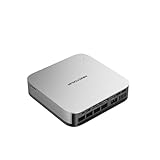
MINISFORUM X1 Pro Mini PC, AMD Ryzen AI 9 HX 370 Processor with 12 Core up to 5.1 GHz, AMD Radeon 890M, 32GB DDR5/1TB SSD, HDMI/DP/USB4 x 2, USB 3.2 x 4, 2.5G RJ45 x 2, WiFi 7, BT5.4
32GB RAM · 1TB SSD
Last verified 2026-11-13 07:00:26 UTC

MINISFORUM X1 Pro 370 Mini PC with AMD Ryzen AI 9 HX370, Radeon 890M Graphics, 32GB RAM 1TB SSD, 2x5G RJ45 Port|WiFi7|BT5.4, HDMI/DP/2xUSB4 Video Output, Copilot Support AI Mini Computer
32GB RAM · 1TB SSD
Last verified 2026-11-13 03:23:25 UTC

MINISFORUM NAB9S Mini PC, Intel Core i9-13900HK (14C/20T, Up to 5.4GHz), 32GB DDR4, 1TB PCIe 4.0 SSD, Quad 4K Display, Dual 2.5GbE LAN, Wi-Fi 6, BT 5.2
32GB RAM
Last verified 2026-11-13 09:57:36 UTC
MINISFORUM NAB9S Mini PC, Intel Core i9-13900HK (14C/20T, Up to 5.4GHz), 16GB DDR4, 500GB PCIe 4.0 SSD, Quad 4K Display, Dual 2.5GbE LAN, Wi-Fi 6, BT 5.2
16GB RAM
Last verified 2026-11-13 09:57:36 UTC

Beelink SER8 Mini PC AMD Ryzen 7 8845HS(Max 5.1GHz), 32GB DDR5 1TB PCIE4.0 SSD Mini Computer, AMD Radeon 780M Graphics 12 core 2700MHz Gaming PC,Triple Display USB4/DP/HDMI, 2.5G LAN Micro PC
32GB RAM
Last verified 2026-11-13 09:57:36 UTC

MSECORE Mini PC i9, 64GB RAM 1T SSD Desktop Computer with i9-9880H (up to 4.8 GHz), 2*HD, 1*DP, Triple Display, Dual 2.5G LAN, Optical, Wi-Fi 6e, 4K@60Hz, Windows 11 Pro
64GB RAM
Last verified 2026-11-13 09:57:36 UTC

MINISFORUM Mini PC Venus UM790 Pro AMD Ryzen 9 7940HS up to 5.2 GHz 32 GB DDR5 1TB SSD with AMD Radeon 780M, 4X USB3.2, 2X USB4, 2xHDMI 2.1, 2X PCIe4.0, Wi-Fi 6E/BT5.3, RJ45 2.5 G
32GB RAM · 1TB SSD
Last verified 2026-11-13 09:57:36 UTC
As an Amazon Associate, Cloudzat earns from qualifying purchases. Prices and availability can change; Amazon shows the final price for your chosen item.
Proxmox Hardware buying guide
| Choice | Best for |
|---|---|
| MINISFORUM AI X1 Pro | a 64GB-class expandable home-lab host |
| MINISFORUM MS-01 | a network-focused lab when its installed configuration and NICs fit |
Which Proxmox Hardware option should you choose?
For a 64GB-class expandable home-lab host, choose MINISFORUM AI X1 Pro.
For a network-focused lab when its installed configuration and NICs fit, choose MINISFORUM MS-01.
Size the workload before opening the deal list
A Proxmox host is a resource pool, so the useful starting point is the aggregate workload rather than the brand on the chassis. Add the memory reservations of important virtual machines, estimate container growth, leave room for the hypervisor and storage services, and decide which guests must remain responsive during peaks. A machine with a dramatic discount can still be poorly sized when memory is the binding constraint. For a mixed lab, 64GB is a practical commercial tier because it supports meaningful consolidation without immediately forcing every workload into aggressive overcommitment.
Include memory, storage and backup in the host price
A low host price is only part of the final Proxmox cost. Memory upgrades, NVMe capacity, a second drive for a mirror, a 10GbE adapter, a compatible switch and battery backup can easily change which machine is the better deal. That makes it possible to evaluate the setup that will actually be deployed rather than celebrating a headline discount on an incomplete barebones system.
Expansion matters more as the environment becomes permanent. Before buying, identify the number and type of M.2 slots, available PCIe lanes, memory slots, network interfaces and external storage options. Compact systems are attractive because of power and size, but tower or workstation hardware can be less expensive over several upgrade cycles when additional NICs, HBAs, GPUs or enterprise drives are likely.
Memory is usually the first high-value upgrade
Check DDR generation and memory form factor carefully. SODIMM belongs in many mini PCs, while tower and server platforms may use UDIMM or RDIMM. ECC wording on a memory listing does not guarantee end-to-end ECC operation. The processor, motherboard, firmware and DIMM type all need to support the intended mode.
Buy NVMe for the workload, not the benchmark banner
Proxmox storage sees a different pattern from a gaming desktop. Multiple guests can create concurrent random reads, writes, snapshots and metadata operations, while backup or replication jobs add sustained traffic. Black Friday is useful when it lets the same budget buy the capacity or class that the workload actually needs.
Confirm M.2, U.2 or U.3 fit before purchase and verify whether a compact host shares PCIe bandwidth between storage and network devices. A discounted drive that cannot be installed in the intended slot is not a bargain.
Know when 10GbE changes the experience
One-gigabit networking remains adequate for many light labs, and 2.5GbE can be a strong efficiency point for a single host. The argument for 10GbE becomes clearer when large VM disks move between nodes, backups run frequently, storage is remote, or cluster maintenance needs fast migration windows. In those cases the network should be planned as an end-to-end path: host NIC, switch port, media type, storage endpoint and PCIe bandwidth must all support the intended rate.
SFP+ and 10GBASE-T solve the same headline speed with different practical tradeoffs. Short rack or desk links often make DAC attractive, while existing copper infrastructure can favor RJ45. Media still needs to be selected deliberately for the actual topology.
Start with one suitable node before repeating it
High availability also needs capacity headroom. A three-node installation that is already fully loaded can have little room to restart critical guests after one node is offline. Plan the remaining capacity, quorum and storage behavior before choosing the number of cores on sale. Matching hardware simplifies operations, but resilience still depends on network, storage, backups and failure-domain design.
Low power can be high value for always-on services
An efficient N-series system can be a very good Proxmox node when the workload is home automation, DNS, monitoring, lightweight containers, development services or a small number of modest VMs. The saving is not only the purchase price; an always-on host compounds power consumption across the year. The important limit is memory and expansion headroom. If the environment is likely to outgrow the system quickly, a slightly more capable Ryzen or Core Ultra machine can deliver better lifetime value.
Compare complete-system power objectives rather than CPU labels alone. Additional NVMe drives, 10GbE interfaces and USB peripherals add consumption, and tiny chassis can impose thermal limits under sustained load. A Black Friday low-power deal should therefore be evaluated against the same workload inputs as the larger systems, with efficiency treated as one requirement rather than the only requirement.
Buy the component you actually need
That filtering is intentionally strict. A complete host must expose its installed RAM and storage in the purchasable title, high-value memory begins at 32GB, NVMe discovery focuses on roughly 2TB and above, and networking must establish 10GbE or faster for the 10GbE class.
Choose the host before buying memory and storage
If several categories are on sale at the same time, choose the host architecture first, then memory, storage, network and power protection. That order prevents buying a discounted 128GB RDIMM kit for a SODIMM mini PC or a U.2 enterprise drive for a chassis with only M.2 slots. It also prevents network purchases from getting ahead of the actual number and media type of ports required by the hosts.
Plan the guests and the recovery procedure together
Add the memory required by the host and the guests that will run at the same time. Leave room for filesystem cache, updates and a useful operating margin. More cores do not remove a memory limit, and optimistic overcommitment can leave an otherwise capable lab difficult to use. Choose a configuration that fits the current guest set and a realistic amount of growth.
Keep backups on storage that remains available when the host fails. A snapshot on the same drive is useful for some changes, but it does not recover the host after losing that drive. Test the restoration of at least one important guest before relying on the setup. A simple recovery path can matter more than a small saving on a less suitable host.
Match memory and storage to the actual host
DDR4, DDR5, SO-DIMM, UDIMM and RDIMM are different purchasing requirements. ECC support also depends on the complete platform rather than the module label alone. Use the host documentation and a suitable compatibility list before buying a discounted memory kit. A module that physically resembles another module is not necessarily electrically or operationally interchangeable.
For NVMe storage, consider write activity, endurance, cooling and the consequences of an unexpected power loss. A consumer drive can be suitable for a modest lab; a workload with stricter durability and availability requirements may justify enterprise storage with documented power-loss protection. Keep a usable backup regardless of the drive tier.
Buying Proxmox Hardware in Canada
For Proxmox Hardware in Canada, begin with MINISFORUM AI X1 Pro for a 64GB-class expandable home-lab host. Compare MINISFORUM MS-01 when a network-focused lab when its installed configuration and NICs fit is the more useful choice. The Amazon links and prices on this page use Amazon Canada and Canadian dollars. Add delivery and any required components to the amount you are comfortable paying. For a model family with several configurations, use the model name and the installed components together when comparing these two choices. Keep the seller’s order details so you can check that the hardware you receive is the version you chose.
Electricity cost calculator
Replace the example values with your own measurements, capacity or prices.
Questions buyers ask
Which Proxmox Hardware option should I choose?
Choose MINISFORUM AI X1 Pro for a 64GB-class expandable home-lab host. Choose MINISFORUM MS-01 for a network-focused lab when its installed configuration and NICs fit.
When should I buy Proxmox hardware on Black Friday?
Buy when a configuration already fits your VM, memory, storage and network plan and the event price compares favorably with recent tracked pricing. Waiting for a sale should not change the compatibility requirements.
Is 64GB RAM enough for Proxmox?
It is a strong starting tier for many mixed home labs, but guest count, ZFS use, databases and memory-heavy applications can justify 96GB or 128GB.
Should I use a mini PC or tower server?
Mini PCs win on footprint and efficiency. Towers and workstations are stronger when you need more DIMM capacity, multiple drives, HBAs, GPUs or PCIe networking.
Do I need 10GbE for Proxmox?
Not always. It is most useful for large migrations, frequent backups, remote storage and cluster traffic. A light single-host lab may be perfectly comfortable on 1GbE or 2.5GbE.