


Canada · CAD · Deal Watch
Proxmox 10GbE Black Friday Deals Canada 2026: What to Buy
Put faster Proxmox networking on your Black Friday shortlist and compare adapters, switches and cabling as one working setup.
Verify NIC support, PCIe space and switch port types. Include transceivers or DAC cables where needed and compare the installed cost. The Black Friday target is a complete compatible connection below its recent normal cost. Compare equivalent port speeds and include the cables, modules or power equipment required.
Choose Intel X550-T2 when the host needs dual copper 10GbE and has the correct slot and driver support. Choose MikroTik CRS305 when the missing part is SFP+ switching for compatible adapters. The card and switch serve different roles, so include both endpoints and the cable type in the plan.
Which Proxmox 10GbE option should you choose?
Start here
Intel X550-T2
Choose it for a host needing dual copper 10GbE with a supported driver.
Buy on AmazonChoose this alternative
MikroTik CRS305
Choose it for SFP+ switching for compatible host adapters.
Find this configurationCurrent Proxmox 10GbE Listings on Amazon
Black Friday sale dates and offer timing
Dates for 2026: Black Friday — November 27; Amazon.ca — November 19–30. Individual offer periods and eligibility vary.

10% below the Amazon reference price
Vogzone for Intel X550-T2 10Gb Ethernet Converged Network Card(CNA/NIC) Copper Dual RJ45 Port PCI Express v3.0 X8 Intel ELX550AT2 Controller
Last verified 2026-11-13 03:39:30 UTC

Intel Corp X550T2 Converged Network Adapter X550
Last verified 2026-11-13 03:36:20 UTC

10Gtek 10Gb PCIe Dual RJ45 NIC Network Card, Compare to Intel X550-T2 | with Intel X550-AT2 Controller, Dual Copper RJ45 Port, PCI Express Ethernet LAN Adapter, Support Windows Server/Linux/ESX
Last verified 2026-11-13 03:36:20 UTC
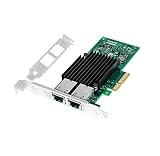
10Gb PCIE x4/x8/x16 Ethernet Network Adapter with Intel X550T2 Dual Copper RJ45 Port 1GbE/2.5GbE/5GbE/10GbE LAN Card NIC 10GBase-T X550AT Server Support Windows/Linux/VMware
Last verified 2026-11-13 03:36:20 UTC

TP-Link Jetstream 8 Port Multi-Gigabit L2+ Managed PoE Switch (TL-SG3210XHP-M2) - 8 PoE+ Port @240W, 2 x 10G SFP+ Slots, 2.5G Bandwidth, Omada SDN Integrated, IPv6, Limited Lifetime Protection
Last verified 2026-11-13 08:39:09 UTC

TP-Link Omada SG3210X-M2 8-Port 2.5G L2+ Managed Switch, 2 10G SFP+ Slots | Centralized cloud management, L2/L3/L4 QoS, IGMP snooping, static routing
Last verified 2026-11-13 08:39:09 UTC

TP-Link Omada SG2210XMP-M2 8-Port 2.5G PoE+ Smart Switch, 2-Port 10G SFP+ | 8x 2.5GBASE-T PoE+ ports, 2x 10GE SFP+ slots, 160W PoE budget
Last verified 2026-11-13 08:39:09 UTC

TP-Link Omada SG3218XP-M2 16-Port 2.5G L2+ Smart Switch, 8 PoE+ Ports 240W | Multi-Gig 2.5G, 2x 10GE SFP+ ports, 240W PoE budget, Omada SDN, static routing, IGMP snooping, security features
Last verified 2026-11-13 08:39:09 UTC
As an Amazon Associate, Cloudzat earns from qualifying purchases. Prices and availability can change; Amazon shows the final price for your chosen item.
Proxmox 10GbE buying guide
| Choice | Best for |
|---|---|
| Intel X550-T2 | a host needing dual copper 10GbE with a supported driver |
| MikroTik CRS305 | SFP+ switching for compatible host adapters |
Which Proxmox 10GbE option should you choose?
For a host needing dual copper 10GbE with a supported driver, choose Intel X550-T2.
For SFP+ switching for compatible host adapters, choose MikroTik CRS305.
Start with the traffic that must move faster
Proxmox itself does not require 10GbE for a small environment. The upgrade earns its cost when large VM disks migrate between nodes, backup windows are too long, remote storage needs more bandwidth, or cluster replication consumes a meaningful share of the existing link. Measure or estimate those flows first. A 10GbE sale is not valuable when the real bottleneck is a hard drive, CPU or internet connection.
The planner asks for target network speed in the context of VM count and deployment shape. That prevents 10GbE from becoming an isolated checkbox and keeps the purchase tied to a workload that can use the fabric.
Choose SFP+ or RJ45 as a system decision
SFP+ is popular in home labs because DAC cables can provide short, efficient links and used enterprise-style NIC families are mature. RJ45 10GBASE-T can integrate with existing copper cabling and familiar patch panels, but switches and NICs can consume more power. Mixed-media switches are useful when both worlds need to coexist, yet each link still has to use compatible optics, DAC or copper.
Black Friday pricing should therefore be compared by complete link cost. A cheaper SFP+ NIC is not cheaper if the required switch and media make the final path more expensive than an RJ45 alternative already supported by the building.
NIC model matters for virtualization hosts
Intel X710/X550 and Mellanox ConnectX families are common reference points because they offer established PCIe 10GbE paths. The exact revision, firmware and driver support still matter.
Before buying, confirm the host has an available slot with sufficient lanes and that adding the card will not disable another required device. Compact machines can be especially sensitive to shared PCIe topology.
Switch port count should include growth
A three-node cluster consumes three switch ports before storage, workstation, backup server or uplink devices are counted. An eight-port 10GbE switch often provides more useful expansion than a four-port model when the price difference is modest. Conversely, a large managed switch can be unnecessary cost and power if only two high-speed endpoints exist.
Count the actual 10GbE endpoints, reserve realistic growth and distinguish access ports from uplinks. Some switches mix 2.5GbE access with 10GbE SFP+ uplinks; that architecture can be excellent, but it should not be mistaken for ten-gigabit access on every port.
Managed features matter in complex labs
VLANs, link aggregation, monitoring and topology control can make a managed switch useful around Proxmox, storage and firewall workloads. The value depends on whether those features are part of the network design. An unmanaged switch with a lower sale price can still be the better purchase for a simple flat lab.
Storage speed sets the ceiling for many transfers
A 10GbE link can carry roughly an order of magnitude more raw bandwidth than 1GbE, but a backup job still depends on source and destination storage. Slow HDD pools, fragmented datasets or CPU-heavy compression can keep actual transfer rates far below line speed. NVMe-backed migration and backup paths are more likely to expose the benefit of the network upgrade.
Use 10GbE as part of a coordinated platform purchase. Black Friday can be a good time to pair high-capacity NVMe with the network fabric, but buying both only makes sense when the workload needs the combined throughput.
Cluster traffic should not be an afterthought
High availability, migration and replicated storage create multiple traffic classes. Depending on the architecture, management, corosync, migration and storage traffic may need separation or careful VLAN design. A fast switch does not automatically create a reliable cluster; latency, topology and redundancy still matter.
The cluster page prices matched nodes together with the network because the fabric is part of the deployment. If 10GbE is chosen, ensure every intended node has a compatible NIC and media path instead of leaving one host on a slower link that becomes the slow link.
Avoid accessory-heavy search results
Amazon 10GbE searches often return SFP modules, DAC cables, media converters and USB adapters at much lower prices than actual NICs or switches. Those results can dominate a generic price sort and make the commercial page look busy while providing little value for a buyer building the core network.
Media is still necessary, but it should be chosen after the hardware ports are known. The live cards therefore focus on the high-value NIC and switch decision, while the detailed guides explain the SFP+/RJ45 path.
Evaluate power and thermals
10GBASE-T PHYs and multi-port switches can add meaningful power consumption to an always-on lab. SFP+ DAC can be more efficient for short distances, although exact device behavior varies. High-speed NICs also generate heat inside compact servers. Ensure the chassis has airflow around the card and that the platform power budget is appropriate.
A Black Friday discount is a one-time saving; energy use repeats every day. For an always-on environment, include the network fabric in the broader power-cost decision rather than evaluating the switch as an isolated purchase.
Use price history on the expensive pieces
The highest-value items in this category are the switch and multiple host NICs. That gives the shopper a better basis for judging whether a CA$500 switch is genuinely cheaper than normal than a simple reference-price badge.
When the fabric uses several identical NICs, a per-card discount multiplies. Confirm the exact model and connector across all purchases, then compare the total deployed cost rather than focusing on the largest percentage shown on one component.
Plan the guests and the recovery procedure together
Add the memory required by the host and the guests that will run at the same time. Leave room for filesystem cache, updates and a useful operating margin. More cores do not remove a memory limit, and optimistic overcommitment can leave an otherwise capable lab difficult to use. Choose a configuration that fits the current guest set and a realistic amount of growth.
Keep backups on storage that remains available when the host fails. A snapshot on the same drive is useful for some changes, but it does not recover the host after losing that drive. Test the restoration of at least one important guest before relying on the setup. A simple recovery path can matter more than a small saving on a less suitable host.
Match memory and storage to the actual host
DDR4, DDR5, SO-DIMM, UDIMM and RDIMM are different purchasing requirements. ECC support also depends on the complete platform rather than the module label alone. Use the host documentation and a suitable compatibility list before buying a discounted memory kit. A module that physically resembles another module is not necessarily electrically or operationally interchangeable.
For NVMe storage, consider write activity, endurance, cooling and the consequences of an unexpected power loss. A consumer drive can be suitable for a modest lab; a workload with stricter durability and availability requirements may justify enterprise storage with documented power-loss protection. Keep a usable backup regardless of the drive tier.
Buying Proxmox 10GbE in Canada
For Proxmox 10GbE in Canada, begin with Intel X550-T2 for a host needing dual copper 10GbE with a supported driver. Compare MikroTik CRS305 when SFP+ switching for compatible host adapters is the more useful choice. The Amazon links and prices on this page use Amazon Canada and Canadian dollars. Add delivery and any required components to the amount you are comfortable paying. For a model family with several configurations, use the model name and the installed components together when comparing these two choices. Keep the seller’s order details so you can check that the hardware you receive is the version you chose.
Electricity cost calculator
Replace the example values with your own measurements, capacity or prices.
Questions buyers ask
Which Proxmox 10GbE option should I choose?
Choose Intel X550-T2 for a host needing dual copper 10GbE with a supported driver. Choose MikroTik CRS305 for SFP+ switching for compatible host adapters.
Do I need 10GbE for Proxmox?
Only when your migration, backup, storage or cluster traffic benefits from it. Many light single-host labs are fine on 1GbE or 2.5GbE.
Is SFP+ better than RJ45 for Proxmox?
Neither is universally better. SFP+ is attractive for efficient short links; RJ45 can reuse copper infrastructure. Choose the complete link architecture.
How many switch ports do I need for a three-node cluster?
At least three for the nodes, plus any storage, backup, workstation and uplink devices. Leave realistic growth rather than buying exactly the minimum.
Will 10GbE make HDD backups ten times faster?
Not necessarily. Source and destination storage, CPU, compression and filesystem behavior can remain the bottleneck.