


Canada · CAD · Deal Watch
KAMRUI Mini PC Black Friday Deals 2026: What to Buy in Canada
A Canadian KAMRUI deal should leave room in the Black Friday budget for the screen, peripherals and everyday work around it.
AK1PLUS capacity variants and similarly named models need separate checks. The manufacturer lists an extra 2.5-inch SATA position, but an empty expansion bay is not installed storage. Include any later RAM or SSD purchase before calling the cheaper computer better value. For a worthwhile Black Friday purchase, compare the same complete configuration against its recent normal price and suitable alternatives; the percentage badge alone does not settle the value.
KAMRUI AK1PLUS N95 8GB/256GB is the documented entry configuration to compare for a light browser, documents and a simple office setup. GMKtec G3 Plus N150 is the alternative to investigate when its selected memory and storage package costs little more. These are modest everyday computers; neither recommendation promises demanding gaming or large local AI workloads.
Which KAMRUI Mini PC option should you choose?
Start here
KAMRUI AK1PLUS N95 8GB 256GB
Choose it for light office tasks within the limits of the N95 processor, 8GB RAM and 256GB supplied storage.
Find this configurationChoose this alternative
GMKtec G3 Plus N150 Mini PC
Choose it for an N150 model after selecting and pricing the exact RAM, storage and operating-system package.
Find this configurationCurrent KAMRUI Mini PC Listings on Amazon
Black Friday sale dates and offer timing
Dates for 2026: Black Friday — November 27; Amazon.ca — November 19–30. Individual offer periods and eligibility vary.

KAMRUI P2 Mini PC W-11 Pro, AMD Ryzen 5425U(4C/8T, Up to 4.1GHz) Mini Computers, 16GB RAM 256GB SSD Mini Desktop Computers, Triple 4K Display/Dual Band WiFi/BT for Home/Business
256GB RAM
Last verified 2026-11-13 08:12:12 UTC

KAMRUI GK3Plus Mini PC, Intel N5030 Mini PC Win11 PRO 16GB RAM 256GB SSD (4C/4T, Up to 3.1GHz), Mini Computer HDMI+Triple 4K UHD,WiFi 5,Desktop Computer
256GB RAM
Last verified 2026-11-13 08:12:12 UTC

KAMRUI P1 Mini PC W- 11 pro, AMD Ryzen 5425U Mini Computer (Βeats 3500/5300U, Up to 4.1GHz), 16GB RAM 256GB M.2 SSD, Triple 4K Display, WiFi/BT/for Business Home Office Mini PC
256GB RAM
Last verified 2026-11-13 07:23:19 UTC

5% below the Amazon reference price
KAMRUI Mini PC W-11 Pro, Mini PC Intel N5030 (Up to 3.1GHz), 16GB RAM 256GB M.2 SSD Mini Computer, Mini Desktop PC Support 2.5" SSD,WiFi5,BT4.2,RJ45 LAN,Double 4K Display Home Office
256GB RAM
Last verified 2026-11-13 07:23:19 UTC

KAMRUI E3B Mini Gaming PC, AMD Ryzen 5 7430U (6C/12T, Up to 4.3GHz) Mini Computer, 16GB DDR4 512GB M.2 SSD Mini PC W11 PRO, 4K Triple Display/WiFi 6/BT5.2/USB3.2 Home/Business Mini Desktop Computer
16GB RAM
Last verified 2026-11-13 07:23:19 UTC

20% below the Amazon reference price
KAMRUI GK3Plus Mini PC Win 11-Pro, Intel Celeron N3350 Mini Desktop Computer, 8GB RAM 256GB SSD, Small Pc Triple 4K/Ethernet/WiFi/BT for Business, Office, Home
256GB RAM
Last verified 2026-11-13 07:18:04 UTC

KAMRUI AM21 Mini PC, AMD Ryzen 7 8745HS (8C/16T, up to 4.9GHz), 16GB DDR5 5600MHz RAM, 512GB M.2 2280 PCIe 4.0 SSD, Mini Desktop Computer with Radeon 780M, USB4, Quad Display, Dual LAN, HDMI, WiFi 6
16GB RAM
Last verified 2026-11-13 06:59:57 UTC
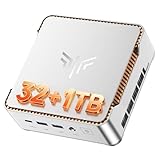
KAMRUI P2 Mini PC i5-12600H, 32GB DDR5 1TB SSD, Triple 4K, Win11 Pro | Upgradeable to 4TB SSD storage,Powers heavy multitasking, Coding, Design and triple-4K display workflows quietly.
32GB RAM · 1TB SSD
Last verified 2026-11-13 06:59:03 UTC
As an Amazon Associate, Cloudzat earns from qualifying purchases. Prices and availability can change; Amazon shows the final price for your chosen item.
KAMRUI Mini PC buying guide
| Model | Best for |
|---|---|
| KAMRUI AK1PLUS N95 8GB 256GB | light office tasks within the limits of the N95 processor, 8GB RAM and 256GB supplied storage |
| GMKtec G3 Plus N150 Mini PC | an N150 model after selecting and pricing the exact RAM, storage and operating-system package |
Which models should you compare first?
Compare the computer that actually arrives
Write down the processor, installed memory, supplied storage, operating system and condition of each candidate. Keep that small list beside the Black Friday offer. A selector can change several of those details while leaving the main photograph and family name unchanged. Check the basket again after choosing capacity, and retain the final specification with the receipt. For a ready-to-use machine, the power supply and required regional lead belong in the comparison. A mounting bracket, keyboard or display may be optional even when shown in photographs. If two systems differ, price the difference honestly rather than declaring them equivalent. A configuration that needs immediate upgrades can still be useful, but the additional parts, setup time and installation requirements are part of its cost. The objective is a complete computer that fits the intended job, not the lowest starting number.
Buy installed memory for your real workload
Check installed RAM separately from the maximum supported capacity. A 32GB support limit does not mean 32GB is supplied. Find out whether memory is soldered, uses one replaceable module, or has two accessible slots. That determines both the immediate purchase and the upgrade route. For several active applications, browser tabs and video calls, allow headroom beyond the memory your current routine already consumes. Virtual machines need their own allocation in addition to the host. Integrated graphics also shares system resources, so a memory configuration should not be judged only by its headline capacity. Do not assume a two-module kit is supplied unless the listing or configuration sheet says so. If an upgrade is planned, check the required DDR generation, module form and supported capacity before buying separate RAM. An unsuitable kit is an extra expense rather than a saving.
Read the whole processor name
Processor branding is a useful starting point, but generation and suffix matter. Compare the complete CPU identifier, then the applications you expect to run. An older high-tier processor is not automatically preferable to a newer lower-tier one, and a small low-power system should not be valued as a workstation because the listing says fast. Short bursts, sustained rendering and several virtual machines put different demands on a computer. Cooling and the manufacturer’s power settings can affect what a compact chassis sustains. We do not turn a processor specification into an invented benchmark result. For your shortlist, look for evidence relevant to the exact configuration and workload. If that evidence is unavailable, keep the performance claim modest and buy sufficient memory, suitable connections and dependable support. Paying for an unused tier is rarely the strongest use of a discount.
Check the supplied drive and the spare position
Read installed storage and expansion capacity as separate facts. A description of a second SSD slot does not include a second drive. Identify the supplied drive’s interface and the protocol of each available position: NVMe, M.2 SATA and 2.5-inch SATA are not interchangeable. Physical length also matters in a compact system. If the boot drive will be replaced, plan how to copy or reinstall the operating system and recover your files. If a second drive will be added, confirm that the mounting screw, cable or bracket is present. Check whether opening the machine has specific service instructions. A larger starting SSD can be cheaper and simpler than an immediate upgrade, but an empty compatible position may be valuable for later growth. Compare those two routes with the same final usable capacity.
Allow the chassis to do its cooling job
Check the manufacturer’s installation guidance and leave airflow around the enclosure. A computer hidden behind a display or inside a cabinet may have less ventilation than it does on an open desk. Passive cases need room to release heat, while fan-cooled models need clear intake and exhaust paths. A small size does not establish low noise under your workload. Look for evidence at the kind of sustained load you expect, rather than treating idle silence as a guarantee. Consider dust access and the practical work of maintenance before mounting the unit permanently. If you add storage or memory, restore the specified thermal pads and covers correctly. Do not invent a cooling modification to rescue an unsuitable purchase. A slightly larger or better-positioned machine can be more useful than a smaller discounted box that must repeatedly reduce performance.
Think beyond the delivery day
Identify who provides support for the exact regional purchase and what proof they require. Keep the invoice, serial number and selected specification together. Check where firmware, drivers and recovery instructions come from before relying on the computer for important work. A support promise on another country’s website may not describe the seller’s package. During the applicable return period, install updates from the appropriate official source and exercise your normal displays, network, sleep and storage workflow. Back up important files before moving them to a new machine. A first successful startup is not a complete test of the setup. If a fault appears, document it clearly rather than making unapproved hardware changes. The strongest deal is a computer you can use, maintain and obtain help with, at a total cost you understood before checkout.
Use a repeatable Black Friday price check
Compare the final price of the same model, capacity and package with its recent normal selling price where reliable history is available. A discount against a retail reference price is not enough to establish value. Check competing reputable sellers and include delivery, required accessories and any eligibility conditions. A coupon may need to be applied, a promotion may be limited to members, and a different variant may carry the displayed starting price. Do not call a price a historic low without evidence covering the relevant history. A public event badge identifies the promotion, while the configuration comparison determines whether it is a sensible purchase for you. Set a maximum basket total before browsing and keep a named alternative ready. That makes a time-limited offer easier to judge without allowing the deadline to replace the compatibility and value checks.
Compare the Canadian total in Canadian dollars
Use Canadian-dollar prices and the exact Canadian offer, including delivery, any required accessories and applicable checkout charges. A US price converted into Canadian dollars is not a verified Canadian listing. Check the seller’s local support, the supplied power equipment and the selected model or capacity. An attractive starting price may describe an incomplete package. The recommendations identify products to compare, while the dated local cards provide separately checked price observations. Reconfirm the final variant and promotion conditions before ordering; a recommendation alone is not evidence of stock or an event discount.
Electricity cost calculator
Replace the example values with your own measurements, capacity or prices.
Questions buyers ask
Does every model here have a Black Friday discount?
No. The named models are a buying shortlist, not proof of a promotion. Current local product cards are dated price observations. Early or main Black Friday sections require separate fresh public event evidence. Check the selected variant, seller and final conditions before ordering.
What should I do if the exact configuration is unavailable?
Use the named alternative only for the different role explained in the guide. Recheck capacity, interface, supplied components and support. A lower-capacity system, empty enclosure or different physical format is not an equivalent replacement merely because it costs less.