


Exos Unraid guide
Seagate Exos for Unraid: Parity, SATA, SAS and Compatibility Guide
Unraid can use a variety of SATA and SAS hard drives, which makes Exos attractive for capacity expansion. The interface still has to match the controller: SAS requires a SAS HBA or backplane. Unraid identifies array devices by serial number and size, so stable controller pass-through and accurate device identity are essential.
Exos works well for Unraid arrays when parity capacity, controller support and drive health visibility are planned before assignment
Use the largest drive for parity, keep every data disk at or below parity capacity, verify sector format and exact model, and place SSDs in pools rather than assuming an enterprise HDD solves application latency. SATA normally provides the easiest health monitoring; current Unraid documentation notes that its SMART monitoring is not available for SAS drives.
Interactive decision tool
Unraid capacity and interface checker
Exact-model reference
Do not buy from the family name alone
Use the complete model number to confirm generation, interface, sector format and security class. Similar capacities can belong to different interfaces and security variants.
| Exact model | Generation | Capacity | Interface | Sector format | Security |
|---|---|---|---|---|---|
| ST16000NM002H | Exos X24 | 16TB | SATA | 512e / 4Kn FastFormat | ISE |
| ST20000NM002H | Exos X24 | 20TB | SATA | 512e / 4Kn FastFormat | ISE |
| ST24000NM002H | Exos X24 | 24TB | SATA | 512e / 4Kn FastFormat | ISE |
| ST24000NM001K | Exos M | 24TB | SATA | 512e | Standard / verify exact listing |
| ST28000NM003K | Exos M | 28TB | SATA | 512e | Standard / verify exact listing |
| ST30000NM004K | Exos M | 30TB | SATA | 512e | Standard / verify exact listing |
| ST32000NM004K | Exos M | 32TB | SATA | 512e | Standard / verify exact listing |
| ST16000NM001G | Exos X16 | 16TB | SATA | 512e | Standard |
| ST18000NM000J | Exos X18 | 18TB | SATA | 512e | Standard |
| ST22000NM001E | Exos X22 | 22TB | SATA | 512e | Standard |
Why Exos fits the Unraid model
Unraid arrays can mix drive capacities and add disks over time, so enterprise Exos drives can provide high raw capacity without replacing every existing disk. Each file is normally stored on one data disk rather than striped across all drives, which means individual drive speed still matters for uncached reads. Exos is best used for bulk array storage, while SSD or NVMe pools handle applications, virtual machines and write acceleration.
Parity must be at least as large as the largest data drive
Unraid's core capacity rule is simple but easy to overlook: no data disk can be larger than the parity disk, and with dual parity both parity devices must be at least as large as the largest data disk. Buying a 24TB or 30TB Exos data drive may require upgrading parity first. Plan the largest expected future drive so today's cheaper capacity does not create an immediate second purchase.
SATA and SAS controller paths
Unraid can use SATA or SAS drives, but the host hardware must support the protocol. A SAS Exos requires a compatible HBA, expander or backplane; a passive adapter does not make it work on SATA. SATA Exos models can use motherboard ports or compatible HBAs. Verify that the controller passes unique serial numbers because Unraid uses device identity rather than a fixed SATA port to maintain assignments.
SMART differences for SAS
Current Unraid documentation states that its SMART monitoring works for SATA drives but is not available for SAS drives in the same way. That does not mean SAS has no health data; it means the platform's normal SMART workflow may not expose it. Buyers choosing SAS should understand how the HBA and available tools report SAS health, errors and temperature. SATA can be operationally simpler for a home Unraid server.
512e and 4Kn
Confirm that Unraid, the HBA, enclosure and any preclear or diagnostic tools support the drive's logical sector size. Avoid changing a populated drive's sector format. FastFormat conversion erases data and can render a drive unusable if interrupted. Uniform sector format is easier for parity operations, replacements and troubleshooting. A marketplace claim that a family supports 4Kn does not establish the current format of the received exact model.
Preclear, testing and burn-in
A preclear cycle is not required by the Exos brand and does not guarantee future reliability, but many Unraid users test new or used drives before adding them to a protected array. Record SMART or health baselines, run appropriate non-destructive diagnostics and verify the entire capacity. For a recertified or used drive, also check power-on hours, error history, sector format, warranty source and return period before trusting it with unique data.
Formatting and data loss
A newly assigned Unraid array disk must be formatted before use. Formatting erases the selected disk, so confirm the serial number and slot carefully. Reformatting an existing disk to change filesystem also erases it. Do not confuse an unmountable new disk waiting for format with a failed Exos drive. Keep screenshots or records of the assignment page before hardware changes so recovery decisions are based on verified device identities.
Spin-down, noise and power
Unraid can spin down inactive HDDs, reducing power and noise for archival workloads. Frequent spin cycles can also change access latency and mechanical behavior, so choose timers that fit actual use. Exos seek noise may be noticeable in a home room, and several drives can draw substantial startup current. Size the power supply and UPS for spin-up, secure drive trays and monitor temperatures after parity checks.
Parity checks and rebuild speed
Parity checks read all participating array disks, so the slowest drive path, controller bottleneck or error-retrying disk can limit completion time. High-capacity Exos arrays can take many hours. Maintain cooling for sustained sequential access and investigate rising error counts before a rebuild is required. Parity allows reconstruction within its fault tolerance, but it does not protect deleted, corrupted or encrypted files from being faithfully reflected in parity.
Mixing generations and capacities
Unraid is flexible about different capacities, which makes it practical to combine X16, X18, X20, X22, X24 and Exos M drives. Still, keep interface and logical sector compatibility under control. Mixed ages and conditions can spread replacement risk, while a large new parity drive can unlock future expansion. Maintain a model inventory and know which exact disks are covered by manufacturer, recertified or seller warranty.
Array data versus pools
Exos HDDs are suited to high-capacity array storage, media libraries and backup targets. Docker application data, virtual machines and latency-sensitive databases often benefit from SSD or NVMe pools. Unraid documentation recommends SSDs for pools rather than the main array. A balanced design uses Exos for capacity and flash for active workloads, with a protected pool if cached data must survive a device failure.
Unraid deployment checklist
Choose parity capacity first. Confirm exact Exos model, SATA or SAS HBA support, serial-number pass-through, sector format, cooling and power. Decide whether health monitoring is sufficient for the selected interface. Test the drive, record its baseline and verify warranty source. Assign by serial number, double-check before formatting, schedule parity checks and notifications, and keep an independent backup outside the array.
Current exact-model offers
Verify interface and model before purchase
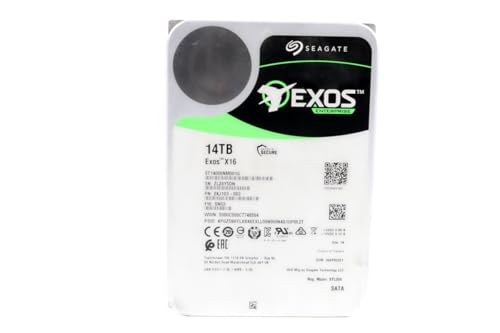
ST14000NM001G
Seagate (Renewed) Exos X16 14TB 7200 RPM SATA 6Gb/s 256MB Cache 3.5-Inch Internal Data Center HDD Enterprise Hard…
$399.99
$28.57/TB
Warranty not verified
Buy on Amazon
ST12000NM002H
Seagate Exos X24 12TB 3.5" 6 Gb/s SATA III Internal Hard Drive
$479.93
$39.99/TB
Warranty not verified
Buy on Amazon
ST16000NM001G
Seagate 16TB HDD Exos X16 7200 RPM 512e/4Kn SATA 6Gb/s 256MB Cache 3.5-Inch Enterprise Hard Drive (ST16000NM001G) (Renewed)
$479.99
$30.00/TB
Warranty not verified
Buy on Amazon
ST18000NM004J
Seagate Enterprise ST18000NM004J Internal Hard Drive 3.5" 18TB SAS
$599.00
$33.28/TB
Warranty not verified
Buy on Amazon
ST16000NM002G
Seagate ST16000NM002G-R - Seagate 16TB 3.5" SAS 7.2K 12Gb/s Hard Drive (Renewed)
$637.44
$39.84/TB
Warranty not verified
Buy on Amazon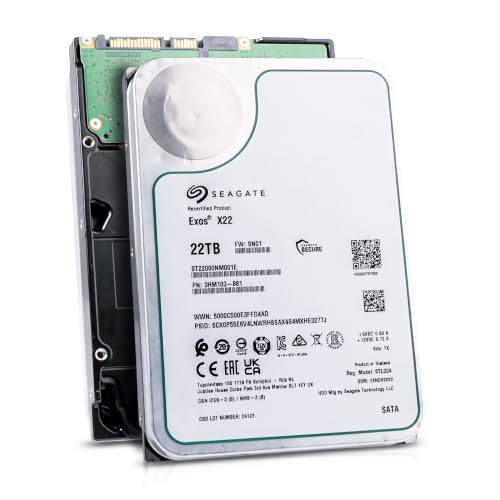
ST22000NM001E
Seagate (Recertified) Exos X22 22TB Internal Hard Drive - 3.5 Inch Hyperscale SATA 6Gb/s HDD, 7200 RPM, 2.5M…
$649.99
$29.55/TB
Seagate factory-recertified warranty — verify serial
Buy on Amazon
ST18000NM000J
Seagate Enterprise 3.5" 18000 GB 7200 RPM 18 TB 3.5" 7200 RPM SATA ST18000NM00J
$711.00
$39.50/TB
Warranty not verified
Buy on Amazon
ST20000NM002H
Seagate 20TB Exos Enterprise Hard Drive | SATA (ST20000NM002H)
$799.99
$40.00/TB
Claimed 5-year warranty — verify by serial number
Buy on Amazon
ST20000NM007D
Seagate Exos X20 ST20000NM007D 20TB 7.2K RPM SATA 6Gb/s 3.5in Hard Drive
$849.00
$42.45/TB
Warranty not verified
Buy on Amazon
ST28000NM003K
ST28000NM003K
$1,119.99
$40.00/TB
Claimed 5-year warranty — verify by serial number
Buy on Amazon
ST30000NM004K
ST30000NM004K
$1,199.99
$40.00/TB
Claimed 5-year warranty — verify by serial number
Buy on Amazon
ST20000NM007H
ST20000NM007H
$3,836.00
$191.80/TB
Warranty not verified
Buy on AmazonAmazon prices shown are retained for up to 24 hours. Latest price refresh: 2026-08-24 00:38:28 UTC. Price/availability may change; Amazon at purchase time controls.
Exos authority cluster
Continue the exact-model decision
Frequently asked questions
Exos compatibility answers
Can Unraid use Seagate Exos drives?
Yes. Unraid supports many SATA and SAS HDDs when the controller exposes them correctly and capacity rules are followed.
Can a data disk be larger than the parity drive?
No. Every data disk must be the same size or smaller than the parity device or devices.
Can Unraid use SAS Exos drives?
Yes, with a compatible SAS HBA or backplane. A SATA-only port cannot use SAS.
Does Unraid monitor SMART on SAS drives?
Current Unraid documentation notes that its SMART monitoring is available for SATA but not SAS in the same way. Plan an alternative SAS health workflow.
Should Exos drives go in the array or cache pool?
Use Exos HDDs mainly for high-capacity array storage. SSD or NVMe pools are better for applications, VMs and high-speed cache workloads.
Can I mix different Exos capacities?
Yes, subject to the parity-size rule. The largest data disk cannot exceed the parity disk.
Do I need to preclear a new Exos drive?
Unraid can clear new disks as part of array addition. Separate testing or preclear can provide a baseline but does not replace backups or warranty.
Can I use 4Kn Exos drives in Unraid?
Potentially, but verify the controller, Unraid release and tools. Avoid mixing or converting formats without a documented plan.
Why is my new Exos disk unmountable?
A newly assigned disk may simply require formatting. Confirm the serial number before formatting because the operation erases the selected drive.
Is parity a backup?
No. Parity helps reconstruct failed disks but does not preserve deleted files, prior versions or protect against every disaster.
Official references
Cloudzat may earn a commission from qualifying purchases. Compatibility recommendations are advisory; confirm the exact drive model, controller, backplane, sector format and appliance support list before purchase or data migration.