


OWC ThunderBay 4 Price, Specs, SoftRAID and Alternatives
Compare current Amazon US offers for the OWC ThunderBay 4 and understand the enclosure, drive bundles and SoftRAID options before buying.
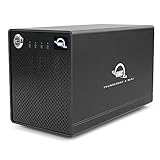
OWC ThunderBay 4 is a four-bay Thunderbolt storage platform for 2.5-inch and 3.5-inch SATA drives. It is aimed at creators who need high sustained throughput, flexible RAID software and daisy chaining. Enclosure-only and populated SoftRAID bundles can differ substantially in price and warranty.
OWC ThunderBay 4 reference specifications
- Bays
- 4
- Drive support
- Four universal 2.5-inch or 3.5-inch SATA drive bays
- Host interface
- Thunderbolt 3 with a second Thunderbolt port for daisy chaining
- RAID and modes
- RAID 0, 1, 4, 5 and 10 through supported SoftRAID configurations
- Cooling
- Flow-through ventilation and a low-turbulence fan
- Management
- OWC SoftRAID on configurations sold with the software
OWC advertises performance up to 1,527MB/s with suitable SATA SSDs and configurations.


No offers match these filters
Reset a filter or choose another bay count, interface, RAID mode or brand.
ThunderBay 4 hardware overview
ThunderBay 4 provides four universal SATA bays, a Thunderbolt 3 host connection and a second Thunderbolt port for daisy chaining. OWC sells enclosure-only configurations and populated systems with HDDs or SATA SSDs. The chassis uses active cooling, a locking front panel and a desktop footprint designed for workstations.
The selected listing matters. A 0TB enclosure may not include the same SoftRAID license or warranty coverage as a populated system. Compare the exact configuration rather than only the product family name.
SoftRAID and supported layouts
OWC promotes SoftRAID for RAID 0, 1, 4, 5 and 10 configurations, depending on platform and software version. Because the array is managed by host software, operating-system support and license entitlement are part of the storage system. Keep the installer, license and configuration records accessible.
Software RAID can provide detailed disk monitoring and flexible layouts, but it is not the same as a hardware controller. If the host or software changes, verify compatibility before an operating-system upgrade.
Performance claims and realistic expectations
OWC advertises real-world performance up to 1,527MB/s with suitable SATA SSDs and configurations. It also publishes lower but strong results for HDD RAID 5 and RAID 0. These figures depend on drives, RAID, host and test method. A four-HDD protected array is appropriate for many 4K workflows, while SSDs are required for the highest throughput and lowest latency.
Measure the completed array with the actual media and application. Editing codecs, multicam streams, cache files and background transfers can produce a different demand than a large sequential benchmark.
Daisy chaining and workstation layout
The second Thunderbolt port can connect another storage device, dock or display. This is useful on MacBooks and compact desktops with limited ports. The chain shares bandwidth, so place the most performance-sensitive storage close to the host and test display plus storage behavior under load.
Use certified Thunderbolt cables and avoid assuming a generic USB-C cable can establish the connection.
HDD and SSD configuration options
Four HDDs provide large capacity at a lower price and are suitable for video, audio, photo and backup work. Four SATA SSDs provide much higher speed and quieter operation but raise the system cost. Matching drives simplify RAID capacity and replacement planning.
A creator may use RAID 5 for protected working storage, RAID 0 for disposable scratch files or RAID 1 and 10 for mirrored workflows. Every layout still needs an independent backup.
Mac and Windows support
ThunderBay 4 is widely used with Mac, and OWC advertises cross-platform support for current products. SoftRAID features and RAID levels can vary by operating system and version. Verify Apple silicon, macOS and Windows compatibility before ordering or updating a production workstation.
The file system should match the workflow. APFS is appropriate for current Mac-only use. Cross-platform collaboration may need another format or software layer.
Cooling, noise and warranty
OWC uses flow-through ventilation, a low-turbulence fan and drive-isolating construction. Four HDDs remain audible, especially during seeks. Place the enclosure where airflow is clear and the acoustic profile is acceptable.
OWC currently distinguishes warranty coverage between enclosure-only and built-in storage models. Confirm the exact listing and region. Drive warranties in a populated system may be handled through OWC rather than the original drive manufacturer.
ThunderBay 4 alternatives
QNAP TR-004 costs less and provides hardware-controlled RAID over 5Gbps USB, making it attractive for capacity-focused use. TerraMaster 10Gbps DAS products offer faster USB alternatives, some without built-in RAID. UGREEN five-bay RAID provides an extra SATA bay at a lower performance tier. A Thunderbolt NAS or 10GbE NAS is better when several users need independent access.
ThunderBay 4 is strongest when a single creative workstation needs sustained local performance, flexible RAID software and a mature Thunderbolt workflow.
Lifecycle planning for a creative workstation
A ThunderBay 4 can outlive the computer attached to it, so preserve the SoftRAID license details, array configuration, drive order and current software installer. Before moving the array to another Mac or Windows workstation, verify the supported operating system, processor architecture and RAID level. A production deadline is the wrong time to discover that an older utility cannot run on a new system.
Capacity upgrades usually require careful migration because replacing every member in a large RAID can take a long time and may not increase the volume automatically. A second enclosure or temporary backup target allows the current array to remain intact until the new storage is tested. After migration, the previous unit can become a valuable backup rather than being dismantled immediately.
Document the cable, host port and power arrangement that produces a stable benchmark, because a future workstation may negotiate a different link or share bandwidth with other devices in the chain. Keep one verified spare Thunderbolt cable available and label the enclosure power supply so it is not confused with another adapter. For long editing sessions, watch drive temperatures, fan operation and free capacity rather than judging health from transfer speed alone. When an HDD begins reporting errors, replace it before another member is stressed by a rebuild. These operational habits protect the array, reduce avoidable downtime and make performance comparisons more meaningful over the life of the system.
Quick decision guide
Best user
Video, photo and audio professionals using a Thunderbolt workstation.
Best performance
A SATA SSD RAID can use far more of the Thunderbolt link than HDDs.
Best capacity balance
HDD RAID 5 provides strong usable capacity with one-drive tolerance.
Check before buying
Confirm drives, SoftRAID license, operating-system support and warranty in the exact listing.
How Cloudzat builds this comparison
Cloudzat limits current offers to products identified as OWC ThunderBay 4. Static technical guidance is based on OWC product documentation, while price and availability come from eligible Amazon listings.
Technical content reviewed August 1, 2026. Manufacturer specifications and marketplace variants can change.
Frequently asked questions
Does OWC ThunderBay 4 include SoftRAID?
It depends on the selected configuration. Enclosure-only, SoftRAID and populated bundles can differ.
How fast is ThunderBay 4?
OWC advertises up to 1,527MB/s with suitable SATA SSDs and RAID configuration. HDD arrays are slower.
Can ThunderBay 4 use 3.5-inch HDDs?
Yes. It supports four 2.5-inch or 3.5-inch SATA drives.
Does it work on Windows?
OWC advertises cross-platform use, but SoftRAID levels and software support must be checked for the current Windows version.
Can I connect a display through it?
The second Thunderbolt port can support daisy-chain devices, subject to bandwidth and host support.
Is ThunderBay 4 a backup?
It can hold backups, but a RAID working volume is not an independent backup by itself.