


Best DAS Enclosures: Compare Multi-Bay Direct-Attached Storage
Compare current Amazon US offers for multi-bay direct-attached storage enclosures. Cloudzat separates diskless DAS boxes from populated bundles, identifies bay count and interface speed, and highlights whether RAID is built in or must be supplied by the computer.
A DAS enclosure is the right choice when one computer needs fast, local access to several drives without the cost and network layer of a NAS. Start with the number of drives you need, then choose the connection, RAID method, cooling and operating-system support that fit the job.


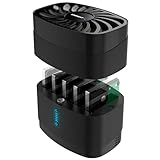
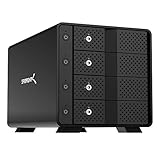
![Yottamaster 5 Bay External Hard Drive Enclosure, Aluminum USB3.0 3.5" HDD Enclosure for 3.5 & 2.5 Inch SATA HDD/SSD, Support 110TB(5x22TB) Direct Attached Storage DAS, Non-RAID [PS500U3]](https://m.media-amazon.com/images/I/4197wbrrA8L._SL160_.jpg)
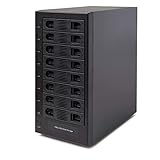



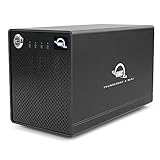
![Yottamaster 5 Bay External Hard Drive Enclosure , Aluminum 150W USB3.0 3.5" HDD Enclosure for 3.5 & 2.5 Inch SATA HDD/SSD, Support 120TB(5x24TB) Direct Attached Storage DAS, Non-RAID [FS5U3]](https://m.media-amazon.com/images/I/4123jSbD04L._SL160_.jpg)


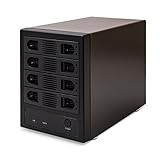
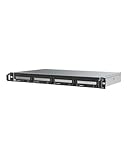
![Yottamaster 5 Bay RAID Hard Drive Enclosure, 150W Aluminum USB3.0 RAID HDD Enclosure for 3.5 & 2.5 Inch SATA HDD/SSD, Support 120TB(5x24TB) Direct Attached Storage DAS RAID1/5/10/JBOD/CLONE [FS5RU3]](https://m.media-amazon.com/images/I/41ulUJlSWJL._SL160_.jpg)







No offers match these filters
Reset a filter or choose another bay count, interface, RAID mode or brand.
What a DAS enclosure does
Direct-attached storage connects a group of drives straight to a computer or server through USB-C, USB4 or Thunderbolt. The operating system sees either several individual disks or one combined volume, depending on the enclosure and its RAID mode. Unlike a NAS, a DAS does not normally serve files over Ethernet by itself. It relies on the connected computer for sharing, backup software, permissions and remote access.
That simpler design can be an advantage. A DAS avoids network configuration, usually costs less than a comparable NAS enclosure and can deliver predictable local throughput. It is especially useful for a desktop workstation, a Mac used for media production, a small Plex server, a large photo library or a backup target that stays beside one machine.
Choose the correct number of bays
Bay count determines how many drives the enclosure can hold and which RAID layouts are possible. A two-bay unit is compact, but it has limited redundancy choices. Four bays are a practical middle ground because they support larger arrays and RAID 5 on products that include RAID control. Five or six bays provide more capacity and leave room for a spare or future expansion, although the enclosure, power supply and cooling system become larger.
Do not buy only for the maximum advertised capacity. Consider how much data you have now, annual growth, the number of years you want the system to last and whether one or more bays should remain empty. A four-bay enclosure filled on day one has no simple expansion path unless you replace drives with larger models or rebuild the array.
USB-C, USB4 and Thunderbolt are not the same speed
USB-C describes the connector shape, not the data rate. One USB-C DAS may be limited to 5Gbps, another may support 10Gbps, and a USB4 or Thunderbolt product may provide a 40Gbps link. The actual storage speed is also limited by the drives, RAID layout, controller and workload. Four hard drives in a suitable striped array can exceed the performance of one disk, while a single HDD cannot use the full bandwidth of a fast Thunderbolt link.
Match the enclosure to the host port that will actually be used. A 40Gbps enclosure connected through a 5Gbps adapter operates at the slower link. Use the supplied cable or a certified cable for the required standard, and connect high-performance storage directly to the computer rather than through an unverified hub.
Understand RAID, JBOD and individual-disk modes
Individual mode exposes every disk separately. JBOD may present disks as one combined volume but normally offers no protection. RAID 0 improves speed and capacity but loses the entire array when one member fails. RAID 1 mirrors data and sacrifices capacity for redundancy. RAID 5 spreads parity across three or more drives and can usually survive one failed disk. RAID 10 combines mirrored pairs with striping and requires an even number of drives.
The enclosure may implement RAID in hardware, through a switch or controller, or depend on software running on the computer. Hardware RAID can make the volume portable between compatible hosts, while software RAID can offer better monitoring or flexibility. Neither method is a backup. Accidental deletion, corruption, theft and enclosure failure can still affect every member of the array.
Check drive and capacity compatibility
Most consumer multi-bay DAS products accept 3.5-inch SATA hard drives, while many also accept 2.5-inch SATA SSDs. Hybrid models may add M.2 NVMe slots. Confirm the physical drive types, drive thickness, maximum capacity per bay and whether mounting adapters are required. A listing that says 100TB total may be based on five 20TB drives, not a guarantee that every future drive will work.
For RAID, use drives with the same usable capacity and preferably the same model and firmware family. Mixed capacities normally reduce every member to the size of the smallest disk. NAS-class CMR hard drives are often a sensible choice for long rebuilds and multi-drive vibration, while SATA SSDs are useful when silence, low latency or higher random performance matters.
Cooling, noise and power matter
Several spinning drives produce heat, vibration and startup current. A good DAS uses a stable external power supply, a ventilated chassis and a fan sized for the number of bays. Fan noise can be noticeable on a desk, but an undercooled enclosure may shorten drive life or throttle SSD performance. Look for temperature-controlled fans, replaceable fans or documented airflow rather than relying only on a quiet-marketing claim.
Place the enclosure on a solid surface with clear intake and exhaust paths. Avoid stacking it against a wall, putting it inside a closed cabinet or using a power adapter that was not designed for the device. A UPS can help prevent abrupt shutdowns during writes and RAID rebuilds.
Plan for the operating system and file system
Windows, macOS and Linux can all use DAS storage, but the file system controls where the volume can be read and written. NTFS is the normal Windows choice. APFS is appropriate for current Mac-only workflows. ExFAT is convenient for moving files between systems but does not provide the same features as native workstation file systems. Large arrays may also encounter operating-system volume-size or partitioning limits.
RAID management software can be platform-specific. Before buying, confirm that the vendor utility supports the current operating-system version and processor architecture. For a Mac used with Time Machine or professional editing, check sleep behavior, automatic remounting and whether the RAID software needs a paid license.
Match the DAS to the workload
Backup and archive workloads prioritize capacity, drive health and reliable reconnection. Plex storage needs sustained sequential reads, enough bays for growth and quiet operation near the server. Photo libraries benefit from redundancy and responsive metadata access. Video editing places the greatest emphasis on sustained throughput, fast host connectivity and a RAID layout that keeps the timeline responsive.
A DAS is not automatically the best answer for several users. If multiple computers need simultaneous access without leaving one workstation running, a NAS may be more suitable. If only one or two portable drives are needed, a simpler enclosure or dock may cost less. Use the comparison table to narrow the choices, then confirm the exact model specification before ordering.
Quick decision guide
Best for one workstation
Choose DAS when the storage will remain attached to one computer and local performance is more important than independent network access.
Best capacity value
Compare price per bay, maximum drive size and the number of empty bays after the initial build.
Best protection
Use a supported redundant RAID mode and maintain a separate backup outside the enclosure.
Best performance
Match the host port, cable, RAID layout and drive media. The slowest component sets the practical ceiling.
How Cloudzat builds this comparison
Cloudzat uses focused Amazon Creators API searches, then classifies multi-bay products by bay count, interface, RAID modes, drive support, cooling and configuration. Accessories, single-drive cases and likely network NAS appliances are rejected. Extracted specifications can be incomplete, so the manufacturer page and selected Amazon variant remain the final authority.
Technical content reviewed August 1, 2026. Manufacturer specifications and marketplace variants can change.
Frequently asked questions
Is DAS faster than NAS?
A DAS can be faster for one directly connected computer because it avoids Ethernet limits, but a fast NAS with 10GbE can also deliver high throughput. The better choice depends on whether local speed or multi-user network access matters more.
Does a DAS enclosure include hard drives?
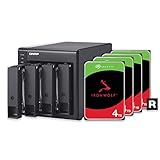
Many listings are diskless, but some are sold with installed drives. Cloudzat labels the configuration when the Amazon product information makes it clear.
Can I use different-size drives in a DAS?
Individual-disk mode can use mixed sizes. RAID usually limits usable capacity to the smallest member and is more predictable with matching drives.
Is RAID 5 safe for backup?
RAID 5 can keep the array online after one drive failure, but it does not protect against deletion, malware, theft or a second failure. Keep a separate backup.
Can a DAS be shared over a network?
Yes, if the connected computer shares the volume or runs server software. The enclosure itself normally does not provide network services.
What is price per bay?
Price per bay divides the current enclosure price by the number of drive bays. It helps compare chassis value, but it does not include the cost of drives or software.