


Best 4-Bay Hard Drive Enclosures: Compare DAS and RAID
Compare current 4-bay external storage enclosures for hard drives and SATA SSDs. See diskless and populated configurations, RAID support, interface speed, maximum capacity and current price per bay.
Four bays are a strong capacity and flexibility sweet spot. They can hold a large media or backup library, support RAID 5 or RAID 10 on compatible products and still fit on a desktop. The best model depends on whether you want independent disks, hardware RAID or high-speed Thunderbolt storage.
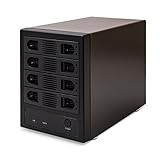
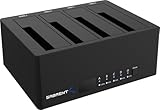


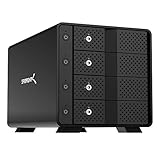
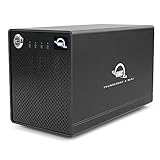




No offers match these filters
Reset a filter or choose another bay count, interface, RAID mode or brand.
Why four bays are a practical sweet spot
A four-bay enclosure offers far more planning flexibility than a two-bay box without the size and cost of an eight-bay system. It can run four independent disks, a large JBOD volume, RAID 5 with one drive worth of parity or RAID 10 with mirrored pairs. This makes the format suitable for home labs, Plex libraries, photo archives, local backups and professional workstations.
Four bays also create a manageable upgrade path. You can begin with two or three drives if the enclosure supports the intended mode, then add capacity later where expansion is supported. Check the documentation before assuming that a disk can be added to an existing array without rebuilding it.
Compare diskless and populated offers
A diskless listing contains the chassis, power supply and cables but no storage drives. It gives you control over drive model, capacity and warranty. A populated offer includes installed disks and may include preconfigured RAID or vendor support. The lower headline price is not always the better system value because the drive cost can be larger than the enclosure cost.
Cloudzat labels the configuration when the listing is clear. For bundled products, compare total installed capacity, drive class and warranty terms. For diskless products, use the calculator to add four matching drives and calculate cost per usable terabyte.
RAID choices in a four-bay enclosure
RAID 5 is popular in four bays because it provides the capacity of about three drives and can survive one failed member. RAID 10 provides the capacity of about two drives but combines mirroring and striping. RAID 0 provides all raw capacity and strong sequential speed but no protection. Individual mode is useful when each disk has a separate role or when the operating system manages storage.
Confirm whether RAID is implemented by hardware switches, a vendor utility or the operating system. Some four-bay enclosures are intentionally non-RAID and present four separate disks. They can still be useful with macOS, Windows or Linux software storage, but the setup and recovery process differs.
Capacity planning with four drives
Four 8TB drives provide 32TB raw. Four 16TB drives provide 64TB raw. The usable amount depends on RAID and formatting. Large arrays also take longer to verify, scrub and rebuild. Plan for annual growth and leave enough free space for the file system and workload. A nearly full array can become slower and harder to maintain.
Check the maximum supported capacity per drive rather than only the total. A legacy four-bay product may work with smaller disks but lack validation for current 22TB, 24TB or larger models. Firmware updates and bridge-controller limits can matter.
5Gbps, 10Gbps and Thunderbolt options
A 5Gbps USB-C enclosure is adequate for many four-HDD arrays and backup tasks. A 10Gbps model provides more headroom for striped HDDs or SATA SSDs. Thunderbolt models target higher sustained performance, daisy chaining and professional Mac or PC workflows. The connector alone does not identify the speed, so use the protocol and bandwidth fields in the comparison.
If the host has only a slower USB port, paying for a premium interface may not improve the current computer. It may still make sense for future upgrades or for a workstation that will use SATA SSDs.
Cooling and vibration in four bays
Four 3.5-inch drives create concentrated heat and vibration. Look for front-to-back airflow, a temperature-responsive fan and trays that hold the disks securely. A quiet enclosure is desirable, but a fan that stops or runs too slowly can be worse than audible airflow. Review the placement of vents and keep clearance around them.
Drive vibration can transfer into a desk and become more noticeable than fan noise. Rubber feet, solid trays and a stable surface help. For a living-room Plex server, consider enclosure location and drive acoustic characteristics.
Use cases that fit four bays
For Plex, four high-capacity HDDs provide a large library without requiring a rack or separate network appliance. For photography, a four-bay RAID can hold current projects and a mirrored or parity-protected working library. For video editing, a Thunderbolt or 10Gbps model with a suitable array can deliver responsive sequential performance. For backups, independent disks may be simpler than one large array.
The same enclosure should not be forced into every role. A high-speed editing array and a long-term offline backup have different priorities. Choose the mode, drives and file system for the main task, then maintain a separate copy for recovery.
What to verify before purchase
Confirm drive sizes, maximum disk capacity, supported RAID modes, host cable, power supply, operating-system utility, warranty and whether the listing includes drives. Check whether hot swap is supported and whether it applies in every operating mode. Model names can look similar while using different controllers.
Use current price per bay as a starting metric, not the final decision. A slightly more expensive enclosure may provide better monitoring, a faster link, a stronger warranty or a RAID mode that reduces the total system cost.
Quick decision guide
Balanced home storage
A four-bay RAID 5 layout is capacity-efficient, but it still needs a separate backup.
Fast workstation storage
Use 10Gbps or Thunderbolt and select drives that can sustain the required workload.
Simple backup rotation
Individual-disk mode can be easier to understand than a large array when each drive has its own backup job.
Lowest enclosure cost
Compare price per bay, then add the cost of the required drives and RAID software.
How Cloudzat builds this comparison
Cloudzat limits this page to products classified as four-bay direct-attached enclosures. It distinguishes RAID-capable products from independent-disk boxes and displays current Amazon price, configuration and extracted technical fields.
Technical content reviewed August 1, 2026. Manufacturer specifications and marketplace variants can change.
Frequently asked questions
Is four bays enough for RAID 5?
Yes. RAID 5 requires at least three drives, and four bays provide the usable capacity of roughly three matching drives.
Can a four-bay enclosure use only two drives?
Usually, but available modes depend on the model. Confirm whether it supports individual disks, RAID 1 or another two-drive layout.
Can I use 2.5-inch SSDs in a four-bay HDD enclosure?
Many accept both 2.5-inch and 3.5-inch SATA drives, sometimes with screws or adapters. Check the exact tray design.
How much power does a four-bay enclosure use?
It depends mainly on the installed drives. Startup draw can be much higher than idle draw, so use the supplied power adapter.
Is USB 5Gbps enough for four hard drives?
It can be enough for many workloads, but a striped array or multiple simultaneous transfers may benefit from 10Gbps or Thunderbolt.
Can I move a RAID set between brands?
Do not assume so. Controller metadata can be proprietary. Keep backups and document the configuration.