


Canada · www.amazon.ca · CAD
N100 vs N150 Mini PCs Canada: Which Should You Buy?
N100 or N150 mini PC? Compare Canadian prices, CPU specs, RAM, SSD and electricity costs. Decide which to buy or whether replacing an existing N100 is useful.
The quick answer
Compare complete configurations first. Both processors have four cores and four threads; an N150 badge alone is not a compelling replacement for a working N100. Choose the system whose RAM, SSD, ports and total cost fit the job.
Compare the CPU, installed RAM, SSD and seller. Each card shows when its price was checked. Some PCs do not include an operating system, so confirm the contents and delivered total before ordering.
N100 · mini PC offers
4 complete systems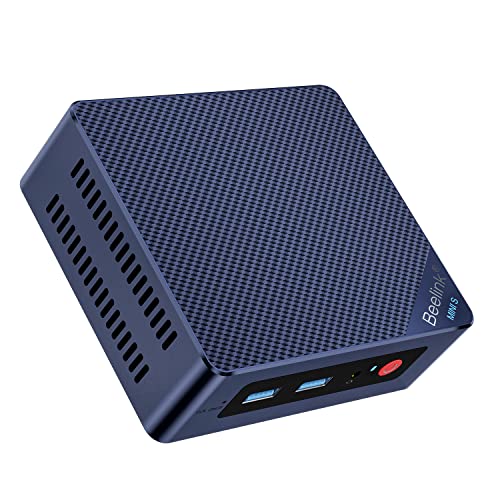
Beelink Mini S12 Pro Mini PC - 12th Gen Intel N100 (Up to 3.4GHz), 16GB DDR4, 500GB SSD, 4K Dual Display, WiFi 6, BT 5.2, 1000Mbps LAN - Low Power Mini Desktop Computer
N100 · 16 GB RAM · 500 GB SSD
CA$421.04 CAD
Buy on AmazonPrice verified · New
Price may have changed. Check Amazon before ordering.
Offer details
Beelink Mini S12 Pro Mini PC - 12th Gen Intel N100 (Up to 3.4GHz), 16GB DDR4, 500GB SSD, 4K Dual Display, WiFi 6, BT 5.2, 1000Mbps LAN - Low Power Mini Desktop Computer
Amazon listing · ASIN B0BW8JSQCH
Beelink Mini PC, MINI S12 Pro Intel Twin Lake N100 4C/4T Mini Computer | 12GB LPDDR5 RAM 500GB M.2 SATA SSD, Desktop PC Dual HDMI 4K UHD/2.5G Ethernet/WiFi6/BT5.2/W11 Home/HTPC
N100 · 12 GB RAM · 500 GB SSD
CA$449.00 CAD
Buy on AmazonPrice verified · New
Price may have changed. Check Amazon before ordering.
Offer details
Beelink Mini PC, MINI S12 Pro Intel Twin Lake N100 4C/4T Mini Computer | 12GB LPDDR5 RAM 500GB M.2 SATA SSD, Desktop PC Dual HDMI 4K UHD/2.5G Ethernet/WiFi6/BT5.2/W11 Home/HTPC
Amazon listing · ASIN B0GZ34Z4BLBeelink Mini PC, MINI S12 Intel N100 4C/4T,16G DDR4 RAM 500G M.2 SATA SSD | Mini Computer Intel N100 up to 3.4GHz, Desktop PC Dual HDMI 4K UHD/2.5G Ethernet/WiFi6/BT5.2/W11 Home/HTPC
N100 · 16 GB RAM · 500 GB SSD
CA$459.00 CAD
Buy on AmazonPrice verified · New
Price may have changed. Check Amazon before ordering.
Offer details
Beelink Mini PC, MINI S12 Intel N100 4C/4T,16G DDR4 RAM 500G M.2 SATA SSD | Mini Computer Intel N100 up to 3.4GHz, Desktop PC Dual HDMI 4K UHD/2.5G Ethernet/WiFi6/BT5.2/W11 Home/HTPC
Amazon listing · ASIN B0DP2KFWW4
Beelink MINI S12 PRO Mini PC, Intel Alder Lake-N100 16GB DDR4 512GB SSD
N100 · 16 GB RAM · 512 GB SSD
CA$459.00 CAD
Buy on AmazonPrice verified · New
Price may have changed. Check Amazon before ordering.
Offer details
Beelink MINI S12 PRO Mini PC, Intel Alder Lake-N100 16GB DDR4 512GB SSD
Amazon listing · ASIN B0H2CY6X54No systems match these filters. Try a higher budget or less memory.
N150 · mini PC offers
9 complete systems
Fanless Mini PC N150, 4X 2.5G LAN, Firewall Appliance & Home Server
N150 · Installed configuration not confirmed
CA$344.99 CAD
Buy on AmazonPrice verified · New
Price may have changed. Check Amazon before ordering.
Offer details
Fanless Mini PC N150, 4X 2.5G LAN, Firewall Appliance & Home Server
Amazon listing · ASIN B0HKVM2YGLBeelink Mini S13 Mini PC, Intel Twin Lake-N150 (4C/4T, up to 3.6GHz), 16GB DDR4 RAM 500GB M.2 SSD, Mini Computer Support 4K@60Hz Dual Screen Display/WiFi6/BT5.2/USB3.2/Win11 Home
N150 · 16 GB RAM · 500 GB SSD
CA$418.93 CAD
Buy on AmazonPrice verified · New
Price may have changed. Check Amazon before ordering.
Offer details
Beelink Mini S13 Mini PC, Intel Twin Lake-N150 (4C/4T, up to 3.6GHz), 16GB DDR4 RAM 500GB M.2 SSD, Mini Computer Support 4K@60Hz Dual Screen Display/WiFi6/BT5.2/USB3.2/Win11 Home
Amazon listing · ASIN B0DP4LGQWY
Beelink ME Mini PC, Intel N150(4C/4T, up to 3.6GHz), 12GB LPDDR5, 64GB eMMC, 6*M.2 SSD Slots, ME Mini Computer Support Dual 2.5G LAN, Cloud Disk, Virtual Machine, Soft Router, NAS, HTPC
N150 · 12 GB RAM
CA$421.42 CAD
Buy on AmazonPrice verified · New
Price may have changed. Check Amazon before ordering.
Offer details
Beelink ME Mini PC, Intel N150(4C/4T, up to 3.6GHz), 12GB LPDDR5, 64GB eMMC, 6*M.2 SSD Slots, ME Mini Computer Support Dual 2.5G LAN, Cloud Disk, Virtual Machine, Soft Router, NAS, HTPC
Amazon listing · ASIN B0FJRZTCVB
Beelink Mini S13 Mini PC, 13th Intel Twin Lake-N150 (Up to 3.6GHz), Mini Computer 16GB DDR4 RAM 500GB SATA3 SSD, Micro PC Support 4K Dual Display, WiFi6/BT5.2/USB3.2/HTPC/WOL Home/Office
N150 · 16 GB RAM
CA$424.57 CAD
Buy on AmazonPrice verified · New
Price may have changed. Check Amazon before ordering.
Offer details
Beelink Mini S13 Mini PC, 13th Intel Twin Lake-N150 (Up to 3.6GHz), Mini Computer 16GB DDR4 RAM 500GB SATA3 SSD, Micro PC Support 4K Dual Display, WiFi6/BT5.2/USB3.2/HTPC/WOL Home/Office
Amazon listing · ASIN B0DPFFPFK4
Fanless Firewall Mini PC, Intel N150, 4x2.5G LAN, DDR4, Home Server
N150 · Installed configuration not confirmed
CA$428.39 CAD
Buy on AmazonPrice verified · New
Price may have changed. Check Amazon before ordering.
Offer details
Fanless Firewall Mini PC, Intel N150, 4x2.5G LAN, DDR4, Home Server
Amazon listing · ASIN B0GT8MRY8MBeelink Mini PC, Mini S13 Intel Twin Lake N150 4C/4T, 12G LPDDR5 500G SSD | Mini Computer , Desktop PC Dual HDMI 4K UHD/2.5Gbps/WiFi6/BT5.2/HTPC/W11 Home
N150 · 12 GB RAM · 500 GB SSD
CA$469.00 CAD
Buy on AmazonPrice verified · New
Price may have changed. Check Amazon before ordering.
Offer details
Beelink Mini PC, Mini S13 Intel Twin Lake N150 4C/4T, 12G LPDDR5 500G SSD | Mini Computer , Desktop PC Dual HDMI 4K UHD/2.5Gbps/WiFi6/BT5.2/HTPC/W11 Home
Amazon listing · ASIN B0G47N4CBJBeelink Mini PC, MINI S13 with 13th Gen Intel N150 12GB LPDDR5 512GB SSD | Mini Computer 4C/4T, up to 3.6GHz, Mini Desktop PC with 4K@60Hz Dual Display/WiFi 6/BT5.2/USB 3.2/2.5G LAN, for Office
N150 · 12 GB RAM · 512 GB SSD
CA$469.00 CAD
Buy on AmazonPrice verified · New
Price may have changed. Check Amazon before ordering.
Offer details
Beelink Mini PC, MINI S13 with 13th Gen Intel N150 12GB LPDDR5 512GB SSD | Mini Computer 4C/4T, up to 3.6GHz, Mini Desktop PC with 4K@60Hz Dual Display/WiFi 6/BT5.2/USB 3.2/2.5G LAN, for Office
Amazon listing · ASIN B0GSY76PNF
MINIX NUC150 Mini PC Intel N150, 16GB DDR5 RAM, 512GB SSD, 4K Triple Display, USB-C, 2.5G Ethernet, Wi-Fi 6, BT5.2, Windows 11 Pro mini Computer,Ideal for Business, Remote Work & Education
N150 · 16 GB RAM · 512 GB SSD
CA$599.90 CAD
Buy on AmazonPrice verified · New
Price may have changed. Check Amazon before ordering.
Offer details
MINIX NUC150 Mini PC Intel N150, 16GB DDR5 RAM, 512GB SSD, 4K Triple Display, USB-C, 2.5G Ethernet, Wi-Fi 6, BT5.2, Windows 11 Pro mini Computer,Ideal for Business, Remote Work & Education
Amazon listing · ASIN B0FDWRZ1DP
MeLE Quieter 4C Fanless Mini PC, N150 16GB 512GB Win11 Pro | Fanless micro PC, full-functional USB-C, 4K triple display, dual-band WiFi, for Home, Office, Education, Astrophotography
N150 · Installed configuration not confirmed
CA$679.99 CAD
Buy on AmazonPrice verified · New
Price may have changed. Check Amazon before ordering.
Offer details
MeLE Quieter 4C Fanless Mini PC, N150 16GB 512GB Win11 Pro | Fanless micro PC, full-functional USB-C, 4K triple display, dual-band WiFi, for Home, Office, Education, Astrophotography
Amazon listing · ASIN B0F1KCNPQVNo systems match these filters. Try a higher budget or less memory.
As an Amazon Associate, Cloudzat earns from qualifying purchases. Affiliate links do not change the listed selection rules. Kits and other processors are kept separate from complete exact-CPU systems.
N100 vs N150: compare the complete systems
| Specification | Intel Processor N100 | Intel Processor N150 |
|---|---|---|
| Cores / threads | 4 / 4 | 4 / 4 |
| Maximum turbo frequency | Up to 3.40 GHz | Up to 3.60 GHz |
| Intel processor power rating | 6 W TDP | 6 W processor base power |
| Integrated graphics | Intel UHD Graphics · 24 execution units | Intel Graphics · 24 execution units |
| Intel listed maximum memory | 16 GB · one memory channel | 16 GB · one memory channel |
Source: Intel specifications linked above, checked 30 October 2026. Processor ratings are not wall-power measurements or system benchmarks. Installed memory, ports and expansion depend on the exact computer.
The decision is about the complete computer
Choose between N100 and N150 mini PCs by matching the installed configuration to the job. A light office desktop, a Home Assistant host and a multi-port network appliance need different things. The N150 name alone does not tell you which computer includes enough RAM, the right SSD or a suitable network controller. Start by defining those requirements, then compare the prices of machines that actually meet them.
For a new purchase at similar total cost, an N150 model may be attractive when its configuration and support are equally suitable. A less expensive N100 can still make sense for a light task. If you already own an N100 that performs the job well, identify the limitation you need to solve before spending money on a replacement. A newer label is not itself a useful upgrade outcome.
Comparing a Canadian delivered price
Use the Canadian-dollar prices shown here when shopping for a Canadian address. A US-dollar offer converted into CAD is not a Canadian delivered price. Confirm the selected seller, dispatch location, delivery charge and final checkout total for your province and postal code. Taxes and any import charges shown at checkout can change the comparison. A product family may contain several sellers and configurations, so record the exact CPU, memory, SSD and operating-system bundle rather than relying on the family name or enclosure photograph.
For a cross-border shipment, check the return address and the process for obtaining support before paying. A nominal saving can become less useful if returning the system requires an expensive international shipment. Confirm the supplied mains lead, the adapter input rating and any accessories needed for your display. Keep the order confirmation and model details. When the mini PC arrives, verify the installed components and activation status, then test the features that motivated the purchase before transferring important files or retiring your previous machine.
What the CPU specifications establish
Both processors have four cores and four threads. Their published maximum turbo and graphics frequencies differ, but these specifications do not establish a fixed percentage improvement in your applications. The maximum clock is not a guarantee that every core in a small enclosure will hold that speed during sustained work. Read the table as processor feature information and look for measurements of the actual computer where performance matters.
Avoid comparing a carefully cooled machine with a different fanless enclosure as if the CPU were the only variable. Firmware settings, memory configuration, storage and room temperature can affect the result. A retailer’s faster-than statement is not a benchmark method. Useful evidence should identify the complete system, workload and conditions instead of attaching a broad performance claim to a processor name.
Match RAM before comparing prices
A price difference can be explained by installed memory rather than the processor. Compare 8 GB with 8 GB and 16 GB with 16 GB where possible. For mixed desktop use, allow room for browser tabs, calls, applications and the operating system together. For a service host, include the concurrent services and some recovery headroom. More RAM does not replace a stronger CPU when the task is CPU-limited.
Check whether the memory is soldered or replaceable, and what a later change would cost. Intel lists the same 16 GB maximum for these processors; larger advertised configurations need confirmation for the specific system. A claim about supported capacity is not evidence of installed memory. A cheaper machine that needs an immediate memory change may cost more than a complete offer already fitted for your workload.
Match SSD and operating-system contents
Compare installed SSD capacity and interface as well as the CPU. A system supplied with a larger drive can carry a higher price for a reason unrelated to processor performance. M.2 describes the physical format, not a promise of NVMe support. Check spare slots, service access and any required cables if expansion is part of your plan, rather than assuming that similar-looking cases have the same internal layout.
Confirm the operating-system edition and licence included with the selected variant. A barebones offer, a machine with no stated software contents and a ready-to-use desktop are different purchases. Include any needed parts, adapters and software in the complete cost. Keep an independent backup plan; neither an N150 processor nor a larger internal SSD provides another copy of your files.
Office work and ordinary desktop use
For browsing, documents and everyday communication, usable configuration can matter more than a modest CPU-specification change. Compare installed memory, display connections, SSD space and noise under your normal workload. A computer that fits the existing monitor arrangement and stays unobtrusive on the desk may be a more useful purchase than a newer model requiring extra adapters or a change to the way you work.
Look at the applications you actually use rather than a generic office score. Many active tabs, a video call and background updates create a different situation from a single document. If you need demanding editing, substantial local AI or modern 3D gaming, compare stronger platforms before narrowing the choice to these two processors. Both remain entry-level options, and the right alternative may be outside this pair.
Home Assistant and always-on services
For a dedicated Home Assistant installation, compare the storage, network connection, peripheral support and recovery arrangements of each machine. Follow the project’s current generic x86-64 guidance. Replacing the factory operating system can erase its storage, so keep recovery information and backups first. The CPU name does not prove that a particular Wi-Fi device or radio adapter is supported in your installation.
For several services, size the host around what will run together and during scheduled work. A light container mix is different from several interactive virtual machines or a recording workload. Do not assume that changing N100 to N150 removes a memory, storage or network bottleneck. If the current computer is stable, measure its resource use before deciding which component or platform would provide the useful improvement.
Plex, Jellyfin and display requirements
Separate direct playback from transcoding when assessing media uses. Codecs, resolution, subtitles, client support, drivers and application settings determine the actual path. A processor’s integrated-graphics feature list does not establish a simultaneous-stream count for your collection. Check the current Plex or Jellyfin requirements for the operating system and the hardware-acceleration setup you intend to use, including any required software features.
For a desktop connected directly to a television or monitor, confirm the finished machine’s outputs, resolutions and refresh rates. Do not assume that a processor’s theoretical display capability is implemented on every enclosure. Test representative media files and your actual monitor connections during the return period. A small CPU difference is of little benefit if the chosen port or playback path cannot perform the task you need.
Networking and quiet appliance choices
An N100 appliance with suitable Ethernet controllers can be a different buying proposition from a single-port N150 office computer. Compare controller support, port count and speed for the exact operating system and intended network role. Routing, VPNs and traffic-inspection features may create different workloads. The newer CPU does not establish a particular firewall-throughput result or guarantee the presence of useful ports.
Compare cooling with the installation environment in mind. A fanless case can suit a quiet room, while a ventilated system may handle sustained work differently. Placement and room temperature matter for both. Include the full memory, storage and power-adapter cost when an appliance is sold barebones. Keep a fallback network arrangement if replacing the equipment that provides your internet connection.
Compare purchase price and running cost
Use the ownership calculator with prices for comparable complete systems. Enter measured whole-system power if available. The default watt values are illustrative inputs, not N100 and N150 test results. Their processor power ratings do not predict the bill for finished machines with different SSDs, controllers and attached devices. Use the same operating hours, tariff and ownership period for a fair scenario.
Treat the result as one part of the buying decision. Reliability, maintenance, support, recovery time and the cost of accessories also matter. Do not pay for a replacement solely because a hypothetical electricity difference appears small or large. A useful comparison connects a realistic operating pattern to the complete purchase cost and the practical benefit you expect from changing the machine.
When to buy and when to keep the N100
For a new system, shortlist the offers that meet your fixed requirements and compare their delivered prices, seller terms and support. An N150 can be a sensible choice when the complete package earns its premium. An N100 remains worth considering when it is suitably configured and costs less for a task that needs no more. Verify the selected processor again at checkout because family listings can change variants.
For an existing N100 owner, keep the machine when it meets the workload reliably. Consider replacement when the new system solves a specific problem that cannot be addressed sensibly on the current hardware. On arrival, verify the new CPU, RAM and SSD, test essential ports and retain recovery information. Move important services only after those checks and keep independent backups throughout the change.
Electricity and service continuity in Canada
For an always-on server, enter your own electricity unit rate in Canadian dollars per kWh. The editable calculator value is an illustration, not a provincial average or a current tariff quote. If your rate changes by time or season, use a representative weighted input or calculate the periods separately. Fixed charges that remain unchanged with the purchase should not be treated as incremental mini PC consumption. Measure the complete computer with the storage and adapters it normally uses; Intel’s processor power rating is not that measurement.
Consider support and recovery alongside the hardware price. Check that firmware, driver and recovery downloads identify the exact model, and keep a separate copy of important service settings and files. Where an interruption would cause problems, plan an orderly shutdown and test the intended restart behaviour. A UPS can help with a short interruption but is a separate purchase and power load. Confirm local delivery and return conditions for your address, particularly if a listing uses a third-party seller or ships from outside Canada.
Compare complete ownership cost
Enter comparable complete-system prices and your own electricity tariff. The starting 10 W and 15 W values are illustrative inputs, not processor measurements or country averages.
Estimated ownership cost = complete price + watts × hours/day × 365 ÷ 1000 × tariff × years. Excludes repairs, resale, peripherals and tariff changes.
Current alternative mini PC deals on Amazon
These use other processors. Compare the complete configuration, ports and delivered cost with the systems above.

ACEMAGIC Mini PC K1 Ryzen Embedded R2544 8GB DDR4 RAM 256GB Mini PC Win11 Pro(Beats 3550H/4300U/3500U/N150, Mini Computer 4K Dual Display/HDMI/WiFi/BT/LAN -Home/Office Mini Desktop PC
RYZEN · 8 GB RAM
CA$299.99 CAD
Buy on AmazonPrice verified · New
Price may have changed. Check Amazon before ordering.
Offer details
ACEMAGIC Mini PC K1 Ryzen Embedded R2544 8GB DDR4 RAM 256GB Mini PC Win11 Pro(Beats 3550H/4300U/3500U/N150, Mini Computer 4K Dual Display/HDMI/WiFi/BT/LAN -Home/Office Mini Desktop PC
Amazon listing · ASIN B0DNHVFK1T
GEEKOM A5 2027 Mini PC, AMD Ryzen 7 7730U, 16GB Upgradable RAM, 256GB SSD | (Beats 7430U), WiFi6, BT5.4, 15W Low Power, Quad 8K Display, Business Mini Computer for Office, Video Editing, 3-Year Support
RYZEN · Installed configuration not confirmed · 256 GB SSD
CA$659.00 CAD
Buy on AmazonPrice verified · New
Price may have changed. Check Amazon before ordering.
Offer details
GEEKOM A5 2027 Mini PC, AMD Ryzen 7 7730U, 16GB Upgradable RAM, 256GB SSD | (Beats 7430U), WiFi6, BT5.4, 15W Low Power, Quad 8K Display, Business Mini Computer for Office, Video Editing, 3-Year Support
Amazon listing · ASIN B0HCSPWKFX
Beelink EQR7 Mini PC, AMD Ryzen 7 7735U (8C/16T,up to 4.75 GHz),Mini Computers 32 GB LPDDR5 RAM 1 TB M.2 SSD,4K Dual Display,Dual LAN,USB3.2,WiFi 6,BT 5.2, Win 11 Pro
RYZEN · 32 GB RAM · 1 TB SSD
CA$687.20 CAD
Buy on AmazonPrice verified · New
Price may have changed. Check Amazon before ordering.
Offer details
Beelink EQR7 Mini PC, AMD Ryzen 7 7735U (8C/16T,up to 4.75 GHz),Mini Computers 32 GB LPDDR5 RAM 1 TB M.2 SSD,4K Dual Display,Dual LAN,USB3.2,WiFi 6,BT 5.2, Win 11 Pro
Amazon listing · ASIN B0FQ5FBYGJMINIX NUC355 Mini PC, Intel Core 3 N355, 16GB DDR5, 512GB PCIe SSD, Triple 4K Display, WiFi 6, BT5.2, 2.5G LAN, Windows 11 Pro, USB-C/HDMI, for Business, Office, Education & Digital Signage
N355 · 16 GB RAM · 512 GB SSD
CA$695.90 CAD
Buy on AmazonPrice verified · New
Price may have changed. Check Amazon before ordering.
Offer details
MINIX NUC355 Mini PC, Intel Core 3 N355, 16GB DDR5, 512GB PCIe SSD, Triple 4K Display, WiFi 6, BT5.2, 2.5G LAN, Windows 11 Pro, USB-C/HDMI, for Business, Office, Education & Digital Signage
Amazon listing · ASIN B0FDQSD213Comparison questions answered
Is N150 a worthwhile upgrade from a working N100?
Identify a specific limitation before replacing the machine. Both processors have four cores and four threads. A new system is more useful when its complete configuration solves a memory, storage, port, cooling or workload problem that matters to you.
Which is better value for a new mini PC?
Compare equivalent installed RAM, SSD, ports, software contents and seller terms. An N150 can be attractive at a similar complete price; a less expensive N100 can still fit a light task. The processor badge alone does not settle value.
Does the N150 guarantee lower electricity use?
No. Processor ratings are not whole-system wall-power measurements. Compare measured average watts for the complete machines and apply the same operating hours and tariff.
How should I use the ownership calculator?
Enter complete prices for comparable systems and measured average wall power where available. Use the same operating hours, tariff and ownership period. The starting watt values are examples, not test results.
How should I compare local prices?
Use CAD offers from Amazon Canada and confirm the selected configuration, delivery, checkout taxes and return destination. Overseas converted prices are not local offers. Each card shows when its price was checked.
Sources and buying method
Intel provides the processor specifications. The cards show the RAM, SSD and dated Amazon price for each PC. We have not tested every machine ourselves.
Intel Processor N100 · Intel Processor N150 · Home Assistant x86-64