


Best DAS for Video Editing: Compare Speed, RAID and Price
Compare current multi-bay DAS products suited to active video work. The table emphasizes high-speed host links, four or more bays, RAID support, drive configuration and current Amazon price.
The best editing DAS sustains the combined bitrate of the timeline with room for cache, effects and background work. Choose the drives and RAID layout first, then confirm that the enclosure link, controller and software can deliver the required throughput reliably.

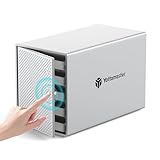
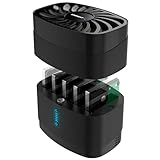


![Yottamaster 5 Bay External Hard Drive Enclosure , Aluminum 150W USB3.0 3.5" HDD Enclosure for 3.5 & 2.5 Inch SATA HDD/SSD, Support 120TB(5x24TB) Direct Attached Storage DAS, Non-RAID [FS5U3]](https://m.media-amazon.com/images/I/4123jSbD04L._SL160_.jpg)


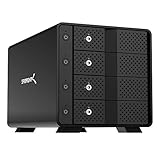
![Yottamaster 5 Bay RAID Hard Drive Enclosure, 150W Aluminum USB3.0 RAID HDD Enclosure for 3.5 & 2.5 Inch SATA HDD/SSD, Support 120TB(5x24TB) Direct Attached Storage DAS RAID1/5/10/JBOD/CLONE [FS5RU3]](https://m.media-amazon.com/images/I/41ulUJlSWJL._SL160_.jpg)









No offers match these filters
Reset a filter or choose another bay count, interface, RAID mode or brand.
Calculate the workload, not only the resolution
A 4K label does not define storage demand. Compressed camera codecs can be light, while uncompressed, RAW, multicam and image-sequence workflows can require hundreds or thousands of megabytes per second. Add the bitrates of simultaneous streams, then include margin for audio, cache, rendering and file copies.
The storage should sustain the demand throughout long sessions, not only peak briefly in a benchmark. Test with the actual editing application and media format.
HDD RAID versus SATA SSD RAID
Several HDDs in RAID 0 or RAID 5 can deliver high sequential throughput and large capacity at a lower cost. They remain slower for random access and generate noise and vibration. SATA SSD arrays are much faster for seeks, multicam scrubbing and small-file workflows, but their cost per terabyte is higher.
A common workflow uses SSD or NVMe storage for current projects and HDD RAID for source media, completed work and nearline archive. A hybrid DAS can place both media types in one chassis if software manages the locations deliberately.
RAID layout for editing
RAID 0 maximizes speed and capacity but any member failure destroys the array. It is suitable only for disposable scratch or projects copied elsewhere. RAID 5 provides one-drive tolerance and good read performance, making it common for four or more HDDs. RAID 10 provides mirrored stripe performance and faster rebuild behavior at half the raw capacity.
No RAID protects against accidental deletion or application corruption. Keep an automated project backup and another copy of source media.
Thunderbolt, USB4 and 10Gbps USB
Thunderbolt and USB4 offer enough bandwidth for fast SATA SSD arrays and professional chains. USB 10Gbps can support strong HDD RAID and many single-stream editing jobs. USB 5Gbps may be adequate for compressed media but can constrain a fast multi-drive array.
Use the host port and cable specified by the enclosure. A fast product connected through a basic hub or charging cable can underperform or disconnect.
Sustained performance and thermals
SATA SSDs and bridge controllers can throttle when hot. HDDs also become less predictable when the enclosure airflow is poor. Choose active cooling, clear ventilation and a power supply designed for all bays. Benchmark the array after it reaches operating temperature.
Noise is part of an editing-room decision. A well-cooled enclosure can be moved away with a certified cable, but long high-speed cables need careful selection.
Project organization and cache placement
Keep operating-system, application cache, source media and backup roles clear. Placing every task on one array can create contention. Editors often keep cache and previews on an internal SSD while the DAS holds source and project media. Another drive or NAS receives scheduled backups.
Label folders and volumes consistently so editing software does not lose media when the array is reconnected to another workstation.
Mac and Windows production support
Confirm RAID software, drivers and file-system support on every workstation that will use the storage. Thunderbolt security and authorization can differ on Windows systems. Mac workflows need current Apple silicon and macOS support. Cross-platform teams may use a compatible file system or vendor software, but performance and permissions should be tested.
Do not schedule a major operating-system update in the middle of a project without checking the storage vendor.
When DAS is not the right editing storage
A single-editor workstation is an ideal DAS use case. A multi-editor team may need shared NAS or SAN storage instead. If footage must be accessible remotely, DAS requires the connected computer to act as a server. If portability matters more than capacity, a fast portable SSD may be simpler.
Choose the architecture around collaboration and backup, not only the fastest local benchmark.
Workflow resilience and project handoff
Editing storage should support project handoff as well as local speed. Document the volume name, folder structure, file system, RAID software and expected mount point so another workstation can reconnect media without relinking thousands of files. Keep project files and small metadata backed up more frequently than large source media because they change constantly and are inexpensive to copy.
When a project finishes, move it from the high-performance working array to verified archive storage and keep at least one separate copy. Leaving every completed job on the editing RAID consumes expensive capacity and increases the amount at risk during a controller or file-system problem. A disciplined lifecycle often saves more time than buying a faster enclosure.
Quick decision guide
Compressed single-stream work
A 10Gbps USB HDD RAID may provide sufficient performance at lower cost.
Multicam and high-bitrate work
Thunderbolt or USB4 with a fast RAID and suitable drives provides more headroom.
Quiet studio
SATA SSD arrays reduce drive noise but still need controller cooling.
Production safety
Use redundant working storage plus versioned backup and a second copy of source media.
How Cloudzat builds this comparison
Products are selected when current specifications show four or more bays and a faster host link, advertised throughput or explicit creative-workflow positioning. Advertised speed is not treated as an independent benchmark.
Technical content reviewed August 1, 2026. Manufacturer specifications and marketplace variants can change.
Frequently asked questions
How fast should video-editing storage be?
Add the bitrate of simultaneous streams and leave margin for cache and effects. The requirement varies greatly by codec and resolution.
Is RAID 5 good for editing?
It often balances HDD capacity, read speed and one-drive tolerance. Writes and rebuilds are slower than RAID 0.
Do I need Thunderbolt?
Not always. USB 10Gbps can handle many HDD arrays and compressed workflows. Thunderbolt helps with faster SSD arrays and professional chaining.
Can I edit directly from a DAS?
Yes, when sustained throughput and file-system behavior meet the project requirements.
Should I use HDD or SSD?
HDD provides capacity value. SSD improves latency, noise and throughput. Many workflows use both tiers.
Does RAID replace a project backup?
No. Keep another copy of project files and source media.