


Best DAS for Plex: Compare Multi-Bay Storage, RAID and Price
Compare multi-bay DAS enclosures suited to a Plex server or always-on media computer. See bay count, HDD support, RAID modes, cooling, current price and price per bay.
Plex streaming rarely needs extreme disk bandwidth. Capacity, reliable reconnection, cooling, noise and a clear backup plan usually matter more. Choose a DAS that your Plex host can keep mounted consistently and that leaves room for library growth.


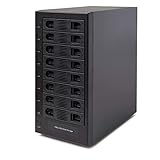
![Yottamaster 5 Bay External Hard Drive Enclosure, Aluminum USB3.0 3.5" HDD Enclosure for 3.5 & 2.5 Inch SATA HDD/SSD, Support 110TB(5x22TB) Direct Attached Storage DAS, Non-RAID [PS500U3]](https://m.media-amazon.com/images/I/4197wbrrA8L._SL160_.jpg)

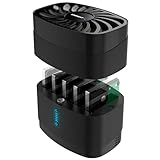


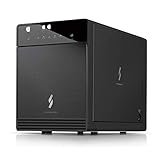


![Yottamaster 5 Bay External Hard Drive Enclosure , Aluminum 150W USB3.0 3.5" HDD Enclosure for 3.5 & 2.5 Inch SATA HDD/SSD, Support 120TB(5x24TB) Direct Attached Storage DAS, Non-RAID [FS5U3]](https://m.media-amazon.com/images/I/4123jSbD04L._SL160_.jpg)


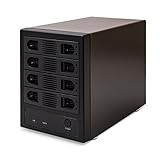
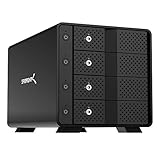
![Yottamaster 5 Bay RAID Hard Drive Enclosure, 150W Aluminum USB3.0 RAID HDD Enclosure for 3.5 & 2.5 Inch SATA HDD/SSD, Support 120TB(5x24TB) Direct Attached Storage DAS RAID1/5/10/JBOD/CLONE [FS5RU3]](https://m.media-amazon.com/images/I/41ulUJlSWJL._SL160_.jpg)




No offers match these filters
Reset a filter or choose another bay count, interface, RAID mode or brand.
How Plex uses storage
Plex reads media files sequentially and serves them through the host computer. Even high-bitrate video usually needs far less bandwidth than a multi-drive USB connection can provide. Transcoding performance comes mainly from the server CPU or GPU, not the DAS. Storage becomes important when several streams, background scans and other file transfers occur together.
A DAS is suitable when the Plex server is always connected and powered. The enclosure itself cannot run Plex or share files independently.
Capacity and bay planning
Estimate the current library, annual growth and retention policy. Four bays are a useful starting point. Five or six bays provide more growth or parity capacity. Avoid filling every bay and every terabyte on the first day if the array cannot expand easily.
Large drives reduce the number of bays required, but a failed high-capacity disk takes longer to replace and rebuild. Balance drive count, capacity, noise and recovery time.
RAID choices for a media library
RAID 5 is common because it provides one-drive fault tolerance and good capacity efficiency. RAID 6 provides two-drive tolerance on products that support it but uses more capacity. RAID 10 rebuilds more simply and can perform well, but it sacrifices half the raw capacity. Individual disks can be easy to understand when media is duplicated elsewhere.
Plex can rescan files, but it cannot recreate personal media. RAID does not replace a backup of irreplaceable content, metadata and server configuration.
HDD selection for Plex DAS
CMR hard drives designed for NAS or multi-bay use are a strong choice for always-on arrays. They are built with multi-drive vibration and sustained workloads in mind. Desktop drives can work for lighter use, but mixing SMR and CMR models in a parity array can complicate rebuild performance.
Match capacities in RAID and keep a spare or a clear replacement source. The lowest price per terabyte is useful, but warranty, noise and availability also matter.
USB speed is usually not the bottleneck
A 5Gbps enclosure can serve many Plex streams because media bitrates are much lower than the link ceiling. Faster USB or Thunderbolt is useful when the same array handles large backups, editing or several simultaneous transfers. Do not pay for a 40Gbps link solely for ordinary streaming if the drives and workload cannot use it.
Connection stability matters more. Use a direct port, a reliable cable and the supplied power adapter.
Noise, heat and sleep behavior
A Plex system may run in a living room, office or bedroom. Five spinning disks and a fan can be audible. Choose an enclosure with controlled cooling and place it where airflow is good and vibration does not resonate through furniture. Do not disable cooling to reduce noise.
Drive sleep can save power but may delay the first playback and cause repeated spin cycles. Test the enclosure and operating-system power settings with Plex library scans and scheduled maintenance.
Mounting and server reliability
The DAS volume should mount at the same path after reboot. Windows drive letters, macOS volume names and Linux mount points should be stable before Plex libraries are configured. A changed path can make the server report that media is unavailable even when the files are intact.
Use a UPS for the server and enclosure when possible. Configure clean shutdown so the file system and RAID are not interrupted during writes.
When Plex should use a NAS instead
DAS is ideal when the Plex server and drives live together. A NAS is better when storage must remain available to several devices independently, when server apps should run on the storage appliance or when the Plex host changes frequently. A NAS also avoids relying on desktop file sharing for other users.
The lowest-cost design can be a small Plex computer with a DAS, but operational simplicity may justify a NAS for a household or team.
Library migration and service continuity
Keep the Plex database, configuration and media files as separate backup concerns. The media may be replaceable, while watched status, posters, collections and custom metadata can be difficult to recreate. Back up the Plex application data on a schedule and verify that the media paths remain stable after an enclosure or operating-system change.
During a capacity upgrade, add the new volume to the server, copy and verify media, update library paths and only then remove the old location. This staged approach keeps the server available and avoids a long period in which the only copy is being moved. A second DAS can later become a backup or offline archive.
Quick decision guide
Best value Plex storage
A 4 or 5-bay USB HDD enclosure usually provides more than enough streaming bandwidth.
Best protected library
Use supported parity or mirroring and maintain another backup for irreplaceable files.
Best quiet setup
Choose quieter drives, temperature-controlled fans and a location away from viewers.
Choose NAS instead
Use a NAS when independent multi-user access and built-in services are more important than local simplicity.
How Cloudzat builds this comparison
Products are included when they support several 3.5-inch drives and are suitable for an always-connected media host. Cloudzat does not claim that an enclosure itself runs Plex.
Technical content reviewed August 1, 2026. Manufacturer specifications and marketplace variants can change.
Frequently asked questions
Is USB 5Gbps fast enough for Plex?
Yes for many media libraries and streams. Capacity, drive speed and server transcoding usually matter more.
Does DAS transcode Plex video?
No. The Plex server CPU or GPU performs transcoding.
Which RAID is best for Plex?
RAID 5 is capacity-efficient with one-drive tolerance. The best level depends on backup and rebuild priorities.
Can Plex use independent drives?
Yes. Libraries can span folders on separate volumes, but paths and backups need careful management.
Should Plex drives sleep?
It can save power, but repeated wake delays and scans may be inconvenient. Test the workload.
Can several devices access the DAS?
They access Plex through the host server. The DAS itself does not serve the network.