


Best DAS for Mac: Compare Thunderbolt, USB-C and RAID Storage
Compare current DAS enclosures suited to Mac desktops and notebooks. The table highlights Thunderbolt and USB-C links, RAID support, bay count, drive configuration and current Amazon price.
For a Mac, the best DAS is one whose connection and RAID software are supported by the current macOS release and Apple silicon. Choose APFS or another deliberate file system, test sleep and wake behavior, and keep a separate backup even when the enclosure uses RAID.


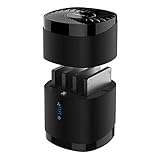
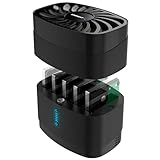
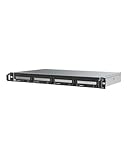
![Yottamaster 5 Bay External Hard Drive Enclosure, Aluminum USB3.0 3.5" HDD Enclosure for 3.5 & 2.5 Inch SATA HDD/SSD, Support 110TB(5x22TB) Direct Attached Storage DAS, Non-RAID [PS500U3]](https://m.media-amazon.com/images/I/4197wbrrA8L._SL160_.jpg)

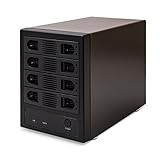


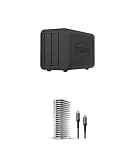
![Yottamaster 5 Bay External Hard Drive Enclosure , Aluminum 150W USB3.0 3.5" HDD Enclosure for 3.5 & 2.5 Inch SATA HDD/SSD, Support 120TB(5x24TB) Direct Attached Storage DAS, Non-RAID [FS5U3]](https://m.media-amazon.com/images/I/4123jSbD04L._SL160_.jpg)


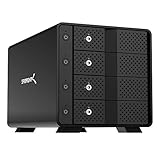
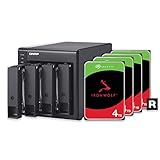
![Yottamaster 5 Bay RAID Hard Drive Enclosure, 150W Aluminum USB3.0 RAID HDD Enclosure for 3.5 & 2.5 Inch SATA HDD/SSD, Support 120TB(5x24TB) Direct Attached Storage DAS RAID1/5/10/JBOD/CLONE [FS5RU3]](https://m.media-amazon.com/images/I/41ulUJlSWJL._SL160_.jpg)








No offers match these filters
Reset a filter or choose another bay count, interface, RAID mode or brand.
Start with the ports on the Mac
Modern Macs use USB-C-shaped ports that can support Thunderbolt, USB4 and USB data modes. A Thunderbolt enclosure requires a Thunderbolt-capable port and cable. A USB-C enclosure may operate at 5Gbps, 10Gbps or another rate. Check the Mac model and enclosure protocol rather than assuming the connector guarantees compatibility.
Desktop Macs with several ports provide more flexibility. MacBook users may value a Thunderbolt daisy chain or a dock, but storage stability is usually best with a direct connection.
Choose the file system before copying data
APFS is the standard choice for current Mac-only SSD and general storage workflows. Mac OS Extended may remain relevant for older systems or specific backup requirements. ExFAT is convenient when the drive must move between Mac and Windows, but it lacks several resilience and metadata features of APFS. Time Machine has its own current formatting expectations.
Formatting destroys existing data. Configure and test the array before moving the only copy of a library.
Thunderbolt versus USB-C on Mac
Thunderbolt provides high bandwidth, device chaining and mature support for professional storage. It is useful for video, audio and large photo workflows. USB 10Gbps is often enough for HDD arrays and backups at a lower enclosure cost. A 5Gbps USB product can still be a good capacity-oriented Time Machine or media option.
The drives set the real performance. Four HDDs cannot behave like four SATA SSDs merely because both use Thunderbolt.
RAID software and Apple silicon
Software-managed arrays depend on current macOS and processor support. Before buying SoftRAID or another vendor-managed product, confirm compatibility with the Mac, macOS version and desired RAID level. Plan operating-system upgrades so storage software is not an afterthought.
Hardware RAID presents a simpler logical disk to macOS, but controller recovery can depend on the same enclosure family. Keep documentation and backups for either method.
Time Machine, working storage and archive are different jobs
A Time Machine target needs reliable reconnection, sufficient free space and a stable file system. Active video or photo storage needs sustained performance. A long-term archive benefits from independent copies and the ability to disconnect one copy. One array can serve several roles, but failure and capacity planning become more complicated.
A practical design uses fast DAS for active work and another destination for backup. RAID on the working DAS improves availability but does not replace Time Machine or an off-site copy.
Sleep, wake and safe removal
Mac notebooks sleep frequently. Some USB bridge controllers and RAID utilities handle sleep better than others. Test whether the volume remounts, whether drives spin down correctly and whether applications recover after wake. Disable aggressive sleep only when necessary because it affects power and drive behavior.
Always eject volumes before disconnecting. A multi-bay array may take longer to finish writes than a small portable drive.
Best Mac use cases by enclosure type
Thunderbolt four-bay RAID fits video editing and large creative libraries. USB 10Gbps independent-disk DAS fits backup rotation and flexible archives. A five-bay HDD RAID provides large local capacity for a Mac mini server. A compact two-bay mirror suits office documents and photography where simplicity matters more than maximum capacity.
If several Macs need simultaneous access, a NAS or Mac-hosted file share may be better. DAS remains tied to the connected host.
Mac buying checklist
Verify current macOS support, Apple silicon compatibility, cable, protocol, RAID utility, file system, sleep behavior, drive support and warranty. Check whether the selected offer includes drives or only the enclosure. Read the vendor support page before an operating-system update.
Compare total cost, not only chassis price. Paid RAID software, matching drives, a UPS and a separate backup destination are part of a dependable Mac storage system.
Mac migration and long-term compatibility
A Mac storage system should be planned for the next computer as well as the current one. Keep the enclosure model, RAID utility, license, file-system choice and cable standard documented. Before migrating to a new Mac or major macOS release, verify that the storage software supports the new environment and that the array mounts correctly before erasing the old computer.
Use a separate verified backup during any file-system conversion or RAID change. Migration Assistant and Time Machine address different parts of a Mac move, and neither should be the only copy of a large media library. Testing a sample restore is more valuable than assuming a completed backup notification guarantees every file is recoverable.
Quick decision guide
Best for Time Machine
Prioritize stable sleep and wake behavior, capacity and a supported Mac file system.
Best for editing
Choose Thunderbolt or 10Gbps storage with enough sustained performance.
Best for Mac mini server
A four or five-bay HDD DAS can provide large capacity, with network sharing handled by macOS or server software.
Best cross-platform use
Confirm file-system and RAID-software compatibility on every system before copying data.
How Cloudzat builds this comparison
The product list favors enclosures whose current information states Mac support or uses broadly compatible Thunderbolt and USB-C storage protocols. Software compatibility should be verified with the vendor for the current macOS release.
Technical content reviewed August 1, 2026. Manufacturer specifications and marketplace variants can change.
Frequently asked questions
Is Thunderbolt required for Mac DAS?
No. USB-C DAS works well for many backup and HDD workloads. Thunderbolt is useful for higher performance and daisy chaining.
What format should a Mac DAS use?
APFS is common for current Mac-only storage. Use the format required by the workflow and backup software.
Can a Mac use hardware RAID?
Yes. A hardware RAID enclosure normally appears as one logical disk, subject to model compatibility.
Can Time Machine back up to RAID?
It can use a supported volume, but RAID does not protect against every failure and another copy is still valuable.
Will a USB-C DAS work on Apple silicon?
Basic storage usually does, but RAID utilities and drivers must explicitly support the current macOS and processor.
Can I share a Mac DAS with other computers?
The Mac can share it over the network while running. The enclosure itself is not a network server.