


Server electrical screening
The AI Server Power Consumption Calculator estimates the complete server load rather than multiplying GPU TDP and stopping there. CPUs, memory, NVMe, NICs, motherboard losses and cooling devices add meaningful power, while real workloads rarely hold every component at its maximum simultaneously. The result is a screening envelope for PSU, rack and energy planning, not an electrical certificate.
Quick answer
How much power should an AI server budget?
Add GPU, CPU and supporting-component power, apply a realistic headroom policy, then verify the total against the exact OEM or PSU-supported configuration. Use measured wall or PDU power after commissioning to replace estimates.
Live Amazon options
Power supplies and UPS options for AI server builds
Compare current power-supply and rack-UPS listings that can support high-draw AI systems. Check the exact wattage, connector set, voltage, redundancy plan and server compatibility before buying.
High-power PSU options
1 option
PA-5P1BB-JP
NZXT C1500 Platinum Black 1500W ATX3.1/PCI Express 5.1 80PLUS Platinum Certified PC Power Supply Unit PA-5P1BB-JP PS1470
PA-5P1BB-JP
Online rack UPS options
4 options
PR#-SUINT1500LCD2U
Tripp Lite SUINT1500LCD2U 1500VA 1350W Ups Smart Online Intl LCD Rackmount 208/230V USB 2U
PR#-SUINT1500LCD2U
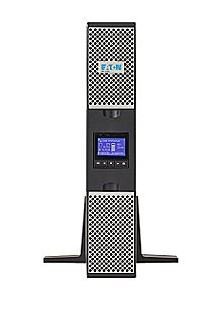
9PX3000RT
Eaton 9PX3000RT 3000VA, 2700W Uninterruptible Power Supply
9PX3000RT

ARSNX_4657984_L16A
APC SRT3000XLA Smart-Ups SRT 3000VA 120V
ARSNX_4657984_L16A

SRT3000RMXLW-IEC
APC SRT3000RMXLW-IEC Smart-UPS SRT 3000VA RM 208/230V IEC
SRT3000RMXLW-IEC
Interactive planning tool
AI Server Power Consumption Calculator
Use this as a screening calculation. It does not certify a server, predict benchmark performance, design high-voltage electrical work, or replace the current OEM and facility documentation.
Before you buy
Four checks that keep planning estimates in context
Start with current documentation
Use the exact platform or OEM system guide as the source of truth for supported configurations and limits.
Keep assumptions visible
Every calculator input is an assumption until it is replaced by a measurement, vendor limit or facility design value.
Separate nameplate from application performance
Port speed, SSD peak rate, GPU memory and power ratings do not guarantee end-to-end workload results.
Escalate facility decisions
High-voltage distribution, rack electrical work, cooling design and liquid loops require qualified professionals and current codes.
Buying decision
Buying decision: what changes the answer
Choose power supplies for the supported server configuration and redundancy state, not merely the arithmetic watt total. If estimated peak approaches PSU, outlet or rack limits, change the architecture before deployment.
Detailed buying guide
What to check before you commit to the hardware
Start with accelerator power
GPUs often dominate an AI server’s load, but configured limits and real workload draw can differ from headline maximums.
enter the supported power limit for the exact card or module and later replace it with measured sustained use. Recheck the result after material changes.
Add CPU demand
Preprocessing, tokenization, retrieval and orchestration can drive CPUs hard even when the main computation is on GPUs.
include the server’s supported CPU power envelope rather than assuming the host is negligible. Recheck the result after material changes.
Account for memory
Large DDR5 or ECC memory populations consume power and add heat, especially in multi-socket systems.
use OEM configuration data when available and keep the memory population tied to the actual build. Recheck the result after material changes.
Add storage and NICs
NVMe drives and fast network adapters can each add tens of watts and may operate concurrently during data-heavy jobs.
include every high-bandwidth device in the component budget. Recheck the result after material changes.
Include fans, pumps and motherboard overhead
Cooling hardware and power-conversion losses increase wall draw beyond chip estimates.
reserve a support-system allowance or, preferably, use the server vendor’s complete-system figure. Recheck the result after material changes.
Distinguish estimate from nameplate
A sum of component limits is useful for screening but may not equal the certified maximum or required branch capacity.
use the OEM nameplate and installation guide for final electrical design. Recheck the result after material changes.
Plan PSU redundancy correctly
Two PSUs do not necessarily double usable capacity when they are configured for redundancy. One surviving supply may need to carry the load.
check the supported redundancy mode and ensure the failure state remains within rating. Recheck the result after material changes.
Measure at the right point
Software power telemetry, BMC readings and PDU measurements can report different boundaries.
record both server-reported and rack-delivered power so conversion overhead is understood. Recheck the result after material changes.
Use sustained workloads for commissioning
Short synthetic spikes can miss thermal or conversion behavior that appears after hours of high utilization.
run a representative long job and log power, temperatures and throttling. Recheck the result after material changes.
Apply headroom for operations
Capacity reserve supports spikes, component aging, measurement error and future changes, but it should not be an arbitrary percentage disconnected from policy.
use the site’s approved electrical loading rules and redundancy model. Recheck the result after material changes.
Translate watts into energy cost
Energy cost depends on utilization over time, not just peak watts. Facility overhead adds beyond IT load.
combine measured average job power, duty cycle and local energy rates for operating-cost estimates. Recheck the result after material changes.
Feed the rack plan with measured data
A server-level result becomes useful when combined across the actual rack population and simultaneous workload schedule.
update rack calculations after burn-in so estimates do not survive longer than necessary. Recheck the result after material changes.
Frequently asked questions
What should I know about “Start with accelerator power”?
GPUs often dominate an AI server’s load, but configured limits and real workload draw can differ from headline maximums. enter the supported power limit for the exact card or module and later replace it with measured sustained use.
How should I validate “Add CPU demand”?
Preprocessing, tokenization, retrieval and orchestration can drive CPUs hard even when the main computation is on GPUs. include the server’s supported CPU power envelope rather than assuming the host is negligible.
Why does “Account for memory” affect the final design?
Large DDR5 or ECC memory populations consume power and add heat, especially in multi-socket systems. use OEM configuration data when available and keep the memory population tied to the actual build.
Which measurement matters most for “Add storage and NICs”?
NVMe drives and fast network adapters can each add tens of watts and may operate concurrently during data-heavy jobs. include every high-bandwidth device in the component budget.
When can “Include fans, pumps and motherboard overhead” become a bottleneck?
Cooling hardware and power-conversion losses increase wall draw beyond chip estimates. reserve a support-system allowance or, preferably, use the server vendor’s complete-system figure.
How much reserve is appropriate for “Distinguish estimate from nameplate”?
A sum of component limits is useful for screening but may not equal the certified maximum or required branch capacity. use the OEM nameplate and installation guide for final electrical design.
Can extra hardware solve “Plan PSU redundancy correctly” by itself?
Two PSUs do not necessarily double usable capacity when they are configured for redundancy. One surviving supply may need to carry the load. check the supported redundancy mode and ensure the failure state remains within rating.
What should be documented for “Measure at the right point”?
Software power telemetry, BMC readings and PDU measurements can report different boundaries. record both server-reported and rack-delivered power so conversion overhead is understood.
How should “Use sustained workloads for commissioning” be tested before production?
Short synthetic spikes can miss thermal or conversion behavior that appears after hours of high utilization. run a representative long job and log power, temperatures and throttling.
How does growth change the plan for “Apply headroom for operations”?
Capacity reserve supports spikes, component aging, measurement error and future changes, but it should not be an arbitrary percentage disconnected from policy. use the site’s approved electrical loading rules and redundancy model.
Methodology and official references
The tool performs transparent arithmetic from user inputs and does not manufacture a GPU or server power number. Manufacturer system specifications and qualified electrical review govern production installation.
- NVIDIA GB300 NVL72
- NVIDIA Vera Rubin NVL72
- NVIDIA NVL72 AI Factory reference architecture
- NVIDIA Dynamic Power Management
- NVIDIA Mission Control power resiliency FAQ
- ASHRAE Datacom Series
As an Amazon Associate, Cloudzat may earn from qualifying purchases. Check the exact model, electrical specification, condition, warranty and installation requirements before purchase.