


US
128GB RAM Mini PCs
For a 128 GB Mini PC aimed at local AI, choose the GMKtec EVO-X2 128 GB if you want Ryzen AI Max+ 395 graphics in a small desktop. Choose the MINISFORUM MS-S1 MAX 128 GB if its workstation layout and storage option suit your workflow. Check the 128 GB installed edition before paying.
Choose a model
GMKtec EVO-X2, 128 GB
A high-memory Ryzen AI Max+ 395 system for local models and graphics-heavy work. Choose the actual 128 GB configuration.
Manufacturer specifications ↗MINISFORUM MS-S1 MAX, 128 GB
A compact AI workstation with 128 GB unified memory and a 2 TB SSD option. Check local delivery and the chosen edition.
Manufacturer specifications ↗Amazon offers in the US
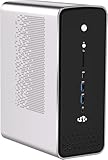
128 GB RAM
NIMO Powerful AI Mini PC, AMD Ryzen AI Max+ 395 128GB LPDDR5 8000MHz RAM | 1TB SSD (Up to 5.1GHz) AI Server R…
128 GB RAM · 1000 GB SSD
$3,499.99Price checked 01 Nov 2026 07:13 UTCBuy on Amazon ↗
128 GB RAM
ACEMAGIC M1A PRO+AI Mini PC AMD Ryzen AI Max+ 395 120W 126Tops Radeon 8060s | UP 5.1GHz Radeon 8060s Graphics…
128 GB RAM · 2048 GB SSD
$3,299.00Price checked 29 Oct 2026 22:08 UTCBuy on Amazon ↗
128 GB RAM
ACEMAGIC M1A PRO+ AI Mini PC, AMD Ryzen AI Max+ 395 (16C/32T, up to 5.1GHz), 128GB LPDDR5X 8000MHz RAM, 2TB P…
128 GB RAM · 2048 GB SSD
$3,799.99Price checked 29 Oct 2026 22:08 UTCBuy on Amazon ↗
128 GB RAM
MINISFORUM MS-S1 Max Mini Workstation AMD Ryzen AI Max+ 395(16C/32T) 128GB LPDDR5 2TB SSD Mini PC, HDMI+2X US…
128 GB RAM · 2048 GB SSD
$3,919.00Price checked 29 Oct 2026 22:07 UTCBuy on Amazon ↗
128 GB RAM
MINISFORUM MS-S1 MAX Mini AI Workstation PC, 128GB LPDDR5 4TB SSD Mini PC | AMD Ryzen AI Max+ 395 (16C/32T),R…
128 GB RAM · 4096 GB SSD
$4,199.00Price checked 29 Oct 2026 22:07 UTCBuy on Amazon ↗
128 GB RAM
MINISFORUM MS-S1 Max Mini Workstation AMD Ryzen AI Max+ 395(16C/32T) 128GB LPDDR5 4TB SSD Mini PC, HDMI+2X US…
128 GB RAM · 4096 GB SSD
$4,199.00Price checked 29 Oct 2026 22:07 UTCBuy on Amazon ↗
128 GB RAM
GEEKOM A9 Mega AI Mini PC, Ryzen AI Max+ 395, 128GB LPDDR5X-8000, 2TB SSD | Radeon 8060S, Up to 96GB Shared V…
128 GB RAM · 2048 GB SSD
$3,999.00Price checked 29 Oct 2026 22:07 UTCBuy on Amazon ↗
128 GB RAM
BOSGAME M5 AI Mini PC, AMD Ryzen AI Max+ 395 128GB LPDDR5X 8000MT/S | 2TB PCIe 4.0 SSD, Radeon 8060S GPU(16C/…
128 GB RAM · 2048 GB SSD
$3,599.00Price checked 29 Oct 2026 22:04 UTCBuy on Amazon ↗If a listing sells out
GMKtec EVO-X3, 128 GB
The EVO-X3 ships with 128 GB and adds OCuLink for an external GPU. It is a more expensive alternative to the EVO-X2, so the expansion must be useful to you.
See the model and configurations ↗Buying guide
When 128 GB earns its cost
One hundred and twenty-eight gigabytes can help with larger local language models, several memory-hungry virtual machines, large data sets and complex creative projects. It is excessive for normal browsing, media playback or a small home server. Estimate the working set of the applications you actually run, leave memory for the host and avoid buying capacity simply because a processor supports it. Unified memory can be shared with integrated graphics, but allocation and usable headroom depend on firmware, software and the chosen configuration.
Buy installed memory, not a ceiling
A manufacturer may state a 128 GB maximum while selling a 32 GB barebone or 64 GB complete variant. A search result can show the family specification even when the selected retailer option is smaller. Buy only a configuration that explicitly states 128 GB of installed RAM. Confirm the exact checkout variation, SSD, operating system and seller. If a system uses soldered LPDDR memory, there may be no later upgrade path; a wrong variation is not an easy component swap.
EVO-X2 or MS-S1 MAX
The GMKtec EVO-X2 offers a 128 GB Ryzen AI Max+ 395 configuration for buyers focused on local AI and integrated graphics. The MINISFORUM MS-S1 MAX also offers a 128 GB edition and a larger workstation layout. Compare the particular ports, SSD capacity, cooling and warranty for the model shipped to your market. Neither brand name guarantees a specific model will run a chosen language model at a useful speed. Consult current software memory and performance guidance for your actual workload.
Storage and backup for large projects
A 128 GB memory budget often accompanies multi-gigabyte model weights, virtual disks and project media. Check how many NVMe slots are fitted and whether the included SSD is large enough before choosing a price. Keep a separate copy of important files and settings. Memory capacity does not improve data safety, and a second drive inside the same machine is not a complete backup. Plan restore time as well as capacity if this system will be used for paid work or a critical home service.
Power, heat and noise
A compact AI workstation can be quiet at idle yet audible during sustained GPU or CPU work. Leave ventilation around the enclosure and check independent testing of the exact version for long jobs. Measure complete wall power under a representative load before projecting electricity cost. A larger memory configuration may also change thermal behaviour. Include the power adapter, any external storage, shipping and local taxes when comparing total cost with a full desktop or a cloud service.
Set up and check the purchase
Save the exact 128 GB variation and its seller before checkout. After delivery, confirm the OS reports 128 GB installed, inspect available graphics memory settings and run your intended application with a realistic model or project. Check SSD performance, port compatibility and return conditions early. If the main workload needs a discrete GPU, multi-card expansion or easy repair, compare a workstation desktop as well. Small size is valuable only when it does not force a compromise that prevents the job.
Size memory and storage for present and future use
For an everyday computer, sixteen gigabytes of installed memory is a practical starting point for many buyers; more may help development, virtual machines and heavy multitasking. Some Mini PCs use soldered memory while others accept replaceable modules. Confirm the number of slots, supported type and actual installed amount before paying for a higher-capacity variation. A maximum advertised capacity does not mean that memory is included.
Check both SSD capacity and expansion. A media server might store its library elsewhere, but its database, cache and operating system still need local room. Development and virtualisation produce images, snapshots and logs that grow. Identify the interface and occupied slots of the exact configuration. Plan a backup separately; a second internal drive is useful for capacity or recovery workflows but is not automatically a backup.
Choose a processor tier with room for the actual tasks
Intel N-series systems can be sensible for light office use, media clients and modest home services. More demanding multitasking, several virtual machines, heavier development or graphics work may need a different class. Core and Ryzen labels span many generations and power envelopes, so the family name alone is not a reliable ranking. Check the specific CPU, memory configuration and cooling in the system you can buy.
A quoted processor base power or maximum turbo frequency is a component specification. It is not the electricity consumption of the whole computer and does not prove sustained performance inside a tiny enclosure. Compare independent testing of the exact machine when performance or acoustics matter, and leave headroom for the applications you expect to add during its useful life.
Budget for the whole ownership period
The purchase price is only one part of cost. Add missing barebones parts, delivery, applicable sales taxes, warranty terms and any software or adapters the setup needs. An always-on system also uses electricity. Enter measured whole-system watts and your local tariff in the power cost calculator; do not use the processor TDP as the wall measurement. Compare the annual difference between two plausible systems instead of assuming a higher upfront price will always pay back.
A newer or more expensive system may be easier to expand or may provide features that solve a real problem. Equally, a modest machine can be the better value for a single known task. Check the date the price was checked on every offer. The checkout total may have changed, so confirm it before ordering.
Verify the order and test the delivered machine
Before checkout, reselect the exact RAM and SSD variant and confirm the seller, condition, operating system, return window and total. Keep a copy of the listing details and your order configuration. On arrival, confirm CPU, installed memory and storage in the system settings, then test the ports your workload actually depends on. Update firmware only through the manufacturer’s documented process.
Set up recovery before moving important data. Keep a separate backup of service configurations and files, and test restoration. Try representative media, virtual machines, monitors or network paths while the return period still applies. A good buying decision includes a way to discover a wrong configuration early and return or correct it without disrupting the rest of your setup.
Questions buyers ask
How do I choose 128GB RAM Mini PCs?
Recommended choice: For a 128 GB Mini PC aimed at local AI, choose the GMKtec EVO-X2 128 GB if you want Ryzen AI Max+ 395 graphics in a small desktop. Choose the MINISFORUM MS-S1 MAX 128 GB if its workstation layout and storage option suit your workflow. Check the 128 GB installed edition before paying.
Does the listed price include the complete system?
Choose the RAM, SSD and operating-system variation on the retailer page. Some model families also offer barebones or smaller configurations.
Are the prices guaranteed?
No. The date on each offer shows when the price was checked. Confirm the seller, availability and delivered total at checkout.
Compare more Mini PCs
Mini PC buying guide64GB RAM Mini PCsMini PCs with 10GbEMini PCs with OCuLinkFanless Mini PCsAs an Amazon Associate, Cloudzat earns from qualifying purchases. Prices may change; check the selected configuration and total before paying.