


Quick buying answer
For shared video editing, prioritise a NAS with native 10GbE, enough bays to build the required sustained throughput, and a clear backup plan. Add Thunderbolt when your specific workstation workflow benefits from a supported direct connection.
4K/8K project storage, shared creator teams, large media libraries and fast ingest/backup.
Use a Thunderbolt DAS when only one editor needs the storage and network sharing is unnecessary.
Calculate bitrate, stream count, usable RAID capacity and backup requirements before choosing the chassis or drives.
What matters for a UK buyer
A video-editing NAS should be selected from the codec and team workflow backwards, not from bay count alone. High-bitrate originals, multicam timelines and several editors can place very different demands on storage.
For serious shared editing, 10GbE is the practical baseline to examine first. Thunderbolt can be useful for a nearby workstation, while six or eight bays provide more options for aggregate HDD throughput and capacity.
Advertising / affiliate links. As an Amazon Associate, we earn from qualifying purchases. Prices shown here are from Amazon; other UK retailers may have different prices or stock.
Current prices for matching storage systems
Some displayed prices were checked earlier and may have changed. See each product card for the last-checked time and confirm the current offer on Amazon.
These figures use the matching products currently shown on this page. Delivery may cost extra, and each card shows when Amazon was last checked.
Current NAS for Video Editing Deals on Amazon
0 of 45 products
Amazon | prices in GBPTry clearing the filters or compare the other options below. Availability can change quickly.
Prices and availability can change. The Amazon price at the time of purchase is the final reference. Confirm configuration, seller, condition, shipping and delivery before ordering.
Certain content on this site comes from Amazon. That content is provided as-is and may be changed or removed at any time.
Other options worth considering
These options may suit the same workload, budget or performance goal. Compare the configuration and software requirements that matter to you.
10GbE NAS UK

UGREEN NASync DXP2800 GT 2-Bay NAS Storage, 10GbE LAN 4K HDMI Cloud Backup | AMD Ryzen Embedded R2514 CPU, 8GB RAM, 4K HDMI, Surveillance Center, Cloud Backup, Docker, Home Assistant Support (Diskless)
10GbE NAS | UGREEN NAS | 2 bays | 10GbE + 2.5GbE | AMD Ryzen Embedded R2514 | 8 GB RAM | Diskless listing | UGOS Pro | New | In stock
Previously verified price; check the current offer.
Last checked: Oct 28, 2026 11:36 pm GMT+0000

QNAP TS-264-8G | 2-Bay, Intel Quad-core CPU, 2 x M.2 Slots, 2.5GbE Desktop NAS, 2-Bay 8GB RAM
10GbE NAS | QNAP NAS | 2 bays | 10GbE + 2.5GbE | 8 GB RAM | 2 M.2 slots | New | In stock
Previously verified price; check the current offer.
Last checked: Oct 28, 2026 11:43 pm GMT+0000
Useful additions for your setup
A complete storage setup may also need drives, SSDs or faster networking. Check compatibility, interfaces and your backup plan before ordering.
NVMe storage for cache and fast projects

Lexar Thor Pro 1TB SSD, M.2 2280 PCIe Gen4 NVMe SSD | Up to 6,000MB/s, High-Performance Storage SSD, Compatible with PS5, Laptop & Desktop, for Gamers and Creators
Internal SSD | 1 TB | PCIe 4.0 | New | In stock
Last checked: Nov 4, 2026 10:16 am GMT+0000

Lexar EQ790 SSD, M.2 2280 PCIe Gen4 NVMe SSD, EQ790 1TB | Up to 7,000MB/s Read, High-Performance Storage Internal Solid State Drive for AI Rendering, 4K Video Editing, PC & PS5 Gaming
Internal SSD | 1 TB | PCIe 4.0 | New | In stock
Last checked: Nov 4, 2026 9:14 am GMT+0000

Lexar ARES 1TB SSD, M.2 2280 PCIe Gen4 NVMe SSD | Up to 7,400MB/s Read & 6,500MB/s Write, Internal Solid State Drive for PS5, PC, Laptop, Gamers, Creators, Professionals
Internal SSD | 1 TB | PCIe 4.0 | New | In stock
Last checked: Nov 4, 2026 1:16 am GMT+0000
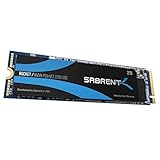
SABRENT M.2 NVMe SSD 2TB Internal Solid State 3400MB/s Read, PCIe 3.0 X4 2280, M2 Hard Drive High Performance Compatible with PCs, NUCs Laptops, and Desktops (SB-ROCKET-2TB)
Internal SSD | 2 TB | PCIe 3.0 | New | Low stock
Previously verified price; check the current offer.
Last checked: Oct 26, 2026 1:25 am GMT+0000
Estimate video-storage throughput
Use your codec bitrate and simultaneous stream count to estimate the sustained storage bandwidth you should plan for.
This estimates media throughput only. Scrubbing, proxies, exports, metadata and other users can add additional I/O.
Which option fits your situation?
| Buyer situation | What matters most | Check before purchase |
|---|---|---|
| Solo editor | DAS vs NAS decision | Do you need sharing? |
| 2-4 editors | 10GbE and aggregate array speed | Estimate simultaneous streams |
| Large archive | Capacity, RAID and backup | Separate active projects from archive |
Detailed buying guide
How much speed does video editing actually need?
It depends on codec, resolution, frame rate and the number of simultaneous streams. Proxy workflows can reduce storage demand dramatically, while uncompressed or high-end mezzanine formats can require much more.
Use the bitrate of your real media and allow headroom for scrubbing, exports and other users.
Is 2.5GbE enough for video editing?
It can be enough for compressed 4K, proxies and a single editor, but it offers much less headroom than 10GbE.
If you regularly move hundreds of gigabytes or serve several editors, 10GbE is easier to justify.
How many bays should a creator NAS have?
Four bays can work well for one editor or a small library. Six and eight bays improve expansion choices and can increase aggregate HDD throughput.
More bays also mean more drives, power, vibration and rebuild complexity, so buy for your forecast rather than the maximum possible configuration.
Should active projects live on SSDs?
SSD storage offers lower latency and higher random performance, but large-capacity SSD arrays are expensive. Many studios use HDD RAID for bulk media and SSDs for cache, proxies or the most demanding active projects.
Choose the tiering strategy based on workflow, not on a generic claim that SSD is always required.
How should I back up video projects?
Keep at least one independent copy outside the working NAS. For commercial work, consider how quickly you need to recover after accidental deletion, enclosure failure or ransomware.
RAID availability and backup recovery solve different problems.
What is the role of Thunderbolt?
Thunderbolt can provide a fast connection to a nearby host and may simplify certain single-workstation workflows. Ethernet is usually the better shared fabric for several editors.
A device offering both can be flexible, but only pay for both when you have a use for both.
How to read this comparison
Products are grouped by the exact storage model, drive-bay count, networking and interface information shown in the listing. If an important specification is unclear, it is marked as not confirmed rather than guessed. Drive trays, cables, adapters, docks and unrelated bare drives are left out of the main results.
Prices and availability can change quickly. Use the last-checked time as a freshness guide, then confirm the current price, seller, delivery date and exact configuration on Amazon before ordering.
This page covers Amazon offers rather than every UK retailer. Compare the complete configuration and total delivered cost, not just the headline price.
Frequently asked questions
Does this page compare every UK retailer?
No. Live prices on this page come from Amazon. Other UK retailers may have different stock, bundles or delivery terms, so compare the exact model and what is included before ordering.
Why can the Amazon price change after I click?
Prices and availability can change between checks. Use the last-checked time on each card as a freshness guide, then confirm the current price, seller, condition and delivery date on Amazon.
Are hard drives included with every NAS or DAS listing?
No. Many enclosures are sold diskless, while some listings include drives. Check the title and included-items section carefully because the chassis model alone does not confirm installed storage.
Does a 10GbE port guarantee 10Gbps file transfers?
No. Real throughput depends on the drives, RAID layout, SSD cache, client network adapter, switch, cabling, protocol and workload. A 10GbE port removes one bottleneck but does not eliminate the others.
Can an accessory appear instead of the complete storage system?
The main results are intended for complete NAS, DAS or external-storage products. Still confirm that the listing is the enclosure or complete unit you expect rather than a drive tray, cable, adapter or replacement part.
What happens when an important specification is unclear?
The page leaves unclear details as not confirmed rather than copying a specification from a similar model. Check the exact Amazon listing when drive bays, networking, memory or included storage matters to your purchase.
Specifications and reference information
UGREEN NASync DXP6800 Pro specifications