


NAS hard-drive family comparison
Compare Toshiba N300 and Seagate IronWolf by exact capacity, speed, acoustics, workload class, recovery support and current price.
Specifications reviewed August 2, 2026. Verify the exact model, seller and final Amazon price before buying.
Quick answer
Which one should you choose?
Choose Toshiba N300 when you want 7,200 RPM throughout the current family, higher cited sequential ratings at many capacities and options up to 22TB. Choose standard IronWolf when you value a wider low-capacity range, quieter or lower-power model choices at some capacities, supported-platform IronWolf Health Management and three years of Rescue Data Recovery on cited models. Both are CMR, 180TB/year, three-year-warranty NAS families, so the exact capacity and model decide the better buy.
Consistent 7,200 RPM performance
A current 4TB-to-22TB CMR range with strong sequential ratings and larger standard-family capacities.
Support features and model choice
A broader 2TB-to-16TB range, quieter low-RPM options at some capacities and cited Rescue coverage.
Before you buy
Four checks for a better NAS drive decision
Live Amazon listings
Live Toshiba N300 prices on Amazon
Compare the exact model, capacity, seller, condition and warranty on Amazon before checkout.
Toshiba N300
7 listings
n300
HDWG760EZSTA
CheckedToshiba N300 NAS Hard Drive 6TB 512MB - Festplatte - Serial ATA (HDWG760EZSTA)
n300
MN10ADA600S
Checked
n300
MN10ADA800S
CheckedTOSHIBA N300 Internal Hard Drive 8 Tb 7200 RPM 512 Mb 3.5" Serial, W129162310 (7200 RPM 512 Mb 3.5 Serial Ata Iii)
n300
HDWG780EZSTA
CheckedHDWG780EZSTA

n300
MN10ADA10TS
CheckedToshiba 10TB N300 NAS Internal HDD - 3.5" SATA-3 512MB Cache 6GB/s 7200RPM Internal Hard Drive 7/24 NAS Unit Server and Security Disk (MN10ADA10TS)

n300
HDWG51CUZSVA
Checked
n300
MN11ACA16TS
CheckedTOSHIBA N300 16TB Internal NAS Hard Drive, 3.5" SATA HDD, 7200 RPM, 24/7 Operation, Supports 1-8 Bay Systems, 128MB Cache, 180TB/Year Workload, 3 Year Warranty (HDEXZ11ZNA51F)
Seagate IronWolf
5 listings
ironwolf
ST4000VN006
CheckedSeagate IronWolf 4TB NAS Internal Hard Drive CMR 3.5 Inch SATA 6Gb/s 5400 RPM 64MB Cache for RAID Network Attached Storage Rescue Services (ST4000VNZ06/006)

ironwolf
ST8000VN004
Checked
ironwolf
ST8000VN002
Checked
ironwolf
ST12000VN0008
CheckedSeagate IronWolf 3.5" 12TB Internal Hard Disk HDD 3 Year Warranty 256MB 7200rpm 24 Hours Service for PC NAS RV Sensor ST12000VN0008
ironwolf
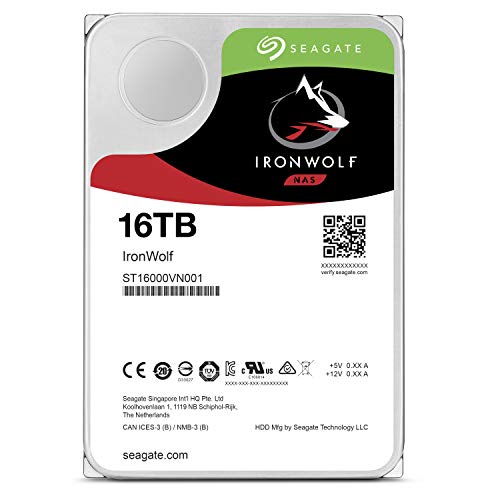
ST16000VN001
CheckedSeagate IronWolf 16TB SATA 256Mb 7200Rpm
Latest successful price check: 2026-09-26 14:12:06 UTC.
Verified specifications
Side-by-side comparison
| Specification | Toshiba N300 | Seagate IronWolf |
|---|---|---|
| Current cited capacity range | 4TB to 22TB | 2TB to 16TB |
| Recording technology | CMR | CMR |
| Spindle speed | 7,200 RPM across cited range | 5,400 or 7,200 RPM by model |
| Maximum cited transfer | Up to 281, 294 or 298MB/s by exact N300 model | Model-dependent; up to about 210MB/s on cited 8TB and 12TB standard models |
| Cache | 512MB or 1024MB | Model-dependent, commonly 256MB on cited higher capacities |
| Drive-bay support | Up to 8 or 12 by exact N300 model | 1 to 8 bays |
| Workload rating | 180TB/year | 180TB/year |
| MTTF | 1.0 to 1.2 million hours | 1 million hours |
| Warranty | 3 years | 3 years |
| Bundled recovery | Not stated in cited sheet | Three years Rescue on cited current models, subject to terms |
| Health integration | Toshiba NASLink firmware | IronWolf Health Management on compatible platforms |
Specifications apply to the exact cited models or current family data sheets. Verify the suffix on the listing before buying.
Interactive planning tool
NAS drive decision helper
Choose capacity, priority and installation environment.
Buying guide
How to choose the right drive for this comparison
The family names hide two different design philosophies
Toshiba keeps the current N300 range simple: every cited capacity uses CMR and 7,200 RPM. Seagate IronWolf also uses CMR across the cited current family, but spindle speed and mechanical profile vary by exact model. That gives IronWolf buyers more opportunities to choose a quieter, lower-power drive, while N300 buyers receive a more consistent performance-oriented specification.
Neither approach is universally better. A four-bay NAS serving one-gigabit clients may gain little from N300's higher rated sequential speed, while a busy 10GbE array, local backup target or frequent rebuild workload can make the extra throughput useful. Conversely, a NAS beside a desk may benefit more from the quieter IronWolf revision than from a benchmark advantage that the network never exposes.
Capacity range gives N300 the advantage above 16TB
The cited standard IronWolf family currently reaches 16TB, while N300 reaches 22TB. That matters when bay count is fixed. Four 22TB disks provide 88TB raw capacity, compared with 64TB from four 16TB disks. Higher-capacity drives can postpone an enclosure upgrade and leave more bays available for redundancy or future expansion.
The larger N300 drives remain in the standard 180TB-per-year workload and three-year-warranty class. Capacity alone does not make them a substitute for IronWolf Pro in high-workload commercial systems. Buyers needing a five-year warranty, a 550TB/year workload class or broader support for very large enclosures should compare Pro or enterprise tiers rather than assuming the largest standard N300 is automatically equivalent.
IronWolf's Rescue coverage is a real pricing difference
Seagate lists three years of Rescue Data Recovery Services for cited current IronWolf models where the service is available. It is not a guarantee of successful recovery and it does not replace backup, but it has monetary value. A cheaper N300 is not necessarily the lower total package price if the buyer would otherwise purchase a recovery service or values the additional support path.
IronWolf Health Management can also expose drive-specific health guidance on compatible NAS platforms. Compatibility varies by vendor, NAS generation and drive revision, so the feature should be verified rather than assumed. Toshiba uses NASLink firmware and rotational-vibration sensing to tune N300 behaviour for RAID systems, but the cited sheet does not present an equivalent bundled recovery programme.
At 8TB, model verification changes the answer
The current N300 8TB HDWG780EZSTA is rated at 7,200 RPM, up to 281MB/s and 512MB cache. Seagate's 8TB IronWolf listings can include ST8000VN004 at 7,200 RPM and ST8000VN002 at 5,400 RPM, with different power, acoustics and transfer ratings. A generic 'N300 8TB vs IronWolf 8TB' answer is incomplete unless the IronWolf suffix is shown.
N300 leads the cited sequential specification, but the lower-RPM ST8000VN002 has a much quieter and lower-power profile than the N300. ST8000VN004 occupies a faster but hotter and louder IronWolf position. The correct choice depends on whether the NAS sits in a rack, living room or office and whether the network and workload can use the extra throughput.
At 12TB, N300 becomes unusually balanced
The current N300 12TB is rated up to 281MB/s, with 512MB cache, 6.85W operating power, 3.30W active idle and 20dB typical idle. Those figures combine higher cited throughput than the standard IronWolf 12TB ST12000VN0008 with lower cited idle power and idle noise. On paper, N300 has a compelling all-round 12TB profile.
IronWolf 12TB still has reasons to buy it: Rescue coverage, compatible-NAS health features and a well-established retail channel. The specification comparison also lacks a Toshiba seek-noise figure in the cited sheet, so the 20dB idle number should not be interpreted as proof that N300 is quieter during real random access. Exact price and enclosure behaviour remain important.
Network and RAID layout determine whether speed matters
One-gigabit Ethernet normally caps a large-file transfer near 110MB/s, below a single N300 or IronWolf. A faster drive therefore does not accelerate a simple one-client copy on a 1GbE NAS. With 2.5GbE, multi-gigabit links, multiple users or local NAS operations, the gap becomes more visible. RAID striping can also combine several drives and exceed the speed of any individual mechanism.
Rebuilds, scrubs and replication jobs occur inside the NAS and are not always limited by the client network. Faster sequential mechanisms may shorten some operations, but CPU, parity calculation, competing workload and disk condition can dominate. Use performance ratings as one input rather than a promise, and give redundancy, backup and cooling higher priority than small benchmark differences.
Noise and power multiply with drive count
N300's all-7,200-RPM strategy can produce higher power and acoustic figures at smaller capacities. The current 8TB model lists 9.07W operating, 5.74W idle and 34dB typical idle. The quieter IronWolf 8TB ST8000VN002 is substantially lower in the cited sheet. Across eight bays, the difference affects electricity, heat, fan speed and the subjective character of the room.
At 12TB and above, N300's helium-based designs can reverse that pattern. The current N300 12TB lists only 3.30W active idle and 20dB typical idle. This is why family-level statements such as 'N300 is loud' or 'IronWolf is efficient' are unreliable. Compare the exact capacity, model and chassis, then estimate the combined array rather than judging a single bare drive.
The final decision should be made at checkout
Choose N300 when its exact model offers a meaningful price-per-terabyte or throughput advantage and the NAS environment can handle the acoustic profile. Choose IronWolf when Rescue coverage, health integration, a quieter revision or a stronger local warranty channel matters more. If the prices are close at 12TB, the current N300 specification deserves serious attention; at 8TB, the room and exact IronWolf suffix matter more.
Verify that every listing is new, the warranty applies locally and the seller identifies the model. Do not mix old and current revisions unknowingly in a large purchase. Mixed drives can work, but inconsistent power, sound and performance make troubleshooting harder. Keep a record of serials, firmware and purchase dates, and test each disk before trusting it with the only copy of important data.
Frequently asked questions
Is Toshiba N300 faster than Seagate IronWolf?
At many cited capacities N300 has the higher sequential rating, but IronWolf varies by exact model and network or workload bottlenecks may hide the difference.
Are N300 and IronWolf both CMR?
Yes. The cited current standard N300 and IronWolf families use CMR.
Which family is quieter?
There is no family-wide winner. Some lower-RPM IronWolf models are quieter at 8TB, while the cited N300 12TB and larger models list low idle acoustics.
Which has better warranty coverage?
Both cited standard families have three-year limited warranties. IronWolf additionally lists three years of Rescue Data Recovery on cited models, subject to terms and region.
Can I mix N300 and IronWolf in one NAS?
Usually yes when capacity, sector format and compatibility are suitable, but the array will inherit the slowest or smallest member's constraints and may have uneven acoustics and power.
Which is better for Plex?
Both can serve Plex media. Capacity, noise, NAS CPU and network speed normally matter more than the family name unless the system handles many simultaneous high-bitrate streams or heavy background work.
Sources and buying notes
Manufacturer specifications can change by exact model and region. Use these references with the exact model shown on the Amazon listing.
How Cloudzat checks listings
Cloudzat separates Toshiba N300, standard IronWolf and WD Red Plus by exact model, capacity and condition. Conflicting capacities, accessories and unrelated products are excluded.
As an Amazon Associate, Cloudzat may earn from qualifying purchases. Price and availability may change; Amazon at purchase time controls the final offer.