


Exact-model decoder
The Exos name alone cannot identify a drive. Older and specialist families overlap in capacity while differing in SATA or SAS interface, 512n, 512e or 4Kn sectors, standard or secure configuration, conventional CMR, dual-actuator MACH.2 or host-managed SMR. The lookup tool uses an exact-model archive and returns only records that are explicitly stored. Unknown or ambiguous models are not silently mapped to the closest-looking suffix.
Treat the complete ST model number as the primary key
Enter the full model from the drive label, operating-system identity or seller listing. Use the result to confirm interface, sector format, recording architecture and replacement constraints. When the model is not in the archive, verify it through official Seagate documentation before purchase or firmware work.
Interactive decision tool
Seagate Exos legacy exact-model lookup
Current exact-model offers
Verify the specialist model before purchase

ST1800MM0129
Seagate Exos 10E2400 Enterprise Performance 10K | ST1800MM0129 | 1.8TB 10K RPM SAS 12Gb/s 256MB Cache 2.5-Inch Enterprise…
$110.00
$61.11 per TB
Warranty not verified
Buy on Amazon
ST1200MM0129
Seagate Exos 10E2400 ST1200MM0129 1.2TB (16GB Flash) Internal 2.5" SFF SAS 12Gbps 10000RPM Buffer Memory 256MB
$224.00
$186.67 per TB
Warranty not verified
Buy on Amazon
ST12000NM0027
Seagate Exos X12 ST12000NM0027 12TB 7200 RPM SAS 12Gb/s 256MB 512e CMR 3.5in Enterprise Hard Drive (Renewed)
$409.00
$34.08 per TB
Warranty not verified
Buy on Amazon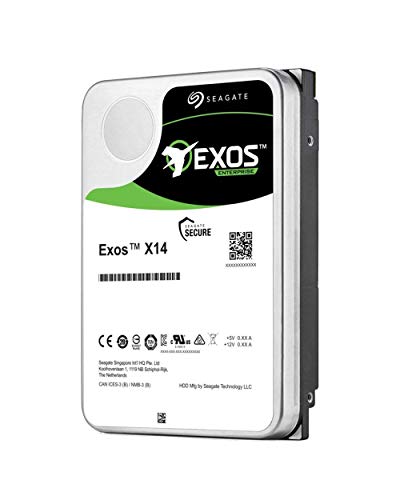
ST14000NM0048
Seagate ST14000NM0048 14TB 12G 7.2K SAS 3.5 512E 4KN HDD
$476.18
$34.01 per TB
Warranty not verified
Buy on Amazon
ST12000NM0007
Seagate (Old Model) Seagate Exos 12TB Internal Hard Drive Enterprise HDD – 3.5 Inch 6Gb/s 7200 RPM 128MB…
$548.99
$45.75 per TB
Warranty not verified
Buy on Amazon
ST14000NM0018
Seagate 14TB HDD Exos X14 7200 RPM 512e/4Kn SATA 6Gb/s 256MB Cache 3.5-Inch Enterprise Hard Drive (ST14000NM0018)
$600.00
$42.86 per TB
Warranty not verified
Buy on Amazon
ST12000NM0038
Seagate Exos X14 ST12000NM0038 12 TB Hard Drive - 3.5" Internal - SAS (12Gb/s SAS)
$644.45
$53.70 per TB
Claimed 5-year warranty — verify by serial number
Buy on Amazon
ST2400MM0129
Seagate 2.4TB Exos 10E2400 2.5" SAS Hard Drive - 10000RPM, 256MB Cache
$685.00
$285.42 per TB
Warranty not verified
Buy on Amazon
ST12000NM0008
Generic HDD for Exos 12TB 3.5"" 7200RPM SATA 6 Gb/s 256MB for Internal HDD for Surveillance HDD for…
$1,598.11
$133.18 per TB
Warranty not verified
Buy on Amazon
ST18000NM0092
Seagate Exos Mach.2 18TB Enterprise Hard Drive HDD SATA 6Gb/s 256MB Cache 7200 RPM 512e CMR Helium Sealed…
Price Options
Warranty not verified
Buy on AmazonST18000NM0092
ST18000NM0092
Price Options
Seller or recertified warranty — verify before purchase
Buy on AmazonAmazon prices shown are retained for up to 24 hours. Latest price refresh: 2026-10-20 23:44:48 UTC. Price/availability may change; Amazon at purchase time controls.
Exact-model archive
Specialist models must not inherit ordinary Exos specifications
Use the complete model number to confirm family, capacity, interface, sector format, security class, recording technology and actuator count. Ambiguous records remain marked for verification rather than being silently mapped to a similar suffix.
| Exact model | Family | Capacity | Interface | Sector | Security | Recording / actuators |
|---|---|---|---|---|---|---|
| ST10000NM021B | Exos 7E10 | 10TB | SATA | 512e / 4Kn | Standard / verify exact configuration | CMR · 1 actuator |
| ST10000NM022B | Exos 7E10 | 10TB | SAS | 512e / 4Kn | Standard / verify exact configuration | CMR · 1 actuator |
| ST4000NM012B | Exos 7E10 | 4TB | SATA | 512n | Standard / verify exact configuration | CMR · 1 actuator |
| ST4000NM013B | Exos 7E10 | 4TB | SAS | 512n | Standard / verify exact configuration | CMR · 1 actuator |
| ST2400MM0129 | Exos 10E2400 | 2.4TB | SAS | 512e / 4Kn model-dependent | Standard | CMR · 1 actuator |
| ST600MM0208 | Exos 10E2400 | 600GB | SAS | 512n | Standard | CMR · 1 actuator |
| ST18000NM0092 | Exos 2X18 MACH.2 | 18TB | SATA | 512e | Standard / verify exact listing | CMR dual actuator · 2 actuators |
| ST18000NM0012 | Exos 2X18 MACH.2 | 18TB | SAS | 512e | Standard / verify exact listing | CMR dual actuator · 2 actuators |
| ST25000NM000E | Exos Xz | 25TB | SATA | 512e | Hyperscale / verify exact listing | Host-managed SMR · 1 actuator |
| ST30000NM011F | Exos Xz | 30TB | SATA | 512e | Hyperscale / verify exact listing | Host-managed SMR · 1 actuator |
| ST12000NM0007 | Exos X12 | 12TB | SATA | 512e | Standard | CMR · 1 actuator |
| ST12000NM0037 | Exos X12 | 12TB | SAS | 512e / 4Kn | SED | CMR · 1 actuator |
| ST14000NM0018 | Exos X14 | 14TB | SATA | 512e / 4Kn | Standard / hyperscale | CMR · 1 actuator |
| ST14000NM0048 | Exos X14 | 14TB | SAS | 512e / 4Kn | Standard / hyperscale | CMR · 1 actuator |
| ST14000NM0428 | Exos X14 | 14TB | SATA | 512e | Hyperscale | Host-managed SMR — verify manual · 1 actuator |
| ST24000NM006H | Exos X24 | 24TB | SAS | 512e / 4Kn model-dependent | SED-FIPS | CMR · 1 actuator |
Why exact model numbers matter
A capacity such as 12TB, 14TB or 18TB can belong to several Exos generations. The suffix identifies far more than capacity: interface, sector configuration, security class and specialized architecture can change. The lookup avoids broad family assumptions and makes unknown records visible rather than inventing an answer.
How to find the model
Read the label on the physical drive, use a SMART or operating-system identity command, or inspect the exact selected marketplace variation. The model normally begins with ST and contains NM or MM for these archive families. Record the full string, including the final letter or digit. Do not substitute a part number, serial number or firmware revision.
Generation identification
The archive maps models to families such as 7E10, 10E2400, X12, X14, 2X18 MACH.2 and Xz. Generation helps locate the correct manual and replacement context, but it is not sufficient by itself. Several models inside one generation can have different protocols and security features.
Interface identification
SATA and SAS are stored separately. A SAS drive cannot operate on a SATA-only controller through a passive cable. Some ambiguous specialist records are labelled for manual verification rather than forced into a protocol. Buyers should confirm the controller, backplane, cable and tray before purchasing a replacement.
Sector-format identification
The result can show 512n, 512e, 4Kn or a model-dependent format. This information affects boot support, RAID replacement and appliance compatibility. A drive can be the right capacity and interface but still fail to join an array because its logical sector size differs. Destructive sector conversion must never be used as the first troubleshooting step.
Security-class identification
Standard, ISE, SED and FIPS-oriented records remain independent. The lookup does not claim that all members of a family share encryption capabilities. Secure features can require management software, credentials and a clean ownership state, especially for used drives.
Recording and actuator architecture
Conventional CMR, host-managed SMR and dual-actuator MACH.2 are separate fields. Xz must not be recommended as a normal CMR replacement, and 2X18 must not be treated as an ordinary one-device-per-bay disk. These distinctions can determine whether the host software can use the drive at all.
Condition and warranty are not encoded by model
The model identifies hardware configuration, not whether a listing is new, factory-recertified, seller-refurbished or used. Review seller disclosure, serial-number warranty, SMART evidence and return rights. The same model can appear with very different ownership risk.
Firmware lookup must use serial eligibility
After identifying the model, use the serial and official support route to find firmware. OEM or hyperscale inventory can have platform-specific firmware. Never flash a file chosen only by capacity or generation. Back up data and maintain stable power during any approved update. Save the firmware lookup result with the asset record so future technicians do not repeat the investigation under time pressure. When a vendor image is unavailable, that absence is not permission to use firmware from a neighboring model. Stable operation is usually safer than an unsupported update performed solely to make revision numbers match.
Replacement recommendations
A replacement should preserve required interface, sector size and usable capacity. Security state and specialized recording architecture may also need to match. For ordinary legacy CMR, a current Exos model can be a migration option. For HM-SMR or MACH.2, the software design may require a like-for-like replacement or planned rearchitecture.
What an unknown result means
An unknown result is not evidence that the drive is fake or unsupported. It means the exact model is not in this plugin’s curated archive. Check spelling, remove spaces, confirm the label, and use official Seagate support. Cloudzat should expand the database only after the configuration is verified. Inventory systems sometimes shorten a drive to capacity and family, or remove the final model character. That destroys the information needed to distinguish interface and configuration. Preserve the exact string in purchase records, monitoring systems, support tickets and replacement plans. A normalized label such as “Exos 12TB” is useful for grouping but must not replace the original model identity.
Using the lookup before purchase
Copy the exact model from the selected offer, run the lookup, compare the returned capacity and interface with the listing, then check sector, security and recording type. Reject conflicting listings. Compare condition and warranty, and use the page-specific guide for the identified family before clicking the Amazon CTA. For each production storage platform, export the exact installed models, sector sizes, firmware revisions and controller details. Mark which current replacements have been tested. Keep separate lists for SATA, SAS, secure, MACH.2 and host-managed SMR drives. This reduces emergency purchasing mistakes and lets Cloudzat’s lookup become the starting point rather than the only evidence used for a critical rebuild.
Exos authority cluster
Continue the exact-model decision
Frequently asked questions
Specialist and legacy Exos answers
Can I enter only part of a model number?
The tool works best with the full model. Partial suffixes can match multiple configurations and should not be guessed.
Is the serial number the same as the model?
No. The model identifies the hardware configuration; the serial identifies the individual drive and warranty record.
Why does the tool say verify manual?
Some specialist or OEM records need exact official confirmation before Cloudzat can assign interface, security or recording details.
Can two models have the same capacity but different interfaces?
Yes. Many Exos generations have separate SATA and SAS exact models at the same capacity.
Can I replace a 512e drive with 4Kn?
Only when the controller, operating system and array support it. Like-for-like sector presentation is safer for rebuilds.
Does the model tell me whether the drive is new?
No. Condition comes from the specific offer and seller, not the hardware model.
Why are MACH.2 drives marked with two actuators?
They contain two independently operating actuator sections and require special host and failure-domain planning.
Why is Xz marked host-managed SMR?
Those models require a zoned-storage-aware software stack and are excluded from normal CMR recommendations.
Can the lookup confirm warranty?
It shows the expected warranty class, but actual coverage must be checked by serial number, region and seller source.
What should I do when my model is missing?
Confirm the label and use official Seagate support. Do not substitute a similar suffix or apply firmware from another model.
Official references
Cloudzat may earn a commission from qualifying purchases. Confirm the exact model, controller, sector format, recording architecture, security state, warranty and platform compatibility before purchase.