


BarraCuda 4TB buying guide
The 4TB ST4000DM004 is attractive because it provides useful desktop capacity at a low price, but its SMR recording changes which workloads it suits. Start with the use case, then compare its live price against CMR alternatives.
Live Amazon prices
Live BarraCuda 4TB prices and alternatives
Compare exact model, capacity, condition and seller before checkout. The lowest price is useful only when the drive fits the workload.
BarraCuda ST4000DM004 4TB
BarraCuda ST4000DM004 4TB
BarraCuda ST4000DM004 4TB
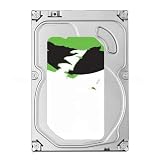
BarraCuda ST4000DM004 4TB
Compare the exact model and seller on Amazon before ordering.
Choose the right drive
Check whether BarraCuda 4TB fits the write pattern
Estimate the size and frequency of your write sessions. This helps you decide whether ST4000DM004 suits your desktop or archive use, or whether a CMR drive is a better choice.
Your 4TB decision
5,400 RPM, 256MB cache, SMR. Best considered for low-cost capacity rather than demanding sustained writes.
Useful when you want a desktop-class CMR drive at the same capacity.
Stronger fit for multi-bay NAS, RAID and heavier always-on duty.
Specs that affect the buying decision
BarraCuda 4TB and direct CMR alternatives
| Capacity | Model | Family | Recording | RPM | Cache | Max sustained | Workload | Warranty |
|---|---|---|---|---|---|---|---|---|
| 4TB | ST4000DM004 | BarraCuda | SMR | 5,400 | 256MB | 190MB/s | 55TB/yr | 2 years |
| 4TB | ST4000VN006 | IronWolf | CMR | 5,400 | 256MB | 202MB/s | 180TB/yr | 3 years |
| 4TB | WD40EZZX | WD Blue | CMR | 5,400 | 128MB | 180MB/s | Not listed | 2 years |
| 4TB | WD40EZAX | WD Blue | CMR | 5,400 | 256MB | 180MB/s | Not listed | 2 years |
The WD Blue and IronWolf rows are included because both offer current documented CMR choices at 4TB. Their intended environments and support terms still differ.
Buying guide
What matters before you buy
The exact ST4000DM004 specification
Seagate lists ST4000DM004 as a 4TB, 5,400 RPM, device-managed SMR drive with 256MB cache and a maximum sustained outer-diameter read rate of 190MB/s. It uses SATA 6Gb/s, but that interface figure is not the sustained platter speed.
The model carries a 55TB-per-year workload rate, 2,400 power-on hours per year and a two-year limited warranty. Those figures place it in mainstream desktop duty.
Why 4TB remains a useful desktop capacity
Four terabytes can hold a substantial photo collection, documents, game installers and media without the purchase cost of a high-capacity drive. It is large enough to separate bulk data from the operating-system SSD while remaining easy to back up to another 4TB or larger disk.
The value depends on current price. Compare ST4000DM004 with CMR WD Blue 4TB models and IronWolf when the workload is more demanding. Price per terabyte should not be the only filter.
SMR behavior during large transfers
A fresh or lightly filled ST4000DM004 can accept bursts quickly. During longer rewrites, the firmware may need to reorganize shingled zones, causing transfer speed to fall or pause. The source, file size, fragmentation and background processes also affect the graph.
Allow idle time after very large jobs, keep free space and avoid using the peak shown at the beginning of a copy as the guaranteed full-session rate. For predictable sustained ingest, choose CMR.
Backup and archive use
The drive is reasonable for periodic local backup when jobs are not continuously rewriting the whole disk. Versioned backups and frequent synthetic-full operations can generate more rewriting than a simple file copy, so monitor duration and free space.
A local BarraCuda backup must be accompanied by another independent copy, ideally with one copy off site. Test restoration. A backup that has never been restored is only an assumption.
Gaming and media libraries
ST4000DM004 can store a large game archive and media library. Reads are generally the comfortable part of the workload. The operating system and active games should remain on SSD when possible.
Moving or reinstalling hundreds of gigabytes can take time, but this may be acceptable for a low-cost archive. For editing active 4K footage or maintaining a scratch disk, use SSD or CMR storage designed for repeated sustained writes.
Home-server and Plex use
A single-drive Plex or file server that mostly reads media can use a BarraCuda, but the 2,400-hour-per-year positioning and 55TB workload should be considered. Database, downloads, transcoding cache and application data should preferably live on SSD.
For multi-bay NAS, parity arrays or continuous shared access, IronWolf is the more appropriate Seagate family. The distinction becomes more important during rebuilds and drive replacement.
Common slow-performance causes
SMR housekeeping is one cause of slow writes, not the only one. Check SATA cable errors, source-disk speed, USB bridge limits, antivirus scanning, drive fullness, fragmentation, thermal conditions and SMART attributes. A failing disk should be backed up before stress testing.
Windows showing 100% active time does not necessarily mean maximum throughput. Small random access can occupy the drive while transferring little data. Use workload-appropriate tests and avoid repeated benchmarks on a disk with important data.
The 4TB buying decision
Choose ST4000DM004 when price is strong and the workload is mostly reads, archive storage or moderate backups. Choose WD Blue 4TB CMR when desktop sustained-write behavior matters. Choose IronWolf 4TB for NAS and RAID duty.
Verify the exact model and new condition. A listing that says only "BarraCuda 4TB" is incomplete for a buyer who cares about recording technology.
Questions buyers ask
Seagate BarraCuda questions
Is ST4000DM004 SMR?
Yes. Seagate lists it as SMR.
What is the RPM of ST4000DM004?
It is listed at 5,400 RPM.
Is it good for a game library?
Yes for bulk storage, though active modern games may perform better on SSD.
Is it good for RAID 5?
A CMR NAS drive is the safer choice for parity RAID and rebuilds.
Why can write speed drop during a long copy?
SMR zone management, cache exhaustion, drive fullness and other system bottlenecks can reduce sustained speed.
What is the current WD Blue CMR alternative?
WD40EZZX and WD40EZAX are current 4TB CMR models in Western Digital's sheet.
Sources
- Seagate BarraCuda 3.5-inch HDD data sheet, March 2026
- Seagate BarraCuda SATA product manual for 12TB through 24TB, February 2026
- Seagate warranty and replacement support
Cloudzat may earn a commission from qualifying purchases. Amazon prices and availability can change; confirm the exact model, condition and final checkout price before ordering.