


BarraCuda 2TB buying guide
There are two current 2TB BarraCuda desktop models, and they are not interchangeable. This guide compares ST2000DM005 and ST2000DM008 by speed, power, workload fit and current price so you can choose the right one.
Live Amazon prices
Live BarraCuda 2TB prices
Compare exact model, capacity, condition and seller before checkout. The lowest price is useful only when the drive fits the workload.

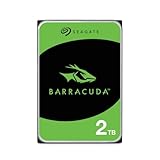
BarraCuda ST2000DM008 2TB
BarraCuda ST2000DM008 2TB

BarraCuda ST2000DM008 2TB

BarraCuda ST2000DM008 2TB
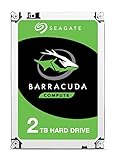
BarraCuda ST2000DM008 2TB
BarraCuda ST2000DM008 2TB
BarraCuda ST2000DM008 2TB
BarraCuda ST2000DM005 2TB

BarraCuda ST2000DM008 2TB
Compare the exact model and seller on Amazon before ordering.
Choose the right drive
Choose between the two current 2TB models
Tell us how you’ll use the drive and how many hours it runs each day. You’ll see which 2TB BarraCuda fits better, or when a CMR alternative makes more sense.
Two current 2TB choices
7,200 RPM, 256MB cache, SMR. Compare its live price against the slower model before paying the premium.
5,400 RPM, 256MB cache, SMR. A reasonable fit for basic desktop capacity and mostly-read workloads.
For sustained rewrites, a documented CMR alternative can be a better fit even if the capacity is the same.
Specs that affect the buying decision
Current 2TB BarraCuda and desktop alternatives
| Capacity | Model | Family | Recording | RPM | Cache | Max sustained | Workload | Warranty |
|---|---|---|---|---|---|---|---|---|
| 2TB | ST2000DM005 | BarraCuda | SMR | 5,400 | 256MB | 190MB/s | 55TB/yr | 2 years |
| 2TB | ST2000DM008 | BarraCuda | SMR | 7,200 | 256MB | 220MB/s | 55TB/yr | 2 years |
| 2TB | ST2000VN003 | IronWolf | CMR | 5,400 | 256MB | 180MB/s | 180TB/yr | 3 years |
| 2TB | WD20EARZ | WD Blue | CMR | 5,400 | 64MB | 180MB/s | Not listed | 2 years |
| 2TB | WD20EZBX | WD Blue | SMR | 7,200 | 256MB | 215MB/s | Not listed | 2 years |
The IronWolf and WD Blue rows provide context. The page's BarraCuda buying recommendation remains attached to the exact ST2000DM005 and ST2000DM008 specifications.
Buying guide
What matters before you buy
Why there are two current 2TB BarraCuda drives
Seagate lists ST2000DM005 and ST2000DM008 in the same current 3.5-inch family sheet. ST2000DM005 runs at 5,400 RPM and is listed at up to 190MB/s. ST2000DM008 runs at 7,200 RPM and is listed at up to 220MB/s.
Retail titles may display only "BarraCuda 2TB" or mix reviews. The exact model determines the relevant specification. A buyer who receives the other model did not receive an equivalent product merely because capacity and brand match.
What both models share
Both drives use device-managed SMR, 256MB cache, SATA 6Gb/s and 512e sectors. Both have a 55TB-per-year workload rate, 2,400 power-on hours per year and a two-year limited warranty.
The faster spindle does not turn ST2000DM008 into a CMR drive. Under frequent sustained rewriting, both can show the behavior associated with SMR zone management. For a CMR requirement, compare WD20EARZ or IronWolf ST2000VN003.
Performance difference in normal desktop use
ST2000DM008 has the stronger published maximum sustained rate and can reduce some transfer and access times. The practical difference can shrink when files are small, the source is slower, the drive is fragmented or the workload is limited by USB, network or application overhead.
An SSD remains much faster for random access, boot and active applications. The 7,200 RPM model is a refinement within HDD storage, not a replacement for solid-state latency.
Power and heat trade-off
Seagate lists ST2000DM005 at 2.5W idle and 3.7W typical operating power. ST2000DM008 is listed at 3.9W idle and 5.1W operating. Over one drive the annual cost difference is modest, but it can matter in a compact system that runs continuously.
Good case airflow is still required. A lower-power model is not immune to high temperature when mounted against another drive or behind a blocked intake.
Gaming and media storage
For a game archive, ST2000DM008 is the more performance-oriented choice when the price gap is small. Frequently played modern games may still benefit from SSD, while the HDD stores older games, captures and installers.
For films, music and photos, both models can deliver more than enough sequential read speed. Capacity, noise, price and backup strategy may matter more than the maximum transfer specification.
Backup and archive behavior
An occasional scheduled backup can fit either drive. Large first backups may begin quickly and slow later as the SMR cache and media-management behavior become involved. Allow jobs to finish, keep free space and test restores.
A backup target should not be the only copy. If the drive begins clicking, disconnecting or reporting SMART problems, protect the data before repeatedly benchmarking it.
When not to choose either BarraCuda 2TB model
For parity RAID, continuous surveillance-like writes, heavy scratch use or frequent full-disk rewriting, choose a documented CMR drive designed for the environment. Standard IronWolf adds NAS duty and CMR. WD Blue WD20EARZ provides a current desktop CMR option.
The purchase price difference should be compared with the operational cost of slow rebuilds or repeated workload mismatch. An inexpensive drive is only a bargain when it performs the intended job.
Buying and receiving checklist
Match ST2000DM005 or ST2000DM008 in the title, technical details and delivered label. Confirm new condition, seller, return policy and warranty route. Avoid generic images that do not show the model and listings that combine bare drives with enclosures or cables.
After installation, initialize with GPT when appropriate, create the partition, run a SMART check and perform a controlled copy test. Keep the invoice and record the serial number.
Questions buyers ask
Seagate BarraCuda questions
Is ST2000DM008 CMR?
No. It is a 7,200 RPM SMR drive.
Is ST2000DM005 slower?
It has a lower listed maximum sustained rate and a 5,400 RPM spindle, but real performance depends on workload and system.
Which model uses less power?
ST2000DM005 has lower published idle and operating power.
Which model is better for games?
ST2000DM008 is the stronger HDD choice when the price gap is small, though SSD is preferable for active games.
Can I use either model in RAID 1?
It may function, but both are SMR desktop drives. IronWolf or another CMR drive is better matched to RAID and NAS use.
Why does a 2TB drive show less than 2TB in Windows?
Manufacturers use decimal terabytes, while operating systems may report binary units. Formatting also consumes some capacity.
Sources
- Seagate BarraCuda 3.5-inch HDD data sheet, March 2026
- Seagate BarraCuda SATA product manual for 12TB through 24TB, February 2026
- Seagate warranty and replacement support
Cloudzat may earn a commission from qualifying purchases. Amazon prices and availability can change; confirm the exact model, condition and final checkout price before ordering.