


BarraCuda vs WD Blue buying guide
Neither BarraCuda nor WD Blue is automatically the better desktop HDD at every capacity. The right answer changes by exact model, recording method and price. This page compares those details before the brand-level conclusions.
Live Amazon prices
Live BarraCuda and WD Blue prices
Compare exact model, capacity, condition and seller before checkout. The lowest price is useful only when the drive fits the workload.

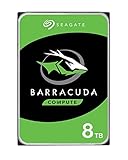


BarraCuda ST24000DM001 24TB


BarraCuda ST24000DM001 24TB


BarraCuda ST20000DM001 20TB




BarraCuda ST1000DM014 1TB
BarraCuda ST1000DM014 1TB
BarraCuda ST2000DM008 2TB
Compare the exact model and seller on Amazon before ordering.
Choose the right drive
Compare current BarraCuda and WD Blue choices
Choose a capacity and what matters most to you, such as CMR, speed, power use or price. The comparison highlights the stronger fit.
How to approach the comparison
Use the exact model and condition, then compare price per TB only among drives that fit your workload.
Recording method matters more than a small headline speed difference for sustained write-heavy use.
Choose the model with the better mix of price, warranty route, acoustics and exact specifications.
Specs that affect the buying decision
Representative current BarraCuda and WD Blue desktop models
| Capacity | Model | Family | Recording | RPM | Cache | Max sustained | Workload | Warranty |
|---|---|---|---|---|---|---|---|---|
| 2TB | ST2000DM005 | BarraCuda | SMR | 5,400 | 256MB | 190MB/s | 55TB/yr | 2 years |
| 2TB | ST2000DM008 | BarraCuda | SMR | 7,200 | 256MB | 220MB/s | 55TB/yr | 2 years |
| 4TB | ST4000DM004 | BarraCuda | SMR | 5,400 | 256MB | 190MB/s | 55TB/yr | 2 years |
| 8TB | ST8000DM004 | BarraCuda | SMR | 5,400 | 256MB | 190MB/s | 55TB/yr | 2 years |
| 12TB | ST12000DM003 | BarraCuda | CMR | 7,200 | 512MB | 190MB/s | 120TB/yr | 2 years |
| 2TB | WD20EARZ | WD Blue | CMR | 5,400 | 64MB | 180MB/s | Not listed | 2 years |
| 2TB | WD20EZBX | WD Blue | SMR | 7,200 | 256MB | 215MB/s | Not listed | 2 years |
| 4TB | WD40EZZX | WD Blue | CMR | 5,400 | 128MB | 180MB/s | Not listed | 2 years |
| 4TB | WD40EZAX | WD Blue | CMR | 5,400 | 256MB | 180MB/s | Not listed | 2 years |
| 8TB | WD80EAAZ | WD Blue | CMR | 5,640 | 256MB | 215MB/s | Not listed | 2 years |
| 12TB | WD120EAGZ | WD Blue | CMR | 7,200 | 512MB | 260MB/s | Not listed | 2 years |
WD Blue often has more than one exact model at a capacity. Recording technology, cache and RPM must be checked by model, not by the blue label alone.
Buying guide
What matters before you buy
Compare exact models, not old brand reputations
Both brands have changed model numbers and recording methods over time. A review of an older WD Blue or BarraCuda cannot establish the specification of a current drive. The current WD Blue sheet lists multiple models at 1TB through 4TB, while BarraCuda has two current 2TB models.
Start with capacity, then identify the exact model. Compare recording technology, RPM, cache, listed transfer, power, acoustics, warranty and current seller. The brand name is only the first filter.
The 2TB comparison is unusually complex
BarraCuda offers ST2000DM005 at 5,400 RPM and ST2000DM008 at 7,200 RPM. Both are SMR. WD Blue lists WD20EARZ as a 5,400 RPM CMR model and WD20EZBX as a 7,200 RPM SMR model.
This creates a direct choice among lower-power CMR, faster SMR and price. A buyer who requires CMR should not assume the fastest spindle is the answer. A buyer who wants 7,200 RPM can compare ST2000DM008 and WD20EZBX, then evaluate price, power and seller.
At 4TB and 8TB, recording technology is the largest difference
ST4000DM004 and ST8000DM004 are listed as SMR. Current WD Blue WD40EZZX, WD40EZAX and WD80EAAZ are listed as CMR. That gives WD Blue a clear specification advantage for sustained rewriting, parity-like tasks and buyers who require CMR at these capacities.
BarraCuda can still be appropriate for mostly-read storage and may be cheaper. The difference should be priced deliberately. A modest saving is less attractive when the workload is known to expose SMR write behavior.
Transfer rate and RPM need context
At 8TB, WD80EAAZ is listed at 5,640 RPM and up to 215MB/s, while ST8000DM004 is 5,400 RPM and up to 190MB/s. At 12TB, WD120EAGZ is listed at up to 260MB/s, while ST12000DM003 is listed at 190MB/s.
A benchmark still depends on drive position, workload, host, file size and cache. SATA interface speed is not the sustained media rate. For active workloads, SSD is often the more meaningful upgrade than choosing between two HDD transfer specifications.
Power and acoustics are exact-model questions
Lower RPM can reduce power and noise, but model design matters. WD Blue publishes idle and seek acoustics for current models, while the current BarraCuda family sheet focuses on power and does not provide the same acoustic table for every model.
Use the listed power as a comparison input, not a guarantee of system consumption. The case, fans, vibration coupling and number of drives can dominate what the user hears. A quiet drive mounted poorly can still resonate through a desk.
Software and warranty differences
Both current families carry two-year limited warranties in the compared data sheets. WD Blue promotes Acronis True Image WD Edition for migration, while Seagate users may use Seagate-supported cloning and diagnostic tools where applicable.
Software bundles can help with a one-time migration, but they should not outweigh recording technology and workload fit. Confirm that the delivered drive is eligible for the regional warranty and retain proof of purchase.
Gaming and general desktop storage
For a secondary game library, price and capacity may matter more than small sequential-speed differences. Modern games that stream assets heavily can benefit from SSD. An HDD remains useful for rarely played games, captures, installers and media.
For office files and web applications, either family can work. For frequent large rewrites, CMR models have the clearer design advantage. The right comparison is between the exact available models at the time of purchase.
How to choose between current offers
First remove renewed, recertified, used and unclear listings. Then compare exact model number, recording method and price per terabyte. At 2TB, decide whether CMR or 7,200 RPM matters more. At 4TB and 8TB, price the WD Blue CMR advantage. At 12TB, compare transfer, price and availability.
Do not allow a retailer to substitute a neighboring model without approval. The model number is part of the product specification, not a warehouse detail.
Questions buyers ask
Seagate BarraCuda questions
Is WD Blue always CMR?
No. The current WD Blue range includes both CMR and SMR models, including two different 2TB options.
Which current 4TB family is CMR?
Current WD Blue WD40EZZX and WD40EZAX are listed as CMR, while BarraCuda ST4000DM004 is SMR.
Which current 8TB model is CMR?
WD Blue WD80EAAZ is listed as CMR. BarraCuda ST8000DM004 is SMR.
Do both families have two-year warranties?
Yes, in the current compared manufacturer data sheets, subject to regional terms and seller eligibility.
Is WD20EZBX CMR?
No. WD20EZBX is listed as SMR. WD20EARZ is the current 2TB CMR alternative in the sheet.
Should I choose an SSD instead?
For boot, applications and active games, SSD usually provides the larger performance improvement. Use an HDD where affordable capacity is the priority.
Sources
- Seagate BarraCuda 3.5-inch HDD data sheet, March 2026
- Seagate BarraCuda SATA product manual for 12TB through 24TB, February 2026
- Seagate warranty and replacement support
Cloudzat may earn a commission from qualifying purchases. Amazon prices and availability can change; confirm the exact model, condition and final checkout price before ordering.