


This calculator turns the 192GB headline into a planning estimate. Select model size, quantization, context target, concurrent sessions and system memory to see whether the working set is likely to fit comfortably, fit tightly or exceed a Ryzen AI Max+ PRO 495 system’s practical memory budget.
The result is a capacity estimate, not a benchmark. It intentionally reserves memory for the operating system, runtime, context growth and working data and does not claim tokens-per-second performance.
Will your LLM fit in 128GB or 192GB?
Use the calculator to answer the first buying question: does the model have enough memory headroom on 128GB or 192GB? Then verify runtime compatibility and real performance for the exact model before choosing the computer.
Current High-Memory AI PC & Local LLM Computer Deals on Amazon
Compare actual complete computers from Amazon. Matching models appear first, followed by clearly identified alternative systems. Always verify the selected RAM and storage configuration.
7 suitable complete systems · 0 exact · 7 alternatives
NVIDIA DGX Spark
Different system2 offers
CyberGeek DGX Spark Personal AI Supercomputer, GB10 Grace Blackwell Superchip, 20-Core Arm CPU, 128GB LPDDR5x Unified Memory, 2TB NVMe SSD, Up to 1 PFLOP FP4 AI Performance, DGX OS
More specifications
- Condition
- New
- Seller
- Prime Distributor Global
- ASIN
- B0HHDSBTBQ

NVIDIA DGX Spark GB10 Grace Blackwell Superchip, 128 GB LPDDR5x, ARM Processor, 4 TB NVME M.2 SSD Storage
More specifications
- Condition
- New
- Seller
- Platinum Micro, Inc.
- ASIN
- B0GFY25JCR
Mac Studio M5 Ultra
Different system2 offers
Apple 2026 Mac Studio desktop computer M5 Ultra w/ AppleCare+ (3 years)
More specifications
- Condition
- New
- Seller
- Amazon.com
- ASIN
- B0HGN878Z1

Apple 2026 Mac Studio Desktop Computer M5 Ultra chip
More specifications
- Condition
- New
- Seller
- Amazon.com
- ASIN
- B0HGKZBTQD
Mac Studio M5 Max
Different system3 offers
(CTO) Apple Mac Studio: M5 Max 18C CPU - 32C GPU, 36GB, 1TB - Z1U4000E5
More specifications
- Condition
- New
- Seller
- Expercom - Apple Premier Partner
- ASIN
- B0HGV5QP4D
Apple 2026 Mac Studio desktop computer M5 Max chip w/ AppleCare+ (3 years)
More specifications
- Condition
- New
- Seller
- Amazon.com
- ASIN
- B0HGMPWY5W
Apple 2026 Mac Studio Desktop Computer M5 Max chip
More specifications
- Condition
- New
- Seller
- Amazon.com
- ASIN
- B0HGKSQMX6
Verified savings use an Amazon-reported reference price and a recently confirmed offer for the same ASIN. Last-verified prices can be older than today's checkout price. Confirm the model, installed memory, seller and stock before ordering.
Other Deals You Might Like
High-value upgrades for compatible local AI setups. Check system compatibility and the latest Amazon price before buying.
AI accelerator GPUs 4
Standalone GPUs for compatible workstations; confirm PCIe, power and enclosure clearance.

GIGABYTE AORUS RTX 5090 AI Box Graphics Card - 32GB GDDR7, 512Bit, PCI-E 5.0, 2407MHz Core Clock, 3X DP 2.1, 1x HDMI 2.1, GV-N5090IXEB-32GD 1.0
More specifications
- Condition
- New
- Seller
- MrReliable-USA
- ASIN
- B0FPDRFYT7
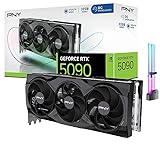
CyberGeek GeForce RTX 5090 Overclocked Triple Fan Graphics Card, 32GB GDDR7, 28 Gbps, 512-bit, 3352 AI Tops, DLSS 4, AI Content Creation, Local LLM Inference, DP 2.1b x3, HDMI 2.1b, with GPU Holder
More specifications
- Condition
- New
- Seller
- Prime Outlets Online
- ASIN
- B0GK8D8DJH

MSI GeForce RTX 5090 32G SUPRIM SOC Graphics Card VD8997
More specifications
- Condition
- New
- Seller
- MrReliable-USA
- ASIN
- B0DT6SN14V

ASUS ROG Matrix Platinum GeForce RTX 5090 OC 30th-Anniversary Edition Gaming Graphics Card, 32GB GDDR7, PCIe 5.0, 512-bit, Liquid Metal Cooling, DisplayPort 2.1b, HDMI 2.1b, MTX5090P32G30TH
More specifications
- Condition
- New
- Seller
- MrReliable-USA
- ASIN
- B0GRFXRSZV
Estimate your LLM memory fit
Select model size, quantization, context, sessions and memory. The result estimates capacity headroom rather than speed.
The result will focus on the trade-off that matters most for this decision.
Buying decision summary
| Decision factor | Ryzen AI Max+ PRO 495 LLM Calculator | Alternative / implication |
|---|---|---|
| Memory fit | 64 / 128 / 192GB | Choose capacity from the real model working set, not the headline alone |
| Software path | Windows/x86 and AMD-oriented unless noted | CUDA or MLX requirements can outweigh capacity |
| Storage | Plan active-model NVMe capacity | Large model libraries often need several terabytes |
| Networking | Match the workstation role | 2.5/5/10GbE matters for NAS and served inference |
| Buying timing | Verify exact configuration and stock | Newly announced hardware can have uneven availability |
Check these four things before choosing a system
Use the actual quantization
The same parameter count can occupy very different memory depending on weight precision and file format.
Enter a realistic context target
Long contexts add cache pressure, so do not size a workstation using only a short test prompt.
Include concurrent sessions
Model serving and agent workflows can require more working memory than one interactive chat.
Treat Fit as capacity only
A Fit result does not certify runtime compatibility, tokens per second, thermals or application support.
How to size memory for local LLMs on Ryzen AI Max+ PRO 495
What the calculator estimates
The Ryzen AI Max+ PRO 495 LLM Calculator is a capacity-planning tool, not a benchmark. It combines model parameter count, weight precision, context target, concurrent sessions and selected system memory to estimate whether a workload has comfortable room, a tight margin or an obvious capacity shortfall. The purpose is to prevent a common buying mistake: assuming that a 192GB computer can devote all 192GB to model weights. Windows or Linux, the runtime, KV cache and temporary buffers all need space before the model can run reliably.
Start with parameter count and quantization
Model weights are usually the largest single memory item. Moving from FP16 to 8-bit, 6-bit, 5-bit or 4-bit representations changes the weight footprint sharply, which is why two users can describe the same 70B model but need very different memory. The calculator uses quantization as a planning input rather than pretending every file labeled with the same parameter count is equal. Always check the actual model file size when available because architectures, metadata and quantization formats introduce overhead beyond the simple bits-per-parameter estimate.
Context length can move a model from safe to tight
A model may load successfully at a short context and become unstable when the context window is expanded. KV-cache memory grows with context and model structure, so a 128K target can require materially more working memory than an 8K or 16K conversation. The calculator therefore asks for context explicitly. If your use case is code repositories, long documents or retrieval pipelines, choose a realistic upper bound rather than the smallest test setting. Buying hardware around an 8K demo can understate the memory needed for actual work.
Concurrency reserves memory more quickly than expected
Serving several users or running multiple agent sessions changes the capacity picture again. Some memory can be shared across requests, while session-specific cache and runtime state can grow with each concurrent workload. The estimator treats concurrency as an added reserve instead of assuming one interactive chat forever. A 192GB system is particularly useful when a team wants a larger model and multiple simultaneous sessions, but even that tier can be exhausted if context windows and parallel jobs are allowed to grow without limits.
Why the tool keeps an operating-system reserve
A local-AI workstation is still a computer. The desktop environment, browser, security tools, file cache, drivers and supporting applications consume memory before inference begins. Reserving headroom also reduces the chance that the operating system starts paging heavily during a long session. The calculator intentionally leaves part of installed memory unavailable to the model. That makes the estimate more conservative than a raw file-size comparison, which is appropriate when the result is being used to choose expensive hardware rather than to prove that a model can launch once.
A Fit result does not predict tokens per second
Capacity and speed answer different questions. A model can fit entirely in shared memory and still run slower than you consider useful because the runtime, memory bandwidth or accelerator kernels are not optimized for that architecture. The calculator therefore avoids fabricated throughput numbers. After establishing that the workload fits, look for credible results using the same model, quantization and backend on Ryzen AI Max+ hardware. If the application is CUDA-dependent, a smaller-memory NVIDIA system may deliver a better experience for models that fit inside its VRAM or unified-memory limit.
Use Tight as a warning, not a success badge
A tight result means the estimated working set approaches the practical budget. That can be acceptable for a controlled single-purpose server, but it leaves little room for a longer prompt, a second user, an update that changes runtime behavior or another application. When buying new hardware, comfortable headroom is normally more valuable than proving the workload can squeeze in. Consider a lower-bit quantization, shorter context, fewer sessions or a larger memory tier before committing to a configuration that begins its life at the edge.
Compare 64GB, 128GB and 192GB as different classes
The calculator includes multiple system-memory choices so the user can see when additional capacity actually changes the result. A 64GB machine can be excellent for smaller local models and ordinary desktop use. A 128GB system reaches substantially larger models and is the current sweet spot for many high-memory AI PCs. The 192GB PRO 495 tier is valuable when the working set crosses that boundary or when the machine must keep other memory-heavy services active. The best tier is the smallest one that preserves enough headroom for the intended workload.
Storage capacity should be calculated separately
Even when a model fits in memory, you still need enough SSD space to keep its files, alternate quantizations and related data. A user experimenting with several large models can consume terabytes quickly. The model-fit calculator does not treat storage as interchangeable with RAM because loading from SSD is not the same as holding weights in the active memory pool. Use Cloudzat's storage guidance to size the local NVMe library, and keep backups or cold model files on external storage or NAS where appropriate.
Runtime compatibility is the second gate
After a Fit result, verify the software path. On Ryzen AI Max+ PRO 495, the useful backend may be llama.cpp, Ollama, LM Studio or another AMD-compatible runtime depending on the model and operating system. Some tools may use the integrated GPU well; others may rely more heavily on CPU execution. A memory calculation cannot solve an unsupported kernel or missing driver feature. If your workflow requires CUDA, compare RTX Spark or another NVIDIA system before treating 192GB capacity as the deciding advantage.
How to use the estimate before buying a system
Run the calculator with the model you expect to use most often, then repeat it with a larger context and one extra concurrent session. That second pass is a useful stress scenario. If both results stay comfortably inside 128GB, the 192GB premium may not be necessary. If 128GB becomes tight while 192GB remains comfortable, the PRO 495 tier has a clear purpose. If even 192GB is tight, consider a different quantization, a higher-memory Mac Studio configuration or a multi-GPU/server architecture instead of forcing the workload into the wrong class of PC.
Bottom line for the model-fit calculator
Use the result to answer one narrow question well: is there enough practical memory for the chosen model, context and concurrency? Do not use it as a substitute for performance testing, software validation or system reviews. A good purchase requires all three. The calculator is most valuable when it prevents overbuying 192GB for a workload that fits easily in 128GB, or prevents underbuying a 128GB system for a workload that needs the extra headroom available on Ryzen AI Max+ PRO 495 machines.
Repeat the calculation whenever you change model family or context policy. A hardware purchase lasts longer than one favorite model, so testing a second plausible workload is a useful way to see whether the chosen tier has room for future experiments. If both present and future cases fit in 128GB, that result is evidence against paying for unused capacity. If the future case crosses the boundary, the 192GB tier may be buying longevity rather than immediate speed.
Keep a small margin for software updates as well. Runtime memory behavior can change over time.
LLM memory sizing questions buyers ask
What does a Fit result mean?
It means the estimated model, context and session workload leaves a practical memory margin under the selected system profile. It is not a performance guarantee.
Why is model file size better than parameter count?
The actual file reflects quantization and format overhead more directly. Parameter count is useful when the exact file is not yet known.
Why does context length change memory use?
Longer context increases KV-cache and related working-state requirements, which can move an otherwise comfortable model into a tight memory state.
Why does the calculator include concurrent sessions?
Serving multiple users or agents can add session-specific cache and runtime memory beyond one interactive conversation.
Does 192GB mean 192GB is available to the model?
No. The operating system, runtime, drivers and other applications need part of the installed memory.
Can the calculator tell me tokens per second?
No. Throughput depends on the exact model, runtime, kernels and hardware behavior. The tool intentionally answers capacity, not speed.
What should I do with a Tight result?
Try a smaller quantization, shorter context or fewer sessions, or move to a larger memory tier before buying a system that has almost no reserve.
When is 128GB enough?
When your expected working set remains comfortably below the practical 128GB budget after weights, context, runtime overhead and background applications are included.
Specifications and reference material
Use manufacturer specifications for hardware details and confirm the exact retail configuration before buying.
- AMD Ryzen AI Max+ PRO 495 specifications
- NVIDIA RTX Spark announcement
- Apple Mac Studio M5 Max and M5 Ultra
As an Amazon Associate, Cloudzat may earn from qualifying purchases.