


The best Ryzen AI Max+ PRO 495 system is the one that can sustain the processor at the power level you need while giving 192GB buyers enough storage, networking and expansion to use that memory productively. A tiny chassis with the right CPU name can still be the wrong workstation if it throttles, ships with less memory than expected or lacks the ports your local-AI workflow needs.
Compare complete systems by memory tier, sustained cooling, storage expansion, networking and warranty rather than choosing by processor name alone.
Prioritize a verified 192GB configuration, sustained cooling, fast storage and the network interfaces your workload needs. MINISFORUM MS-S1 MAX-P495 is a strong workstation-style reference because it combines the 495 with optional 192GB memory, dual 10GbE and broad USB4 connectivity, while N5 MAX-P495 offers a different system design worth comparing on its own merits.
Ryzen AI Max+ PRO 495 systems worth comparing
Named 495 systems come first. If 192GB is not required, selected 128GB Ryzen AI Max+ 395 machines can provide a lower-cost point of comparison.
Ryzen AI Max+ 395 mini PC
Alternative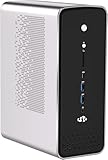
NIMO Mini PC AMD Ryzen AI Max+ 395 Dual OS(Win11 Pro & Linux Ubuntu)
$4,699.99
Last verified price · 29 days ago
OneXPlayer ONEXStation Mini AI Workstation: AMD Ryzen AI Max+ 395, Radeon 8060S Graphics, 128...
$3,798.99
Last verified price · 29 days agoNIMO Mini PC Desktop, AMD Ryzen AI Max+ 395 128GB LPDDR5 8000MHz RAM 2TB SSD (Up to 5.1GHz) M...
$4,699.99
Last verified price · 29 days agoNIMO Powerful AI Mini PC, AMD Ryzen AI Max+ 395 128GB LPDDR5 8000MHz RAM
$3,799.99
Last verified price · 29 days ago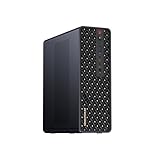
MINISFORUM MS-S1 MAX Mini AI Workstation PC, AMD Ryzen AI Max+ 395 (16C/32T),RDNA3.5 GPU,128G...
$3,799
Last verified price · 33 days ago
MINISFORUM MS-S1 Max Mini Workstation AMD Ryzen AI Max+ 395(16C/32T) 128GB LPDDR5 2TB SSD Min...
$3,799
Last verified price · 33 days ago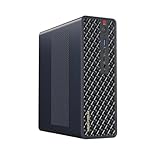
MINISFORUM MS-S1 Max Mini Workstation AMD Ryzen AI Max+ 395(16C/32T) 64GB LPDDR5 2TB SSD Mini...
$2,599
Last verified price · 33 days ago
MINISFORUM MS-S1 MAX Mini AI Workstation PC, AMD Ryzen AI Max+ 395 (16C/32T),RDNA3.5 GPU,64GB...
$2,599
Last verified price · 33 days agoPrices and availability can change. Check the exact memory, storage, condition, seller and checkout total on Amazon before buying.
Choose your 495 system profile
Pick the workload and system priority that match your desk, lab or home-server use.
The result will focus on the trade-off that matters most for this decision.
What matters in a 495 mini PC
| Area | Look for | Why it matters |
|---|---|---|
| Memory | A confirmed 192GB configuration when needed | Memory is commonly fixed at purchase and is the 495's defining advantage. |
| Cooling | A design that can sustain the intended power mode | Long inference and compilation loads expose weak cooling quickly. |
| Storage | Fast NVMe plus realistic expansion | Model libraries, datasets and caches grow quickly. |
| Networking | 2.5GbE minimum for many labs, 10GbE preferable for large transfers | A fast local model server is easier to use from other machines. |
| Ports | USB4 and the display/PCIe options your workflow needs | Compact systems depend heavily on external expansion. |
Four checks that matter
192GB configuration
Verify the listing actually includes 192GB if that capacity is the reason for buying.
Sustained cooling
Favor designs that can hold the required power mode without excessive throttling or noise.
NVMe expansion
Large local model libraries can outgrow a single small SSD quickly. Check slot count, size and serviceability.
Network interfaces
10GbE, USB4 and other high-speed links can be important for model storage, datasets and workstation use.
What to know before choosing your system
Use these details to check memory, software support, cooling, expansion and workload fit before comparing the live Amazon options above.
Do not buy the processor name, buy the whole system
Ryzen AI Max+ PRO 495 is a platform component, not a guarantee that every machine performs the same. Device makers decide memory configuration, power mode, cooling, SSD layout, Ethernet, USB4 implementation and firmware. A machine tuned around quiet operation can be excellent for an always-on local service but slower under long mixed CPU/GPU loads than a larger workstation that sustains more power.
The first filter should therefore be configuration. If you are buying the 495 specifically for its 192GB capability, eliminate listings that ship with 64GB or 128GB unless you have a different reason to choose them. LPDDR5X is not a normal desktop DIMM kit you can replace later.
MINISFORUM MS-S1 MAX-P495 is the workstation-style reference
MINISFORUM lists the MS-S1 MAX-P495 with the Ryzen AI Max+ PRO 495, an optional 192GB LPDDR5X-8533 configuration and three operating modes rated at 60W, 95W and 120W. It also lists dual 10GbE Ethernet, two USB4 40Gbps ports, two USB4 v2 80Gbps ports, HDMI 2.1 and dual M.2 storage positions. That combination makes it unusually well equipped for a compact AI workstation.
The value is not simply that it has many ports. Dual 10GbE can make sense when the system serves models or datasets to other machines, while the high-speed USB4 ports support external SSDs, docks and specialized peripherals. Storage expansion is still worth checking closely because model libraries can grow far faster than most buyers expect.
N5 MAX-P495 belongs in the category without duplicating its review
MINISFORUM N5 MAX-P495 is one of the notable systems in this category. Compare its storage design, ports, cooling and exact configuration alongside other 495 machines rather than assuming the processor alone determines the best choice.
A useful shortlist should stay focused on differences that affect ownership: memory tier, sustained power, NVMe expansion, networking, acoustics and warranty. Those factors become more important as additional 495 systems enter the market.
Cooling is a purchasing feature, not a footnote
The 495 can operate across a broad 45W to 120W configurable range. A system designed to hold 95W or 120W under sustained load needs more cooling capacity than a thin mobile workstation. Local inference, compilation and rendering are long-duration jobs, so the cooler can influence real productivity far more than a short burst benchmark suggests.
Look for clear vendor power modes and independent thermal testing once systems are in reviewers' hands. If a vendor gives no sustained power information, avoid assuming the box will deliver the same behavior as another 495 machine. Noise matters too for an always-on desk system.
192GB buyers should also budget for storage
Large local models, multiple quantizations, embeddings, datasets and checkpoints can consume terabytes of storage. A 192GB AI workstation paired with a small single SSD can become inconvenient quickly. Two M.2 slots are useful, but electrical lane width and thermal design matter when both drives are under sustained load.
For a high-end 495 machine, 2TB is a sensible starting point when several large model families, datasets or media files will be stored locally. Storage capacity and expansion should be priced as part of the complete system decision.
10GbE becomes more useful as the model library grows
A 192GB local-AI system is often more valuable when other computers can use it. Gigabit Ethernet is enough for prompts and generated text, but moving model files, training data, video or large retrieval corpora can saturate 1GbE quickly. 2.5GbE is a useful baseline; 10GbE makes a compact workstation feel much more like a shared lab resource.
Dual 10GbE is especially interesting for isolated networks, direct-attached storage, workstation-to-NAS links or separating client and storage traffic. Do not pay for it just because it is present, but recognize that networking can determine how comfortably the system integrates into a larger workflow.
Expansion decides how long the compact system remains useful
Mini PCs trade internal volume for convenience. USB4 and PCIe exposure are therefore important because they determine what you can add later. Fast external SSDs, capture devices, high-speed networking and specialized accelerators all depend on the ports and lanes the manufacturer actually exposes.
Read the electrical specification, not only the connector shape. A physical PCIe x16 slot may use fewer electrical lanes, and two M.2 slots can run at different lane widths. Those details are not necessarily flaws, but they affect whether the machine fits your intended expansion path.
When a 128GB 395 system is still the better mini PC
If your local models fit comfortably within 128GB and you do not need a 495-specific system feature, a mature Ryzen AI Max+ 395 machine can offer better value. The 395 ecosystem already includes several high-memory compact systems and has more community experience around software, thermals and model performance.
A Ryzen AI Max+ 395 system can still be a sensible lower-capacity alternative when 128GB is enough and the complete machine offers better value. It should be compared honestly as a different processor tier, not presented as equivalent to a 495.
How to compare prices fairly
Compare like-for-like configurations. A 192GB 495 workstation should not be judged against a 64GB 395 mini PC and called expensive without accounting for memory. Match storage as closely as possible, then note networking, bundled operating system, warranty and included power supply. These systems can differ enough that the processor is only one part of the price.
For newly launched hardware, availability can be uneven across regions. Use the actual Amazon listing configuration and seller shown at checkout rather than assuming a price seen for one memory tier applies to another.
The best 495 mini PC depends on your workload
For a local-AI lab, prioritize 192GB, sustained power, 10GbE and multiple fast SSD paths. For a creator workstation, add display connectivity, peripheral bandwidth and software support. For an always-on home service, noise and idle efficiency become more important. For a portable workstation, chassis size and power limits may dominate the decision.
There is no useful universal ranking that ignores those differences. The category should remain small and evidence-driven rather than padding the list with unrelated Ryzen systems. A shortlist of three truly relevant machines is better than ten weak matches.
Buying checklist for early 495 hardware
Confirm the exact processor, installed memory, SSD configuration and operating system. Check whether the listing is sold as a complete configured system. Verify that the title is not describing a different Ryzen AI Max tier, and pay attention to regional variants that can change memory, Wi-Fi or storage.
Then check the support path. Early enthusiast hardware can have rapid firmware updates and different warranty arrangements by seller. A premium local-AI workstation should be easy to update and support, not just impressive on the day it arrives.
For buyers keeping several large local models online at once, also consider serviceability. A compact machine that requires a difficult teardown for every SSD change may become inconvenient as the model library grows. Clear firmware support, accessible storage and predictable thermal behavior can be worth more than a small difference in chassis size. If the system will run unattended, check recovery options after power loss and whether network management or remote access fits the way the machine will actually be operated.
How to rank new 495 systems as the market expands
A useful category ranking should change when better evidence appears. Exact processor identity, installed memory, sustained cooling, storage topology, networking and seller quality should be weighted before brand popularity. A system with a famous name but unclear 192GB configuration should not outrank a machine with a documented high-memory build and stronger connectivity.
Keep the shortlist selective enough to explain why each system belongs. As HP, Lenovo and specialist mini-PC vendors release 495 hardware, compare only shipping configurations with clear memory, storage, networking, cooling and warranty details.
How to test a new 495 mini PC after delivery
Confirm the installed memory and processor first, then update firmware and drivers from the manufacturer before drawing conclusions about performance. Run a sustained CPU load, a sustained GPU or local-AI load and a combined workload while watching temperature, power mode and fan behavior. The goal is to learn whether the system can hold its advertised performance profile without instability.
Then test the practical interfaces: copy a large model to each SSD path, verify the negotiated Ethernet speed, attach the USB4 storage or display hardware you plan to use and run the actual local-AI runtime. A premium compact workstation should be evaluated as a system, not only as a processor benchmark.
Why warranty and firmware support deserve weight
Early workstation platforms can improve substantially through BIOS, firmware and driver updates. A vendor that publishes clear update packages, documents power modes and supports the exact memory configuration can be a safer long-term choice than a cheaper system with stronger paper specifications but uncertain support.
For business and development use, also check warranty geography. A system bought through an international marketplace can have a different return path from the same model bought through an authorized regional seller. That friction belongs in the buying score for premium hardware.
Ryzen AI Max+ PRO 495 questions
What should I prioritize in a Ryzen AI Max+ PRO 495 mini PC?
Confirm the memory tier first, then sustained cooling, storage expansion, networking, USB4 or PCIe connectivity and the software environment you plan to use.
Does every Ryzen AI Max+ PRO 495 mini PC have 192GB?
No. The processor supports up to 192GB, but device makers can sell lower-memory configurations. Check the exact listing.
Is the MINISFORUM N5 MAX-P495 included in the comparison?
Yes. It belongs on the shortlist when its configuration fits the workload, and the dedicated N5 MAX-P495 review covers the product-specific details in greater depth.
Why is the MS-S1 MAX-P495 interesting?
MINISFORUM lists an optional 192GB configuration, multiple power modes, dual 10GbE, four USB4-class ports and dual M.2 storage, making it a strong compact workstation reference.
Do I need 10GbE for local AI?
Not for prompt traffic alone, but it is useful when transferring large models and datasets or using the 495 system as a shared server.
Can I upgrade LPDDR5X memory later?
In these systems, LPDDR5X is generally fixed to the system design. Buy the capacity you expect to need.
Is a 395 mini PC still worth considering?
Yes, if 128GB is enough and the 395 system offers better pricing or a more mature configuration.
How many 495 systems should a good comparison include?
Only include systems with clear evidence of the intended processor and configuration. A short, accurate shortlist is more useful than mixing in unrelated mini PCs.
Specifications and references
Platform specifications are checked against first-party technical material. Finished-system performance still depends on device configuration, firmware, cooling, memory settings and software.
- AMD Ryzen AI Max+ PRO 495 specifications
- MINISFORUM MS-S1 MAX-P495 specifications
- AMD Ryzen AI Max PRO 400 Series and Ryzen AI Halo overview
As an Amazon Associate, Cloudzat may earn from qualifying purchases. Prices and availability can change. Verify the exact model, memory, storage, condition and seller shown at checkout.