


Ryzen AI Max+ PRO 495 is AMD's 16-core Zen 5 Gorgon Halo processor built for high-memory AI PCs, mobile workstations and compact desktops. Its defining feature is not a small clock-speed bump: the platform can support up to 192GB of LPDDR5X-8533 memory, giving local-AI buyers far more working capacity than the 128GB ceiling of the previous 395 generation.
Use this overview to understand the 192GB memory option, platform limits and the systems beginning to ship with Ryzen AI Max+ PRO 495.
Buy a Ryzen AI Max+ PRO 495 system when your workload benefits from a compact x86 machine, very large shared memory and Radeon 8065S graphics in one platform. If 128GB already covers your models, or your software requires CUDA, the 495 is not automatically the best value.
Ryzen AI Max+ PRO 495 systems to watch and buy
Exact 495 systems appear first when they are available. High-memory 395 systems only belong in the comparison when 192GB is not essential.
Ryzen AI Max+ 395 mini PC
Alternative
NIMO Mini PC AMD Ryzen AI Max+ 395 Dual OS(Win11 Pro & Linux Ubuntu)
$4,699.99
Last verified price · 29 days ago
OneXPlayer ONEXStation Mini AI Workstation: AMD Ryzen AI Max+ 395, Radeon 8060S Graphics, 128...
$3,798.99
Last verified price · 29 days agoNIMO Mini PC Desktop, AMD Ryzen AI Max+ 395 128GB LPDDR5 8000MHz RAM 2TB SSD (Up to 5.1GHz) M...
$4,699.99
Last verified price · 29 days agoNIMO Powerful AI Mini PC, AMD Ryzen AI Max+ 395 128GB LPDDR5 8000MHz RAM
$3,799.99
Last verified price · 29 days ago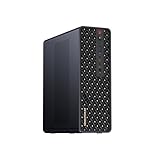
MINISFORUM MS-S1 MAX Mini AI Workstation PC, AMD Ryzen AI Max+ 395 (16C/32T),RDNA3.5 GPU,128G...
$3,799
Last verified price · 33 days ago
MINISFORUM MS-S1 Max Mini Workstation AMD Ryzen AI Max+ 395(16C/32T) 128GB LPDDR5 2TB SSD Min...
$3,799
Last verified price · 33 days ago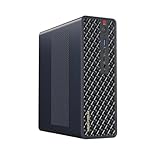
MINISFORUM MS-S1 Max Mini Workstation AMD Ryzen AI Max+ 395(16C/32T) 64GB LPDDR5 2TB SSD Mini...
$2,599
Last verified price · 33 days ago
MINISFORUM MS-S1 MAX Mini AI Workstation PC, AMD Ryzen AI Max+ 395 (16C/32T),RDNA3.5 GPU,64GB...
$2,599
Last verified price · 33 days agoPrices and availability can change. Check the exact memory, storage, condition, seller and checkout total on Amazon before buying.
Is the Ryzen AI Max+ PRO 495 right for you?
Choose the workload, memory target and software constraint that matter most. The result prioritizes fit rather than simply choosing the newest chip.
The result will focus on the trade-off that matters most for this decision.
Ryzen AI Max+ PRO 495 at a glance
| Need | 495 fit | Why |
|---|---|---|
| Local models above a comfortable 128GB working set | Strong | The 192GB ceiling creates room for larger weights, context and application overhead. |
| CUDA-first AI development | Limited | Large memory does not replace NVIDIA CUDA compatibility. |
| Compact workstation plus everyday PC | Strong | x86 Windows and Linux support make the platform broader than an appliance-style AI box. |
| Gaming-first flagship build | Mixed | Radeon 8065S is capable integrated graphics, but a high-end discrete GPU is a different performance class. |
| Existing 128GB Ryzen AI Max+ 395 owner | Workload dependent | Upgrade only when extra memory or new platform capability removes a real constraint. |
Four checks that matter
Memory tier
Confirm that the exact system ships with the memory capacity you need. A 495 processor does not guarantee a 192GB configuration.
Software support
Verify the operating system and acceleration path for the applications and model runtimes you intend to use.
Cooling and power
Compare sustained power modes and cooling, not only the processor name. Compact systems can behave very differently under long mixed loads.
Storage and networking
Price the NVMe capacity, expansion and network speed needed for model files, datasets and backups.
What to know before choosing your system
Use these details to check memory, software support, cooling, expansion and workload fit before comparing the live Amazon options above.
What changed with Ryzen AI Max+ PRO 495
The Ryzen AI Max+ PRO 495 keeps the basic Gorgon Halo idea familiar: a large Zen 5 CPU complex, a wide LPDDR5X memory subsystem, Radeon graphics and an XDNA NPU in a package that can live in laptops or compact desktops. AMD lists 16 cores and 32 threads, up to 5.2GHz boost, 80MB of total cache and a 45W to 120W configurable power range. That makes the platform flexible enough for thin workstations and much more aggressively cooled desktop systems.
The practical generation change for local AI is memory. AMD raises the supported maximum from 128GB on the Ryzen AI Max+ 395 family to 192GB on the 495. Memory speed also moves from LPDDR5X-8000 to LPDDR5X-8533, while Radeon 8065S graphics retain 40 compute units and increase the listed graphics frequency to 3.0GHz. Those changes matter most when the old 128GB ceiling is the bottleneck.
Why 192GB matters more than the model number
Local AI buyers often hit memory limits before they run out of CPU cores. Model weights are only the first claim on memory. The operating system, runtime, context cache, retrieval data, image inputs and concurrent sessions all compete for the same pool. A nominal 128GB system can therefore become uncomfortable well before a workload appears to consume 128GB on paper.
A 192GB configuration changes the planning envelope. It can leave room for large quantized models while preserving enough capacity for the rest of the workstation. AMD also positions the Max PRO 400 family for unusually large graphics-memory allocations. Treat that as a platform capability rather than a guarantee of model speed: capacity answers whether a workload can be held locally, while bandwidth, kernels and software support answer how fast it will run.
Radeon 8065S is powerful integrated graphics, not an RTX 5090 substitute
The Radeon 8065S has 40 graphics compute units and shares the platform memory instead of relying on a small fixed pool of dedicated VRAM. That design is the reason a 192GB 495 machine can approach model sizes that would never fit wholly inside a conventional 32GB graphics card. It also reduces the need to shuttle every large tensor between system memory and a separate GPU memory pool.
The trade-off is throughput and software maturity. A GeForce RTX 5090 has dedicated GDDR7 with enormous bandwidth and the CUDA ecosystem. For models that fit its 32GB VRAM, image generation, rendering or CUDA-optimized inference can favor the RTX platform by a wide margin. The 495 is interesting because it solves a different problem: fitting much larger working sets into a compact, efficient machine.
CPU, NPU and the all-purpose workstation argument
Sixteen Zen 5 cores make the 495 more than a model-loading device. Compilation, virtual machines, data preparation, media work and ordinary desktop tasks can share one system without treating the AI hardware as a separate appliance. AMD lists an XDNA-class NPU with up to 55 TOPS and up to 131 overall platform TOPS, although TOPS figures from different vendors are not directly interchangeable performance measurements.
For buyers who need one machine to code, browse, compile, edit, run containers and host a large local model, that all-purpose design is a major strength. It is especially relevant when a dedicated NVIDIA box or a Mac-only workflow would force you to maintain a second environment for daily work.
The 45W to 120W range means system design matters
A processor that can be configured across such a wide power range will not perform identically in every chassis. A compact laptop tuned around lower sustained power can be quieter and more efficient, while a desktop workstation with a stronger cooler can hold higher CPU and GPU clocks for longer. Two systems with the same 495 badge can therefore have meaningfully different behavior under long inference, compilation or rendering loads.
When comparing systems, look beyond peak marketing numbers. Check the vendor power modes, cooling design, fan behavior, USB4 implementation, storage expansion and network interfaces. The MINISFORUM MS-S1 MAX-P495, for example, exposes distinct 60W, 95W and 120W modes and combines the processor with dual 10GbE and multiple USB4 ports, which makes it a very different proposition from a thin mobile workstation.
Software support is the decisive question for many AI buyers
The 495 is an x86 platform with Windows 11 and Linux support, which makes it attractive for developers who want familiar desktop and server tooling. AMD has been expanding ROCm and local-AI support around Ryzen AI Max hardware, but application support is still not identical to CUDA. Before paying for 192GB, confirm that your preferred runtime can actually use the Radeon path you expect.
If your workload is tied to CUDA-only libraries, custom CUDA extensions or software validated only on NVIDIA, extra memory cannot fix that dependency. If your workflow is portable across llama.cpp, compatible ROCm paths or CPU-assisted execution, the 495 becomes much more compelling. Software fit should be checked before benchmark charts or memory capacity.
Ryzen AI Max+ PRO 495 vs 395 in one sentence
The 395 remains a strong 128GB local-AI platform, while the 495 is the step up for people who can identify a real benefit from 192GB, slightly faster platform specifications or a new-generation system design. Both are 16-core, 32-thread Zen 5 parts with 40-CU integrated Radeon graphics and the same broad 45W to 120W configurable envelope.
A 395 system can still be the smarter buy when its price is materially lower and your model set fits comfortably within 128GB. The key question is whether the 495 solves a memory, connectivity or system-design constraint you can identify before purchase.
Current 495 systems should be judged as complete machines
The first wave of 495 hardware is arriving through specialist workstations, AI-focused compact systems and OEM designs. The important purchase question is not simply whether the processor is present. Memory must be configured at the capacity you need because LPDDR5X is not a normal desktop DIMM upgrade, and storage, networking and expansion can determine whether the box fits an AI lab, a creator desk or a home server role.
The MINISFORUM N5 MAX-P495 is one example of a complete 495 system. Judge it by its own storage layout, ports, cooling and configuration rather than assuming every 495 machine has the same chassis-level strengths.
Who should buy the 495 now
The best early buyer is someone who already knows why 128GB is not enough. That may be a developer testing large quantized models, an engineer running several memory-hungry services beside an LLM, a researcher using large context windows, or a workstation user who wants AI plus demanding conventional applications on one x86 machine. In those cases the additional memory is a functional capability rather than a prestige specification.
The weakest case is an upgrade driven only by the 495 name. If you use 30B to 70B models, rarely push context, have no memory pressure on a 395 and do not need the new system's ports or management features, the extra spend may buy little day-to-day value. Compare the real system price before deciding.
What to check before ordering a 192GB configuration
Verify that the listing actually includes 192GB. Do not assume that every 495 system ships at the processor's maximum memory capacity. Also confirm storage size, the number and speed of M.2 slots, Ethernet speed, USB4 generation, display support, warranty route and whether the seller is offering a complete configured machine rather than an unusual regional variation.
For local AI, check your runtime on the operating system you plan to use. If you expect GPU acceleration, validate the Radeon software path for your model family. If the job is CUDA-specific, compare the RTX 5090 and DGX Spark pages before buying. The right 495 configuration is the one that removes your actual constraint, not simply the one with the highest memory number.
How to move from platform research to a specific system
Start with the processor and memory requirements, then narrow the choice by workload. Capacity-sensitive buyers should model the working set first; shoppers comparing platforms should weigh DGX Spark, Mac Studio or RTX 5090 against the software and memory requirements that matter most.
Once the platform choice is clear, evaluate the exact machine you intend to buy. Storage expansion, ports, networking, power modes, warranty and cooling can change the ownership experience even when two systems use the same processor.
How to evaluate early 495 benchmark claims
New hardware attracts benchmark screenshots before testing methods settle. For the 495, separate CPU tests, integrated-graphics tests and local-AI tests because each stresses a different part of the platform. A short CPU score says little about sustained shared-memory inference, and a tokens-per-second figure is difficult to compare unless the model file, quantization, context, runtime, power mode and prompt-processing method are disclosed.
Repeatable configuration details matter more than the highest isolated number. Useful evidence shows whether a system can sustain its intended power mode, keep memory pressure under control and run the intended software without unusual workarounds.
Ryzen AI Max+ PRO 495 questions
How much memory does Ryzen AI Max+ PRO 495 support?
AMD lists support for up to 192GB of 256-bit LPDDR5X memory at up to LPDDR5X-8533, although the exact amount depends on the system configuration sold by the device maker.
Is Ryzen AI Max+ PRO 495 a 16-core processor?
Yes. AMD lists 16 Zen 5 CPU cores and 32 threads, with a maximum boost clock of up to 5.2GHz.
What graphics are built into Ryzen AI Max+ PRO 495?
AMD lists Radeon 8065S integrated graphics with 40 graphics compute units and a graphics frequency of up to 3.0GHz.
Can Ryzen AI Max+ PRO 495 run large local AI models?
Its 192GB memory ceiling makes unusually large local model working sets possible, but practical fit also depends on quantization, context, runtime overhead and software support.
Is 192GB on the 495 the same as 192GB of GPU VRAM?
No. It is shared system memory. AMD can allocate a large portion for graphics workloads, but its bandwidth and architecture are different from dedicated high-bandwidth VRAM on a discrete GPU.
Should I upgrade from Ryzen AI Max+ 395?
Upgrade when the 395's 128GB ceiling, system features or workload performance are a real limitation. If 128GB already gives comfortable headroom, the 395 may remain the better value.
Does Ryzen AI Max+ PRO 495 replace an RTX 5090?
No. The 495 offers much more shared memory capacity, while the RTX 5090 offers dedicated high-bandwidth GDDR7, CUDA and far stronger discrete-GPU acceleration for workloads that fit its VRAM.
Where can I read more about the MINISFORUM N5 MAX-P495?
Use the dedicated MINISFORUM N5 MAX-P495 review and related guides for product-specific storage, hardware, local-LLM and ownership guidance.
Specifications and references
Platform specifications are checked against first-party technical material. Finished-system performance still depends on device configuration, firmware, cooling, memory settings and software.
- AMD Ryzen AI Max+ PRO 495 specifications
- AMD Ryzen AI Max PRO 400 Series and Ryzen AI Halo overview
- MINISFORUM MS-S1 MAX-P495 specifications
As an Amazon Associate, Cloudzat may earn from qualifying purchases. Prices and availability can change. Verify the exact model, memory, storage, condition and seller shown at checkout.