


The MINISFORUM MS-S1 MAX-P495 is a compact workstation built around Ryzen AI Max+ PRO 495 with a 192GB memory option and selectable 60W, 95W and 120W processor modes. That combination makes it one of the clearest current examples of a high-memory x86 local-AI desktop rather than an ordinary mini PC.
MINISFORUM lists Ryzen AI Max+ PRO 495, Radeon 8065S, up to 192GB LPDDR5X-8533 and two M.2 NVMe slots. The processor power modes are 60W Quiet, 95W Balanced and 120W Performance.
Should you buy the MINISFORUM MS-S1 MAX-P495?
Choose the MS-S1 MAX-P495 when you want a published 192GB PRO 495 configuration with workstation-style cooling and storage expansion. The three power modes are useful for buyers who need to balance sustained performance, noise and energy use.
Current MINISFORUM MS-S1 MAX-P495 & Local AI PC Deals on Amazon
Compare actual complete computers from Amazon. Matching models appear first, followed by clearly identified alternative systems. Always verify the selected RAM and storage configuration.
7 suitable complete systems · 0 exact · 7 alternatives
NVIDIA DGX Spark
Different system2 offers
CyberGeek DGX Spark Personal AI Supercomputer, GB10 Grace Blackwell Superchip, 20-Core Arm CPU, 128GB LPDDR5x Unified Memory, 2TB NVMe SSD, Up to 1 PFLOP FP4 AI Performance, DGX OS
More specifications
- Condition
- New
- Seller
- Prime Distributor Global
- ASIN
- B0HHDSBTBQ

NVIDIA DGX Spark GB10 Grace Blackwell Superchip, 128 GB LPDDR5x, ARM Processor, 4 TB NVME M.2 SSD Storage
More specifications
- Condition
- New
- Seller
- Platinum Micro, Inc.
- ASIN
- B0GFY25JCR
Mac Studio M5 Ultra
Different system2 offers
Apple 2026 Mac Studio desktop computer M5 Ultra w/ AppleCare+ (3 years)
More specifications
- Condition
- New
- Seller
- Amazon.com
- ASIN
- B0HGN878Z1

Apple 2026 Mac Studio Desktop Computer M5 Ultra chip
More specifications
- Condition
- New
- Seller
- Amazon.com
- ASIN
- B0HGKZBTQD
Mac Studio M5 Max
Different system3 offers
(CTO) Apple Mac Studio: M5 Max 18C CPU - 32C GPU, 36GB, 1TB - Z1U4000E5
More specifications
- Condition
- New
- Seller
- Expercom - Apple Premier Partner
- ASIN
- B0HGV5QP4D
Apple 2026 Mac Studio desktop computer M5 Max chip w/ AppleCare+ (3 years)
More specifications
- Condition
- New
- Seller
- Amazon.com
- ASIN
- B0HGMPWY5W
Apple 2026 Mac Studio Desktop Computer M5 Max chip
More specifications
- Condition
- New
- Seller
- Amazon.com
- ASIN
- B0HGKSQMX6
Verified savings use an Amazon-reported reference price and a recently confirmed offer for the same ASIN. Last-verified prices can be older than today's checkout price. Confirm the model, installed memory, seller and stock before ordering.
Other Deals You Might Like
High-value upgrades for compatible local AI setups. Check system compatibility and the latest Amazon price before buying.
AI accelerator GPUs 4
Standalone GPUs for compatible workstations; confirm PCIe, power and enclosure clearance.

GIGABYTE AORUS RTX 5090 AI Box Graphics Card - 32GB GDDR7, 512Bit, PCI-E 5.0, 2407MHz Core Clock, 3X DP 2.1, 1x HDMI 2.1, GV-N5090IXEB-32GD 1.0
More specifications
- Condition
- New
- Seller
- MrReliable-USA
- ASIN
- B0FPDRFYT7
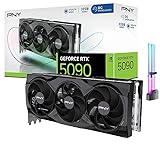
CyberGeek GeForce RTX 5090 Overclocked Triple Fan Graphics Card, 32GB GDDR7, 28 Gbps, 512-bit, 3352 AI Tops, DLSS 4, AI Content Creation, Local LLM Inference, DP 2.1b x3, HDMI 2.1b, with GPU Holder
More specifications
- Condition
- New
- Seller
- Prime Outlets Online
- ASIN
- B0GK8D8DJH

MSI GeForce RTX 5090 32G SUPRIM SOC Graphics Card VD8997
More specifications
- Condition
- New
- Seller
- MrReliable-USA
- ASIN
- B0DT6SN14V

ASUS ROG Matrix Platinum GeForce RTX 5090 OC 30th-Anniversary Edition Gaming Graphics Card, 32GB GDDR7, PCIe 5.0, 512-bit, Liquid Metal Cooling, DisplayPort 2.1b, HDMI 2.1b, MTX5090P32G30TH
More specifications
- Condition
- New
- Seller
- MrReliable-USA
- ASIN
- B0GRFXRSZV
Will this hardware class fit your workload?
Use workload, memory and software priorities to identify the strongest platform fit.
The result will focus on the trade-off that matters most for this decision.
Buying decision summary
| Decision factor | MINISFORUM MS-S1 MAX-P495 | Alternative / implication |
|---|---|---|
| Memory fit | Up to 192GB | Choose capacity from the real model working set, not the headline alone |
| Software path | Windows/x86 and AMD-oriented unless noted | CUDA or MLX requirements can outweigh capacity |
| Storage | Plan active-model NVMe capacity | Large model libraries often need several terabytes |
| Networking | Match the workstation role | 2.5/5/10GbE matters for NAS and served inference |
| Buying timing | Verify exact configuration and stock | Newly announced hardware can have uneven availability |
Check these four things before choosing a system
Choose MS-S1 or N5 first
MS-S1 is the workstation path; N5 MAX-P495 is the storage-heavy path. Decide the architecture before comparing offers.
Select a realistic power mode
Consider whether 60W, 95W or 120W best matches your sustained workload, noise target and placement.
Verify both M.2 slots
Check lane allocation and supported drives before buying a two-SSD configuration.
Validate the AMD software path
Confirm the chosen model and runtime are supported well enough that the 192GB memory advantage is useful.
MINISFORUM MS-S1 MAX-P495 buying guide
MS-S1 MAX-P495 is the workstation side of MINISFORUM
MINISFORUM's MS-S1 MAX-P495 is built for buyers who want the PRO 495 platform in a workstation-style chassis rather than in the storage-focused N5 MAX-P495. Official specifications list Ryzen AI Max+ PRO 495, 192GB LPDDR5X-8533 memory, Radeon 8065S graphics and selectable 60W, 95W and 120W operating modes. The system also provides two M.2 NVMe positions. That combination makes it a direct candidate for local model work, software development and high-memory desktop tasks where a conventional x86 environment matters.
Three power modes are more than a marketing toggle
The 60W, 95W and 120W profiles give owners a practical way to choose between acoustics, sustained performance and energy use. A developer running background inference all day may value the quieter 60W or balanced 95W mode, while a short heavy job can justify 120W. Performance scaling will not be perfectly linear, so the highest setting is not automatically the best value. The relevant test is whether the chosen mode maintains stable clocks and temperatures for your actual workload rather than winning a brief benchmark.
192GB changes which model sizes are realistic
The installed memory pool allows a different class of experiments than a 32GB discrete GPU, but capacity still needs a reserve. Model weights, context cache, runtime buffers, the operating system and any CPU-side application share the same physical memory. A model that barely fits on paper can leave too little working space for a useful context length. For the MS-S1, buyers should model their real quantization and concurrency, not simply divide parameter count by a nominal number of bits and assume the result is the full requirement.
The dual-M.2 layout should be planned before purchase
Two internal NVMe slots allow a clean separation between system/project storage and a larger model library, but the slots may not have identical lane allocation. Verify the official lane widths and physical clearance before buying premium drives for both positions. A fast primary SSD can hold active models and scratch files while a high-capacity secondary drive stores alternate quantizations, embeddings and datasets. For many users, that arrangement is more useful than paying for two top-tier drives whose peak speed is rarely reached during inference.
MS-S1 and N5 MAX-P495 are not the same purchase
Cloudzat already covers the N5 MAX-P495 as a separate product family because its storage role changes the buying decision. The MS-S1 is the compute/workstation choice, while N5 is attractive when large local storage and NAS-like behavior are central. A user who already owns a fast NAS may prefer MS-S1 and keep data on the network. Someone building an all-in-one storage-and-AI appliance may find N5 more appropriate. Linking the two pages helps buyers choose architecture before comparing prices.
Networking can turn the workstation into a service node
A 192GB machine is often most valuable when more than one person or device can use it. Check the MS-S1's wired network interfaces against your intended topology and consider whether the workstation will read models from local NVMe or shared storage. If it will serve inference to a home lab or office, a faster switch and structured cabling may provide more real-world benefit than a marginal CPU upgrade. Network design is also relevant for backups because a local model server can accumulate valuable private datasets and indexes over time.
Radeon 8065S is about shared capacity as much as graphics
The integrated Radeon 8065S uses the same high-bandwidth memory pool as the CPU, which is the central reason these machines can expose far more model memory than a typical consumer GPU. That does not mean the iGPU matches an RTX 5090 in CUDA workloads or gaming performance. It means the platform trades dedicated-GPU throughput for a much larger addressable pool. Buyers should decide whether their bottleneck is model fit or accelerator speed and choose the platform accordingly.
Compare the MS-S1 with RTX Spark on software first
RTX Spark is a Windows-oriented NVIDIA personal AI PC with up to 128GB unified memory and a CUDA/RTX software advantage. The MS-S1 offers more memory and familiar x86 flexibility but a different acceleration ecosystem. If a workload depends on CUDA-specific extensions, RTX Spark can be easier even with less memory. If 128GB is the hard limit that breaks the workload, the MS-S1's 192GB tier becomes more compelling. This is a software-and-capacity comparison, not a simple specification race.
Desk acoustics and placement matter
The MS-S1 can run at workstation-class power levels in a relatively compact chassis, so placement should be part of the buying plan. A system beside a microphone or in a quiet office has different acoustic requirements from a box in a server closet. Leave clearance around intake and exhaust, avoid stacking heat-producing peripherals directly against it, and consider the lower power modes for continuous inference. Good thermal conditions also help NVMe drives maintain consistent behavior during large model transfers and indexing jobs.
A strong candidate for mixed x86 workloads
One advantage of the MS-S1 is that local AI does not have to be its only role. The 16-core/32-thread PRO 495 platform can also handle software builds, virtual machines, data preparation and ordinary workstation applications. That matters for buyers who do not want a dedicated inference appliance. The tradeoff is resource contention: a compile, VM or creator task can consume the same memory and CPU headroom that a model expects. Capacity planning should account for the jobs that will run together, not only the largest single model.
Price should be compared as a complete workstation
When the MS-S1 reaches broad retail inventory, compare it with other 192GB systems at the same installed-memory and storage tier. Check warranty, included SSD, network interfaces, operating system and seller condition before judging the headline price. A cheaper barebones listing can become more expensive after storage and licensing are added. Cloudzat's qualified Amazon layer is intended to keep accessories and different MINISFORUM families out of the price cards so the comparison stays useful.
Bottom line for MS-S1 MAX-P495
The MS-S1 MAX-P495 is a strong fit for buyers who want a 192GB x86 workstation, selectable power behavior and internal NVMe expansion without turning the machine into a storage appliance. Its biggest strength is capacity combined with general-purpose desktop flexibility. Its biggest question is software acceleration compared with NVIDIA alternatives. Decide which models and runtimes must work, calculate memory reserve, then choose the power, storage and network configuration that supports that workload for several years.
For teams comparing total cost, include the parts around the MS-S1 as well. A second NVMe drive, 10GbE switching, backup storage and a UPS can add meaningful cost, but they also turn the workstation into dependable infrastructure instead of an isolated high-memory desktop. The same budget might otherwise buy a cheaper 128GB system plus better storage or networking. Model the complete deployment so the 192GB premium goes toward the actual bottleneck rather than consuming money needed elsewhere in the setup.
Buyers who expect the MS-S1 to run continuously should also factor power cost and maintenance access into the placement decision. A clean, ventilated location with reliable wired networking is usually more valuable than hiding the compact chassis in a cramped cabinet.
MS-S1 MAX-P495 questions buyers ask
What is the difference between MS-S1 MAX-P495 and N5 MAX-P495?
MS-S1 is positioned as a compute/workstation system, while N5 MAX-P495 has a stronger storage and NAS-oriented role.
Which MS-S1 power mode should I use?
Use the lowest mode that delivers acceptable sustained performance and acoustics for your workload; 120W is not automatically the best everyday setting.
Does MS-S1 MAX-P495 have 192GB memory?
The official P495 specification lists 192GB LPDDR5X-8533. Verify the exact retail SKU before buying.
Can I install two NVMe drives?
The system provides two M.2 positions, but buyers should confirm lane width, supported size and cooling for their chosen drives.
Is it better than RTX Spark?
It offers more memory and x86 flexibility; RTX Spark offers the NVIDIA CUDA/RTX ecosystem. The better choice depends on capacity and software requirements.
Is it good for VMs as well as local AI?
The 16-core/32-thread x86 platform is suitable for mixed workstation workloads, but VMs consume CPU and memory that would otherwise be available to AI.
Should I connect it to a NAS?
A NAS is useful for backups and large shared datasets. Keep frequently loaded model files on local NVMe when low-latency access matters.
What should I compare before buying?
Compare memory, SSD configuration, network ports, warranty, seller condition, power behavior and current price with other exact 192GB systems.
Specifications and reference material
Use manufacturer specifications for hardware details and confirm the exact retail configuration before buying.
- AMD Ryzen AI Max+ PRO 495 specifications
- NVIDIA RTX Spark announcement
- Apple Mac Studio M5 Max and M5 Ultra
- MINISFORUM MS-S1 MAX-P495
As an Amazon Associate, Cloudzat may earn from qualifying purchases.