


GMKtec unveiled the EVO-X5 Pro at IFA 2026 as a desktop AI system built around Ryzen AI Max+ PRO 495 and up to 192GB of LPDDR5X-8533 unified memory. The important question is not whether 192GB sounds large, but whether its memory, software path, cooling, storage and connectivity fit the local models and agent workloads you actually plan to run.
GMKtec states up to 192GB unified memory, about 273GB/s memory bandwidth and up to 160GB dynamically allocatable graphics memory. Its 300B-model statement is a vendor capability claim and should be evaluated with model format, quantization and context in mind.
Should you buy the GMKtec EVO-X5 Pro for local AI?
Choose the EVO-X5 Pro when you want a compact x86 AI workstation with substantially more shared memory than 128GB-class systems and you do not have a hard CUDA or macOS requirement. Verify the exact 192GB configuration, software support and retail availability before buying.
Current GMKtec EVO-X5 Pro, Ryzen 495 & Local AI PC Deals on Amazon
Compare actual complete computers from Amazon. Matching models appear first, followed by clearly identified alternative systems. Always verify the selected RAM and storage configuration.
7 suitable complete systems · 0 exact · 7 alternatives
NVIDIA DGX Spark
Different system2 offers
CyberGeek DGX Spark Personal AI Supercomputer, GB10 Grace Blackwell Superchip, 20-Core Arm CPU, 128GB LPDDR5x Unified Memory, 2TB NVMe SSD, Up to 1 PFLOP FP4 AI Performance, DGX OS
More specifications
- Condition
- New
- Seller
- Prime Distributor Global
- ASIN
- B0HHDSBTBQ

NVIDIA DGX Spark GB10 Grace Blackwell Superchip, 128 GB LPDDR5x, ARM Processor, 4 TB NVME M.2 SSD Storage
More specifications
- Condition
- New
- Seller
- Platinum Micro, Inc.
- ASIN
- B0GFY25JCR
Mac Studio M5 Ultra
Different system2 offers
Apple 2026 Mac Studio desktop computer M5 Ultra w/ AppleCare+ (3 years)
More specifications
- Condition
- New
- Seller
- Amazon.com
- ASIN
- B0HGN878Z1

Apple 2026 Mac Studio Desktop Computer M5 Ultra chip
More specifications
- Condition
- New
- Seller
- Amazon.com
- ASIN
- B0HGKZBTQD
Mac Studio M5 Max
Different system3 offers
(CTO) Apple Mac Studio: M5 Max 18C CPU - 32C GPU, 36GB, 1TB - Z1U4000E5
More specifications
- Condition
- New
- Seller
- Expercom - Apple Premier Partner
- ASIN
- B0HGV5QP4D
Apple 2026 Mac Studio desktop computer M5 Max chip w/ AppleCare+ (3 years)
More specifications
- Condition
- New
- Seller
- Amazon.com
- ASIN
- B0HGMPWY5W
Apple 2026 Mac Studio Desktop Computer M5 Max chip
More specifications
- Condition
- New
- Seller
- Amazon.com
- ASIN
- B0HGKSQMX6
Verified savings use an Amazon-reported reference price and a recently confirmed offer for the same ASIN. Last-verified prices can be older than today's checkout price. Confirm the model, installed memory, seller and stock before ordering.
Other Deals You Might Like
High-value upgrades for compatible local AI setups. Check system compatibility and the latest Amazon price before buying.
AI accelerator GPUs 4
Standalone GPUs for compatible workstations; confirm PCIe, power and enclosure clearance.

GIGABYTE AORUS RTX 5090 AI Box Graphics Card - 32GB GDDR7, 512Bit, PCI-E 5.0, 2407MHz Core Clock, 3X DP 2.1, 1x HDMI 2.1, GV-N5090IXEB-32GD 1.0
More specifications
- Condition
- New
- Seller
- MrReliable-USA
- ASIN
- B0FPDRFYT7
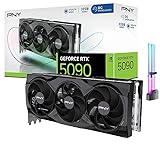
CyberGeek GeForce RTX 5090 Overclocked Triple Fan Graphics Card, 32GB GDDR7, 28 Gbps, 512-bit, 3352 AI Tops, DLSS 4, AI Content Creation, Local LLM Inference, DP 2.1b x3, HDMI 2.1b, with GPU Holder
More specifications
- Condition
- New
- Seller
- Prime Outlets Online
- ASIN
- B0GK8D8DJH

MSI GeForce RTX 5090 32G SUPRIM SOC Graphics Card VD8997
More specifications
- Condition
- New
- Seller
- MrReliable-USA
- ASIN
- B0DT6SN14V

ASUS ROG Matrix Platinum GeForce RTX 5090 OC 30th-Anniversary Edition Gaming Graphics Card, 32GB GDDR7, PCIe 5.0, 512-bit, Liquid Metal Cooling, DisplayPort 2.1b, HDMI 2.1b, MTX5090P32G30TH
More specifications
- Condition
- New
- Seller
- MrReliable-USA
- ASIN
- B0GRFXRSZV
Will this hardware class fit your workload?
Use workload, memory and software priorities to identify the strongest platform fit.
The result will focus on the trade-off that matters most for this decision.
Buying decision summary
| Decision factor | GMKtec EVO-X5 Pro | Alternative / implication |
|---|---|---|
| Memory fit | Up to 192GB | Choose capacity from the real model working set, not the headline alone |
| Software path | Windows/x86 and AMD-oriented unless noted | CUDA or MLX requirements can outweigh capacity |
| Storage | Plan active-model NVMe capacity | Large model libraries often need several terabytes |
| Networking | Match the workstation role | 2.5/5/10GbE matters for NAS and served inference |
| Buying timing | Verify exact configuration and stock | Newly announced hardware can have uneven availability |
Check these four things before choosing a system
Confirm the 192GB SKU
Make sure the listing actually includes Ryzen AI Max+ PRO 495 and 192GB memory; do not infer the flagship specification from the EVO-X5 Pro family name.
Match the runtime first
Check your exact Ollama, llama.cpp, LM Studio or application path on AMD hardware before paying for capacity you cannot use efficiently.
Size the model library
Estimate active and archived model storage separately so a 192GB memory purchase is not paired with an undersized SSD.
Plan network use
If the machine will serve other devices, verify the wired-network configuration and the switch/NAS path before deployment.
GMKtec EVO-X5 Pro buying guide
What makes the EVO-X5 Pro different
GMKtec is positioning the EVO-X5 Pro as a compact local-AI machine built around AMD's Ryzen AI Max+ PRO 495 rather than as a routine office mini PC. The defining combination is the processor, up to 192GB of LPDDR5X-8533 shared memory and a vendor-stated memory bandwidth around 273GB/s. GMKtec also says as much as 160GB can be allocated to graphics. Those figures make the machine interesting for model weights that are awkward on 64GB or 128GB systems, but the practical value still depends on the runtime, quantization and context target you actually use.
Treat the 300B claim as a capacity claim
GMKtec promotes fully local 300B-parameter AI as part of the launch message. That should not be read as a promise that every 300B model, every quantization or every context length will run comfortably. Parameter count is only the starting point. Weight precision, KV cache, temporary buffers and operating-system reserve all consume the same memory pool. A buyer considering a very large model should calculate the actual file footprint and desired context first, then leave meaningful headroom instead of planning around the absolute 192GB ceiling.
Why 160GB graphics allocation matters
On a shared-memory platform, a large graphics allocation can let the integrated Radeon 8065S address a much bigger model than a conventional discrete consumer GPU with 16GB, 24GB or 32GB of VRAM. The tradeoff is that the CPU, operating system and applications still need memory from the same physical pool. The useful question is therefore not whether the firmware can expose 160GB to graphics, but whether your chosen workload remains stable after the rest of the machine takes its share. Cloudzat's model-fit tools are designed around that remaining working budget.
Check the exact retail configuration
Early listings for newly announced mini workstations often reuse a product family name across several memory and storage combinations. An EVO-X5 Pro page should not assume every listing carries 192GB simply because the platform supports it. Before buying, verify the Ryzen AI Max+ PRO 495 processor string, installed memory, SSD capacity, operating-system state and whether the seller is offering a barebones or complete machine. A lower-memory EVO-X5 variant may still be a good buy, but it solves a different local-AI problem and should not be priced as if it were the flagship configuration.
Storage planning for very large model libraries
A system that can hold larger models in memory can also consume local storage quickly. Keeping several quantizations of one large model, plus embeddings, vector indexes, datasets and checkpoints, can turn a 2TB drive into a temporary starting point rather than a long-term configuration. For a machine in this class, buyers should look at how many internal NVMe slots are usable at full speed, whether replacing the boot drive is practical, and whether a fast external SSD or NAS will hold cold model files. Capacity planning matters more than chasing a single peak benchmark number.
Network the EVO-X5 Pro like a small server
The EVO-X5 Pro becomes more valuable when local inference is shared with laptops, workstations or automation nodes instead of being tied to one keyboard and monitor. If the chosen configuration provides high-speed Ethernet, use it to separate model serving from slower Wi-Fi traffic and to keep large datasets on network storage. Ten-gigabit links are especially useful when a local AI machine also reads multi-gigabyte files from a NAS. A strong network path does not make inference faster by itself, but it prevents file movement and remote use from becoming the avoidable bottleneck.
Cooling and power modes deserve attention
A compact enclosure can deliver impressive burst performance and still behave very differently during a thirty-minute compile, long image batch or sustained model session. Review the available power modes, fan behavior and chassis intake before assuming the highest processor limit is the mode you will want every day. For desk use, a slightly lower sustained setting may offer a better noise-to-performance balance. For unattended service, stability and temperatures matter more than a short synthetic score. This is one reason Cloudzat treats the computer as a complete system rather than judging the processor in isolation.
Where EVO-X5 Pro beats a discrete-GPU tower
The main appeal over a conventional GeForce desktop is memory capacity in a compact box. A high-end tower with an RTX 5090 has much stronger CUDA support and dedicated graphics performance, but its 32GB VRAM can be the limiting resource for models whose weights exceed that space. The EVO-X5 Pro takes the opposite approach: far more addressable shared memory, lower graphics throughput and an AMD software stack. That makes it attractive for fitting large quantized models, private document work and memory-heavy experiments where capacity matters more than maximum tokens per second.
Where an NVIDIA system still makes more sense
If your daily tools explicitly require CUDA, TensorRT, a particular NVIDIA extension or a Windows application optimized only for GeForce/RTX acceleration, the larger memory pool does not automatically make the EVO-X5 Pro the better workstation. RTX Spark, DGX Spark and discrete-GPU desktops remain important alternatives because software support can outweigh raw capacity. Check the frameworks and model backends you already use before buying. Migrating a mature CUDA workflow solely to gain memory can introduce more engineering work than the hardware price comparison suggests.
A realistic buyer profile
The strongest EVO-X5 Pro buyer is someone who already knows why 128GB feels restrictive. That could be a developer testing larger GGUFs, a researcher keeping model and retrieval workloads on one machine, a creator combining AI tools with conventional x86 applications, or a small team serving private models over the local network. Someone running mostly 7B, 14B or 32B models may get better value from a less expensive 64GB or 128GB system and put the saved budget into storage, backup or a faster GPU.
How to judge launch pricing
New hardware can arrive before retail competition has settled. Compare the exact EVO-X5 Pro configuration with other PRO 495 systems, not with an entry configuration that has half the memory. Also compare total system value: installed SSD, networking, ports, warranty, operating system, cooling and included power supply all affect the real cost. When Amazon inventory is thin, Cloudzat can show qualified alternatives without pretending they are the same product. The exact EVO-X5 Pro should regain priority as soon as a matching listing is available.
Bottom line for the EVO-X5 Pro
Buy the EVO-X5 Pro for its unusual combination of 192GB-class shared memory, compact size and x86 flexibility, not because one headline parameter count guarantees a particular performance result. Verify the retail configuration, confirm your runtime supports the workload, budget enough storage for the model library and decide whether you need high-speed networking. If those pieces align, the machine can occupy a useful middle ground between 128GB personal AI systems and far more expensive multi-GPU or high-memory Mac configurations.
GMKtec EVO-X5 Pro questions buyers ask
Does EVO-X5 Pro always include 192GB?
No. The platform is promoted with up to 192GB, so the installed memory on the exact retail SKU still needs to be verified.
Can EVO-X5 Pro really run a 300B model?
GMKtec makes a 300B-class local-AI claim, but practical fit depends on quantization, context, runtime overhead and the specific model. Treat it as a vendor capability claim, not a universal performance guarantee.
What does up to 160GB graphics allocation mean?
It means part of the shared 192GB pool can be made addressable to graphics. It is not separate dedicated VRAM, and the rest of the system still needs memory.
Is EVO-X5 Pro better than RTX 5090 for AI?
It is better for some capacity-limited workloads because it can expose far more memory. RTX 5090 is usually the stronger CUDA and raw accelerator choice for models that fit in 32GB.
How much SSD capacity should I pair with it?
For users keeping several large models locally, 4TB or more can become useful quickly. The right size depends on how many quantizations, datasets and project files you retain.
Should I use NAS storage with EVO-X5 Pro?
NAS is useful for shared or archived models and datasets. Active models are generally easiest to keep on local NVMe unless your workflow is designed for network storage.
Is 192GB useful for ordinary desktop work?
Most ordinary desktop tasks will not need it. The premium makes sense for memory-heavy local AI, VMs, data work or mixed workloads that can use the capacity.
What should I verify on an Amazon listing?
Check exact model name, PRO 495 processor, installed memory, SSD, condition, seller and whether the system is complete or barebones.
Specifications and reference material
Use manufacturer specifications for hardware details and confirm the exact retail configuration before buying.
- AMD Ryzen AI Max+ PRO 495 specifications
- NVIDIA RTX Spark announcement
- Apple Mac Studio M5 Max and M5 Ultra
- GMKtec EVO-X5 Pro IFA 2026 announcement
As an Amazon Associate, Cloudzat may earn from qualifying purchases.