


A cheap 4-bay NAS is attractive because four drives give you more capacity and RAID flexibility than a 2-bay system. The best value is the lowest-priced model that still has the network speed, memory and CPU headroom your storage plan needs.
A cheap 4-bay NAS is worth buying when you actually benefit from four bays: more usable capacity, easier growth or more flexible redundancy. For basic storage, modest hardware is fine. For Plex, containers, several users or large transfers, look for 2.5GbE or better, enough memory and a CPU that will not become the next bottleneck.
Cheapest 4-bay NAS options right now
Compare current diskless 4-bay NAS prices, then filter by network speed and installed memory.
Cheapest NAS enclosures
Compare the current price with the hardware you actually get. Final Amazon price and availability can change at checkout.

ASUSTOR AS3304T v2
Realtek RTD1619B · 2GB
Last price check: 2026-09-16 06:42:57
Buy on Amazon
UGREEN DH4300 Plus
ARM platform · 8GB
Last price check: 2026-09-16 06:43:08
Buy on Amazon
TerraMaster F4-425 Plus
Intel N150 · 16GB DDR5 · 3× M.2
Last price check: 2026-09-16 06:43:45
Buy on Amazon
Synology DS425+
Intel Celeron J4125 · 2GB · 2× M.2
Last price check: 2026-09-16 06:43:10
Buy on Amazon
UGREEN DXP4800
Intel N100 · 8GB · 2× M.2
Last price check: 2026-09-16 06:43:04
Buy on Amazon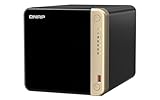
QNAP TS-464
Intel Celeron N5095 · 4GB+ · 2× M.2
Last price check: 2026-09-16 06:43:32
Buy on Amazon
Synology DS925+
AMD Ryzen V1500B · 4GB ECC · 2× M.2
Last price check: 2026-09-16 06:42:50
Buy on Amazon
TerraMaster F4-424
Intel N95 · 8GB DDR5 · 2× M.2
Last price check: 2026-09-16 06:43:07
Buy on AmazonCurrent market for this bay count
ASUSTOR AS3304T v2 is the lowest-priced current option in this bay-count view at $356.99. The cheapest enclosure is not automatically the best value if its CPU, memory or network speed is below the workload you need.
How to judge the cheapest 4-bay NAS options
Start with the live models above, then use these checks to separate a low price from genuinely good value.
When a cheap 4-bay NAS is worth buying
A low-cost 4-bay NAS makes sense when you need more capacity growth and RAID flexibility than a 2-bay system can provide, without paying for high-end server hardware. It should still have enough CPU, memory and network speed for your workload. Four bays alone do not make a weak platform good value.
Four bays give you more redundancy choices
With four drives you can choose layouts such as single- or dual-parity RAID, depending on the platform. That gives you more ways to balance usable capacity and drive-failure tolerance than a simple 2-bay mirror.
Smaller drives can make the complete build cheaper
Four bays can sometimes reach a target usable capacity with smaller drives that have a better price per TB than two very large drives. Compare the enclosure and drives together before deciding which system is actually cheaper.
2.5GbE is especially useful with four drives
A multi-drive array can deliver more throughput than 1GbE can carry. If you move large files or have several active users, 2.5GbE is a practical feature to prioritize, with faster networking useful for heavier workflows.
Cheap becomes false economy when upgrades are immediate
A 4-bay NAS is not a bargain if you immediately need a network adapter, more RAM or a stronger platform to run the services you bought it for. Pay slightly more upfront when it avoids a predictable replacement or add-on cost.
NAS price and budget FAQs
Why buy a 4-bay NAS instead of a 2-bay NAS?
Four bays provide more capacity-growth options and more flexible RAID layouts. They are especially useful when you expect the storage pool to grow beyond a simple two-drive mirror.
Is 1GbE enough for a 4-bay NAS?
It can be enough for backup and light sharing, but 2.5GbE is a better fit for large transfers or multiple users because a four-drive array can exceed gigabit speeds.
How much usable capacity do four drives provide?
It depends on the RAID layout. A single-parity arrangement typically reserves the equivalent of one drive for protection, while mirrored layouts trade more raw capacity for redundancy.
Can a cheap 4-bay NAS run Plex and Docker?
Some can, but CPU architecture, hardware video support, memory and software support matter more than the number of bays.
Should I buy four smaller drives or two larger drives?
Compare total cost, usable capacity, future growth, power use and the redundancy layout. There is no universal winner; current drive pricing can change the economics.
Three checks before you buy
- Confirm the exact model and whether the listing is diskless or includes drives.
- Use the recent median and tracked low when enough history exists, rather than relying on a retailer sale badge.
- Check the final Amazon configuration, condition, availability and checkout price before ordering.
As an Amazon Associate, Cloudzat may earn from qualifying purchases. Verify the exact model, bundle contents, condition and final checkout price before ordering.