


Mini PC decisions · Canada · CAD
Mini PC Selector Canada: Choose RAM, SSD and Ports
Filter complete Canada Mini PC listings by your budget and known hardware requirements. The tool keeps unverifiable features out of hard-match results and shows the observed price time.
Set a CAD budget and minimum installed RAM and SSD, then choose any physical network requirement. A result only passes a hard port filter when that evidence is explicit; confirm the exact retail variation before buying.
Filter complete Canadian Mini PCs
Set a CAD budget and your required RAM, SSD and physical network ports. A missing port specification cannot meet a port requirement.
Mini PC decisions · Canada · CAD
Compare complete Mini PC listings
Each card shows when its price was checked. Confirm the RAM, SSD, seller and delivered total on Amazon.

COMPLETE SYSTEM
Bosgame RYZEN 5 3500U
RYZEN 5 3500U · 16 GB RAM · 512 GB SSD
CA$324.89Price checked 24 Oct 2026 20:15 UTCBuy on Amazon ↗
COMPLETE SYSTEM
Bosgame N95
N95 · 16 GB RAM · 512 GB SSD
CA$329.00Price checked 24 Oct 2026 20:16 UTCBuy on Amazon ↗
COMPLETE SYSTEM
Beelink RYZEN 3 3200U
RYZEN 3 3200U · 16 GB RAM · 500 GB SSD
CA$359.00Price checked 24 Oct 2026 20:19 UTCBuy on Amazon ↗
COMPLETE SYSTEM
Bosgame RYZEN 5300U
RYZEN 5300U · 8 GB RAM · 256 GB SSD
CA$406.95Price checked 24 Oct 2026 20:19 UTCBuy on Amazon ↗
COMPLETE SYSTEM
Beelink N150
N150 · 16 GB RAM · 500 GB SSD
CA$418.93Price checked 30 Oct 2026 07:07 UTCBuy on Amazon ↗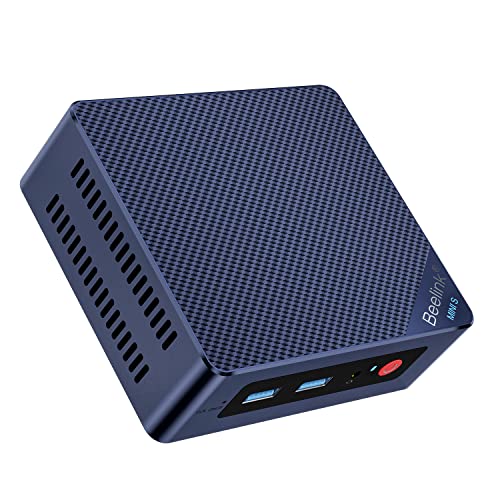
COMPLETE SYSTEM
Beelink N100
N100 · 16 GB RAM · 500 GB SSD
CA$421.04Price checked 30 Oct 2026 15:09 UTCBuy on Amazon ↗
COMPLETE SYSTEM
Beelink N100
N100 · 12 GB RAM · 500 GB SSD
CA$449.00Price checked 30 Oct 2026 15:09 UTCBuy on Amazon ↗COMPLETE SYSTEM
Beelink N100
N100 · 16 GB RAM · 500 GB SSD
CA$459.00Price checked 30 Oct 2026 15:09 UTCBuy on Amazon ↗COMPLETE SYSTEM
Beelink N100
N100 · 16 GB RAM · 512 GB SSD
CA$459.00Price checked 30 Oct 2026 15:09 UTCBuy on Amazon ↗COMPLETE SYSTEM
Beelink N150
N150 · 12 GB RAM · 500 GB SSD
CA$469.00Price checked 30 Oct 2026 07:07 UTCBuy on Amazon ↗COMPLETE SYSTEM
Beelink N150
N150 · 12 GB RAM · 512 GB SSD
CA$469.00Price checked 30 Oct 2026 07:07 UTCBuy on Amazon ↗
COMPLETE SYSTEM
Beelink RYZEN 3 7330U
RYZEN 3 7330U · 16 GB RAM · 500 GB SSD
CA$549.00Price checked 24 Oct 2026 20:19 UTCBuy on Amazon ↗
COMPLETE SYSTEM
ACEMAGIC RYZEN 7 7730U
RYZEN 7 7730U · 16 GB RAM · 512 GB SSD
CA$569.99Price checked 24 Oct 2026 20:19 UTCBuy on Amazon ↗
COMPLETE SYSTEM
MINIX N150
N150 · 16 GB RAM · 512 GB SSD
CA$599.90Price checked 30 Oct 2026 07:07 UTCBuy on Amazon ↗COMPLETE SYSTEM
ACEMAGIC RYZEN 7 7730U
RYZEN 7 7730U · 16 GB RAM · 1000 GB SSD
CA$619.99Price checked 24 Oct 2026 20:15 UTCBuy on Amazon ↗
COMPLETE SYSTEM
GEEKOM RYZEN 5 7430U
RYZEN 5 7430U · 16 GB RAM · 1000 GB SSD
CA$629.00Price checked 24 Oct 2026 20:14 UTCBuy on Amazon ↗
COMPLETE SYSTEM
Beelink RYZEN 7 7735U
RYZEN 7 7735U · 16 GB RAM · 500 GB SSD
CA$649.00Price checked 24 Oct 2026 20:17 UTCBuy on Amazon ↗
COMPLETE SYSTEM
Beelink RYZEN 7 7735U
RYZEN 7 7735U · 16 GB RAM · 500 GB SSD
CA$649.00Price checked 24 Oct 2026 20:17 UTCBuy on Amazon ↗
COMPLETE SYSTEM
Bosgame RYZEN 7 7730U
RYZEN 7 7730U · 16 GB RAM · 512 GB SSD
CA$659.00Price checked 24 Oct 2026 20:19 UTCBuy on Amazon ↗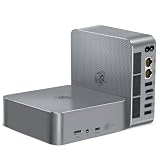
COMPLETE SYSTEM
Beelink RYZEN 7 5825U
RYZEN 7 5825U · 32 GB RAM · 500 GB SSD
CA$660.15Price checked 24 Oct 2026 20:19 UTCBuy on Amazon ↗
COMPLETE SYSTEM
Bosgame RYZEN 7 7730U
RYZEN 7 7730U · 16 GB RAM · 1000 GB SSD
CA$679.99Price checked 24 Oct 2026 20:18 UTCBuy on Amazon ↗
COMPLETE SYSTEM
Beelink RYZEN 7 7735HS
RYZEN 7 7735HS · 24 GB RAM · 500 GB SSD
CA$684.81Price checked 24 Oct 2026 20:17 UTCBuy on Amazon ↗
COMPLETE SYSTEM
Beelink RYZEN 7 7735U
RYZEN 7 7735U · 32 GB RAM · 1000 GB SSD
CA$687.20Price checked 24 Oct 2026 19:09 UTCBuy on Amazon ↗COMPLETE SYSTEM
MINIX N355
N355 · 16 GB RAM · 512 GB SSD
CA$695.90Price checked 30 Oct 2026 15:10 UTCBuy on Amazon ↗
COMPLETE SYSTEM
Beelink CORE I5-1235U
CORE I5-1235U · 32 GB RAM · 500 GB SSD
CA$704.36Price checked 24 Oct 2026 20:19 UTCBuy on Amazon ↗
COMPLETE SYSTEM
ACEMAGIC RYZEN 7 7735HS
RYZEN 7 7735HS · 24 GB RAM · 1000 GB SSD
CA$729.99Price checked 24 Oct 2026 20:15 UTCBuy on Amazon ↗
COMPLETE SYSTEM
GEEKOM RYZEN 7 7730U
RYZEN 7 7730U · 16 GB RAM · 512 GB SSD
CA$759.00Price checked 24 Oct 2026 20:14 UTCBuy on Amazon ↗
COMPLETE SYSTEM
Beelink RYZEN 7 6800H
RYZEN 7 6800H · 32 GB RAM · 1000 GB SSD
CA$761.02Price checked 24 Oct 2026 20:18 UTCBuy on Amazon ↗
COMPLETE SYSTEM
GEEKOM RYZEN 5 7530U
RYZEN 5 7530U · 16 GB RAM · 1000 GB SSD
CA$799.00Price checked 24 Oct 2026 20:19 UTCBuy on Amazon ↗
COMPLETE SYSTEM
MINISFORUM CORE I9-13900HK
CORE I9-13900HK · 16 GB RAM · 500 GB SSD
CA$799.99Price checked 24 Oct 2026 19:14 UTCBuy on Amazon ↗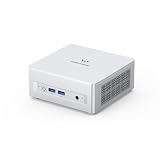
COMPLETE SYSTEM
MINISFORUM RYZEN 7 8745H
RYZEN 7 8745H · 16 GB RAM · 512 GB SSD
CA$839.99Price checked 24 Oct 2026 19:09 UTCBuy on Amazon ↗
COMPLETE SYSTEM
GEEKOM RYZEN 5 7545U
RYZEN 5 7545U · 16 GB RAM · 500 GB SSD
CA$849.00Price checked 24 Oct 2026 20:19 UTCBuy on Amazon ↗
COMPLETE SYSTEM
Cutesliving N305
N305 · 8 GB RAM · 256 GB SSD
CA$860.99Price checked 30 Oct 2026 15:10 UTCBuy on Amazon ↗
COMPLETE SYSTEM
GEEKOM RYZEN 7 7730U
RYZEN 7 7730U · 16 GB RAM · 512 GB SSD
CA$863.85Price checked 24 Oct 2026 20:17 UTCBuy on Amazon ↗
COMPLETE SYSTEM
GEEKOM CORE ULTRA 5 125U
CORE ULTRA 5 125U · 16 GB RAM · 512 GB SSD
CA$879.00Price checked 24 Oct 2026 19:08 UTCBuy on Amazon ↗
COMPLETE SYSTEM
TRIGKEY RYZEN7 7735HS
RYZEN7 7735HS · 32 GB RAM · 500 GB SSD
CA$887.55Price checked 24 Oct 2026 20:15 UTCBuy on Amazon ↗
COMPLETE SYSTEM
Beelink RYZEN 7 8745HS
RYZEN 7 8745HS · 32 GB RAM · 1000 GB SSD
CA$910.65Price checked 24 Oct 2026 19:08 UTCBuy on Amazon ↗
COMPLETE SYSTEM
Beelink RYZEN 7 8845HS
RYZEN 7 8845HS · 32 GB RAM · 1000 GB SSD
CA$954.30Price checked 24 Oct 2026 20:20 UTCBuy on Amazon ↗
COMPLETE SYSTEM
GEEKOM RYZEN 7 7730U
RYZEN 7 7730U · 32 GB RAM · 500 GB SSD
CA$999.00Price checked 24 Oct 2026 19:14 UTCBuy on Amazon ↗
COMPLETE SYSTEM
GMKtec CORE ULTRA 5 125U
CORE ULTRA 5 125U · 32 GB RAM · 512 GB SSD
CA$999.00Price checked 24 Oct 2026 20:17 UTCBuy on Amazon ↗Buying guide
Define a workload before filtering
Begin with the actual applications and equipment. Office work calls for monitor and peripheral compatibility, enough RAM for multitasking and a usable operating system. A small home server needs storage, network planning and recovery. A firewall requires verified physical ports and controller support. Gaming depends on graphics and cooling. The selector can narrow a catalogue, but the word best has no meaning until the required job is clear.
Write a short list of hard constraints: the most you can pay in Canadian dollars, minimum installed memory and storage, a required number of Ethernet ports, and any display or expansion interface you must have. Keep preferences separate. If you need two physical network ports, do not let a low price or faster CPU override that condition. If a feature is optional, you can compare more candidates after the first pass.
Understand the evidence behind each card
The cards show complete Amazon.ca Mini PCs with their listed RAM, SSD, price and price-check date. Retailer text can be incomplete or describe several variants, so check the exact selected option before ordering. Confirm the selected RAM and SSD variant on Amazon and check the manufacturer specification.
An unknown value does not pass a minimum requirement. A family may support 64 GB while the selected model includes 16 GB; the tool uses the installed amount. A USB-C socket does not prove USB4, and a network adapter included in an image is not a second built-in LAN port. If a required specification is missing, investigate that model independently or choose a verified alternative rather than treating uncertainty as a positive match.
Set a realistic CAD budget
Enter the maximum product price you are willing to consider, but also account for shipping and any missing parts. A barebones Mini PC may require separately purchased RAM, SSD, operating system and installation time. A complete system can cost less overall even when its headline price is higher. The card shows when we checked its price. Confirm today’s total on Amazon.
Check the seller, condition, return policy and supplied Canadian power plug. Some listings group multiple CPU or storage choices behind one product page, and the total changes with the selected option. The selector excludes known barebones offers from its complete-system comparison, yet it cannot promise a retailer will not change a variation. Recheck the order summary before payment.
Choose memory and storage floors
For everyday office work, 16 GB of installed RAM is a practical starting comparison for many buyers. A single service or media client can require less, while virtual machines, creative applications and local AI may require substantially more. Some models use soldered memory and cannot be expanded. Filter on what is installed now, then inspect the maximum supported capacity and physical upgrade path if future use matters.
Choose SSD capacity from your operating system, applications, project files, VM images and snapshots. A 500 or 512 GB listing is not interchangeable with a smaller 256 GB variant when the latter leaves too little space. A second slot can help expansion but does not replace backup. If the listing gives only a supported maximum rather than a fitted drive, do not count that maximum as installed storage.
Treat network ports as a hard requirement
For a desk PC or simple server, one Ethernet port may be fine. A router replacement, isolated lab or dedicated WAN/LAN design may need two or more physical ports. The selector's port filter only counts ports identified in the listing. Check controller models and the operating system's driver support before you rely on the result, especially for OPNsense. A headline term such as dual LAN can hide different variants or ports of different speeds.
Port count and speed solve different questions. Two 2.5GbE ports do not provide 2.5 Gb/s benefit if the switch, cabling or other endpoint is slower. A USB network adapter may be useful as a temporary workaround, but it is not the same design as a built-in controller. For a production firewall, verify the exact chipset and plan recovery access before changing the network.
Compare processor tiers without false precision
An Intel N-series Mini PC may be enough for light office work, media clients and modest always-on services. More simultaneous virtual machines, software builds, demanding graphics or local AI can point to a different CPU and memory class. Core and Ryzen product names span generations and power limits; a family label alone cannot predict performance in a specific enclosure. Check tests of the exact model when speed or acoustics matter.
Processor TDP is a component rating, not a measure of the system at the wall. Turbo frequency is a short-term ceiling, not guaranteed sustained output. Cooling and firmware can change how long a Mini PC holds its performance. Use workload guides and independent measurements for a finalist, especially if the machine must run heavy jobs for hours.
Handle no-match results carefully
If no listing passes every filter, the tool reports no confirmed match. That can mean the price cap is too tight, the listed PCs lack a required feature, or the seller has not stated it clearly. It does not show that no suitable Mini PC exists anywhere in Canada. Inspect which condition is essential, adjust only optional preferences and check the manufacturer specifications for another model.
Do not add a generic model to a shortlist because a marketing title sounds similar. Save the exact RAM and SSD variation, ASIN, port photograph and specification link for each serious candidate. This keeps the reasoning reviewable when listings change. If you need a Proxmox host, Plex server or OPNsense appliance, read the dedicated guide before accepting a general selector result.
Make a final comparison and test delivery
After filtering, compare two or three complete machines on the total delivered CAD price, installed parts, seller, warranty and return terms. Check the price date and reopen the Amazon listing. Evaluate noise, expansion and power use alongside the purchase price. The Canadian power calculator can estimate annual electricity with your own wall measurement and tariff; do not substitute a CPU rating for the socket draw.
On delivery, confirm the processor, installed memory, SSD and operating system. Test each required Ethernet and display output with real equipment while you can still return the product. Set up backups, firmware maintenance and recovery before migrating services. A reliable buying decision includes a way to catch a wrong or faulty configuration early.
Questions before you buy
How does the Canada Mini PC selector choose matches?
It screens complete Amazon.ca listings against your CAD budget and known installed memory, storage and explicit port evidence.
Does a blank or unknown spec pass a filter?
No. Missing evidence does not satisfy a hard requirement; verify the exact manufacturer specification before relying on it.
Is the shown Amazon price guaranteed?
No. It is the price checked on the date shown. Confirm the selected variation, seller and total at checkout.
Can this tool certify OPNsense compatibility?
No. It can screen physical port evidence, but you must verify controller support, firmware and your OPNsense release.
What if there is no confirmed match?
Review which conditions are truly mandatory, widen only optional preferences and inspect other exact models independently.
Continue your comparison
Mini PCs in Canada: Buying Guide, Prices and ToolsBest Mini PCs in Canada: Picks by Workload and PriceMini PC Prices in Canada: Compare Complete SystemsMini PC Selector Canada: Choose RAM, SSD and PortsMini PC Power Cost Calculator for CanadaAs an Amazon Associate, Cloudzat earns from qualifying purchases. Prices can change. Confirm the chosen RAM, SSD, seller, availability and delivered total on Amazon.