


Quick buying answer
Choose the GEEKOM A9 Mega if you want a premium Ryzen AI Max+ 395 mini PC and its high-memory, storage and networking configuration matches your work. Compare EVO-X2 and MS-S1 MAX before buying because the best value depends on the exact RAM, SSD and I/O bundle, not the processor name alone.
High-memory local AI, creator workloads, developers and buyers who want a premium compact system with strong networking and modern I/O.
Choose EVO-X2 when its configuration is materially cheaper for the same workload, or MS-S1 MAX when expansion and workstation connectivity matter more.
Exact A9 Mega SKU, installed RAM/SSD, Ethernet ports, USB4/OCuLink if listed, cooling, included OS, seller and Canadian warranty terms.
What matters for a Canadian buyer
The A9 Mega is a premium configuration where the details around the processor matter as much as the processor itself. Compare memory, storage and networking line by line because Canadian prices can vary significantly between SKUs.
For AI workloads, verify the software path and model size before choosing a high-memory version. More memory can expand what fits locally, but it does not guarantee that every framework will use the integrated graphics efficiently.
Advertising / affiliate links. As an Amazon Associate, we earn from qualifying purchases. This page compares selected Amazon.ca offers, not the entire Canadian market.
Prices in this selection
1 earlier price checks included. Review the time on each product card; availability has not been reconfirmed.
Statistics for the filtered exact selection. Item prices exclude any additional shipping. Each product card shows its verification time.
Current GEEKOM A9 Mega Deals on Amazon.ca
1 of 1 products
Amazon.ca | prices in CAD
GEEKOM A9 Mega AI Workstation PC, Ryzen AI Max+ 395, 128GB RAM 2TB SSD | LPDDR5X 8000MHz, Radeon 8060S(96GB VRAM), 126 TOPS Local AI, 8K, USB4, WiFi 7, Dual 10GbE LAN, 128B Offline LLM Super PC
Complete mini PC | GEEKOM A9 Mega | Ryzen AI Max+ 395 | Radeon 8060S | 128 GB RAM | 2 TB SSD | 10GbE | USB4 | New
Previously verified price; check the current offer.
Last checked: Oct 24, 2026 16:18 EDT
Seller when checked: Amazon US | Shipping may be additional
See the clearly labelled alternatives directly below the main selection. They do not count as exact matches.
Prices and availability can change. The Amazon.ca price at purchase is the one that matters. Confirm configuration, seller, condition, shipping and delivery.
Certain content on this site comes from Amazon. This content is provided as-is and can be changed or removed at any time.
Alternatives beside the exact selection
These configurations may be useful alternatives, but they are not the same product or exact configuration and do not count in the exact price statistics above.
GMKtec EVO-X2: alternative

GMKtec EVO-X2 AI Mini PC AMD Ryzen AI Max+ 395, 64GB LPDDR5X 2TB SSD | Gaming Desktop Computers Quad Screen 8K Display, WiFi 7 & USB4, SD Card Reader 4.0
Complete mini PC | GMKtec EVO-X2 | Ryzen AI Max+ 395 | 64 GB RAM | 2 TB SSD | 2.5GbE | USB4 | New
Previously verified price; check the current offer.
Last checked: Oct 24, 2026 16:17 EDT
Ryzen AI Max+ 395 mini PC: alternative

BOSGAME Mini PC M5, Ryzen AI Max+ 395, 128GB LPDDR5 RAM, 2TB NVMe SSD
Complete mini PC | Bosgame mini PC | Ryzen AI Max+ 395 | Radeon 8060S | 128 GB RAM | 2 TB SSD | 2.5GbE | USB4 | Windows 11 Pro | New
Previously verified price; check the current offer.
Last checked: Oct 24, 2026 16:19 EDT
BOSGAME M5 AI Mini PC, AMD Ryzen AI Max+ 395 128GB LPDDR5X 8000MT/S
Complete mini PC | Bosgame mini PC | RYZEN AI MAX+ 395 | Radeon 8060S | 128 GB RAM | 2 TB SSD | 2.5GbE | USB4 | New
Previously verified price; check the current offer.
Last checked: Oct 24, 2026 16:16 EDT
Also useful for your setup
Separately priced products from the Canadian catalogue. They are not automatically included or compatible with every system.
NVMe storage for projects and models

Lexar Thor Pro 1TB SSD M.2 2280 PCIe Gen4 NVMe Up to 6,000MB/s | Internal Solid State Drive for Gamer and Creator, Compatible with PS5, Laptop & Desktop
Internal SSD | 1 TB | PCIe 4.0 | New
Previously verified price; check the current offer.
Last checked: Oct 24, 2026 15:20 EDT

Lexar EQ790 1TB SSD M.2 2280 PCIe Gen4x4 NVMe 1.4 | Internal Solid State Drive Up to 7,000MB/s Read 5,000MB/s Write for Intense Workloads & PS5 PC Gaming
Internal SSD | 1 TB | PCIe 4.0 | New
Previously verified price; check the current offer.
Last checked: Oct 24, 2026 15:19 EDT

Crucial SSD 1TB M.2 (2280) P310 NVMe PCIe Gen4 Internal
Internal SSD | 1 TB | PCIe 4.0 | New
Previously verified price; check the current offer.
Last checked: Oct 24, 2026 15:20 EDT

Crucial P310 1TB 2280 PCIe Gen4 3D NAND NVMe M.2 SSD – Up to 7,100 MB/s – Shift up to Gen4, with Acronis Offer, Internal Solid State Drive (PC) – CT1000P310SSD801
Internal SSD | 1 TB | PCIe 4.0 | New
Previously verified price; check the current offer.
Last checked: Oct 24, 2026 15:12 EDT
NAS systems for separate backup

Synology DiskStation DS124 1-Bay 3.5inch Diskless 1xGbE NAS (Tower), Realtek RTD1619B quad-core. 1.4GHz, 1GB RAM, 2xUSB3 - 2 yr - Launch date 19JUL23
Diskless NAS | 1 bays | New
Previously verified price; check the current offer.
Last checked: Oct 24, 2026 15:13 EDT

Asustor Drivestor 2 Gen 2 AS1202T 2 Bay NAS Storage for Personal Home Users | Photo File Backup, Remote Access, Mobile App, 4K Media Server, 2.5GbE, Personal Cloud, Network Attached Storage (Diskless)
Diskless NAS | 2 bays | 2,5-GbE | New
Previously verified price; check the current offer.
Last checked: Oct 24, 2026 15:12 EDT
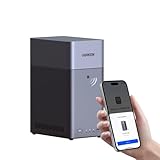
UGREEN NAS DH2300 2-Bay Desktop NAS, Support Capacity up to 64TB (Diskless) | Remote Access, AI Photo Album, Beginner Friendly System, 4GB RAM on Board,1GbE, 4K HDMI, Network Attached Storage(Diskless)
Diskless NAS | 2 bays | 1-GbE | New
Previously verified price; check the current offer.
Last checked: Oct 24, 2026 15:19 EDT
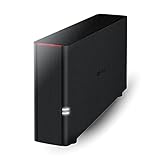
BUFFALO LinkStation 210 1-Bay Personal Cloud Network Storage 6TB (1x6TB) with Hard Drives Included
NAS: check contents | 1 bays | New
Previously verified price; check the current offer.
Last checked: Oct 24, 2026 15:15 EDT
Network upgrades

UGREEN 2.5Gb Switch, 5-Port Ethernet Switch, 5 x 2.5Gb Uplink, Metal Case | Plug & Play Unmanaged Ethernet Splitter, Desktop/Wall Mount Network Hub, Fanless Quiet with LED, for NAS, PC, Game Console
Network switch | 2,5-GbE | New
Previously verified price; check the current offer.
Last checked: Oct 24, 2026 15:03 EDT

TP-Link TL-SG105S-M2, 5 Port Multi-Gigabit 2.5G Unmanaged Ethernet Switch | Ethernet Splitter, Plug & Play, Desktop/Wall Mount, Silent Operation
Network switch | 2,5-GbE | New
Previously verified price; check the current offer.
Last checked: Oct 24, 2026 15:04 EDT

TP-Link TL-SG108-M2, 8 Port Multi-Gigabit 2.5G Unmanaged Switch | 2.5G Bandwidth, Ethernet Splitter, Plug & Play, Desktop/Wall Mount, Fanless Metal Design, Lifetime Protection
Network switch | 2,5-GbE | New
Previously verified price; check the current offer.
Last checked: Oct 24, 2026 15:03 EDT

TP-Link TL-SG108S-M2, 8 Port Multi-Gigabit 2.5G Unmanaged Switch | 2.5G Bandwidth, Ethernet Splitter, Plug & Play, Desktop/Wall Mount, Fanless Metal Design, Lifetime Protection
Network switch | 2,5-GbE | New
Previously verified price; check the current offer.
Last checked: Oct 24, 2026 15:03 EDT
Estimate your complete purchase cost
Use your own amounts, including any extra hardware you still need. This is not a retailer bundle.
Which option fits your situation?
| Your situation | What matters most | Check before purchase |
|---|---|---|
| Local AI | Memory and software support | Check model size/backend |
| Creator workstation | SSD and networking | Confirm workflow bottlenecks |
| Premium compact desktop | Complete configuration | Compare total cost against EVO-X2/MS-S1 |
Detailed buying guide
Is GEEKOM A9 Mega worth the premium?
It can be when you will use its memory, networking and compact design rather than simply paying for the newest processor label.
Compare it against other Max+ 395 systems at the same installed-memory level so the Canadian price comparison stays like-for-like.
Which configuration should I compare?
Compare the exact processor, installed RAM, installed SSD, operating system and the ports that matter to your setup. The same mini-PC model can be sold with very different memory and storage configurations.
Treat the complete configuration as the product. A lower headline price is not comparable if it buys less RAM, less storage or a different processor.
How should I verify installed memory?
Only explicitly installed RAM counts. Wording such as 'supports up to 128 GB' or 'maximum 192 GB' is not treated as the installed configuration.
For unified-memory AI systems, also check how the memory is shared with graphics and whether the workload can actually use the capacity effectively.
What should I check for storage and expansion?
Check the number of M.2 slots, supported SSD sizes and PCIe generation, plus whether adding another drive affects cooling or shared bandwidth.
A maximum supported storage figure is not the same as included storage. Compare the SSD that is actually installed in the offer.
Which ports and networking features matter?
Look at Ethernet speed, USB4, OCuLink, display outputs and power delivery. For homelabs, local AI and creator use, I/O can matter more than a small CPU clock difference.
If you need 10GbE or external GPU/storage expansion, require that feature explicitly instead of assuming every premium mini PC includes it.
How do I avoid the wrong variant or a barebone?
Do not compare a barebone without RAM or SSD against a complete system. Marketplace titles can also mention several memory variants in one listing, so unclear configurations should be treated as unconfirmed.
Confirm the exact ASIN and selected variant on Amazon.ca before ordering, especially when the title and variation selector show different configurations.
When is a more expensive system worth it?
Pay more only when the upgrade solves a real limitation: more installed memory, better networking, additional expansion, stronger cooling, quieter operation or a platform feature your software actually uses.
If the extra capability will sit unused, the cheaper configuration is usually the better buying decision even if the premium model has higher headline specifications.
How this comparison works
The selection uses the Amazon.ca Creators API. Product identity, category and configuration are checked before an item enters the comparison. Accessories and ambiguous variants are not used as substitutes for the product being researched. Unknown specifications stay unknown.
Each price keeps the timestamp of its successful verification. An error, missing offer or missing image does not make an older check look newer. A retained price is not confirmation of current stock. Images load from the source and continued source-image availability is not guaranteed.
The statistics cover only the filtered selection. There is no permanent price history, automatic price alert or claim that this selection covers every Canadian retailer. A discount percentage only uses a reference basis supplied with the Amazon offer and is suppressed for older retained price data.
Frequently asked questions
Are these the lowest prices in Canada?
No. The live offers on this page are selected Amazon.ca listings in Canadian dollars, not a complete comparison of every Canadian retailer.
Does supported memory mean the same thing as installed memory?
No. CloudZat only treats memory as installed when the configuration explicitly identifies it. A statement such as 'supports up to 128 GB' is not counted as 128 GB installed.
Are barebones systems included?
No. The main comparison is for complete mini PCs with confirmed installed memory and storage. Barebones and incomplete configurations are excluded.
Why can a saved price be older than my page visit?
A failed or incomplete refresh does not overwrite a previously verified value. The original verification time stays visible, and current availability must still be confirmed on Amazon.ca.
Can the Amazon Associate tag be changed later?
Yes. The outgoing Associate-tag override is separate from the product pull, so a tag change does not require prices or images to be fetched again.
Is every listed system automatically suitable for GEEKOM A9 Mega?
No. The page controls product identity and configuration, but software, BIOS, driver, networking and workload requirements still need to be checked for the exact system you plan to buy.