


Canada · CAD
Best Gaming Mini PCs Canada
Choose a Beelink SER8 with 32GB for a compact system focused on lighter games and value. Choose an AI X1 Pro-370 with 32GB or more for a stronger integrated-graphics desktop with an external-GPU path. Choose an EVO-X2 with 64GB for premium integrated graphics, or a ROG NUC RTX 5080 for a compact dedicated-GPU setup.
Which model to choose
Beelink SER8, 32GB
Best starting point for lighter gaming and a useful everyday desktop. The Radeon 780M class suits a different budget from premium compact GPU systems.

32 GB RAM · 1000 GB SSD
CA$908.60Price checked 01.11.2026 06:33 UTCBuy on Amazon ↗Specifications and model details ↗MINISFORUM AI X1 Pro-370, 32GB or more
Best balanced step up when Radeon 890M graphics and a physical OCuLink connection are useful. Keep the external GPU and its power supply in a separate budget.

32 GB RAM · 1000 GB SSD
CA$1,719.99Price checked 01.11.2026 10:59 UTCBuy on Amazon ↗Specifications and model details ↗GMKtec EVO-X2, 128 GB
Best integrated-graphics direction for a premium compact machine. Choose the 64GB version for gaming unless another workload needs the larger memory pool.

128 GB RAM · 1000 GB SSD
CA$5,221.82Price checked 01.11.2026 10:28 UTCBuy on Amazon ↗Specifications and model details ↗ASUS ROG NUC (2025), RTX 5080
Best compact dedicated-GPU direction here for demanding games. This recommendation is the RTX 5080 Laptop version, not every ROG NUC configuration.

32 GB RAM · 1000 GB SSD
CA$5,386.25Price checked 01.11.2026 06:27 UTCBuy on Amazon ↗Specifications and model details ↗Amazon prices and configurations
Ryzen 7 8745HS
Beelink SER8 Mini Pc,AMD Ryzen 7 8745HS (up to 4.9GHz),32GB DDR5 RAM & 1TB PCIe4.0 SSD,AMD Radeon 780M,Mini Computer Support 4K Triple Display(HDMI+D…
32 GB RAM · 1000 GB SSD
CA$908.60Price checked 01.11.2026 06:33 UTCBuy on Amazon ↗Ryzen AI 9 HX 370
MINISFORUM AI X1 Pro-370 AMD Ryzen AI 9 HX370 Mini PC up to 5.1GHz 12C/24T, AMD Radeon 890M Mini Desktop Computer, 32GB DDR5 1TB PCIe 4.0 SSD, 8K Qua…
32 GB RAM · 1000 GB SSD
CA$1,719.99Price checked 01.11.2026 10:59 UTCBuy on Amazon ↗
Ryzen AI Max+ 395
GMKtec EVO-X2 AI Mini PC AMD Ryzen Al Max+ 395 Up to 5.1GHz, 16C/32T | Mini Gaming Computers 64GB LPDDR5X 8000MHz (8GB*8) 1TB PCIe 4.0 SSD, Quad Scre…
64 GB RAM · 1000 GB SSD
CA$3,180.45Price checked 01.11.2026 09:22 UTCBuy on Amazon ↗Core Ultra
ROG NUC 2025 Gaming Mini PC Intel Core Ultra 9 275H RTX 5080 | 32GB DDR5, 1TB SSD, Thunderbolt 4, Triple-Fan Cooling, ARGB Lighting, Windows 11 Pro
32 GB RAM · 1000 GB SSD
CA$5,386.25Price checked 01.11.2026 06:27 UTCBuy on Amazon ↗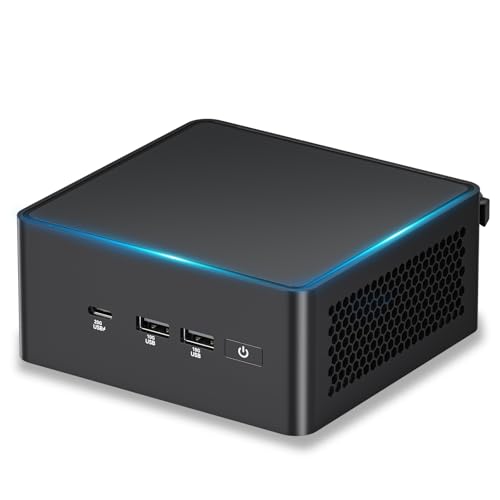
Core Ultra H
ASUS NUC 15 Pro AI Mini PC, Intel Core Ultra5 225H, 32GB DDR5 RAM, 1TB SSD | 14C/14T, Up to 4.9GHz, Intel Arc GPU Graphics/8K Quad Display/WiFi7/BT5.…
32 GB RAM · 1000 GB SSD
CA$1,759.00Price checked 01.11.2026 06:33 UTCBuy on Amazon ↗
AMD Ryzen
Reatan Gaming Mini PC, Ryzen 7 255, 48GB RAM 2TB SSD, Oculink, Radeon 780M | 5600MHz DDR5 & PCIe 4.0 SSD, 2x 8K USB4, HDMI 2.1, Wi-Fi 7, BT 5.4, Quad…
48 GB RAM · 2000 GB SSD
CA$1,989.00Price checked 01.11.2026 10:59 UTCBuy on Amazon ↗
Core Ultra
ROG NUC 2025 Mini PC with Intel Core Ultra 7 Processor, NVIDIA GeForce RTX 5060, 32GB DDR5, 1TB SSD, 4K Ready, WiFi 7, Thunderbolt 5, RGB Lighting Ef…
32 GB RAM · 1000 GB SSD
CA$3,316.61Price checked 01.11.2026 06:27 UTCBuy on Amazon ↗
Ryzen AI Max+ 395
ACEMAGIC M1A PRO+AI Mini PC AMD Ryzen AI Max+ 395 120W 126Tops Radeon 8060s | UP 5.1GHz Radeon 8060s Graphics, 128GB LPDDR5x 8000MHz, 2TB PCIe 4.0 SS…
128 GB RAM · 2000 GB SSD
CA$4,847.75Price checked 01.11.2026 06:33 UTCBuy on Amazon ↗Buying guide
A direct choice for each type of buyer
The SER8 is the starting recommendation when you want a small daily desktop that also plays lighter games. The AI X1 Pro-370 is the more flexible integrated-graphics step up, especially if OCuLink could become useful. The EVO-X2 with 64GB targets a buyer willing to pay for stronger integrated graphics and a compact shared-memory design. The ROG NUC RTX 5080 is the dedicated-GPU comparison for demanding games where a small enclosure remains important.
These choices occupy different price and capability levels. Do not buy the most expensive one merely because it appears higher in a specification list. If a tower fits your room, compare its complete price and upgrade path with the premium Mini PC before deciding.
Integrated graphics are not one performance class
The Radeon 780M, 890M and 8060S are different graphics designs. Memory configuration, system power and cooling also affect their behavior. A processor with a high CPU boost clock can still have modest gaming graphics. Read the actual GPU name rather than inferring capability from a Ryzen or Core label alone.
For integrated gaming, choose a complete system with enough installed memory and the right configuration for its platform. Increasing a firmware graphics allocation does not add physical RAM. Leave enough for Windows and the game itself, and do not confuse a 4K display-output claim with a guarantee of 4K game performance.
Choose expansion only when it improves the plan
The AI X1 Pro-370 provides an OCuLink route for compatible external graphics. That can separate the small computer on the desk from a larger GPU enclosure. It also adds a graphics card, enclosure or dock, power supply and extra cables. Compare the finished cost with a tower rather than treating the port as a free future upgrade.
An external-GPU connection has bandwidth and setup limitations. Check the exact dock, GPU, connection procedure and display arrangement before buying the parts. A USB-C socket alone does not confirm an external-GPU path. If you want a simple appliance-like gaming desk, a complete dedicated-GPU computer may be easier to own.
Make the first week a useful gaming test
Install the supported drivers and try the games you play, using your own monitor and controls. Play a longer session as well as a short benchmark. Check frame consistency, fan behavior, controller reconnection and sleep or wake from the sofa. Keep the original packaging and purchase details while you establish that the machine suits the room.
Beelink has published a SER8 chipset and BIOS compatibility notice, so use support information for the exact model rather than a random firmware download. A stable driver and firmware setup matters more than chasing every optional update immediately. When replacing an unavailable recommendation, keep the graphics tier and memory appropriate to your games.
Choose the game before the graphics label
Write down the games you actually play, the monitor resolution and whether you prioritize visual detail or response time. A light esports title and a demanding recent single-player game can place very different loads on the same computer. Integrated graphics make a compact, convenient system, but they share memory bandwidth with the CPU. A discrete GPU adds dedicated graphics memory and a different performance envelope. The word gaming in an Amazon title does not establish either capability.
Compare results only when the game version, resolution, settings, power profile and memory configuration are stated. Upscaling and frame generation can improve the experience in supported games, but generated frames are different from native rendering and do not remove every latency limit. Do not buy from a universal FPS claim attached to a processor family. Choose hardware that meets the needs of your most demanding regular game, then treat easier titles as welcome headroom.
Memory, storage and cooling for a small gaming desk
For a new integrated-graphics gaming system, 32GB is a useful target because Windows, games and graphics allocations draw on the same physical capacity. Two supported memory modules can also matter on platforms designed for dual-channel operation. Soldered LPDDR memory is a different design and cannot be upgraded with a SO-DIMM kit. A faster advertised memory specification does not compensate for too little usable capacity or a restrictive power profile.
Allow enough SSD space for the games you keep installed, updates and free working room. Start at 1TB if your library includes several large modern titles. Keep cloud saves or independent backups for progress that matters. Place the PC on an open surface with room for exhaust air, rather than inside a closed TV cabinet. Fan noise, sustained clock behavior and the external power adapter are part of the living-room experience. A tiny chassis does not eliminate heat.
Complete the setup before comparing total cost
Include a controller or keyboard, a suitable display cable and any extra storage in the budget. Check the exact monitor connection you plan to use: a port that supports a high desktop resolution does not prove that a particular game will run at that resolution and refresh rate. Wired Ethernet is useful for dependable downloads and competitive play, while wireless results depend on your router, placement and interference.
Compare the final compact-system price with a conventional gaming tower before paying a premium for size. Choose the Mini PC when its small footprint solves a real problem. Choose a tower when a replaceable GPU, more cooling capacity or demanding high-resolution gaming matters more. If the first model sells out, keep the graphics class and installed memory in the replacement. A cheap office PC is not an equal alternative simply because both are described as gaming computers.
Buying and support in Canada
Use Canadian-dollar prices when comparing these systems. Include delivery and the applicable provincial or territorial taxes in your total, and check whether the seller ships from Canada or imports the machine. A cross-border offer can have a different return process, delivery schedule or additional charges. Do not compare an American promotional price with a Canadian delivered price as though the currency and purchase conditions were identical.
Confirm the included adapter, power lead and operating-system edition, then keep the invoice and serial number. For work or study, choose a support route you can use if the computer fails during a busy week. An alternative should preserve the required memory, graphics and connections, even when the brand changes. Add any missing display, keyboard, webcam or backup drive to the budget before deciding whether the compact system is good value.
Questions buyers ask
Which gaming Mini PC should I start with?
Compare a SER8 with 32GB for lighter games. Choose an AI X1 Pro-370 for a stronger integrated setup, an EVO-X2 for premium integrated graphics, or a ROG NUC for dedicated NVIDIA graphics.
Can a Mini PC replace a gaming tower?
It can when size matters and the chosen games fit its capabilities. A tower is generally easier to expand and deserves comparison for demanding gaming.
Does a 4K output mean 4K gaming?
No. Display-output support and the speed of rendering a game are separate capabilities. Match the actual GPU and game settings.
Specifications and software guidance
Beelink SER8 ↗MINISFORUM AI X1 Pro-370 ↗GMKtec EVO-X2 ↗ASUS ROG NUC (2025) ↗Beelink SER8 compatibility notice ↗Related Mini PC guides
Best Mini PCs for 1080p Gaming CanadaBest Mini PCs for 1440p Gaming CanadaBest Mini PCs for Emulation CanadaCompare Mini PC pricesAs an Amazon Associate, Cloudzat earns from qualifying purchases. Prices and availability can change.