


CLOUDZAT · BLACK FRIDAY 2026
Updated · 26 Nov 2026 22:05 UTC
Black Friday offers and current Amazon listings

Black Friday Deal
Xerox C255a Wireless Color Laser All-in-One Printer - Print Scan Copy Fax | Compact Color Print, Scan, Copy, Fax, 26 ppm, wireless setup, ideal for hybrid & small businesses, replaces the C235 model
−15% · Amazon reference price: $489.00
Verified 2026-11-27 21:15:03 UTC
Black Friday Deal
Xerox C245 Wireless Color All-in-One Printer - Amazon Exclusive - 3 in 1 | Compact Color Print, Scan & Copy, 26 ppm, wireless setup, best for hybrid offices & small businesses, replaces the C235 model
−15% · Amazon reference price: $459.00
Verified 2026-11-27 21:09:08 UTC
Black Friday Deal
Xerox C303a Wireless Color Laser All-in-One Printer - Print Scan Copy Fax | Color print, scan, copy, fax, 32 ppm, high-yield toner, wireless setup, touchscreen, ideal for hybrid & small businesses
−15% · Amazon reference price: $499.00
Verified 2026-11-27 21:09:08 UTC

Black Friday Deal
Xerox C300 Wireless Color Laser Printer - Print Only | 32 ppm color printing, high-yield toner, wireless setup, touchscreen, ideal for hybrid work and small to midsize businesses
−15% · Amazon reference price: $449.00
Verified 2026-11-27 21:09:08 UTC

Xerox C235dni Wireless Color Laser All-in-One Printer | Color Print, Scan, Copy & Fax, 24 ppm performance, reliable wireless connectivity, ideal for hybrid & small businesses
Verified 2026-11-27 21:15:03 UTC

Xerox C325dni Wireless Color Laser All-in-One Printer | Color Print, Scan, Copy & Fax, 35 ppm performance, simple guided setup, cloud-ready, ideal for small/mid-size businesses
Verified 2026-11-27 21:15:03 UTC
Prices and stock reflect the last successful check shown on each card. Discounts and Black Friday badges appear only when reported by Amazon. The checkout price applies. As an Amazon Associate, Cloudzat earns from qualifying purchases.
Our buying recommendation
For most buyers, the best Xerox pick is the B225 if you need print, scan, and copy in black and white, or the B230 if you only need printing and want the simplest setup. Choose the B235 only when fax is still part of your daily workflow. If your office needs color, the C235 is the best all-around Xerox color multifunction choice, while the C230 is better if you only want color printing. The B310 is the stronger dedicated mono printer for a business that wants a print-focused workhorse, not an all-in-one. Skip Xerox laser printers entirely if your top priority is photos rather than documents; a tank inkjet is usually the better category.
Xerox laser printers make the most sense for buyers who want dependable document output first and do not want to turn a home office into a technology project. The line is easy to narrow once you decide whether you need basic printing, a multifunction machine, or fax support. For that reason, the best Xerox choice is rarely the most feature-rich one. It is the model that matches the work you actually do, whether that means solo paperwork, shared-office forms, or color handouts that need to look clean and professional.
Ownership cost matters more than seasonal excitement. A printer that seems simple at checkout can become frustrating if it uses supplies more quickly than you expected or if it includes functions you never use. Xerox’s mono printers are usually the safest fit for text-heavy households and small offices, while the color models are better for documents where color carries meaning, such as charts, client materials, or class packets. Think of the purchase as a long-term office tool, not a one-day bargain.
Compatibility is part of the decision, but it should not be the only one. Most buyers care about whether the printer works smoothly with common desktop and mobile setups, whether it can handle two-sided output, and whether the scanning features match the job. That is especially important with multifunction models, because print duplexing and scan duplexing are not the same thing. Xerox’s lineup is straightforward once you separate print-only models from multifunction models and keep color, fax, and scan needs in their own lanes.
Choose the right printer for your work
| Buyer scenario | Named pick | Why this is the right call |
|---|---|---|
| Home office that only needs black-and-white printing | Xerox B230 | Best when you want a compact mono print-only device and do not need scan or copy functions taking up space or setup time. |
| Small office that needs monochrome printing plus scanning and copying | Xerox B225 | The better everyday choice when document capture matters, because it adds multifunction convenience without moving into color supplies. |
| Workplace that still depends on fax | Xerox B235 | Choose this only if fax is a real workflow requirement; it keeps print, scan, copy, and fax in one machine. |
| Color document printing without needing scan or copy | Xerox C230 | A cleaner fit than a color multifunction if your job is mostly printing presentations, charts, or client handouts in color. |
| Color office workflow that needs one machine for printing, scanning, copying, and faxing | Xerox C235 | The strongest Xerox all-rounder here because it covers the broadest office workload in a single color MFP. |
Choose the Xerox B230 when simplicity is the main goal.
The B230 is the clearest recommendation for buyers who need black-and-white printing and nothing else. That makes it a strong fit for invoices, school paperwork, letter writing, household records, and solo work where scan and copy tasks are already handled another way. Its value is not that it does everything. Its value is that it stays focused. For many people, that is the smartest way to buy a laser printer because it reduces clutter, setup time, and the chance of paying for features that never leave the menu. If your office already has a copier somewhere else or if you rarely touch paper originals, this is the Xerox model that feels most honest about what it is.
Do not choose the B230 if your weekly workflow includes scanning receipts, archiving signed forms, or copying reference pages. In that case, the B225 is the better purchase because it fills a real document-handling gap. The B230 is also not the model to buy if color is likely to become important later. Buyers sometimes assume they can start with a monochrome printer and add color habits later, but that often leads to buying twice. If you know your job is mostly text, the B230 is the cleanest Xerox buy in the lineup.
Choose the Xerox B225 when the office needs a mono multifunction machine.
The B225 is the practical step up for buyers who want printing plus scan and copy in a single black-and-white machine. It is the better choice whenever you would otherwise be using a phone camera, a separate flatbed scanner, or a second office device just to capture paper. That makes it especially useful for receipts, contracts, HR forms, home records, and small-business paperwork. It is also the best Xerox mono MFP for people who need everyday document handling but do not want to pay for color output they will not regularly use. In other words, the B225 is the model for actual office flow, not theoretical convenience.
One important buying point is that print duplexing and scan duplexing are separate features. Automatic two-sided printing is useful for paper savings and cleaner file packets, but it does not mean a printer can automatically scan both sides of a page in one pass. Do not assume the B225 or any other model includes duplex scanning unless that specific scan function is clearly listed. If your top need is duplex scan capture, a different class of multifunction device may be more appropriate. For many buyers, though, the B225 hits the sweet spot: it handles the documents most people really move around every week.
Choose the Xerox B235 only when fax is still essential.
The B235 is the right Xerox choice for offices that still depend on fax as part of normal business practice. That includes some medical, legal, government, and legacy administrative workflows where faxing remains part of the process rather than a rare fallback. In those cases, having print, scan, copy, and fax together can simplify the front desk or back office and prevent extra devices from piling up. The B235 is not exciting, but it is useful in a very specific way: it keeps older communication requirements from forcing you to buy multiple pieces of equipment. If fax is genuinely part of the day, this is the model to buy.
Skip the B235 if fax is only a maybe. Many shoppers think they want fax because it sounds like a safe extra, but extras become dead weight when they are not used. If fax is not part of your regular workflow, the B225 is the cleaner and easier ownership choice. That is also why the B235 is not the best fit for a typical home office, school room, or side business that mostly handles digital communication. The right way to see it is as a process-specific purchase, not a general upgrade. It is the best model for a fax-driven office, and the wrong one for everyone else.
Choose the Xerox B310 when the job is dedicated black-and-white printing.
The B310 is the stronger business-leaning mono printer when your office already has scan and copy covered somewhere else. It is the model to look at if print volume and daily document output matter more than all-in-one convenience. That makes it a good fit for teams that print forms, letters, internal notices, shipping paperwork, or departmental documents and want a printer that stays focused on output. If you are setting up a print station rather than a document center, the B310 deserves attention because it avoids the compromises that come with multifunction machines. For buyers who think in terms of workflow rather than gadget count, it is one of the most sensible Xerox options.
Do not choose the B310 if you actually need copying and scanning in the same device. That is not its job, and forcing it into a multifunction role will only leave you disappointed. In that case, the B225 or B235 makes more sense because they combine the capabilities you will use. The B310 is also not the best answer for a household that prints only occasionally and wants a do-everything desk printer. It is designed as a workhorse printer, not a convenience hub. If you want a dedicated mono office printer, the B310 is the right kind of focused buy.
Choose the Xerox C230 when color documents matter but multifunction does not.
The C230 is the color Xerox model to favor when you need charts, handouts, slides, classroom pages, or branded documents in color, but you do not need scan, copy, or fax built into the same machine. That distinction matters because color laser printers are most convincing when they are used for work documents, not photo albums. The C230 keeps the setup simpler than a multifunction color machine while still giving you the communication advantage of color. If your office already has another way to scan and copy, or if those tasks are rare enough to handle elsewhere, the C230 is the more focused choice. It gives you color where it counts and avoids paying for extras you may never use.
Do not buy the C230 expecting photo-printer behavior. Color laser output is excellent for sharp business documents, but it is not the same thing as photo-quality printing. Buyers who want richer photo output or more flexible media handling will usually be better served by an ink tank printer instead. The C230 is also not the right model if you need to process paper originals every day. In that case, the C235’s multifunction design is more appropriate. Think of the C230 as a color document printer, not a general creative device.
Choose the Xerox C235 when color, scanning, copying, and faxing all belong in one office device.
The C235 is the best all-in-one Xerox color printer in this lineup because it combines color printing with the office functions most likely to matter in a shared environment. It is the model to buy when color is not just nice to have but part of the daily workflow, such as branded client packets, classroom handouts, departmental forms, or mixed document packets that need to be scanned and copied. For a small office that wants one device to do the core jobs without spreading them across multiple machines, the C235 is the most complete answer. It is especially useful when you want to keep document handling centralized and reduce the number of separate devices employees need to learn.
Do not buy the C235 just because it seems like the safest choice. If you do not need color, the black-and-white B225 or B235 is usually the better ownership decision. If you do not need fax, the C230 may be enough. And if your main need is photo-heavy home printing, you should look outside the laser category entirely. The C235 is the strongest Xerox recommendation only when your office truly needs a color multifunction printer. It is the broadest tool here, but broad does not always mean best for every buyer.
Compare Xerox with other US-market alternatives before choosing a lane.
If you are cross-shopping Xerox against other office printers, the best comparison is by job type, not by brand loyalty. Brother’s HL-L2460DW is a sensible mono print-only alternative for buyers who want a simple black-and-white work printer. Brother’s DCP-L2640DW is a better comparison when you need mono print, scan, and copy, but remember that duplex printing does not mean automatic duplex scanning. Canon’s imageCLASS MF665Cdw and MF662Cdw are the obvious competing color multifunction options for shoppers who want to compare a different office laser family against Xerox’s C235. These alternatives help you see whether Xerox’s strengths match your workflow or whether another brand has a better fit for the same job.
If your priority is duplex automatic document handling, the HP Color LaserJet Pro 3301fdw is a relevant comparison because it includes a duplex ADF, which is a different feature from simple automatic two-sided printing. That matters if you scan stacks of double-sided pages. For buyers who mostly want photos or mixed-media color, though, the better comparison is not another laser at all. Epson’s ET2900, ET4950, and ET8550, along with Canon’s MegaTank G3290, are ink tank printers and belong in a different buying conversation. Xerox is the right path for document-centered offices; the alternatives become stronger only when the workload changes.
Choose the Xerox model by workflow first, then by extras.
The easiest way to avoid a bad Black Friday purchase is to decide whether you need print-only, multifunction, or fax before you look at price, design, or marketing language. That simple order of operations makes the Xerox lineup much easier to understand. A user who only prints should look at the B230, B310, or C230. A user who needs scan and copy should move to the B225 or C235. A fax-dependent office should narrow to the B235 or C235. This is the key to buying well because it prevents you from paying for functions that never get used. In practical terms, Xerox is strongest when the buyer already knows the shape of the job.
You should also separate document quality from photo quality. Xerox laser printers are built for crisp business pages, readable graphics, and office reliability. They are not the best match for photo output, especially if you want richer color variation or better results on specialty paper. That is why some buyers should skip Xerox entirely and choose an ink tank model instead. Once you understand that difference, the rest becomes straightforward. Xerox is for document work. The right model is the one that matches the exact version of document work you do most often, not the one with the longest feature list.
Suitable alternatives — different models
These are different products. Our guide explains which one to choose for your setup.

Black Friday Deal
Canon imageCLASS MF465dw II - Monochrome Wireless Duplex Laser Printer with Print, Copy, Scan, Fax, Expandable Paper Capacity, 42 PPM
−44% · Amazon reference price: $540.99
Verified 2026-11-27 20:58:35 UTC

Black Friday Deal
Canon Color imageCLASS LBP646Cdw Wireless Laser Printer, Duplex, 26 PPM, Print Only, White
−40% · Amazon reference price: $378.99
Verified 2026-11-27 20:58:35 UTC

Black Friday Deal
Canon Color imageCLASS MF753Cdw II - All-in-One Color Duplex Laser Printer | Wireless with Scanner, Copier, Fax, Auto Document Feeder, 3 Year Limited Warranty, Mobile Ready, 35 PPM for Home and Office
−38% · Amazon reference price: $702.99
Verified 2026-11-27 20:58:35 UTC

Black Friday Deal
Canon Color imageCLASS MF663Cdw - Wireless, Multifunction Duplex Laser Printer
−31% · Amazon reference price: $479.99
Verified 2026-11-27 21:03:56 UTC

Canon imageCLASS LBP122dw - Wireless Monochrome Duplex Laser Printer | Print Only, Mobile Ready, 30 PPM for Home
−44% · Amazon reference price: $194.99
Verified 2026-11-27 20:58:35 UTC
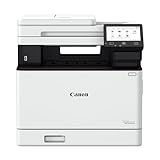
Canon Color imageCLASS MF751Cdw II - Wireless Duplex Laser Printer, Multifunction with Copier, Scanner, Automatic Document Feeder, 3 Year Limited Warranty, 35 PPM
−39% · Amazon reference price: $648.99
Verified 2026-11-27 21:03:56 UTC
Questions answered
Which Xerox printer is the safest first choice for a home office?
The safest starting point is the Xerox B230 if you only need black-and-white printing. If you know you need scanning and copying too, the B225 is the better first choice because it adds those functions without moving into color supplies or a larger workflow.
Does automatic two-sided printing mean a Xerox printer can automatically scan both sides?
No. Automatic two-sided printing and automatic duplex scanning are different features. A printer can support duplex printing without having a duplex ADF for scanning. Do not assume the B225, B235, or B310 can scan both sides automatically unless that is specifically listed.
Is the Xerox B235 better than the B225 for most buyers?
Only if fax is truly part of the job. For most people, the B225 is the better buy because it covers print, scan, and copy without adding a fax feature that may never be used. The B235 is specialized, not automatically superior.
Should I buy a Xerox color laser if I want photo printing?
Usually not. Xerox color lasers are better for business documents than for photo-oriented output. If your main goal is photographs or mixed creative printing, a tank inkjet such as an Epson EcoTank or Canon MegaTank is usually the better category to compare.
What makes the Xerox C230 different from the C235?
The C230 is a color print-only model, while the C235 adds multifunction office features. Choose the C230 when you want color documents and already have another way to scan or copy. Choose the C235 when one machine must handle more of the office workload.
Which Xerox model is best for a small office that still uses fax?
The Xerox B235 is the best black-and-white choice for fax-dependent offices, and the C235 is the best color choice if you also need color printing. Pick the one that matches whether your office needs color documents or just monochrome paperwork.
Related printer buying guides
Sources and offer checks
Research checked November 26, 2026. Amazon cards show their own last successful check. Manufacturer promotions and Amazon offers have separate terms. Published regional product and campaign information.