


CLOUDZAT · BLACK FRIDAY 2026
Updated · 26 Nov 2026 21:06 UTC
Black Friday offers and current Amazon listings

Black Friday Deal
Canon imageCLASS MF465dw II - Monochrome Wireless Duplex Laser Printer with Print, Copy, Scan, Fax, Expandable Paper Capacity, 42 PPM
−44% · Amazon reference price: $540.99
Verified 2026-11-27 20:58:35 UTC

Black Friday Deal
Canon Color imageCLASS MF753Cdw II - All-in-One Color Duplex Laser Printer | Wireless with Scanner, Copier, Fax, Auto Document Feeder, 3 Year Limited Warranty, Mobile Ready, 35 PPM for Home and Office
−38% · Amazon reference price: $702.99
Verified 2026-11-27 20:58:35 UTC

Black Friday Deal
Canon Color imageCLASS MF663Cdw - Wireless, Multifunction Duplex Laser Printer
−31% · Amazon reference price: $479.99
Verified 2026-11-27 21:03:56 UTC

Black Friday Deal
Xerox C255a Wireless Color Laser All-in-One Printer - Print Scan Copy Fax | Compact Color Print, Scan, Copy, Fax, 26 ppm, wireless setup, ideal for hybrid & small businesses, replaces the C235 model
−15% · Amazon reference price: $489.00
Verified 2026-11-27 21:15:03 UTC
Black Friday Deal
Xerox C245 Wireless Color All-in-One Printer - Amazon Exclusive - 3 in 1 | Compact Color Print, Scan & Copy, 26 ppm, wireless setup, best for hybrid offices & small businesses, replaces the C235 model
−15% · Amazon reference price: $459.00
Verified 2026-11-27 21:09:08 UTC
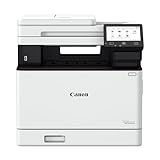
Canon Color imageCLASS MF751Cdw II - Wireless Duplex Laser Printer, Multifunction with Copier, Scanner, Automatic Document Feeder, 3 Year Limited Warranty, 35 PPM
−39% · Amazon reference price: $648.99
Verified 2026-11-27 21:03:56 UTC
Prices and stock reflect the last successful check shown on each card. Discounts and Black Friday badges appear only when reported by Amazon. The checkout price applies. As an Amazon Associate, Cloudzat earns from qualifying purchases.
Our buying recommendation
For most Black Friday 2026 shoppers, the best all-in-one laser printer is the Brother DCP-L2640DW if you mainly need black text, copying, and scanning in one dependable device. If you only print and already scan elsewhere, the Brother HL-L2460DW is the cleaner alternative. For color documents, the Canon imageCLASS MF665Cdw or MF662Cdw is the better fit, while the HP Color LaserJet Pro 3301fdw is the strongest choice when a duplex automatic document feeder matters for batches. Skip color laser if your pages are almost always black and white, and skip fax-heavy models unless fax is truly part of your routine.
All-in-one laser printers make the most sense when your pages are mostly text, forms, school packets, shipping labels, or business documents that need to look clean and handle well. For Black Friday 2026, the right purchase is usually not the machine with the longest feature list, but the one that matches how you actually work. A simple mono model is often the best choice for everyday document printing, while a color multifunction printer becomes worthwhile only when color genuinely improves reports, handouts, or mixed office pages.
Ownership cost and convenience matter just as much as the headline features. A printer can seem like a bargain and still annoy you if it lacks the scan workflow you need, if the paper path is awkward, or if you paid for color and fax functions you will never use. The safest approach is to buy the least complicated model that still handles your real routine. For many households, that means mono printing with scan and copy. For busier offices, it means an MFP with an automatic document feeder, and sometimes fax only if the office actually sends fax documents.
Compatibility is the other hidden factor. Some buyers need simple wireless printing from laptops and phones. Others need reliable scanning into a shared office workflow, or a printer that can live on a network without becoming a daily interruption. Just as important, duplex printing is not the same thing as duplex scanning: a printer may print on both sides automatically without being able to scan both sides automatically. This guide keeps those distinctions clear so you can buy the right device for documents, not the wrong one for photos or special tasks.
Choose the right printer for your work
| Buyer scenario | Named pick | Why this is the best fit |
|---|---|---|
| Mostly black text, forms, and schoolwork | Brother DCP-L2640DW | Best practical mono all-in-one for print, scan, and copy without paying for color you will not use |
| Need a print-first mono model | Brother HL-L2460DW | Stronger choice if you only need duplex printing and already have another way to scan or copy |
| Mixed office documents that really need color | Canon imageCLASS MF665Cdw | Good color MFP for reports, handouts, and everyday office pages where color adds clarity |
| Need an office-friendly color MFP with batch scanning | HP Color LaserJet Pro 3301fdw | Best fit when an automatic document feeder and color output are both important |
| Prefer color ink tank rather than laser for light home use | Canon MegaTank G3290 | Better for households that print lightly in color and want refillable ink instead of toner-based hardware |
Choose the printer by document type, not by sale energy
The best all-in-one laser printer depends first on what you print most. If your pages are mostly letters, invoices, homework, tax forms, or shipping paperwork, a mono laser MFP is usually the smartest purchase. It gives you sharp text, fast readiness, and a simple ownership experience without the extra expense of color hardware. That is why Brother’s DCP-L2640DW stands out for most buyers who need one machine to print, scan, and copy in a home or small office. It does the essential jobs without drifting into unnecessary complexity.
If your documents need color to be useful, choose a color MFP on purpose rather than by habit. A client proposal, a training packet, or a classroom handout can benefit from color labels, charts, and section headings. That is where the Canon imageCLASS MF665Cdw and MF662Cdw make sense. Buy them because your pages actually benefit from color, not because a promotion makes color feel like a default upgrade. If your pages are not improved by color, mono remains the better buying decision. The best Black Friday choice is the one that reduces friction every week.
The practical conclusion is straightforward: mono for text-first users, color for mixed office documents, and no upgrade beyond that unless your workflow truly demands it. A printer should solve a recurring problem, not create a new one through setup, supplies, or unnecessary extra functions. If you are hesitating between mono and color, imagine the document stack you will print next month, not the one you printed once last year. That is the right way to avoid overspending on features that sound useful but rarely matter.
Best simple mono all-in-one: Brother DCP-L2640DW
Brother’s DCP-L2640DW is the best overall fit for buyers who want a practical black-and-white all-in-one laser printer. It handles print, scan, and copy in one unit, so it works for homes, students, and home offices that deal with forms and everyday paperwork. It also gives you automatic duplex printing, which is useful for reports, school packets, and any multi-page document that should be easier to file or carry. The key point is that it is a real MFP, not just a printer with a scanner tacked on as an afterthought.
This model is the one to buy when you know scanning and copying will happen often enough to matter, even if not every day. It is especially sensible if your current pain point is an old printer that forces you to use a separate scanner or another machine entirely. Skip it only if your documents need color or if you have a truly batch-heavy office scanning routine that calls for a more advanced feeder workflow. Do not assume a printer with duplex printing automatically scans both sides; those are separate capabilities, and the DCP-L2640DW should be chosen for its overall practicality, not for any imagined extras.
If you want a single machine that handles the basic paper chores of a busy household, this is the cleanest recommendation in the guide. It is the model I would put in front of buyers who say they want something simple, reliable, and not overbuilt. That combination is rare enough to matter. The DCP-L2640DW earns its spot by being useful rather than flashy, which is exactly what most Black Friday buyers actually need.
Best print-first mono alternative: Brother HL-L2460DW
Brother’s HL-L2460DW is the better answer if you mostly print and do not need a built-in scanner or copier. This is the right pick for buyers who already scan from another device, rarely digitize paper, or simply want a straightforward black-and-white printer with duplex printing. By skipping scan and copy hardware, it stays focused on the job you use most. That can make it the more sensible choice for a dorm, a small apartment, or a work-from-home setup where space and simplicity matter more than having every function in one box.
Choose this over the DCP-L2640DW when the scanner would be underused. That is a common mistake in printer shopping: more features can feel safer, but unused features often add setup hassle without adding value. Skip the HL-L2460DW if you know you need to scan contracts, school forms, or receipts regularly, because then a true all-in-one earns its place. This model is also not the right answer for color documents, photo work, or batch-heavy office scanning. It is best when you want dependable text output and little else.
If your printing life is mostly black pages and your scanning is occasional or handled elsewhere, this is the more disciplined buy. It gives you the core laser benefits without nudging you into extra functions you may never use. That focus is why it is a strong alternative to fuller MFPs. In practical terms, the HL-L2460DW is the one to buy when the question is, “How do I print cleanly and simply?” and not, “How do I build a paper workflow from scratch?”
Best color document MFP: Canon imageCLASS MF665Cdw and MF662Cdw
If your office documents truly need color, Canon’s imageCLASS MF665Cdw and MF662Cdw are the color all-in-one laser models to look at first. These are document printers, not photo printers, which is exactly why they fit reports, charts, handouts, classroom materials, and client-facing paperwork. Color can make a page easier to read, easier to organize, and more professional when headings and visual cues matter. That is the right reason to buy color laser: usefulness, not novelty.
Choose Canon’s color MFPs when the same document benefits from accents, graphs, or branded layouts. Skip them if your printing is almost entirely black text, because a mono machine will be simpler and easier to justify. Also skip them if your goal is photo printing; laser document output and photo quality are different jobs. If you want a printer for color images, Canon’s MegaTank G3290 or Epson’s ink tank models may be more appropriate depending on how often you print and what you print. The color laser choice is best when documents matter more than pictures.
These Canon models make the most sense in a mixed household or office where different people use the same printer for different document types. They are not the cheapest path for a black-text-only user, but they are a logical path for users who genuinely need color to keep a page understandable. That distinction matters. A printer is worth paying more for when the additional capability changes the usefulness of the output, not when it merely adds another lamp on the control panel.
Best busy-office color pick with batch handling: HP Color LaserJet Pro 3301fdw
HP’s Color LaserJet Pro 3301fdw is the strongest recommendation when you want color laser output plus a duplex automatic document feeder for practical office work. The ADF is the feature that changes the day-to-day experience, because it lets you process multi-page scans and copies without standing over the machine for each page. If your office handles contracts, intake forms, class packets, or internal paperwork in stacks, that convenience matters more than having a minimal footprint. This model is aimed at real workflow, not just occasional use.
Buy it over simpler color MFPs when scanning and copying batches is a regular part of the routine. That is the best justification for choosing this model. Skip it if your scanning is one page at a time, because then the ADF may not justify the extra complexity. Also skip it if you only need black-and-white printing; a mono Brother MFP is a more direct and economical solution for that need. This HP stands out because it is organized around office convenience, not because every buyer needs its feature set. That difference is important during Black Friday shopping.
One caution is worth stating clearly: a duplex printer and a duplex scanner are not the same thing. A duplex ADF can handle two-sided originals more conveniently than a flatbed alone, but buyers should not assume every multifunction model can duplex scan or duplex copy automatically unless the specification clearly says so. That is why this HP is a better recommendation for buyers who know they need the feeder workflow, rather than for buyers who are only vaguely interested in a bigger feature list.
Best alternative if laser is not the right technology: Canon MegaTank G3290 and Epson ET2900, ET4950, ET8550
A strong Black Friday buying guide should also point out when not to buy a laser. If you print lightly, want color more often, or care about photos and creative pages, an ink tank printer may fit better. Canon’s MegaTank G3290 is a sensible home option for light color use. Epson’s ET2900 and ET4950 are different product types from laser MFPs and better serve buyers who want refillable ink, while the ET8550 is aimed more toward photo and creative output than office documents. These are not substitutes for a mono business printer; they are alternatives for a different printing style.
Choose an ink tank model instead of a laser when your household prints a mix of color documents, school projects, and occasional photos without heavy text volume. That is especially true if you care more about long-term flexibility than about the crisp, toner-style feel of a document laser. Skip these models if your workload is mostly black text for work, filing, or forms, because a laser MFP is the more natural tool. The important conclusion is that a laser is not the default best printer for every home. Sometimes the better answer is an ink tank, and that is especially true when color matters more than document speed.
These alternatives matter because they keep you from forcing a laser to do a job it was not designed to do. A photo-heavy household, for example, should not buy a laser just because it is on a seasonal promotion. Likewise, a lightly printing family may find an ink tank more forgiving than a toner-based machine. The right purchase is the one that matches your documents over time, not only your first week of ownership.
Fax, ADF, and duplex features: what actually matters
Fax is only worth paying for if you truly send fax documents. Many homes never do, and many small offices can avoid it as well. If fax is not part of your routine, do not let it influence the purchase. An all-in-one laser printer should be judged mainly on print quality, scanning convenience, copy usefulness, and how well it handles your common paper chores. That is a much better way to buy than chasing a feature list you will never use.
The same logic applies to the ADF and duplex features. An automatic document feeder is a major convenience when you scan or copy multiple pages. Duplex printing is valuable for reports and handouts, but it does not mean the scanner can also duplex automatically. Buyers who need two-sided scanning should confirm that specific capability, especially on compact models. Brother’s DCP-L2640DW is strong for everyday mono MFP use, but it is not the same thing as an office model built around high-volume feeder work. HP’s 3301fdw is the better call if the feeder is central to your workflow. Buy the feature that changes your actual routine, not the feature that sounds impressive in a listing.
Why Brother is the best brand fit for simple black-and-white use
Brother earns its place in this guide because its simple mono models line up well with everyday document needs. The HL-L2460DW is the print-first option, and the DCP-L2640DW is the smarter all-in-one if you need scan and copy too. That division is helpful because it keeps buyers from paying for a more complicated device than they really need. If your printing is mostly black text and forms, Brother gives you an easy path to the right level of machine without pushing you into a higher tier just to get a basic function.
Choose Brother when the priority is practical document handling rather than mixed media or photo work. The two models here are different products for different needs: one is print-focused, the other is a full MFP. Neither should be treated as a substitute for a color office printer or a photo-oriented ink tank. That is the point. For shoppers who want a straightforward monochrome workhorse, Brother is the strongest fit among the models in this guide. For shoppers who need color documents or heavier office feeder use, the better answer is elsewhere.
Questions answered
Do I need a color all-in-one laser printer if most of my pages are black and white?
Usually not. If your pages are mostly text, forms, and schoolwork, a mono MFP is the better choice. Color laser only becomes worthwhile when color changes the document’s usefulness, such as charts, headings, or branded handouts.
Is duplex printing the same thing as duplex scanning?
No. Duplex printing means the printer can print on both sides of a page automatically. Duplex scanning is separate and is not included on every model. Do not assume an MFP can scan both sides just because it can print both sides.
When should I choose an ADF over a flatbed only?
Choose an ADF when you regularly scan or copy multi-page documents. It saves time and reduces repetitive handling. If you mostly scan a single page at a time, a flatbed may be enough and simpler to live with.
Is fax worth paying for in a home office?
Only if you actually send fax documents. Many buyers never use fax at all, so it can be an unnecessary extra. A printer without fax is often the better choice when your work is mainly printing, scanning, and copying.
Should I buy laser instead of an ink tank printer?
Buy laser for text-heavy work and office documents. Consider ink tank if you print lightly, want color often, or care more about photos and creative pages. The right technology depends on what you print, not on brand preference.
Are Brother, Canon, and HP the only useful choices here?
No, but they are the most relevant among the models covered in this guide. Brother is best for simple mono document work, Canon is a strong choice for color office documents, and HP’s 3301fdw is the best fit when a duplex ADF matters most.
Related printer buying guides
Sources and offer checks
Research checked November 26, 2026. Amazon cards show their own last successful check. Manufacturer promotions and Amazon offers have separate terms. Published regional product and campaign information.