


CLOUDZAT · BLACK FRIDAY 2026
Updated · 26 Nov 2026 21:06 UTC
Black Friday offers and current Amazon listings

Black Friday Deal
Canon imageCLASS MF465dw II - Monochrome Wireless Duplex Laser Printer with Print, Copy, Scan, Fax, Expandable Paper Capacity, 42 PPM
−44% · Amazon reference price: $540.99
Verified 2026-11-27 20:58:35 UTC

Canon imageCLASS LBP122dw - Wireless Monochrome Duplex Laser Printer | Print Only, Mobile Ready, 30 PPM for Home
−44% · Amazon reference price: $194.99
Verified 2026-11-27 20:58:35 UTC
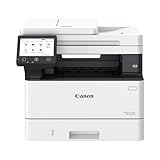
Canon imageCLASS MF462dw II - Wireless, Monochrome Duplex Laser Printer | All-in-One with Scanner, Copier, Fax, 3 Year Limited Warranty, Mobile Ready, 37 PPM For Home and Office
−30% · Amazon reference price: $400.99
Verified 2026-11-27 20:58:35 UTC

Brother HL-L2460DW Wireless Compact Monochrome Laser Printer with Duplex, Mobile Printing, Black & White Output | Includes Refresh Subscription Trial(1), Works with Alexa
−6% · Amazon reference price: $179.99
Verified 2026-11-27 20:58:34 UTC

Xerox B230 Wireless Black and White Laser Printer - Print Only | 36 ppm black and white printing, compact design, easy wireless setup, mobile print ready, low running costs
Verified 2026-11-27 21:09:08 UTC
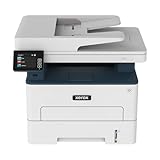
Xerox B235DNI Wireless Black and White Laser All-in-One Printer | 36 ppm black and white 4-in-1 printing, scan, copy & fax, compact design, built-in Wi‑Fi, mobile printing, simple app setup
Verified 2026-11-27 21:09:08 UTC
Prices and stock reflect the last successful check shown on each card. Discounts and Black Friday badges appear only when reported by Amazon. The checkout price applies. As an Amazon Associate, Cloudzat earns from qualifying purchases.
Our buying recommendation
For most U.S. buyers, the best Black Friday monochrome laser pick is a Brother HL model if you only need printing, or a Brother DCP model if scanning and copying matter too. The HL-L2460DW is the cleanest recommendation for text-heavy home use, while the DCP-L2640DW is the better fit when you regularly need a document scanner, but remember that duplex print does not mean duplex scan. If your work needs color pages, choose a different category entirely rather than forcing a mono laser to cover a color job.
Monochrome laser printers make the most sense when your everyday output is black text, not color photos. That includes school packets, forms, shipping documents, invoices, meeting handouts, and routine office paperwork that needs to look sharp and stay consistent. In this category, the best buy is rarely the most feature-packed machine. It is the one that matches how you actually work: a simple print-only model for document output, or an all-in-one when scanning and copying are part of daily life.
Black Friday can make it tempting to chase the loudest bundle or the biggest-looking feature list, but ownership value matters more than the seasonal moment. A monochrome laser printer should feel dependable after the holiday excitement fades. The right choice depends on how often you print, whether you need automatic duplex print, and whether your household or office truly benefits from scanning hardware. That is why the smartest purchase is not always the cheapest-looking one, even when the offer cards make it feel urgent.
Compatibility and workflow are the quiet deal-breakers. A strong printer can still be the wrong printer if you need a scanner, if you need Ethernet for a shared office, if you want mobile printing convenience, or if your actual work requires color documents. Also keep the technology categories straight: Brother LED-based color models are not laser printers, tank printers are inkjet models, SELPHY is dye-sublimation, and shipping label printers are direct thermal. This guide stays focused on monochrome laser for black-and-white documents, while naming different product families only when they are better alternatives.
Choose the right printer for your work
| Buyer scenario | Named pick | Why this is the right fit |
|---|---|---|
| Home office that mostly prints text | Brother HL-L2460DW | Best when you want a straightforward monochrome laser for essays, forms, and invoices, with automatic duplex printing and no extra scan hardware to complicate the desk setup. |
| Household that needs scan and copy regularly | Brother DCP-L2640DW | Better than a print-only model when paperwork, signed forms, and file archiving are part of normal life, but it should not be treated as automatic duplex scanning just because it duplex prints. |
| Shared workplace that needs a business MFP | Xerox B235 | A sensible office-oriented monochrome laser all-in-one when a workgroup wants daily document handling, scanning, copying, and sturdier shared use than a basic home printer. |
| Budget buyer who only wants basic black-and-white output | Xerox B230 | The leanest choice here for buyers who want simple monochrome document printing and do not need built-in scanning or copying features. |
| Buyer who actually needs color documents | Canon imageCLASS MF665Cdw | Use this instead of a mono printer only when color documents are a real requirement; it is a color laser MFP, so it solves a different problem than the Brother or Xerox mono models. |
Choose a Brother HL when printing is the whole job
If your only real need is crisp black-and-white output, the Brother HL-L2460DW is the most direct recommendation in this buying guide. It is a monochrome laser printer designed for documents, not a do-everything box pretending to be everything at once. That makes sense for students printing papers, remote workers printing reports, and households that mostly need forms, labels, and text pages. You are not paying to maintain scanning gear you may never use, which is often the smartest kind of seasonal purchase.
This is also where buyers should avoid mixing up features. Automatic duplex printing means the printer can print on both sides of the page by itself. It does not mean duplex scanning, and it does not turn a print-only model into an MFP. The Brother HL-L2460DW is the right answer when you want printing simplicity first and a modest footprint second. If your life includes regular scanning, copying, or document digitizing, move to the DCP family instead of assuming the HL can cover both jobs. The model is strong because it stays focused.
Pick the Brother DCP when paper also needs to become digital
The Brother DCP-L2640DW is the better call when black-and-white printing is only half the story. A DCP makes sense for homes and small offices that frequently scan receipts, save signed forms, or copy school papers and ID pages. In those situations, a print-only model is needlessly limited. The DCP-L2640DW earns its place by combining document printing with a built-in scanner and copier, which reduces friction in real day-to-day paperwork.
The important caution is that duplex print and duplex scan are not the same feature. The DCP-L2640DW can print double-sided automatically, but that does not mean every copy or scan workflow is automatic duplex scanning. Buyers should choose it because they want a practical monochrome MFP, not because they expect every paper-handling feature to be fully automatic. If you already own a scanner or rarely digitize paper, the HL-L2460DW remains the cleaner purchase. If you live in forms and PDFs, the DCP is the more useful machine.
Choose Xerox B230 or B235 when your workflow is more office than home
Xerox gives you two straightforward monochrome paths here. The B230 is the simpler pick for buyers who want plain black-and-white printing and little else. The B235 is the better match when a small office wants a monochrome multifunction printer that can handle copying and scanning as part of the workday. That difference matters because some buyers want a printer for a desk corner, while others want a shared device that several people will use repeatedly.
The right choice depends on whether you are buying for individual convenience or shared utility. The B230 suits a lean, print-only setup where the printer should stay out of the way. The B235 is better for office paperwork, internal forms, and workgroup use. Neither one is the answer if your real need is color documents or photo output. Treat them as solid monochrome workhorses, not universal replacements for every office device. If you need simple output, B230 is enough; if you need scanning and copying too, B235 is the more complete answer.
Buy a color laser only when color documents are truly part of the job
A monochrome laser printer is not a substitute for documents that depend on color. If your pages include color charts, student worksheets with color cues, or client materials where color carries meaning, you should move to a color laser MFP instead of trying to make black-and-white output do a color job. In this guide, the Canon imageCLASS MF665Cdw and MF662Cdw belong in that alternative bucket because they are color multifunction printers, not monochrome choices.
The key buying advice is to separate need from convenience. If color only appears once in a while, many shoppers still do best with a mono laser because it is simpler and usually better aligned with text-heavy work. But if color is a recurring requirement, the mono category is the wrong starting point. Do not buy a monochrome printer and hope it will somehow solve color office needs. That mistake creates frustration quickly, especially in family or small-business settings where the output has to be useful to other people, not just acceptable on a personal desk.
Use ink-tank alternatives only for mixed-media color needs
Epson ET2900, ET4950, ET8550, and Canon MegaTank G3290 are not monochrome laser printers, and they should not be treated as direct replacements for a mono document machine. They are inkjet tank printers, which makes them interesting for buyers who want color flexibility, frequent photo or craft output, or a different kind of ink ownership model. They belong in a separate decision set from a mono laser built for text.
That distinction matters because the right technology depends on the page type. A tank printer can make sense for mixed-use homes, color projects, and some photo-oriented tasks, but it is not the cleanest answer for a buyer whose priority is black-and-white school packets, office forms, and text documents. For those pages, a Brother HL or DCP model is the more targeted recommendation. Use the ink-tank route when color output is a real goal. Use monochrome laser when the job is mostly black text and you want a focused, straightforward document printer.
Prefer business-class models only when the workload is truly shared and steady
A business-oriented printer makes sense when several people depend on it and expect it to work all day without fuss. That is where the Xerox B235 becomes more attractive than a simple home printer. It is the kind of machine to consider for a small office, front desk, shared studio, or workgroup that prints memos, service paperwork, and internal forms regularly. In those settings, a sturdier all-in-one can be more appropriate than a compact single-user model.
But do not overbuy into office hardware if your real use is casual. A dorm desk, apartment corner, or light home office usually does not need a bigger business-class MFP. In those cases, the Brother HL-L2460DW or Xerox B230 is easier to live with. The best conclusion is practical: buy the office machine only when the office behavior is real. If the printer will mostly sit idle and only occasionally produce a few pages, a simpler model is usually the better seasonal choice and less clutter for the room.
Do not confuse technology labels when comparing printer families
It is worth being exact about printer technology because some families sound similar but behave very differently. Brother color LED models are not laser printers, even if they compete in office spaces. Tank printers are inkjet models, not laser. SELPHY printers use dye-sublimation, which is a different photo-printing method. Shipping label printers are direct thermal and are built for labels, not document quality. These distinctions matter because a sale can look attractive while still being the wrong technology for your actual pages.
For monochrome laser shopping, the point is to stay centered on text output and document handling. If you need a printer for essays, reports, forms, and paperwork, mono laser is still one of the best categories to buy. If you need photo prints, color documents, or shipping labels, you should step into the correct product family rather than forcing a document laser to act like something else. The smartest Black Friday decision is not choosing the most familiar brand name; it is choosing the machine whose technology matches the job you need done every week.
Make the final decision by matching the printer to your page habits
The cleanest way to buy a monochrome laser printer is to start with your page habits, not with the sale banner. If you print mostly black text and rarely scan, the Brother HL-L2460DW is the right kind of simple. If you need scan and copy often, the Brother DCP-L2640DW is the more complete pick. If the printer will serve a shared office, Xerox B235 is the stronger all-in-one direction, while B230 stays lean for basic output.
If color matters, move out of the monochrome category entirely. That means looking at a color laser MFP such as the Canon imageCLASS MF665Cdw or MF662Cdw, or an ink-tank printer if your priorities are mixed media and color flexibility. The conclusion is straightforward: mono laser is ideal for black-and-white documents, but only when the buyer stays honest about the workload. Buy the printer that fits the pages you actually make. That will age better than chasing a seasonal bargain that solves the wrong problem.
Questions answered
Who should buy a monochrome laser printer instead of a color model?
Buy monochrome laser if most of your pages are black text, forms, schoolwork, invoices, or labels. It is the stronger choice when you want crisp document output and do not need color pages for the job.
Is the Brother DCP-L2640DW the same as a duplex scanner machine?
No. It can do automatic duplex printing, but duplex printing is not the same as duplex scanning. Choose it for scan-and-copy convenience, not because every two-sided workflow is fully automatic.
What is the simplest printer in this guide for basic black-and-white jobs?
The Xerox B230 is the most stripped-down recommendation here. It is best for buyers who want a plain monochrome laser printer and do not need scanning, copying, or more complex office features.
When should I choose the Brother HL-L2460DW instead of the DCP-L2640DW?
Choose the HL-L2460DW when you mostly print documents and want a simpler printer with no built-in scan or copy section. Pick the DCP-L2640DW only if paper intake and digitizing matter often enough to justify the extra hardware.
Are the Canon imageCLASS MF665Cdw and MF662Cdw good mono-laser alternatives?
They are alternatives only if you need color documents. They are color laser multifunction printers, so they solve a different problem from a monochrome laser. For black-only pages, Brother HL or Xerox B-series models remain the better fit.
Do Epson ET models or Canon MegaTank printers replace a monochrome laser?
Not directly. They are inkjet tank printers, which can be useful for color or mixed-media households. For mostly black-and-white document work, a monochrome laser printer is usually the more focused and practical choice.
Related printer buying guides
Sources and offer checks
Research checked November 26, 2026. Amazon cards show their own last successful check. Manufacturer promotions and Amazon offers have separate terms. Published regional product and campaign information.