


United States · USD
Best Ryzen AI Max+ 395 Mini PCs: Models, RAM and Prices
Choose the GMKtec EVO-X2 with 128GB for a compact local AI desktop. Choose the MINISFORUM MS-S1 MAX with 128GB when dual 10GbE and PCIe expansion matter. For gaming and creative work without large language models, a 64GB EVO-X2 is the more economical starting point.
Which model to choose
GMKtec EVO-X2, 128GB
Best starting point for large local models: buy memory capacity first, then add SSD space as your model library grows.
 $3,499.99Price checked 02.11.2026 10:12 UTCBuy on Amazon ↗Specifications and model details ↗
MINISFORUM MS-S1 MAX, 128GB
Best for a networked AI lab: dual 10GbE and PCIe expansion justify its larger enclosure when you will use them.
 $4,199.00Price checked 02.11.2026 10:27 UTCBuy on Amazon ↗Specifications and model details ↗
GMKtec EVO-X2, 64GB
Best lower-cost choice for graphics and development when your applications fit comfortably in 64GB.
 $2,199.99Price checked 02.11.2026 12:36 UTCBuy on Amazon ↗Specifications and model details ↗
Amazon prices and configurations
Ryzen AI Max+ 395 / Radeon 8060S
GMKtec EVO-X2 AI Mini PC AMD Ryzen Al Max+ 395 Up to 5.1GHz, 16C/32T | Mini Gaming Computers 64GB LPDDR5X 8000MHz (8GB*8) 1T…
64 GB RAM · 1000 GB SSD
$2,199.99Price checked 02 Nov 2026 12:36 UTCBuy on Amazon ↗
Ryzen AI Max+ 395 / Radeon 8060S
GMKtec EVO-X3 AI Mini Pc Ryzen AI Max+ 395 128GB LPDDR5X 2TB PCIe 4.0 SSD | Mini Gaming Computers, 16C/32T, Up to 5.1GHz, 80…
128 GB RAM · 2000 GB SSD
$3,949.99Price checked 02 Nov 2026 11:27 UTCBuy on Amazon ↗Ryzen AI Max+ 395 / Radeon 8060S
MINISFORUM MS-S1 MAX Mini AI Workstation PC, AMD Ryzen AI Max+ 395 (16C/32T),RDNA3.5 GPU,64GB LPDDR5 2TB SSD Mini PC,Dual M.…
64 GB RAM · 2000 GB SSD
$2,599.00Price checked 02 Nov 2026 10:27 UTCBuy on Amazon ↗Ryzen AI Max+ 395 / Radeon 8060S
MINISFORUM MS-S1 MAX Mini AI Workstation PC, 128GB LPDDR5 4TB SSD Mini PC | AMD Ryzen AI Max+ 395 (16C/32T),RDNA3.5 GPU,Dual…
128 GB RAM · 4000 GB SSD
$4,199.00Price checked 02 Nov 2026 10:27 UTCBuy on Amazon ↗Ryzen AI Max+ 395 / Radeon 8060S
GMKtec EVO-X2 Gaming Mini PC Ryzen AI Max+ 395 5.1GHz 128GB LPDDR5X 1TB SSD | Desktop Mini Computer with Radeon 8060S, 50 TO…
128 GB RAM · 1000 GB SSD
$3,499.99Price checked 02 Nov 2026 10:12 UTCBuy on Amazon ↗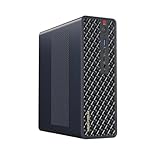
Ryzen AI Max+ 395 / Radeon 8060S
MINISFORUM MS-S1 Max Mini Workstation AMD Ryzen AI Max+ 395(16C/32T) 64GB LPDDR5 2TB SSD Mini PC, HDMI+2X USB4+2X USB4 V2 Vi…
64 GB RAM · 2000 GB SSD
$2,599.00Price checked 02 Nov 2026 10:27 UTCBuy on Amazon ↗Ryzen AI Max+ 395 / Radeon 8060S
MINISFORUM MS-S1 Max Mini Workstation AMD Ryzen AI Max+ 395(16C/32T) 128GB LPDDR5 4TB SSD Mini PC, HDMI+2X USB4+2X USB4 V2 V…
128 GB RAM · 4000 GB SSD
$4,199.00Price checked 02 Nov 2026 10:27 UTCBuy on Amazon ↗Ryzen AI Max+ 395 / Radeon 8060S
GMKtec AI Mini PC Ryzen Al Max+ 395 (up to 5.1GHz) | 64GB LPDDR5X 8000MHz (8GB*8) 2TB PCIe 4.0 SSD Quad Screen 8K Display/ W…
64 GB RAM · 2000 GB SSD
$2,399.99Price checked 02 Nov 2026 10:12 UTCBuy on Amazon ↗Buying guide
Which Ryzen AI Max+ 395 Mini PC should you buy?
Start with the GMKtec EVO-X2 if you want one compact computer for software development, local language models and creative applications. Our preferred configuration for a new local AI purchase is 128GB. Memory is the expensive decision to reverse on this platform, while an SSD can usually be expanded or replaced. The MINISFORUM MS-S1 MAX is the alternative for a lab with fast shared storage or expansion cards. Its networking is a practical reason to spend more; the processor name alone is not.
Buy 64GB when your actual workloads are smaller: photo editing, programming, lighter virtual machines and games can leave much of a 128GB system unused. Put the saving toward a good monitor, backup storage or the applications you need. These choices are based on the machines’ designs and memory options. They are not awards from a comparative Cloudzat performance test.
What the processor gives you
AMD specifies 16 CPU cores and 32 threads, with Radeon 8060S integrated graphics. The CPU, GPU and operating system share system memory. That arrangement makes a high-capacity configuration interesting for local models that do not fit in a smaller dedicated graphics card. It does not make every byte of installed RAM available to the model, and it does not give the same software compatibility as an NVIDIA CUDA workstation.
Treat the processor as the starting point for a complete computer. Cooling, firmware, memory configuration and sustained power settings affect the experience of a long render or inference session. A brief boost figure cannot tell you how noisy a particular enclosure becomes after an hour. For a shared office, place the system where its exhaust has space and use a balanced power profile before assuming that the highest power setting is necessary.
64GB or 128GB for local AI?
Choose 128GB when model memory is the reason you are buying this platform. A rough first calculation is parameter count multiplied by bits per weight, divided by eight. A 70-billion-parameter model at four bits uses about 35GB for raw weights before quantization overhead, context memory, runtime buffers and the operating system. Actual files and memory use vary. Longer context windows and simultaneous requests can turn a model that loads into a poor interactive experience.
Choose 64GB for smaller models and mixed desktop work when the applications you use have a clear memory budget. Do not treat an advertised maximum GPU allocation as memory that remains free for Windows, Linux and every other program. Leave headroom. If you need several models resident together, count them together rather than sizing the system for just the smallest download in your collection.
EVO-X2 or MS-S1 MAX?
The EVO-X2 is the straightforward recommendation when most work stays on the machine itself. The MS-S1 MAX earns consideration when the computer is part of a wider lab: its two 10GbE connections can support fast storage and a separate data network. Reaching those speeds also requires suitable storage, cables and a switch. A 10GbE port does not speed up an ordinary internet connection or a slow hard drive.
The MS-S1 MAX also provides a full-length PCIe slot with a limited electrical link. Choose an expansion card around the documented lane count, power and physical clearance. A slot shaped like a graphics-card connector does not guarantee that any desktop GPU will work in the enclosure. If expansion is the deciding factor, make the card and the system a single compatibility decision.
Storage, software and a realistic first setup
A 2TB SSD is a useful starting point if you plan to keep several model versions, a development environment and personal files on the same computer. A 1TB configuration can still make sense when models live on a fast NAS or you regularly remove unused downloads. Additional SSD space improves convenience and loading, but it cannot substitute for RAM once a running model needs more memory than the system has.
Before choosing an AI application, check its current backend and operating-system support for this exact processor and integrated GPU. Start with one modest model and confirm acceleration, stability and memory use before downloading a large collection. NPU TOPS describe a different processing block; they are not a prediction of language-model tokens per second. Keep a recovery drive and a backup of work that cannot be downloaded again.
When another computer is the better purchase
A Ryzen AI 9 HX 370 Mini PC is the more proportionate choice for office work, programming and occasional small local models. It gives up the 395 platform’s graphics and memory bandwidth, but may save enough money to improve the rest of your setup. A dedicated GPU desktop is preferable when your applications require CUDA, your work depends on GPU rendering plugins, or you want replaceable graphics hardware.
If the EVO-X2 configuration you want is unavailable, compare the MS-S1 MAX with the same installed memory first. Moving from 128GB to 64GB changes the model capacity and is not an equal substitute for a memory-bound workload. Consider a different SSD size more readily than a lower RAM tier. For a lab purchase, the final choice should be the machine that runs your software with enough memory and usable support.
Plan the complete working setup
Include the screen, keyboard, storage backup and any required dock in the budget. A powerful small computer cannot fix an unsuitable monitor connection or recover files that were never backed up. If you are replacing a working system, keep the old machine available while installing the applications that matter. Move one representative project first, check its output and confirm that sleep, networking and external devices behave as expected before moving the rest of your work.
For a purchase intended to last several years, consider how you will obtain firmware, drivers and replacement parts. A clear support route and a return window that allows a realistic trial can be more valuable than a small difference in headline specifications. Test the workload that motivated the purchase during that period: a long build, your actual game, a video export or the local model you plan to use. Keep the result, configuration and settings together so future upgrades address a measured limitation.
Buying in United States
Amazon US prices are shown in US dollars. Compare the delivered total and any sales tax that applies to your address. Choose a seller with a return route and warranty support you can use in the United States.
Questions buyers ask
Which model is the best starting point?
Our recommendation is the GMKtec EVO-X2 with 128GB for a compact local AI desktop. Choose the MINISFORUM MS-S1 MAX with 128GB when dual 10GbE or its PCIe slot serves a specific lab requirement.
Is 64GB enough?
64GB is a sensible choice for graphics, development and smaller local models. Choose 128GB if large models, long context or concurrent applications are the reason for the purchase.
Does 128GB mean 128GB of dedicated VRAM?
No. The CPU, integrated GPU and operating system share installed memory. GPU allocation and usable model capacity depend on firmware, software and the memory needed by the rest of the system.
Manufacturer specifications
AMD Ryzen AI Max+ 395 / Radeon 8060S ↗GMKtec EVO-X2 ↗MINISFORUM MS-S1 MAX ↗Related Mini PC guides
Best Ryzen AI 9 HX 370 Mini PCs: Models and PricesBest Core Ultra 9 285H Mini PCs: Models and PricesBest Radeon 8060S Mini PCs: Gaming, Models and PricesBest AI Mini Workstations: Local Models and Buying GuideAs an Amazon Associate, Cloudzat earns from qualifying purchases. Prices and availability can change.