


Choosing a CUDIMM kit
The best CUDIMM is the kit that your platform can actually train at the capacity and speed you need. Extreme 8000, 8400 and higher ratings are attractive, but they are increasingly dependent on motherboard topology, BIOS quality and memory-controller headroom. A more useful shortlist starts with the CPU and board, then capacity, module count and desired operating tier. Only after those constraints are fixed should price, timings, RGB and heat-spreader design decide between otherwise compatible kits.
For most current Intel desktop buyers, build the shortlist around two matched CUDIMMs from a board-supported family. Use 7200 as a platform-aware tier for Core Ultra 200S Plus, treat 8000–8400 as enthusiast territory, and treat 8800+ as a compatibility-led purchase that needs strong board evidence rather than a default recommendation.
Interactive buying tool
Check this memory configuration
Enter the exact system details
The result will separate hard compatibility checks from speed and value choices.
Current matching memory
Products in this module class


Buying sequence
Use this order before you buy
- Pick the required capacity
- Choose two modules when practical
- Confirm the CPU CUDIMM tier
- Check the exact kit on the motherboard support list
- Compare MT/s and CL
- Compare the final price and seller condition
Start with the motherboard, not the brand
CUDIMM quality matters, but compatibility is platform specific enough that a famous memory brand is not a substitute for board evidence. Capacity, data rate and rank are linked in practice. Pushing all three upward at once places a greater burden on the memory controller than changing only one variable. Check the exact board memory support list and BIOS notes for the capacity and speed tier. Record the module count as well as total capacity. A 96GB 2x48GB kit and four 24GB modules may satisfy the same capacity target while presenting a different training load to the controller. For this start with the motherboard, not the brand decision, keep physical fit, electrical support and the rated operating mode as three separate checks.
Shortlist supported part numbers first, then compare price and timings within that list. When two products remain on the shortlist, compare the exact manufacturer part numbers rather than relying on shortened retailer titles. This keeps the decision anchored to a configuration the machine can use, rather than paying for a headline specification that may downclock or fail to train. The useful outcome is a configuration that is stable at the capacity you need, with a clear reason for every extra dollar spent on speed or density.
Choose capacity before chasing memory speed
A 48GB or 96GB kit may be more useful than a faster 24GB or 48GB kit if your workload regularly approaches the smaller capacity limit. For integrated graphics, memory bandwidth can affect graphics performance more directly than it does in a desktop with a discrete GPU, so compact-system memory choices deserve a workload check. Measure real peak usage and include growth headroom. Do not treat a marketplace compatibility badge as primary evidence. Prefer the CPU maker, system or motherboard maker, and memory-vendor part-number documentation. For this choose capacity before chasing memory speed decision, keep physical fit, electrical support and the rated operating mode as three separate checks.
Choose enough capacity to avoid paging or workflow limits, then optimize memory speed. When two products remain on the shortlist, compare the exact manufacturer part numbers rather than relying on shortened retailer titles. For portable systems, factor service access and return friction into the purchase. A slightly cheaper module is not a bargain if the system must be opened twice because the memory class was wrong. The useful outcome is a configuration that is stable at the capacity you need, with a clear reason for every extra dollar spent on speed or density.
7200 is a useful modern reference point
Core Ultra 200S Plus documentation lists a higher CUDIMM baseline tier than ordinary UDIMM in its 1DPC configuration. The clock driver improves the quality of the clock signal reaching the DRAM devices, but it does not remove the limits imposed by memory-controller topology, firmware or rank count. Make sure the CPU is the exact family and SKU you are building around. Use the processor specification for the controller baseline, the motherboard or system page for implementation limits, and the memory maker page for the exact module. Agreement across those three layers is the strongest signal. For this 7200 is a useful modern reference point decision, keep physical fit, electrical support and the rated operating mode as three separate checks.
Use 7200-class kits as a sensible comparison tier, not as proof that every board and module combination will behave identically. When two products remain on the shortlist, compare the exact manufacturer part numbers rather than relying on shortened retailer titles. For maximum reliability, change one variable at a time during setup: update firmware, load defaults, install the matched kit, confirm training, then enable the intended memory profile if the platform supports it. The useful outcome is a configuration that is stable at the capacity you need, with a clear reason for every extra dollar spent on speed or density.
8000 to 8400 moves into enthusiast tuning
At these rates, board trace layout, DIMM count and BIOS maturity have more influence on whether the rated profile trains cleanly. A printed data rate is best read as a module capability. The speed you actually see after training is a property of the entire CPU, board, firmware and memory combination. Look for the exact kit at the exact module count on the board support list. When the system vendor publishes a service manual, use it to confirm replaceable slots and supported memory type before opening the chassis. This is especially important for notebooks with soldered-plus-slot designs. For this 8000 to 8400 moves into enthusiast tuning decision, keep physical fit, electrical support and the rated operating mode as three separate checks.
Pay the premium only when the system and workload can use the extra bandwidth. When two products remain on the shortlist, compare the exact manufacturer part numbers rather than relying on shortened retailer titles. For an enthusiast build, preserve the exact BIOS settings that proved stable. That makes later firmware updates or component changes easier to diagnose if memory training behavior changes. The useful outcome is a configuration that is stable at the capacity you need, with a clear reason for every extra dollar spent on speed or density.
8800 and above needs stronger evidence
Extreme CUDIMM ratings are valuable for benchmark-focused and bandwidth-sensitive systems, but they also narrow the platform choices. DDR5 naming can hide important electrical differences, so the form factor, module class, rank layout and profile support should be treated as separate specifications rather than one label. Confirm the board vendor has validated comparable density and speed, and expect BIOS updates to matter. Where ECC is mentioned, distinguish on-die ECC inside DDR5 devices from side-band or system-visible ECC support. The labels solve different reliability problems and are not interchangeable. For this 8800 and above needs stronger evidence decision, keep physical fit, electrical support and the rated operating mode as three separate checks.
Do not make 9000+ memory the default choice for a general-purpose PC. When two products remain on the shortlist, compare the exact manufacturer part numbers rather than relying on shortened retailer titles. When the price gap is large, calculate what the faster or larger kit changes for the actual workload. Extra capacity has enormous value when it prevents paging, while unused frequency headroom may have little practical return. The useful outcome is a configuration that is stable at the capacity you need, with a clear reason for every extra dollar spent on speed or density.
Compare timings with the advertised data rate
CAS latency cannot be interpreted without MT/s. Higher transfer rates increase theoretical bandwidth, while timings and controller behavior influence latency. Neither figure alone predicts the result in every workload. Calculate raw CAS delay using CL x 2000 / MT/s and compare kits at the same capacity. Check whether the rated speed is a JEDEC value or an overclocking profile. That distinction helps explain why two listings with the same headline MT/s can have different voltage and compatibility expectations. For this compare timings with the advertised data rate decision, keep physical fit, electrical support and the rated operating mode as three separate checks.
Use latency as a tie-breaker after compatibility, not as a standalone quality score. When two products remain on the shortlist, compare the exact manufacturer part numbers rather than relying on shortened retailer titles. On compact systems, prioritize the vendor-supported capacity and module class first. Thermal and firmware limits usually make speculative tuning less attractive than on a desktop enthusiast board. The useful outcome is a configuration that is stable at the capacity you need, with a clear reason for every extra dollar spent on speed or density.
Matched kits are safer than combining separate modules
Memory vendors validate kits as a set, while two separately purchased modules may use different revisions even under a similar retail name. One-DIMM-per-channel configurations usually give the controller an easier electrical job than heavily populated layouts, which is why DIMM count belongs in the buying decision from the beginning. Check that the listing is a single matched kit with the intended module count. Check the seller condition and exact kit suffix as well as the brand family. Similar-looking part numbers can represent different capacities, timings, colors or single-module versus matched-kit packages. For this matched kits are safer than combining separate modules decision, keep physical fit, electrical support and the rated operating mode as three separate checks.
Prefer a complete 2-DIMM kit when building a high-speed system. When two products remain on the shortlist, compare the exact manufacturer part numbers rather than relying on shortened retailer titles. If the documentation is ambiguous, the safest choice is the explicitly qualified memory class at a supported baseline speed. Extreme profiles can be revisited after the core configuration is proven stable. The useful outcome is a configuration that is stable at the capacity you need, with a clear reason for every extra dollar spent on speed or density.
Heat spreader height can matter
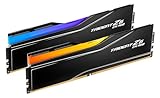
Some CUDIMM kits use tall heat spreaders or RGB light bars that can conflict with large air coolers. The same capacity can be built from different module counts and rank layouts. Those alternatives can train differently even when their combined gigabytes are identical. Check memory clearance if the CPU cooler overhangs the DIMM slots. If a retailer title is vague, open the manufacturer specification before buying. Words such as desktop memory, laptop memory or DDR5-6400 are not specific enough to prove CUDIMM or CSODIMM identity. For this heat spreader height can matter decision, keep physical fit, electrical support and the rated operating mode as three separate checks.
A lower-profile kit can be the better practical choice when performance is otherwise equal. When two products remain on the shortlist, compare the exact manufacturer part numbers rather than relying on shortened retailer titles. If two kits remain viable, compare effective price, warranty source, timings and return policy after compatibility has been established, not before. The useful outcome is a configuration that is stable at the capacity you need, with a clear reason for every extra dollar spent on speed or density.
Use price per GB carefully
Price per GB is useful for capacity value, but it can hide the premium paid for speed bins and tighter timings. A CKD-equipped module is still dependent on the host platform. The extra clocking component is an enabler for cleaner signaling, not a promise that any motherboard will expose every profile. Compare price per GB only inside a similar performance and capacity tier. Compare the current BIOS support notes with the board memory list. A product can be physically compatible but require a newer firmware revision before the intended memory topology is qualified. For this use price per gb carefully decision, keep physical fit, electrical support and the rated operating mode as three separate checks.
A slightly higher price per GB can be rational when it buys a confirmed speed tier your workload uses. When two products remain on the shortlist, compare the exact manufacturer part numbers rather than relying on shortened retailer titles. Use price per GB only among products that solve the same job. It is misleading to rank a single module, a dual-channel kit and a server-oriented part together simply because their total capacities are close. The useful outcome is a configuration that is stable at the capacity you need, with a clear reason for every extra dollar spent on speed or density.
Final buying checklist
A good CUDIMM purchase is a chain of verified decisions rather than a single specification. Consumer, workstation and server DDR5 products can share capacity and speed numbers while using very different module classes. Product identity therefore matters more than a broad DDR5 keyword match. Recheck CPU, board, BIOS, part number, kit capacity, module count, MT/s, CL and seller condition. Cross-check the exact part number against the motherboard QVL or system-vendor memory list when one is available, and read the notes attached to that entry because slot population can change the qualified speed. For this final buying checklist decision, keep physical fit, electrical support and the rated operating mode as three separate checks.
After installation, confirm the active memory profile and run a stability test before relying on the machine for important work. When two products remain on the shortlist, compare the exact manufacturer part numbers rather than relying on shortened retailer titles. A successful boot is only the first check. Confirm the reported capacity and data rate, then run a proper memory stability test before relying on the system for long workloads. The useful outcome is a configuration that is stable at the capacity you need, with a clear reason for every extra dollar spent on speed or density.
How to verify a memory purchase
Use three levels of evidence: the processor or system memory specification, the motherboard or device support documentation, and the exact RAM part number. Match the module type, capacity, module count, rated data rate and timings. A marketplace title is useful for discovery, but it should not overrule the manufacturer documentation for a high-speed or high-capacity configuration.
Prices can change at any time. Product rows below keep the most recently verified positive price and image available until a newer verified observation replaces that field. Always confirm the current Amazon price, seller, condition and exact part number before ordering.
Questions answered
Best CUDIMM RAM FAQ
What CUDIMM speed should I buy?
Use the fastest tier that your exact CPU and motherboard support reliably at your chosen capacity. 7200 can be a useful current reference for 200S Plus, while 8000+ is more platform dependent.
Is 8000 MT/s CUDIMM worth it?
It can be for bandwidth-sensitive or enthusiast builds, but the value depends on board support, workload and the price premium over a well-supported lower tier.
Is two sticks better than four?
For high DDR5 speeds, two matched modules are generally the cleaner layout because they reduce memory-controller loading.
Does brand matter?
Brand support, warranty and binning matter, but the exact part number and board compatibility evidence matter more than the logo alone.
Can I mix CUDIMM kits?
Avoid mixing separate kits when high speed or stability matters. Even kits with similar retail names can use different revisions.
Should I buy RGB CUDIMM?
Only if you want the appearance and the physical height fits your cooler. RGB itself does not improve memory performance.
Amazon prices and availability can change. Links may be affiliate links. Verify the exact part number, module type, capacity, system support and warranty before ordering.