


ACEMAGIC’s F9A PRO495 turns the Ryzen AI Max+ PRO 495 platform into a roughly 2-liter workstation with up to 192GB of LPDDR5X-8533 memory, Radeon 8065S graphics, dual NVMe storage and OCuLink expansion. It is attractive because it combines high memory capacity with more workstation-style expansion than many tiny AI boxes.
ACEMAGIC lists up to 192GB memory, up to 160GB VRAM allocation, dual PCIe 4.0 NVMe, OCuLink, Wi-Fi 7 and dual 2.5GbE for the F9A-PRO495 configuration.
Should you buy the ACEMAGIC F9A PRO495?
Choose the F9A PRO495 when 192GB memory, OCuLink and internal NVMe expansion matter more than having the smallest possible chassis. Buyers with a strict CUDA requirement should still compare RTX Spark or a discrete NVIDIA workstation before committing.
Current ACEMAGIC F9A PRO495, Ryzen 495 & Local AI PC Deals on Amazon
Compare actual complete computers from Amazon. Matching models appear first, followed by clearly identified alternative systems. Always verify the selected RAM and storage configuration.
7 suitable complete systems · 0 exact · 7 alternatives
NVIDIA DGX Spark
Different system2 offers
CyberGeek DGX Spark Personal AI Supercomputer, GB10 Grace Blackwell Superchip, 20-Core Arm CPU, 128GB LPDDR5x Unified Memory, 2TB NVMe SSD, Up to 1 PFLOP FP4 AI Performance, DGX OS
More specifications
- Condition
- New
- Seller
- Prime Distributor Global
- ASIN
- B0HHDSBTBQ

NVIDIA DGX Spark GB10 Grace Blackwell Superchip, 128 GB LPDDR5x, ARM Processor, 4 TB NVME M.2 SSD Storage
More specifications
- Condition
- New
- Seller
- Platinum Micro, Inc.
- ASIN
- B0GFY25JCR
Mac Studio M5 Ultra
Different system2 offers
Apple 2026 Mac Studio desktop computer M5 Ultra w/ AppleCare+ (3 years)
More specifications
- Condition
- New
- Seller
- Amazon.com
- ASIN
- B0HGN878Z1

Apple 2026 Mac Studio Desktop Computer M5 Ultra chip
More specifications
- Condition
- New
- Seller
- Amazon.com
- ASIN
- B0HGKZBTQD
Mac Studio M5 Max
Different system3 offers
(CTO) Apple Mac Studio: M5 Max 18C CPU - 32C GPU, 36GB, 1TB - Z1U4000E5
More specifications
- Condition
- New
- Seller
- Expercom - Apple Premier Partner
- ASIN
- B0HGV5QP4D
Apple 2026 Mac Studio desktop computer M5 Max chip w/ AppleCare+ (3 years)
More specifications
- Condition
- New
- Seller
- Amazon.com
- ASIN
- B0HGMPWY5W
Apple 2026 Mac Studio Desktop Computer M5 Max chip
More specifications
- Condition
- New
- Seller
- Amazon.com
- ASIN
- B0HGKSQMX6
Verified savings use an Amazon-reported reference price and a recently confirmed offer for the same ASIN. Last-verified prices can be older than today's checkout price. Confirm the model, installed memory, seller and stock before ordering.
Other Deals You Might Like
High-value upgrades for compatible local AI setups. Check system compatibility and the latest Amazon price before buying.
AI accelerator GPUs 4
Standalone GPUs for compatible workstations; confirm PCIe, power and enclosure clearance.

GIGABYTE AORUS RTX 5090 AI Box Graphics Card - 32GB GDDR7, 512Bit, PCI-E 5.0, 2407MHz Core Clock, 3X DP 2.1, 1x HDMI 2.1, GV-N5090IXEB-32GD 1.0
More specifications
- Condition
- New
- Seller
- MrReliable-USA
- ASIN
- B0FPDRFYT7
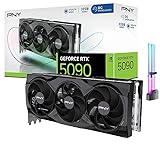
CyberGeek GeForce RTX 5090 Overclocked Triple Fan Graphics Card, 32GB GDDR7, 28 Gbps, 512-bit, 3352 AI Tops, DLSS 4, AI Content Creation, Local LLM Inference, DP 2.1b x3, HDMI 2.1b, with GPU Holder
More specifications
- Condition
- New
- Seller
- Prime Outlets Online
- ASIN
- B0GK8D8DJH

MSI GeForce RTX 5090 32G SUPRIM SOC Graphics Card VD8997
More specifications
- Condition
- New
- Seller
- MrReliable-USA
- ASIN
- B0DT6SN14V

ASUS ROG Matrix Platinum GeForce RTX 5090 OC 30th-Anniversary Edition Gaming Graphics Card, 32GB GDDR7, PCIe 5.0, 512-bit, Liquid Metal Cooling, DisplayPort 2.1b, HDMI 2.1b, MTX5090P32G30TH
More specifications
- Condition
- New
- Seller
- MrReliable-USA
- ASIN
- B0GRFXRSZV
Will this hardware class fit your workload?
Use workload, memory and software priorities to identify the strongest platform fit.
The result will focus on the trade-off that matters most for this decision.
Buying decision summary
| Decision factor | ACEMAGIC F9A PRO495 | Alternative / implication |
|---|---|---|
| Memory fit | Up to 192GB | Choose capacity from the real model working set, not the headline alone |
| Software path | Windows/x86 and AMD-oriented unless noted | CUDA or MLX requirements can outweigh capacity |
| Storage | Plan active-model NVMe capacity | Large model libraries often need several terabytes |
| Networking | Match the workstation role | 2.5/5/10GbE matters for NAS and served inference |
| Buying timing | Verify exact configuration and stock | Newly announced hardware can have uneven availability |
Check these four things before choosing a system
Verify PRO495, not another F9A
F9A naming spans more than one configuration. Confirm processor, installed memory, SSD and seller condition on the exact offer.
Decide whether OCuLink matters
Value the external PCIe path only if you expect to add a discrete GPU or accelerator; otherwise compare the base system on its own merits.
Check both network ports
Confirm how you will use dual 2.5GbE and whether your switch infrastructure can take advantage of the topology.
Budget for cooling and storage
A high-memory compact workstation benefits from adequate airflow and enough NVMe capacity for the large models it can actually run.
ACEMAGIC F9A PRO495 buying guide
F9A PRO495 is an expansion-first 192GB workstation
ACEMAGIC's F9A PRO495 stands out because its high-memory Ryzen AI platform is paired with workstation-oriented expansion rather than only a compact enclosure. The published configuration combines Ryzen AI Max+ PRO 495, up to 192GB LPDDR5X-8533 memory, a shared-memory graphics allocation that can reach 160GB, dual NVMe storage, OCuLink, Wi-Fi 7 and dual 2.5GbE. That mix makes the F9A interesting to buyers who expect the machine to grow into a larger desk setup instead of remaining a sealed local-inference appliance.
OCuLink changes the long-term value proposition
OCuLink gives the F9A a path to external PCIe-class graphics or accelerator hardware with less protocol overhead than a conventional USB connection. It does not turn every external GPU into a perfect desktop replacement, and enclosure, power and driver compatibility still matter. The benefit is optionality: a buyer can start with the integrated Radeon 8065S and large shared-memory pool, then add a discrete GPU later for CUDA-specific software or graphics work. That is a different upgrade story from systems whose high-speed external expansion is limited to general-purpose USB4.
Dual 2.5GbE fits lab and server use
Two 2.5GbE interfaces are more useful than one when the workstation is part of a home lab, small office or isolated AI network. One link can face client devices while another reaches storage or a separate VLAN, or the second port can provide routing and service flexibility. This does not equal native 10GbE throughput, so teams moving very large datasets should consider whether a faster adapter or switch path is needed. For many local model-serving workloads, however, dual 2.5GbE is a practical baseline and avoids relying on wireless networking for critical traffic.
The 192GB configuration should be verified, not assumed
F9A branding can appear alongside different processors and memory tiers, so the listing title alone is not enough evidence. Confirm that the product specifically states PRO 495 and the installed memory amount. Also inspect SSD capacity, Windows licensing, included accessories and seller condition. A 128GB configuration may be materially cheaper and still handle a large range of local models, while the 192GB version makes sense when a buyer needs larger weights, longer contexts or several concurrent services. Cloudzat's product filters keep those configurations distinct instead of merging them into one price card.
Memory allocation is a budget, not free VRAM
ACEMAGIC advertises a large graphics-memory allocation because the platform can devote a substantial part of system memory to the Radeon 8065S. That figure should be interpreted within the total 192GB pool. Windows or Linux, the inference runtime, CPU-side buffers and background applications all consume memory at the same time. The safe planning method is to reserve space for the operating system first, estimate model weights and context next, and only then decide whether the workload has comfortable headroom. Running at the mathematical maximum can make an otherwise capable system fragile.
Use both NVMe slots strategically
With dual NVMe capability, the F9A can separate the operating system and active project data from a larger model library. That is useful when model files are frequently replaced or when one drive needs to sustain indexing and scratch activity without competing with system tasks. Buyers should verify slot lane width, supported drive length, heatsink clearance and thermal behavior before ordering two premium SSDs. A slower high-capacity secondary drive can be a better value for archived quantizations than filling every slot with the fastest Gen5 model available.
The integrated GPU is not a replacement for every discrete GPU
Radeon 8065S plus a very large shared-memory budget solves a different constraint from an RTX 5090. The F9A can accommodate workloads that are too large for 32GB of dedicated VRAM, but CUDA-optimized applications may still favor NVIDIA hardware by a wide margin. For creator software, 3D rendering or specific AI frameworks, check application support before deciding that capacity alone wins. OCuLink makes this especially relevant because the F9A can potentially combine its large system memory with an external discrete GPU for selected workloads.
Compact size shifts the thermal questions
A roughly mini-workstation-sized chassis can save desk space, yet heat density increases when CPU, integrated graphics, memory and NVMe drives work simultaneously. Review sustained power behavior rather than only the processor's maximum specification. If the system will run models all day, prioritize stable temperatures and a fan curve you can tolerate. If it will sit in a media room or office, acoustic character matters as much as raw decibels. A well-chosen lower power profile may deliver a better daily experience with only a modest performance tradeoff.
Who benefits from F9A PRO495
The F9A is particularly attractive to technical users who value connectivity and expansion: developers running private agents, homelab builders, small teams serving models to several machines, and creators who want a single x86 box for conventional software plus local AI. It is less compelling for someone whose entire workflow is already tied to CUDA or macOS/MLX. In those cases, RTX Spark or Mac Studio may reduce software friction even if the memory tier is different. The right choice starts with the applications that must work on day one.
How it compares with other PRO 495 systems
Against GMKtec EVO-X5 Pro, the F9A should be compared on ports, network design, storage expansion, OCuLink implementation, cooling and actual retail price rather than processor name. Against MINISFORUM MS-S1 MAX-P495, pay attention to network speed and workstation I/O. Framework's future 192GB Desktop is a different proposition again because its final 192GB processor assignment has not yet been publicly confirmed. These distinctions are why a category page should rank exact configurations instead of treating all 192GB PCs as interchangeable.
Buying before Amazon inventory matures
Early product cycles can produce thin or inconsistent marketplace inventory. If the exact F9A PRO495 listing is unavailable, a useful alternative should match the underlying need, such as another 192GB PRO 495 system, rather than a random mini PC with a similar brand name. Cloudzat preserves last-verified product information and does not replace a qualified listing with an accessory or older F9A variant merely because a broad search returns it. That helps the page remain commercially useful while the launch moves from direct sales into wider retail distribution.
Bottom line for ACEMAGIC F9A PRO495
Choose the F9A PRO495 when 192GB-class memory is important and you also care about OCuLink, dual-network flexibility and internal storage expansion. Treat the 160GB graphics allocation as part of a shared budget, not dedicated VRAM, and validate your runtime before buying. The machine's strongest advantage is flexibility: it can operate as a self-contained high-memory AI desktop today while leaving more obvious paths to network, storage and external-GPU expansion than many compact competitors.
One extra advantage is that expansion can postpone a full-system replacement. If a future workflow needs a discrete accelerator, faster networking or a larger local model store, the surrounding F9A platform offers several ways to add capability without discarding the 192GB base system. That does not guarantee every upgrade will be economical, but it gives a technical buyer more options than a tightly sealed appliance. Price those future paths realistically, including external GPU power, cables and enclosures, before assigning them value today.
ACEMAGIC F9A PRO495 questions buyers ask
What is the main reason to choose F9A PRO495?
Its combination of 192GB-class memory, OCuLink, dual NVMe and dual 2.5GbE makes it unusually flexible for a compact AI workstation.
Does OCuLink guarantee every external GPU will work?
No. GPU enclosure, power supply, drivers, operating system and the specific OCuLink implementation still need to be compatible.
Is the 160GB allocation dedicated VRAM?
No. It comes from shared system memory, so CPU and operating-system needs reduce the amount safely available to the accelerator.
Can I use the two Ethernet ports separately?
Yes, depending on operating-system and network configuration. Common uses include separate client/storage networks, VLANs or lab routing.
Should I install two fast NVMe SSDs?
Not necessarily. One fast active drive plus a larger, value-oriented model-library drive can be a better use of budget.
Is F9A PRO495 a good CUDA machine?
Not by itself. If CUDA is mandatory, an NVIDIA system or an external compatible GPU path may be more suitable.
Who should buy 128GB instead of 192GB?
Buyers whose target models, context and background workloads remain comfortably below the 128GB practical budget can save money without losing usefulness.
How do I avoid buying the wrong F9A?
Verify PRO495 in the processor description and confirm the installed memory tier rather than relying on the family name alone.
Specifications and reference material
Use manufacturer specifications for hardware details and confirm the exact retail configuration before buying.
- AMD Ryzen AI Max+ PRO 495 specifications
- NVIDIA RTX Spark announcement
- Apple Mac Studio M5 Max and M5 Ultra
- ACEMAGIC F9A AI Workstation
As an Amazon Associate, Cloudzat may earn from qualifying purchases.