


WD_BLACK CAPACITY ECONOMICS
WD_BLACK Price per TB
A capacity-normalized view of current WD_BLACK HDD pricing, with the 8TB and 10TB tiers highlighted for high-intent buyers.
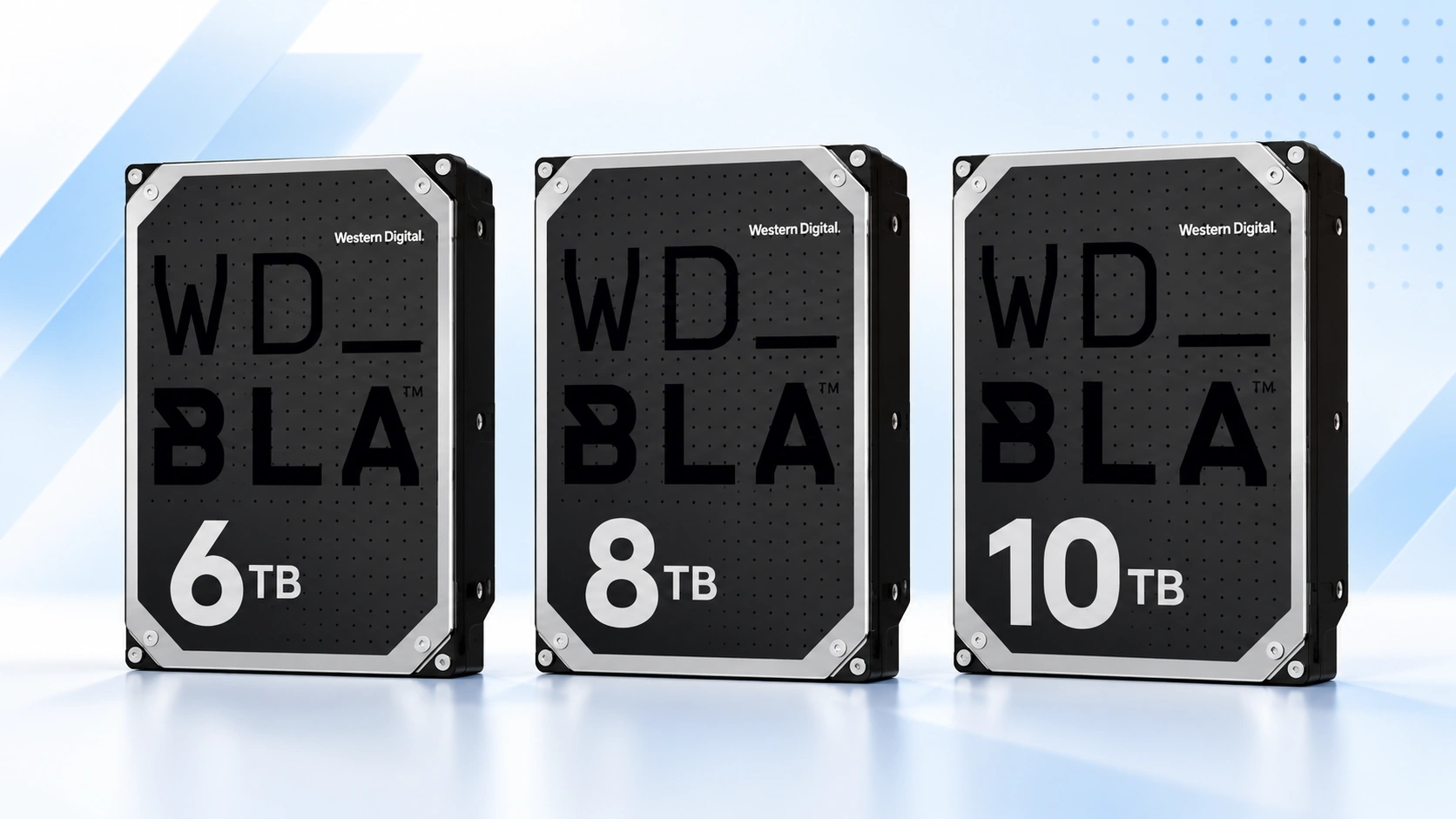
The best price per TB is the capacity with the lowest current price divided by its size. Compare 4TB, 6TB, 8TB and 10TB, then choose the smallest tier that comfortably fits your storage plan.
Price Trend
90-Day Price History
WD_BLACK Deal Score
Live value by model or family
| Family / model | Capacity | $/TB | 30-Day | Historical position | Deal Score | Signal |
|---|---|---|---|---|---|---|
| WD_BLACK 4TBWD4003FZEX | 4TB | $51.69 | — | 0th percentile | 98Medium history | BUY |
| WD_BLACK 6TB | — | — | — | History in progress | —Early history | WATCH |
| WD_BLACK 8TB | — | — | — | History in progress | —Early history | WATCH |
| WD_BLACK 10TBWD5003AZEX | 10TB | $5.93 | — | 0th percentile | 98Medium history | BUY |
Historical position compares today’s price per TB with recent tracked prices for new drives. Renewed, recertified, refurbished and used offers are kept separate.
Is this a good price?
WD_BLACK Price Check Calculator
Amazon Live
Current WD_BLACK price per TB offers
| Drive | Model | Capacity | Amazon price | $/TB | Checked | |
|---|---|---|---|---|---|---|
 WD_BLACKNew · Giz-Promo | WD102FZBX | 10TB | $469.99 | $47.00 | Last verified 27d ago | Buy on Amazon |
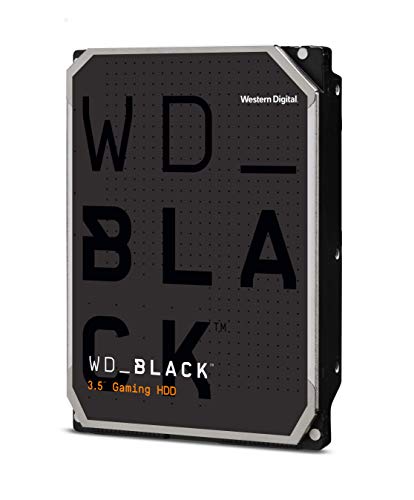 WD_BLACKNew · Rippid (S/N Recorded) | WD101FZBX | 10TB | $476.99 | $47.70 | Last verified 27d ago | Buy on Amazon |
 WD_BLACKNew · Dealforless | WD101FZBX | 10TB | $479.99 | $48.00 | Last verified 27d ago | Buy on Amazon |
 WD_BLACKNew · Square Four (SN recorded) | WD4003FZEX | 4TB | $206.75 | $51.69 | Last verified 71d ago | Buy on Amazon |
 WD_BLACKNew · Dealforless | WD4005FZBX | 4TB | $299.99 | $75.00 | Last verified 27d ago | Buy on Amazon |
 WD_BLACKNew · Amazon buying options | WD5003AZEX | 10TB | $59.34 | $5.93 | Last verified 49d ago | Buy on Amazon |
As an Amazon Associate, Cloudzat may earn from qualifying purchases. Prices, seller, selected variation and availability can change after the last check. Confirm the exact model, capacity and New condition before checkout.
Capacity Economics
4TB vs 6TB vs 8TB vs 10TB purchase cost
| Capacity | 4TB | 6TB | 8TB | 10TB |
|---|---|---|---|---|
| Current drive price | $206.75 | — | — | $59.34 |
| Best current $/TB | $51.69 | — | — | $5.93 |
| Two-drive cost | $413.50 | — | — | $118.68 |
| Current model | WD4003FZEX | — | — | WD5003AZEX |
Drive purchase cost only. Add tax, shipping, backup storage and any SSD tier separately.
Smart Alternatives
Better-value WD_BLACK capacities to check
Decision table
What to compare before buying
| Metric | What it answers | Best use | Common mistake |
|---|---|---|---|
| Current price | What will I pay now? | Budgeting the purchase | Ignoring a nearby capacity sale |
| Price per TB | How much capacity does each dollar buy? | Comparing 4/6/8/10TB | Assuming lowest ratio equals best total value |
| Marginal $/TB | What do the extra terabytes cost? | Moving from 6→8 or 8→10TB | Comparing only sticker prices |
| Historical percentile | Is today expensive or cheap for this tier? | Purchase timing | Comparing different models as if they were the same drive |
Price per TB makes four different WD_BLACK prices comparable
A 4TB drive and a 10TB drive cannot be compared meaningfully by sticker price alone because they deliver very different amounts of storage. Dividing the current New-condition price by capacity produces a common unit: dollars per terabyte. That number immediately shows whether the higher-capacity tiers are earning their premium or whether scarcity has made one size unusually expensive.
The calculation is simple, but the comparison still needs like-for-like products. Compare 3.5-inch WD_BLACK HDDs by exact capacity and condition, and evaluate SSDs, external drives and secondary-market stock separately. Check the exact model behind any unusually low number before treating it as representative of the whole capacity tier.
Why the cheapest $/TB can still be the wrong purchase
A lower price per TB tells you that capacity is being sold efficiently. It does not tell you whether you need the capacity. If 10TB wins at $30/TB but 6TB already covers the expected life of the machine, paying the larger total amount can still be wasteful. The unused space has a cost even when its unit price is attractive.
Start with a realistic capacity range, then use $/TB to choose inside that range. This prevents a metric designed to normalize value from encouraging overbuying. The best capacity is the one that satisfies the storage plan at the strongest combination of total price, unit economics and purchase timing.
4TB and 6TB are total-cost competitors
The smaller WD_BLACK capacities compete most strongly on cash outlay. A 4TB or 6TB drive can deliver performance-oriented desktop storage without consuming the budget required by 8TB or 10TB. For buyers who already have a substantial NVMe SSD, that can be the right trade: enough HDD space for a secondary library, while more money remains available for fast storage or other hardware.
The key is to watch the step-up premium. A sale on 6TB can make 4TB poor value even if the 4TB sticker price is lower. Likewise, a discounted 8TB can suddenly make 6TB look expensive per added terabyte. The capacity table is therefore more useful than a static recommendation that names one size as the permanent sweet spot.
8TB often becomes the family value anchor
Eight terabytes combines substantial density with a price that can remain below the maximum-capacity premium of 10TB. When WD8002FZBX is discounted, the tier can become attractive on both total cost and price per TB. That is why 8TB is one of the most important high-capacity buying tiers in the WD_BLACK HDD range and deserves its own exact history.
For a large game library or workstation archive, 8TB can also be enough to avoid another HDD for years. The value is not only the ratio. It is the ability to put a large amount of capacity in one bay while preserving budget for the SSD tier. If 10TB is expensive, 8TB becomes even more compelling.
10TB can win when the last two terabytes are cheap
Ten terabytes is most attractive when the premium over 8TB is small. The extra 2TB should be priced separately as a marginal purchase. If moving from 8TB to 10TB costs sixty dollars, those added terabytes cost thirty dollars each. Compare that figure with the current 8TB $/TB and with the inconvenience of adding storage later.
A favorable 10TB history strengthens the case because it means the buyer is not paying a scarcity premium for maximum density. A poor 10TB historical position can reverse the conclusion even if its overall price per TB still looks respectable. Capacity-normalized value and timing should be considered together.
Marginal cost is the missing metric in many capacity comparisons
Price per TB averages the entire drive. Marginal cost isolates the upgrade. This is especially powerful for 6TB versus 8TB and 8TB versus 10TB, where the buyer is deciding whether two additional terabytes are worth the current premium. The calculation makes capacity upgrades comparable across days even when the absolute prices move.
A low marginal cost supports buying the larger tier early. A high marginal cost suggests the smaller drive is currently favored, especially if the larger tier is also near the high end of its own historical range. The point is not to create another score for its own sake. It is to answer the exact question a buyer faces at checkout: what am I paying for the storage I gain by moving up?
Older revisions can temporarily distort the apparent capacity ladder
Western Digital has documented multiple WD_BLACK revisions at 4TB, 6TB, 8TB and 10TB over time. Older stock can remain on Amazon and occasionally be discounted aggressively. That can make one capacity look unusually cheap, but the bargain may be tied to a different model revision from the current model.
Read the exact model behind any standout price before assuming the whole capacity tier has become cheaper. An older official revision can be cleared at a steep discount while newer stock remains at a very different price.
Use historical percentile to add timing to $/TB
Two capacities can have similar price per TB while sitting in very different parts of their histories. If 8TB is near a tracked low and 10TB is near a tracked high, 8TB can be the stronger timing choice even if 10TB has a slightly better raw ratio. Historical position shows whether the current market is rewarding or penalizing a capacity relative to itself.
The signal becomes more meaningful as daily observations accumulate. Early history should be treated cautiously. Use the ratio and marginal cost immediately, then give the median, low and percentile more weight as the record matures. This keeps the page useful without pretending to know a long-term fair value on day one.
Price per TB should not mix WD_BLACK HDD and SSD
WD_BLACK NVMe drives have a much higher cost per terabyte because they deliver radically different latency and throughput. Putting an SN850X beside a 10TB mechanical HDD in the same $/TB ranking would produce an obvious result but a useless buying comparison. The storage classes solve different problems.
This page keeps the mechanical HDD family together. WD_BLACK NVMe SSDs such as SN850X and SN8100 are better compared on PCIe performance, heatsink choices and flash pricing rather than raw HDD capacity economics. Keeping the storage classes separate makes this $/TB table a useful decision between 4TB, 6TB, 8TB and 10TB mechanical drives.
Turn the $/TB table into an actual buying decision
First remove capacities that do not fit your storage forecast. Second, compare current price per TB among the remaining sizes. Third, calculate the marginal cost to move one tier higher. Finally, check the historical position of the two finalists. This sequence avoids overpaying for capacity you do not need while still taking advantage of a genuinely strong high-capacity sale.
At checkout, repeat the calculation using the live retailer price because marketplace offers can change. The best result is not a permanent favorite capacity. It is the capacity that fits your PC, budget and storage needs at the price available today.
Use price bands to make the table actionable
A useful way to read the family table is to group capacities into acceptable, attractive and expensive bands based on the current $/TB relative to their own history. An attractive ratio near a tracked low deserves attention. A good ratio at a historically high price may simply mean every capacity is expensive. An expensive ratio with a low total cost can still be acceptable when the buyer needs only that smaller capacity.
This prevents the page from becoming a race to the lowest number. The final decision should combine normalized value, historical position and the capacity forecast. The purpose of price per TB is to expose how the market is pricing the size ladder today, not to eliminate judgment from the purchase.
Why promotions can invert the normal capacity order
Hard-drive pricing is not a smooth mathematical curve. Retail promotions, inventory age and seller competition can make 8TB cheaper per terabyte than 10TB one week and reverse the relationship the next. Smaller tiers can occasionally become unusually attractive when older stock is cleared.
That volatility is exactly why a live page is more useful than a static chart. Recalculate from the current verified Amazon prices and keep exact-model identity visible. When the normal capacity order inverts, investigate whether the change is a genuine family promotion, a revision clearance or a temporary lack of inventory in another tier.
Questions people ask
WD_BLACK price per TB FAQs
How do you calculate WD_BLACK price per TB?
Divide the current New-condition drive price by its nominal capacity in terabytes. For example, a $320 8TB drive is $40/TB.
Which WD_BLACK capacity usually has the lowest price per TB?
It varies with promotions and availability. 8TB and 10TB are important high-value tiers, but the live table should be used instead of assuming the largest drive always wins.
Is price per TB more important than total price?
No. Use both. $/TB measures capacity efficiency while total price determines the cash commitment. A larger drive can have a better ratio and still be unnecessary for your use case.
What is marginal price per TB?
It is the price premium for the larger drive divided by the extra terabytes gained. It helps answer whether moving from 8TB to 10TB, for example, is an efficient upgrade.
Why exclude WD_BLACK SSDs from the table?
HDDs and SSDs have different performance goals and cost structures. Mixing them would make the capacity-value comparison less useful for both buyers.
Can an older WD_BLACK revision be the best value?
Yes. An older official revision can be good value when it is New, suitable for your PC and meaningfully cheaper. Check the exact model and warranty before buying.
Price methodology & sources
How Cloudzat compares WD_BLACK prices
Cloudzat matches WD_BLACK HDD offers by capacity and exact model number before including them. Price per TB is the current new-drive price divided by capacity. Price history uses the prices Cloudzat has tracked over time, while renewed, recertified, refurbished and used drives are kept separate from new-drive comparisons.
The Deal Score combines current price per TB with the available price history. When history is limited, the signal stays conservative. The score is a purchase-timing aid, not a reliability rating or compatibility guarantee.
- Western Digital WD_BLACK 3.5-Inch Gaming Hard Drive
- Western Digital WD_BLACK 3.5-Inch Gaming HDD data sheet
If a newer Amazon check does not return a replacement price, Cloudzat can keep the last successfully verified price visible with its age for reference. Always confirm the live checkout price, selected model, capacity, seller and condition before ordering.